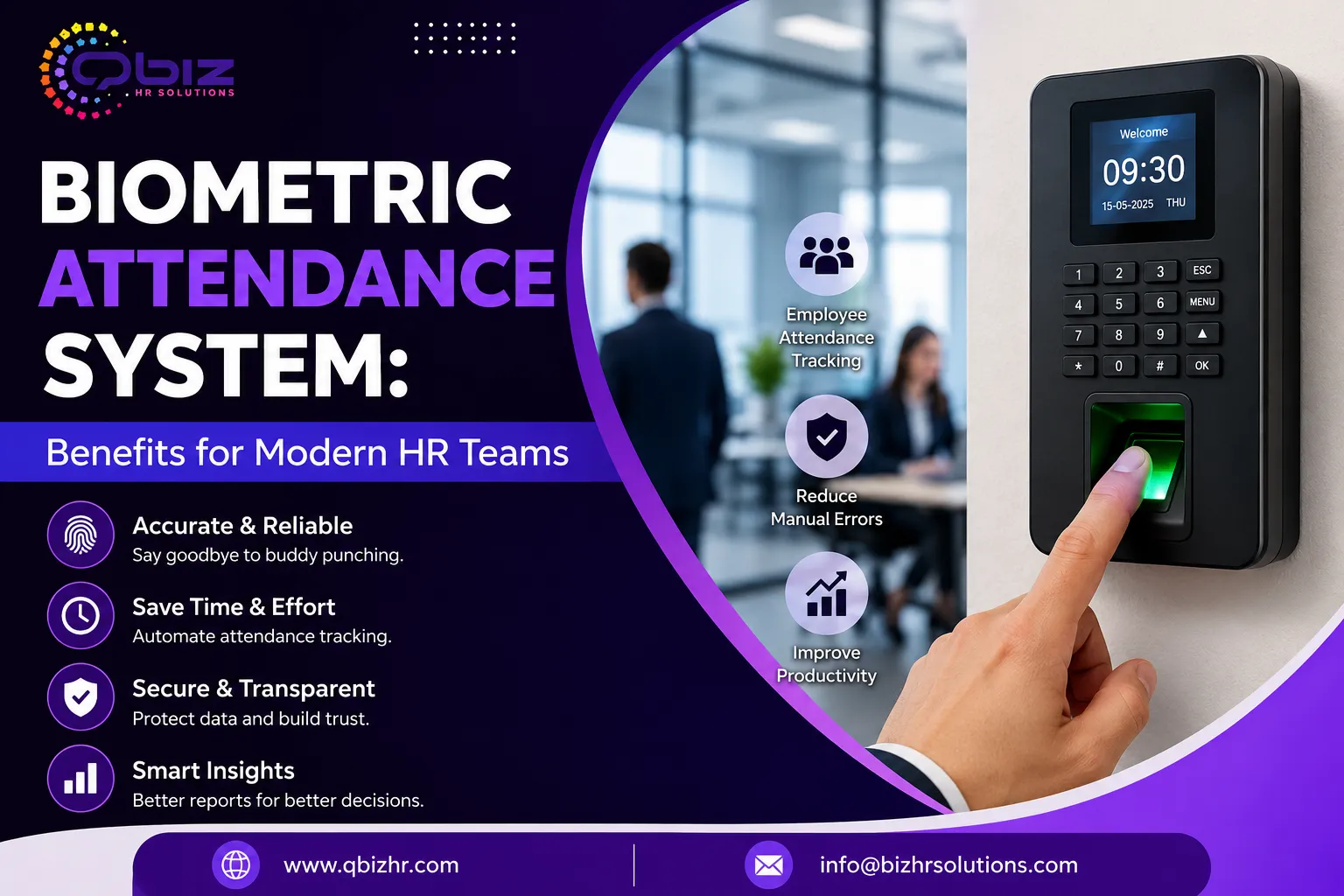

Keeping track of who came to work, when they arrived, and when they left sounds simple. In a growing office, though, attendance can become hard to manage when teams use paper registers, spreadsheets, or shared cards.
A Biometric Attendance System gives staff a quick way to mark attendance while the system stores each entry with a time stamp. That makes daily records easier to check and helps HR teams spend less time fixing small errors.
Worth knowing: the real value is not just the device at the entrance. The setup should fit work hours, shifts, leave rules, payroll needs, and privacy duties. When those parts work together, attendance data becomes a useful HR tool instead of another task to maintain.
Why Businesses Need Better Attendance Records
Attendance records affect more than a daily in-and-out list. They can shape payroll, overtime checks, shift planning, leave records, and reports for managers.
Paper logs can be hard to read. Shared cards can also let one worker mark attendance for another person. A well-set system links each attendance event to an enrolled employee, which can make records easier to trust.
That's not all. Digital records can help HR find late arrivals, missed punches, early exits, and unusual patterns without checking every page by hand.
For small firms, this can mean less admin work. For larger teams, it can mean better control across departments or shifts. The right system does not replace good HR rules; it makes those rules easier to apply.
How a Biometric Attendance System Works
The process is usually simple. First, an employee is enrolled using a supported biometric method, such as a fingerprint or face scan. The system then matches the person at the time of entry or exit and records the event.
Depending on the model, data may stay on the device, move to local software, or sync to a cloud platform. That choice matters because the business needs to know where attendance data is stored and who can access it.
Worth noting: biometric matching is not the same as taking a normal photo or keeping a fingerprint image in a simple folder. The system may use a mathematical template to compare a new scan with stored enrollment data. Exact handling varies by vendor, so HR should review the product's data practices before purchase.
Benefits for HR and Managers
One clear benefit is speed. Employees can mark attendance in seconds, while HR can view records without collecting paper sheets from each department.
The system can also support Employee Attendance Tracking across teams. Managers may see daily attendance, shift status, late marks, and missing punches from one dashboard, depending on the software.
It adds up. Fewer manual entries can reduce common typing mistakes. Better records can also make payroll checks easier because HR has a time-based record to review before processing wages.
Another useful point is consistency. When the same attendance rules apply to everyone, managers have a clearer base for handling late arrivals, overtime, and shift changes. Still, the system should support the company's written policy rather than become the policy by itself.
Reducing Buddy Punching and False Records
Buddy punching happens when one employee marks attendance for another. It can occur with paper registers, shared cards, or PIN-based systems.
Biometric checks can make this harder because the attendance event is linked to a person's enrolled biometric identity. That can improve trust in the record and reduce the need for supervisors to watch every entry.
The catch? No system removes every risk. Poor enrollment, shared access to admin accounts, weak device security, or bad network setup can still create problems.
For that reason, businesses should combine biometric attendance with clear access rules. Admin rights should stay with authorized staff, devices should receive proper updates, and unusual attendance entries should be reviewed. A strong process is more useful than relying on the device alone.
Choosing the Right Biometric Method
Fingerprint systems are common because they can be quick and easy to use. Face-based systems can also offer touch-free attendance, which some workplaces may prefer.
However, one method does not fit every workplace. Dust, lighting, outdoor work, gloves, skin conditions, shared equipment, and employee comfort can affect how a system performs.
Before buying, think about the setting. A factory may need a different device from a clean office. A business with several branches may also need central reporting, while a small office may only need a basic local setup.
Worth knowing: check the failure handling too. Employees need a clear backup method when a scan fails. The goal is reliable attendance, not a queue of frustrated staff at the entrance.
Attendance Data and Payroll
Attendance records often connect with payroll because working hours can affect pay, overtime, deductions, and leave calculations. A good setup can move approved attendance data into payroll software or provide reports that HR can check before processing.
Still, automation needs review. A missed punch, approved leave, shift swap, or overtime change can affect the final record.
That's why HR should set a review step before payroll is closed. Managers can confirm exceptions, while HR checks whether the attendance rules match the payroll period.
In practice, this creates a useful balance: the system handles routine data capture, and people handle cases that need judgment. That approach can save time without treating every system entry as automatically correct.
Privacy and Data Security Matter
Biometric data deserves extra care because it relates to a person's identity. Businesses should collect only what they need, limit access, use suitable security controls, and understand how long data is kept.
The software should also have clear user roles. Not every manager needs access to every employee record.
That's where vendor checks matter. Before choosing a provider, ask how biometric templates are stored, whether data is encrypted, what happens when an employee leaves, and whether the system supports audit logs.
For businesses reviewing HR technology, Qbizhr Solutions can be considered as part of a wider HR systems discussion, but the final choice should depend on the company's needs, security requirements, budget, and workflow.
Integration With HR Systems
A biometric device becomes more useful when it can work with the rest of the HR setup. Depending on the product, it may connect with payroll, leave management, shift scheduling, or HR software.
This can reduce duplicate data entry. Instead of copying attendance figures from one tool to another, HR may be able to move approved data through an integration or export process.
That's not all. Integration can also help create a clearer record from attendance to payroll. Yet compatibility should be checked before purchase. Two systems may both claim to support attendance but use different formats, rules, or connection methods.
Ask for a live demo if possible. Test a normal day, a late entry, a missed punch, approved leave, overtime, and an employee exit. Those real cases often reveal more than a feature list.
Common Mistakes to Avoid
Buying only on price is one common mistake. A low-cost device may look attractive until the business finds that reports, support, integrations, or user limits do not match its needs.
Another issue is weak planning. If HR does not define shifts, grace periods, overtime rules, and correction steps first, the system may simply produce data that no one knows how to use.
Also, do not ignore employee communication. Staff should know why the system is being used, how attendance is recorded, and what to do if a scan fails.
Worth knowing: pilot the setup with a small team before a full rollout. Check accuracy, speed, reporting, admin controls, and payroll flow. Fixing issues early is usually easier than changing a live system later.
Best Practices for Successful Use
Start with clear attendance rules. Decide how the business will handle late arrivals, missed punches, overtime, breaks, shifts, leave, and corrections.
Next, enroll employees carefully. Verify each profile and avoid duplicate records. Keep admin access limited and review it from time to time.
It helps to train HR and managers before launch. They should know how to view reports, correct approved errors, manage users, and handle device problems.
For ongoing Employee Attendance Tracking, review reports on a set schedule. Look for repeated missed punches, unusual entries, and patterns that may need a manager's attention.
Finally, keep a backup process. If the device, power, or network fails, staff still need a fair way to record attendance. Good planning keeps a technical issue from becoming a payroll issue.
Conclusion
A Biometric Attendance System can turn a time-consuming attendance task into a cleaner digital process. It can help reduce false entries, support Employee Attendance Tracking, and give HR better records for payroll and workforce planning.
The best results come from more than buying a device. Clear HR rules, careful enrollment, secure data handling, staff training, system testing, and a backup process all matter.
The smart approach is simple: define the problem first, choose technology that fits the workplace, and review the system after launch. When the tool supports real HR needs, attendance data becomes easier to manage and more useful for daily decisions.
FAQs
What is a Biometric Attendance System?
It is a digital attendance tool that uses a person's biometric trait, such as a fingerprint or face scan, to record entry and exit times. The system then creates attendance records that HR can review.
Is biometric attendance better than a manual register?
It can be more efficient for many workplaces because it reduces manual entry and can make attendance records easier to search and report. The best option still depends on team size, work type, budget, and HR needs.
Can biometric attendance connect with payroll?
Many systems support payroll reports or integrations, but features vary. Before buying, confirm that the attendance system can handle the company's shift, overtime, leave, and payroll rules.
Is biometric attendance secure?
It can be secure when the system uses strong access controls, suitable encryption, secure storage, and clear data rules. Businesses should check the vendor's security practices before deployment.
What happens if an employee's scan fails?
The business should have a backup attendance process. Depending on the system, this may involve another approved biometric method, a secure manual correction, or an authorized exception entry.
How should a company choose a biometric attendance system?
Start with business needs rather than features. Check user capacity, biometric method, shift support, reports, integrations, security, admin controls, support, and total cost before making a decision.

























Sign in to leave a comment.