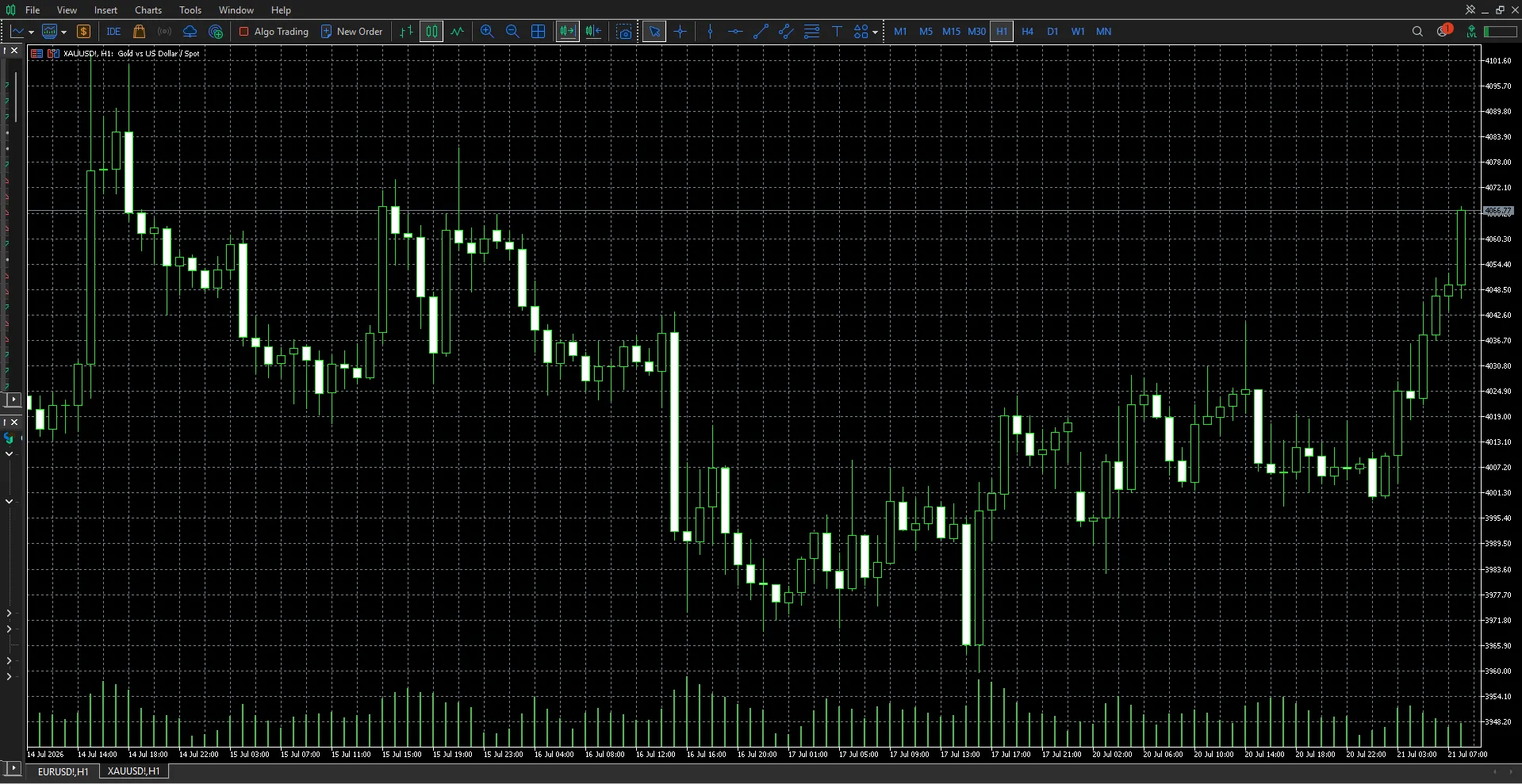

Many people searching for Meta Trading 4 are referring to MetaTrader 4 or MT4, a platform widely used for forex online trading. It provides charts, technical indicators, order controls, account information, and automated trading tools within one interface.
Still, learning the software is only one part of becoming a more organised trader. A reliable workflow must also include market preparation, position sizing, trade execution, and regular performance reviews.
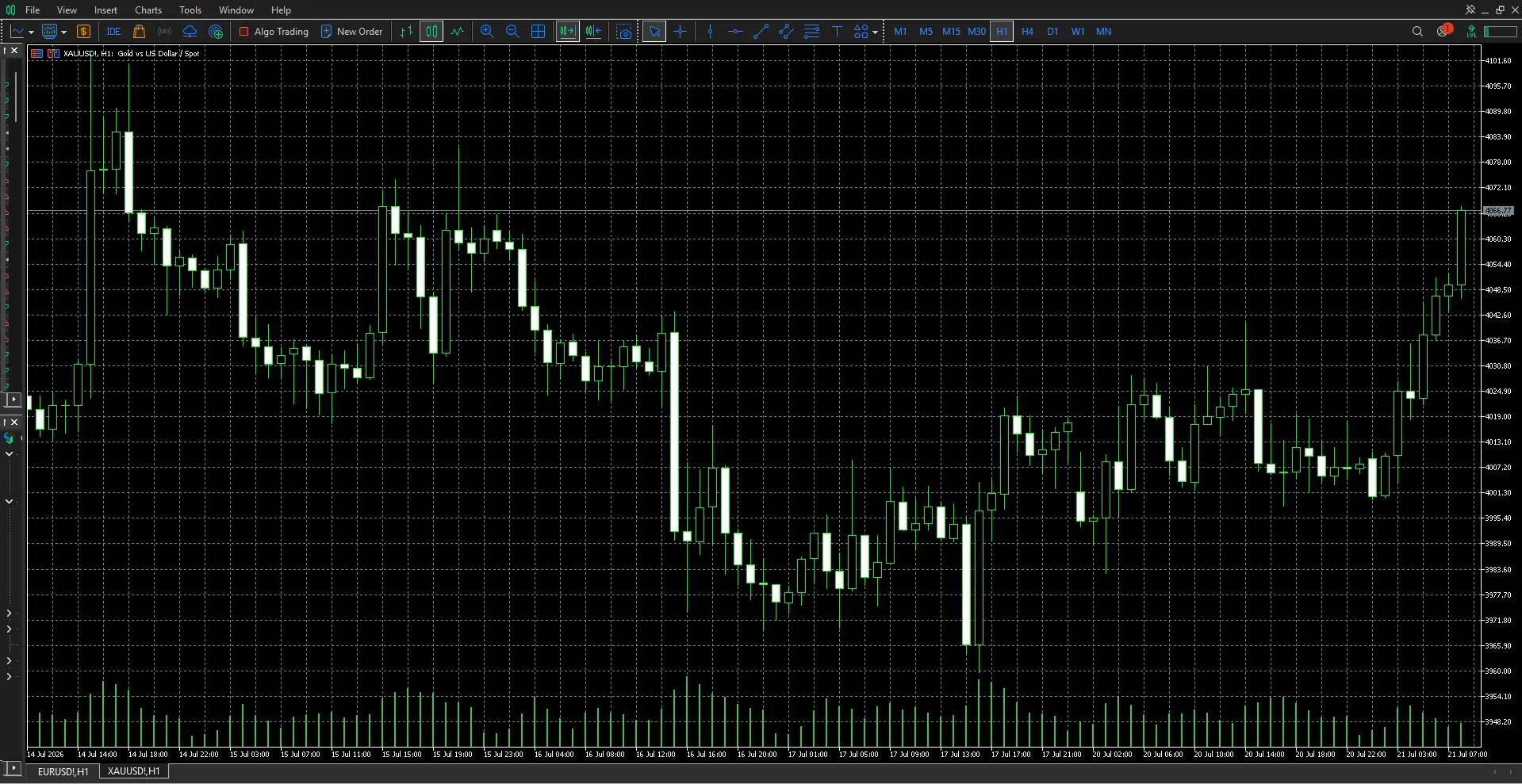
Table of Contents
- Understanding the role of a trading platform
- Setting up MetaTrader 4
- Creating a daily trading workflow
- Using charts and order tools
- Managing risk before execution
- Benefits and limitations
- Common mistakes
- Frequently asked questions
What Role Does a Forex Trading Platform Play?
A trading platform connects your account to the markets offered by a broker. It allows you to view prices, analyse charts, place orders, monitor open positions, and review previous trades.
However, the platform does not independently determine spreads, commissions, leverage, or execution quality. These conditions come from the broker and the selected account type.
MetaTrader 4 supports market orders, pending orders, stop-loss orders, take-profit orders, and trailing stops. It also allows orders to be managed from charts and other areas of the terminal.
How to Set Up Meta Trading 4 for Forex Online Trading
A clean platform setup can make market analysis easier. Too many charts and indicators often create confusion rather than better decisions.
Begin with the following steps:
- Connect the correct account.
Confirm your login details, account type, and broker server. - Create a focused watchlist.
Add only the currency pairs you regularly analyse. - Choose relevant timeframes.
Use higher timeframes for direction and lower timeframes for entry timing. - Add essential indicators.
Select tools that support a clear purpose, such as trend, momentum, or volatility analysis. - Save your chart template.
A consistent layout reduces unnecessary setup work each day.
MetaTrader 4 includes three chart types and nine standard timeframes. It also supports technical indicators, custom tools, and programs created through MQL4.
Build a Daily Forex Trading Workflow
A structured routine helps traders avoid opening positions based only on short-term excitement.
Review the Wider Market
Start by checking the higher-timeframe trend. Identify whether the market is rising, falling, or moving within a range.
Mark important areas such as:
- Previous highs and lows
- Support and resistance
- Trend boundaries
- Breakout levels
- Areas of strong price rejection
These levels provide context. An entry signal becomes more meaningful when it appears near a relevant market area.
Define the Setup
Write down the conditions required before entering. For example, a trader may only consider a buy position when the daily trend is rising and price returns to support.
The entry might require a bullish candle close, while the stop belongs below the level that would invalidate the idea. This approach creates a repeatable decision instead of relying on instinct.
Check Scheduled Events
Currency markets can become more volatile around central-bank decisions, inflation releases, employment data, and other major announcements.
Before opening a position, decide whether your strategy allows trading around these events. Avoid changing the rule after the trade has already started.
Use Order Types with a Clear Purpose
Different order types support different trading situations.
A market order enters at the currently available market price. It may suit traders who want immediate execution, although the final price can differ during fast conditions.
A limit order requests entry at a more favourable price. A stop order requests entry after price reaches a specified breakout level.
Stop-loss and take-profit orders help define an exit plan. However, a stop-loss cannot guarantee execution at the exact requested price during gaps or rapid market movement.
MetaTrader 4 also supports one-click trading, which can make execution faster. Traders should use it carefully because faster order placement can also make impulsive decisions easier.
Manage Risk Before Placing the Trade
Good analysis does not remove uncertainty. Risk must be calculated before execution.
Use this process:
- Identify the entry price.
- Mark the invalidation level.
- Measure the stop-loss distance.
- Decide the maximum acceptable loss.
- Calculate the position size.
- Review your total open exposure.
For example, two positions involving USD may respond to the same market development. Although they appear separate, their combined risk may be greater than expected.
Available margin should not determine trade size. It only shows how much exposure the account permits, not how much the trader should accept.
Use Demo Trading for Platform Practice
A demo account can help users learn chart navigation, order placement, stop controls, and account monitoring without using real capital.
To make demo practice more realistic:
- Use a virtual balance close to your planned live capital.
- Follow fixed position-sizing rules.
- Avoid resetting the account after losses.
- Record every position in a journal.
- Test one strategy at a time.
CapitalXtend offers MetaTrader 4 access for eligible traders who want to explore its charting, analytical, and automated trading features. Account conditions should always be reviewed before moving from practice to live execution.
Benefits and Limitations
Potential Benefits
- Familiar and organised interface
- Multiple charting and analysis tools
- Market and pending orders
- Automated trading through Expert Advisors
- Custom indicators and scripts
- Desktop and mobile access
- Demo trading support
Important Limitations
- Platform tools cannot predict prices
- Automated systems can produce losses
- Custom indicators may be unreliable
- Broker conditions vary
- Demo execution may differ from live trading
- Leverage can increase losses rapidly
MetaTrader 4 supports Expert Advisors for automated strategies, but automation does not make a strategy reliable or remove the need for risk controls.
Common Mistakes to Avoid
Common mistakes in forex online trading include:
- Adding too many indicators
- Trading without written rules
- Using excessive position sizes
- Moving stop-loss levels after entry
- Opening several correlated positions
- Installing unverified Expert Advisors
- Ignoring spreads and overnight costs
- Treating demo profits as guaranteed live results
A platform should support your process. It should never replace analysis, discipline, or risk management.
Key Takeaways
- Keep the trading platform simple and organised.
- Use higher timeframes to understand market direction.
- Define entries, exits, and risk before execution.
- Choose each order type for a specific purpose.
- Practise realistic position sizing through a demo account.
- Review broker conditions separately from platform features.
- Treat automated tools as support rather than guaranteed solutions.
Frequently Asked Questions
Is Meta Trading 4 the same as MetaTrader 4?
The phrase Meta Trading 4 is commonly used by people searching for MetaTrader 4, also known as MT4.
Is MetaTrader 4 suitable for beginners?
Yes. Beginners can use it to learn charts, order types, indicators, and position management. They should begin with a demo account and a simple layout.
Can I trade forex online through MT4?
Yes, when MT4 is connected to a broker account that offers currency pairs.
Does MetaTrader 4 provide the trading account?
No. The broker provides the account, instruments, pricing, leverage, and execution conditions.
Can I use automated strategies?
MT4 supports Expert Advisors written in MQL4. Every automated strategy should be tested and monitored carefully.
Can a stop-loss guarantee my exit price?
No. During gaps or fast market conditions, execution may occur at the next available price.
Is demo trading the same as live trading?
No. Demo trading helps with platform practice, but it cannot fully reproduce live execution conditions or the emotions involved in risking real money.
Conclusion
Meta Trading 4 can provide a practical environment for forex online trading, technical analysis, order management, and strategy testing. However, platform features alone cannot create a disciplined trading process.
Build a clear routine, define risk before every entry, and review your decisions regularly. A simple workflow followed consistently is often more useful than a complicated setup filled with unnecessary tools.
Begin with a demo account, create one clear chart template, and test a documented trading process before committing real capital.























Sign in to leave a comment.