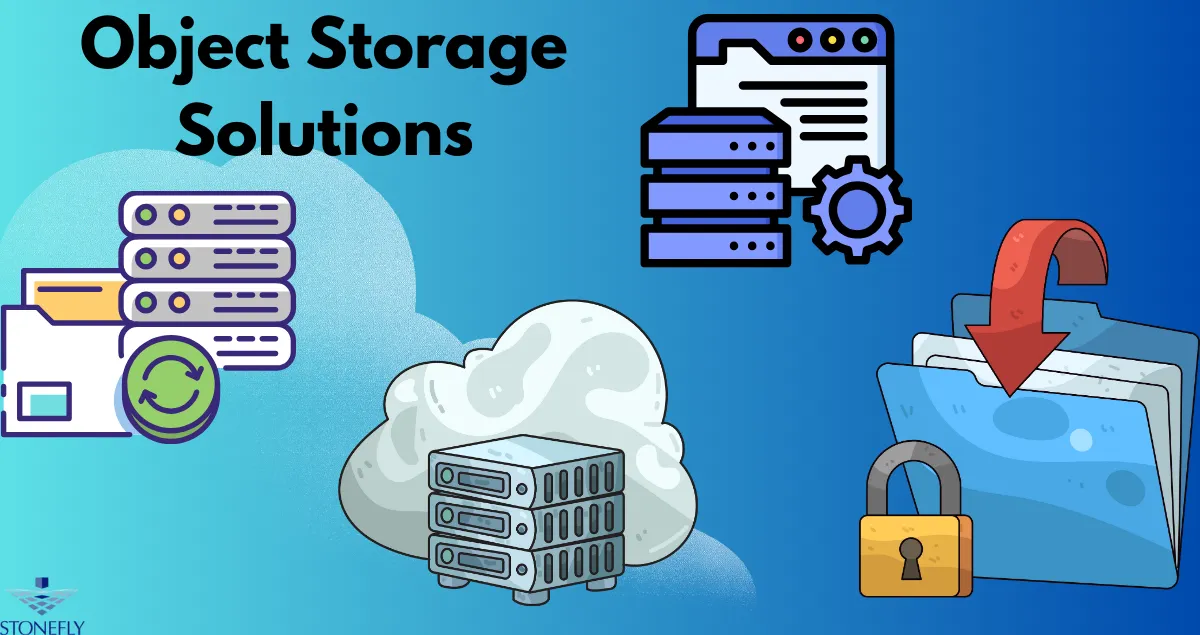

As businesses generate more documents, databases, application data, media, and backup copies, conventional storage architectures can become difficult to scale efficiently. Object Storage Solutions provide a flexible approach for managing large volumes of unstructured information while supporting long-term retention, backup workflows, archives, and application data. Instead of organizing information primarily through traditional file-system structures, object storage manages data as individual objects with associated metadata, making it well suited to environments where storage requirements continue to grow.
Why Organizations Are Moving Toward Object-Based Storage
The amount and variety of business data have changed significantly. Organizations may have information spread across applications, virtual machines, databases, endpoints, remote offices, and automated services.
Traditional storage systems can handle many of these workloads effectively, but large-scale unstructured data introduces different requirements.
Object-based infrastructure is designed around scalability and simplified data organization. It can provide a centralized destination for large collections of information without requiring administrators to manage conventional directory structures for every dataset.
This makes it particularly useful for backup repositories and archival environments.
Understanding the Object Storage Model
Object storage treats each piece of information as an object rather than a conventional file.
An object typically contains:
- The actual data
- Metadata
- A unique identifier
This approach allows applications to interact with stored information through APIs rather than relying exclusively on traditional file-system protocols.
Metadata can also provide additional context about the information being stored, making object-based infrastructure useful for applications that need to manage very large datasets.
Designed for Large Data Volumes
One of the major strengths of object storage is its ability to accommodate large amounts of unstructured data.
Organizations can use it for documents, images, videos, backups, archives, logs, analytics datasets, and application-generated information.
As data grows, administrators can expand the underlying infrastructure according to their capacity requirements.
Object Storage for Backup and Recovery
Backup environments can become some of the largest storage consumers in an organization.
Daily backups, incremental versions, application snapshots, and long-term retention can quickly create significant storage requirements.
Object storage provides a suitable destination for these repositories because it is designed to manage large collections of objects.
However, storage capacity should always be planned according to recovery objectives rather than simply purchasing as much capacity as possible.
Supporting Long-Term Retention
Businesses often need access to historical versions of their information.
For example, an organization may need to recover data from a particular point in time after discovering that a database was corrupted several weeks earlier.
Retention policies determine how many historical copies remain available.
Object-based storage can support these requirements, but organizations should establish clear rules for how long different categories of data should remain stored.
Scalability Without Constant Redesign
A major challenge with growing data repositories is avoiding repeated infrastructure redesign.
A storage architecture that works well at a small scale may become difficult to manage when the amount of information increases substantially.
Object storage is commonly designed with expansion in mind.
Organizations can plan infrastructure around current capacity while leaving room for future growth.
Planning for Data Growth
Capacity planning should consider more than today's storage requirements.
Administrators should estimate:
- Current usable capacity
- Monthly or annual growth
- Backup frequency
- Retention periods
- Redundancy overhead
- Expected workload expansion
- Future application requirements
This provides a more realistic view of how much infrastructure will be required over time.
Security and Access Management
Scalability should never come at the expense of security.
Object-storage environments can contain highly valuable information, particularly when used for backups and archives.
Access should therefore be controlled according to the principle of least privilege.
Applications should receive only the permissions necessary for their specific operations, while administrative privileges should remain restricted.
Protecting Credentials
Application credentials should not be shared broadly.
Separate credentials for different workloads can make it easier to identify which application accessed or modified stored information.
Multi-factor authentication should also be considered for administrative accounts and management interfaces.
Network Segmentation
Object storage can become an important component of the organization's internal infrastructure, so its network placement deserves careful consideration.
Administrators can use network segmentation to restrict which systems are allowed to communicate with storage services.
This can reduce unnecessary exposure and help separate application traffic from management traffic.
For security-sensitive environments, dedicated management paths can provide additional control over administrative operations.
Protecting Against Ransomware
Backup repositories are increasingly recognized as valuable targets during ransomware incidents.
An attacker who gains access to production systems may attempt to discover and compromise recovery infrastructure.
For this reason, businesses should consider combining object storage with stronger protection mechanisms.
These can include:
- Restricted administrative access
- Network segmentation
- Separate credentials
- Strong authentication
- Monitoring
- Version retention
- Isolated recovery copies
- Regular restoration testing
The objective is to ensure that a single compromised environment cannot easily destroy every available recovery option.
Performance Depends on the Workload
Object storage is highly suitable for many large-scale workloads, but organizations should not assume that every application will have identical performance requirements.
Backup repositories may prioritize throughput and capacity, while some applications may require rapid response times for individual requests.
Before deployment, businesses should evaluate expected object sizes, concurrent connections, network bandwidth, read/write patterns, and recovery requirements.
Network Capacity Matters
Large-scale backup operations can place significant demand on network infrastructure.
If hundreds of gigabytes or terabytes need to be transferred regularly, inadequate network capacity can create bottlenecks even when the underlying storage hardware is capable of handling the workload.
Storage and networking should therefore be evaluated as one system.
Data Durability and Redundancy
A storage platform should be designed to tolerate the types of failures the organization expects to encounter.
Hardware components can fail. Disks can become unavailable. Network connections can break. Entire systems may require maintenance.
Redundancy can help maintain availability when individual components fail.
However, redundancy and backup are not the same thing.
Redundancy helps maintain access to stored information when infrastructure components fail, while independent recovery copies provide protection against data deletion, corruption, or other logical problems.
Organizations should consider both.
Monitoring Storage Health
Once an object-storage environment is deployed, administrators need visibility into its condition.
Useful monitoring areas include:
- Capacity utilization
- Hardware health
- Network performance
- Authentication failures
- Unusual access activity
- Backup job status
- Storage latency
- Failed requests
Monitoring allows potential issues to be identified before they become major operational problems.
Capacity alerts are particularly important because running out of available storage can interrupt backup processes and create unexpected recovery gaps.
Testing the Complete Workflow
Organizations should test the entire data-protection process rather than evaluating storage only during normal operations.
A useful test might begin with an application creating backup data, continue through object storage, and finish with a restoration into a test environment.
This validates more than storage capacity.
It confirms that authentication, permissions, network connectivity, backup software, stored data, and restoration procedures work together.
Document Recovery Procedures
Recovery instructions should identify responsible personnel, restoration priorities, required credentials, dependencies, and verification steps.
Clear documentation makes recovery less dependent on individual employees and reduces confusion during emergencies.
Selecting an Appropriate Architecture
The right object-storage design depends on the workload.
A small organization may need a straightforward repository for backups and archives. A large enterprise may require distributed infrastructure, stronger access controls, multiple storage tiers, and extensive monitoring.
Organizations should evaluate their requirements before selecting a platform.
Important considerations include scalability, compatibility, security, performance, redundancy, management requirements, and total operational cost.
Conclusion
Object Storage Solutions offer organizations a scalable way to manage large volumes of unstructured information while supporting modern backup, archival, and application workloads. Their object-based architecture can simplify the management of growing datasets and provide a flexible foundation for long-term storage.
Successful deployment requires more than storage capacity. Organizations should plan for security, network performance, redundancy, retention, monitoring, and recovery testing. By designing these elements together, businesses can create a storage environment that remains useful as data volumes and operational requirements continue to expand.
FAQs
1. What types of data are suitable for object storage?
Object storage is commonly suited to unstructured information such as backups, archives, documents, images, videos, logs, and large application-generated datasets.
2. Can object storage support growing backup repositories?
Yes. Its architecture is well suited to large and expanding collections of backup objects, provided that the underlying infrastructure is properly planned and expanded as requirements increase.
3. Is redundancy the same as having a backup?
No. Redundancy helps maintain availability when hardware or infrastructure components fail. A separate backup provides another recovery option when information is accidentally deleted, corrupted, or otherwise compromised.
4. What security controls should be used with object storage?
Organizations should consider least-privilege access, strong authentication, separate application credentials, network segmentation, monitoring, and protected recovery copies where appropriate.
5. How should an organization evaluate object-storage performance?
Performance should be assessed against the actual workload, including network bandwidth, concurrent operations, object sizes, read/write patterns, backup throughput, and expected recovery requirements.

























Sign in to leave a comment.