
We store a surprising amount of our lives on our devices. Photos, videos, work documents, personal records, and important files often end up scattered across phones, laptops, external hard drives, and cloud accounts.
Each storage option has its advantages. Traditional cloud storage makes files accessible from almost anywhere, but ongoing subscription fees and reliance on third-party infrastructure may not suit everyone. External hard drives give you physical ownership of your storage, but accessing files remotely or backing up multiple devices can be less convenient.
What if you could combine the advantages of both?
A cloud storage device offers one way to do that. It stores your files on hardware you own while allowing you to access them remotely, depending on the device's capabilities and configuration.
For people who want convenient access to their files without relying entirely on traditional cloud services, it can be a practical alternative.
What Is a Cloud Storage Device?
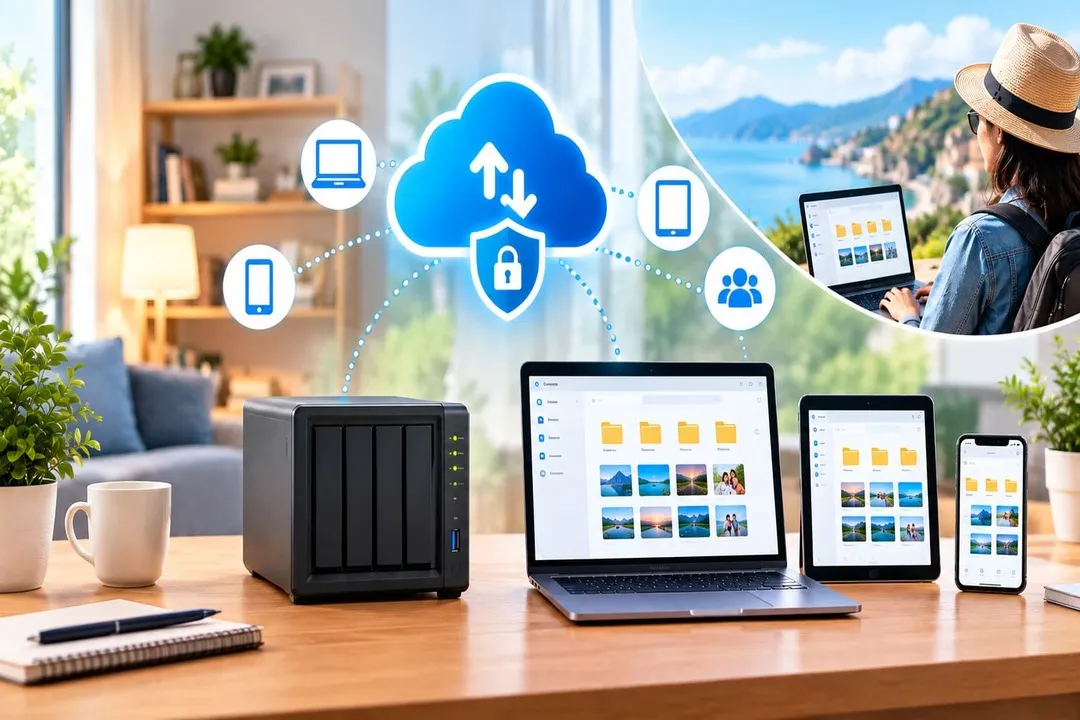
A cloud storage device is a physical storage system that keeps your files locally while enabling access over a network. Depending on its features, you may be able to connect to it from your phone, laptop, tablet, or other compatible devices, even when you're away from home.
Think of it as a central place for your digital life.
Instead of keeping photos on your phone, documents on your laptop, and backups on separate drives, you can bring your files together in one location.
For example, you could use a personal storage device to:
- Back up photos and videos from your phone
- Store large media collections without filling up your computer
- Access documents while travelling
- Keep important files organised in one place
- Share selected files with family members
- Create backups of compatible devices
The idea is straightforward: keep your files in a place you control while making them accessible when you need them.
How Does a Personal Cloud Storage Device Work?
The device typically connects to your home or office network and acts as a central storage location. Your compatible devices can connect to it to upload, download, organise, or access files.
Some devices also support remote access, allowing you to retrieve files when you're outside your local network. This functionality depends on the device's software, network configuration, and security features.
Imagine taking hundreds of photos on your phone during a holiday. Instead of keeping every photo on your phone indefinitely or uploading everything to a third-party cloud account, you could back up your photos to your personal storage device.
You could then access those files later without keeping the entire collection on your phone.
For households with multiple devices, this approach can also simplify file management by reducing the need to maintain separate collections across different devices.
Personal Cloud Storage vs Traditional Cloud Storage
Traditional cloud storage services are popular for a reason. They are convenient, generally require little setup, and allow users to access files over the internet.
However, they also come with considerations such as subscription pricing, storage limits, and dependence on a provider's infrastructure.
A personal cloud storage device takes a different approach by combining local storage with remote access.
Here's how the two compare.
Where files are stored: Traditional cloud storage stores files on provider-managed infrastructure, while a personal cloud storage device stores them on hardware you own.
Initial investment: Traditional cloud storage often has a low or free entry-level option, whereas personal cloud storage usually requires purchasing a device.
Recurring storage fees: Traditional cloud storage often involves subscription fees for larger plans, while a personal cloud storage device may help avoid ongoing storage subscriptions, depending on the product.
Remote access: Traditional cloud storage generally includes internet-based file access, while remote access on a personal cloud storage device depends on its capabilities and setup.
Storage expansion: Traditional cloud storage may require upgrading your plan to get more space, while expansion on a personal cloud storage device depends on its hardware and upgrade options.
Maintenance: Traditional cloud storage is mostly managed by the provider, while a personal cloud storage device may require you to manage updates and device upkeep.
Data control: Traditional cloud storage is governed by the provider's policies and service design, while a personal cloud storage device offers more direct control over local storage.
How Is It Different From an External Hard Drive?
An external hard drive gives you physical storage that you can connect directly to a computer. It's useful for transferring files and keeping offline copies of important data.
However, accessing those files remotely usually requires additional arrangements. You may also need to connect the drive manually whenever you want to back up or retrieve files.
A personal cloud storage device can offer a more connected experience.
Depending on its features, it may allow you to access files over your home network, connect remotely, and back up multiple compatible devices to a central location.
The distinction is that an external drive primarily serves as a storage device, while a personal cloud storage system can add network access and file-management capabilities.
For people who want both local ownership and convenient access across devices, that combination can be useful.
What About NAS? Is It the Same Thing?
A Network Attached Storage (NAS) system is another way to create personal network storage.
A NAS connects to a network and allows compatible devices to access shared files. Depending on the model, it can offer features such as user permissions, automated backups, remote access, media management, and storage expansion.
So, a NAS can serve as a personal cloud storage solution.
The main difference often comes down to setup and complexity.
Many traditional NAS systems offer extensive configuration options, making them attractive to technically experienced users and households with more advanced storage needs. However, configuring remote access, permissions, backups, and other features may require some technical knowledge.
Simpler personal storage devices may prioritise a more straightforward setup and everyday usability.
If you want greater flexibility and customisation, a NAS may be worth considering. If your priority is storing and accessing personal files without managing a complex system, a simpler device may be a better fit.
Is Personal Cloud Storage Secure?
Owning your storage hardware can give you more control over where your files are kept. However, local storage alone does not guarantee privacy or security.
A device connected to a network can still face risks from weak passwords, outdated software, unauthorised access, or insecure remote connections.
Before choosing a device, look for features such as:
Encryption: Helps protect data while stored or being transferred.
Strong authentication: Password protection and multi-factor authentication can help prevent unauthorised access.
Secure remote access: Check how the device protects connections made outside your home or office.
User permissions: Access controls can help determine who can view or manage particular files.
Software updates: Regular updates help address security vulnerabilities.
Backup and recovery options: These can help you restore files after accidental deletion or certain device failures.
It's also important to use unique passwords, install available updates, and review which users and devices have access to your storage.
One more thing: owning a personal cloud device doesn't mean you should abandon backups altogether. If the device fails, is damaged, or is stolen, files stored only on it may still be lost. Keeping another copy of your most important data is a sensible precaution.
Who Can Benefit From a Personal Cloud Storage Device?
Personal cloud storage can be useful for different people, but its value depends on how they manage their digital files.
Families
Family photos, videos, and important household documents can accumulate across several phones and computers. A central storage location can make these files easier to organise and access.
Remote workers and professionals
People who regularly switch between devices may appreciate having work documents and reference files available from a central location. Access permissions and separation of personal and professional data remain important considerations.
Photographers and content creators
Large photo libraries, video files, and creative projects can quickly consume device storage. A central system may help manage these collections without keeping every file on a laptop or phone.
Privacy-conscious users
If you prefer to keep your files on hardware you own rather than depend entirely on third-party storage infrastructure, a personal device may be worth exploring. The actual level of privacy depends on its security design, remote-access method, and software.
People looking to reduce subscription dependence
If your storage requirements continue to grow, recurring cloud storage fees can become a consideration. A device you own may reduce dependence on subscription-based storage, although the initial hardware cost, electricity, maintenance, and backup expenses should also be considered.
What Should You Look for Before Buying One?
Before investing in a personal cloud storage device, think about how you plan to use it.
1. Storage capacity
Estimate how much space your existing photos, videos, documents, and backups require. Allow for future growth rather than choosing capacity based only on today's needs.
2. Remote access
Check whether you can access your files securely when you're away from home. Also understand whether remote access requires a particular app, account, or network configuration.
3. Automatic backups
If you want to protect smartphone photos or computer files, check which devices and file types can be backed up automatically.
4. Ease of setup
A straightforward setup can make a significant difference if you don't want to spend time configuring network settings or managing complicated software.
5. Security features
Review encryption, authentication, access permissions, update support, and the method used for remote connections.
6. Device compatibility
Make sure the system works with your phones, computers, operating systems, and other devices.
7. Recovery and redundancy
Understand what happens if a drive fails or a file is deleted accidentally. Storage capacity alone does not guarantee data protection.
8. Total cost of ownership
Compare the initial purchase price with the long-term cost of subscription-based alternatives. Include maintenance, potential storage upgrades, and any additional backup hardware in your calculations.
Considering these factors will help you determine whether a personal storage device fits your requirements rather than buying one simply because it offers a large amount of storage.
MyFlopy Vault: An Option Worth Exploring
If you're looking for a more personal approach to storing and managing your data, MyFlopy Vault is worth exploring.
Rather than relying entirely on traditional cloud storage, the personal storage approach focuses on keeping files on hardware you own while supporting convenient access to your digital content.
For users who want to bring their files together, manage their storage more directly, and reduce their dependence on recurring storage subscriptions, this type of solution may be worth considering.
As with any device, it's important to review the available storage capacity, supported devices, security features, remote-access capabilities, and backup options before deciding whether it meets your needs.
A More Personal Way to Store Your Data
Cloud storage has made our digital lives more convenient, but convenience doesn't have to mean relying on just one type of storage.
Traditional cloud services offer simplicity and accessibility. External drives provide offline storage and physical ownership. Personal cloud storage devices bring local storage and network access together in a single system.
Each approach serves a different purpose.
If you want a central place for your photos, videos, documents, and backups, along with the ability to access your files remotely, a personal cloud storage device may offer a useful balance of ownership and convenience.
The goal isn't simply to find more space for your data. It's to find a storage solution that fits your habits, protects the files that matter, and gives you the right balance of control and accessibility.





















Sign in to leave a comment.