

Every project that adopts Building Information Modeling promises accuracy, collaboration, and reduced rework. Yet, even with the right intentions, implementing Architectural BIM Services often becomes more complicated than expected. Between software alignment, design coordination, and skill readiness, teams face a series of challenges that can delay workflows and disrupt project outcomes.
Understanding these challenges and applying practical solutions can transform BIM from a complex tool into a seamless part of architectural practice.
Fragmented Collaboration Across Project Teams
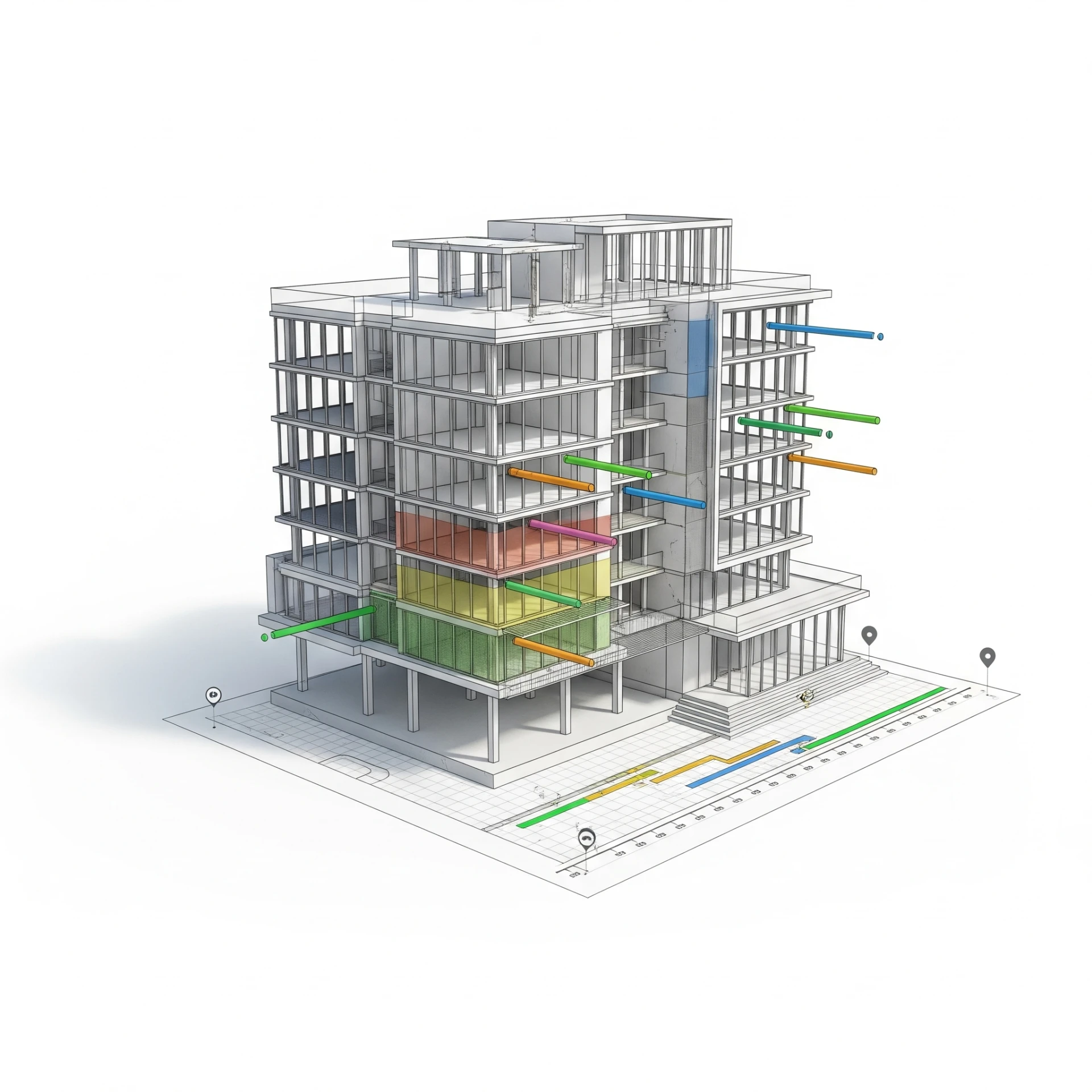
One of the earliest hurdles in Architectural BIM Modeling Services is fragmented collaboration. Architects, structural engineers, and MEP consultants may work on different platforms, leading to inconsistent model coordination and design overlaps. When teams don’t share a unified workflow, even small design mismatches can cause major delays during model integration.
The solution begins with establishing a Common Data Environment (CDE) early in the project. This single source of truth allows architects and engineers to upload, track, and manage their models collaboratively. Regular coordination meetings and model-sharing protocols help align updates, preventing the loss of critical design information. Tools like Autodesk BIM 360 and Navisworks can bridge software gaps and keep model revisions transparent across all stakeholders.
Lack of Clear BIM Execution Plans
Many firms adopt Architectural BIM Services without developing a detailed BIM Execution Plan. Without this foundation, project goals, responsibilities, and standards remain unclear. As a result, every team member interprets the model differently, from geometry details to data naming conventions.
A well-defined BEP outlines not just who does what, but also how and when. It specifies modeling standards, data exchange methods, and clash detection protocols. When implemented from the project’s initiation, a BEP acts as a roadmap for coordinated BIM adoption, minimizing confusion and rework downstream.
Skill Gaps and Limited BIM Literacy

Even advanced software can fail in the hands of an untrained team. Many architectural firms introduce Architectural Engineering Services without first addressing internal skill gaps. Staff may rely on traditional 2D drafting habits, which disrupt the 3D coordination process and lead to inefficient model updates.
Overcoming this requires a strategic training framework. Firms should invest in ongoing BIM skill development through workshops and simulation-based learning. A phased rollout, where small pilot projects are executed under BIM, helps build internal capability before scaling up to complex projects. Pairing experienced modelers with new users can also create a culture of learning that sustains BIM adoption long-term.
Poor Interoperability Between Software Platforms
Interoperability remains a persistent pain point. Architects using Revit may collaborate with engineers using Tekla or ArchiCAD, and converting these models often results in data loss or misalignment. This issue disrupts the coordination between Architectural BIM Modeling Services and other design disciplines.
The key lies in standardized data exchange formats like IFC and COBie. These formats promote model compatibility without compromising data integrity. Establishing a predefined software compatibility checklist at the project’s start can also reduce version conflicts. Aligning all contributors on model versions, plugins, and export settings ensures that files communicate effectively across different systems.
Overloaded Models and Performance Bottlenecks
As projects scale, BIM models often become overloaded with unnecessary geometry and high-detail components. These large files can slow down performance, increase loading time, and make collaboration tedious.
Optimizing model performance requires disciplined model management. Break large models into linked subsets, architectural, structural, and MEP, and manage them independently. Replace highly detailed components with lightweight placeholders when working in the early design stages. By keeping models lean, Architectural BIM Services can maintain efficiency without sacrificing design intent.
Inconsistent Data Standards and Model Accuracy
Even when collaboration seems strong, inconsistent data inputs can compromise model reliability. Errors such as incorrect parameter naming, missing level coordination, or duplicated elements reduce the model’s usability for downstream tasks like quantity estimation or facility management.
To overcome this, define and enforce a Model Validation Framework. This process checks the accuracy of geometry, naming, and data parameters before integration. Automated tools such as Solibri Model Checker or BIMCollab can assist in detecting discrepancies early. Maintaining standardized model templates across all teams further ensures that every contributor adheres to the same data logic.
Resistance to Workflow Change
The transition to BIM is as much about mindset as it is about technology. Many teams struggle to let go of established CAD-based workflows, viewing BIM as a disruption rather than an upgrade. This resistance slows adoption and creates friction between traditional designers and digital modelers.
Building acceptance requires leadership commitment. Project managers should emphasize the tangible advantages of BIM, such as fewer RFIs, better clash control, and improved documentation quality, by showcasing real project outcomes. Encouraging open feedback channels and celebrating early successes can also motivate hesitant users to embrace the workflow shift.
Limited Integration Between Design and Construction
Even when BIM is well adopted during design, its value often drops once construction begins. Field teams may still rely on outdated PDFs rather than the digital model. This disconnect leads to outdated information and frequent rework on-site.
Bridging this gap involves connecting Architectural Engineering Services with construction workflows through BIM-based coordination tools. Mobile applications like PlanGrid or BIM 360 Field allow site teams to access live model data, view design changes, and provide feedback directly to the design office. Integrating 4D and 5D simulations for sequencing and cost tracking further connects digital design with real-world execution.
Lack of Clear ROI Measurement
For many firms, measuring the return on investment from Architectural BIM Modeling Services remains unclear. Without quantifiable metrics, leadership often struggles to justify continued investment in software, training, and hardware.
The solution lies in defining performance indicators from the start. Tracking metrics such as reduction in RFIs, decrease in design conflicts, faster approval cycles, and time saved in documentation helps quantify BIM’s real impact. Regular post-project reviews should analyze where BIM added measurable value and identify areas for further optimization.
Managing Ongoing Model Updates and Version Control
Another frequent challenge is maintaining consistent model versions throughout a project’s lifecycle. As multiple stakeholders update files, older versions may circulate unintentionally, leading to confusion and potential design conflicts.
To prevent this, establish centralized version control through cloud-based platforms. Version tracking, automated change notifications, and audit trails help maintain transparency. Regular synchronization schedules keep every participant aligned with the latest model iteration, avoiding outdated or redundant data use.



























Sign in to leave a comment.