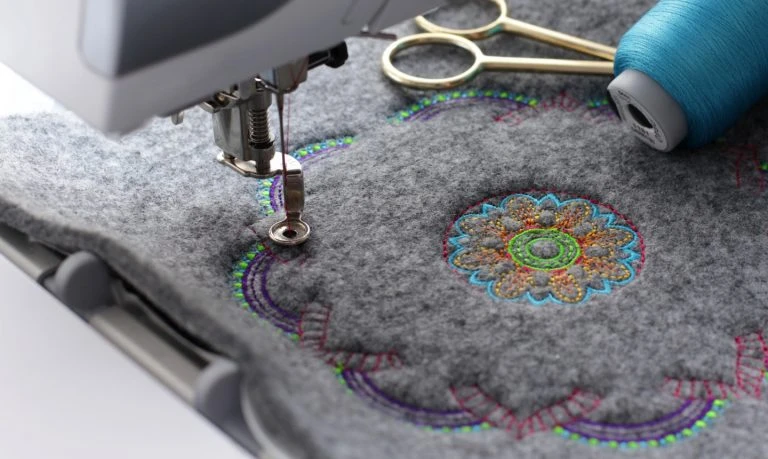

Embroidery digitizing plays a crucial role in ensuring your logo or design stitches cleanly, accurately, and attractively on any fabric. But even small mistakes in the digitizing process can lead to thread breaks, misaligned details, or distorted images, especially when done in-house or using automated tools.
Whether you’re a beginner or outsourcing work to a professional embroidery digitizing company, knowing what to avoid can save you time, money, and frustration. In this guide, we’ll cover the most common mistakes in embroidery digitizing and how to prevent them for flawless results.
1. Using Low-Resolution or Poor-Quality Artwork
One of the biggest mistakes people make is submitting a low-resolution logo or blurry artwork. Digitizers need clean, sharp lines and clear color boundaries to create accurate stitch paths.
Why it matters:
Digitizing software relies on visual clarity. If your source file is messy, it increases the chances of misinterpretation and poor stitching.
How to avoid it:
Always submit high-resolution files (300 dpi or vector formats like AI, EPS, or SVG). If you're unsure, EmbPunch can help clean up your artwork before the digitizing begins.
2. Relying on Auto-Digitizing Software
Auto-digitizing tools may seem convenient, but they almost always result in poor-quality stitch files. They don’t account for fabric type, underlay, pull compensation, or stitch type customization.
Why it matters:
Embroidery is a tactile art. What looks good on screen may fall apart on fabric without proper manual planning.
How to avoid it:
Use professional digitizing services that rely on manual digitizing. Companies like EmbPunch offer online embroidery digitizing done by experienced technicians who plan every stitch.
3. Ignoring Fabric Type
Each fabric behaves differently under the needle and thread. Stretchy materials like t-shirts require more stabilization, while thick fabrics like denim need less density.
Why it matters:
Stitch settings that work on cotton may cause puckering or distortion on polyester or fleece.
How to avoid it:
Always inform your embroidery digitizing company about the fabric the design will be stitched on. This helps the digitizer adjust stitch density, underlay, and pull compensation properly.
4. Overloading Designs with Tiny Details
Too many intricate elements in a small design area can cause problems in stitching. Tiny text, thin lines, or complex shading don’t translate well into thread.
Why it matters:
Embroidery machines have physical limitations. Needles can’t render elements smaller than a certain size.
How to avoid it:
Simplify your artwork when necessary. Prioritize clear, bold elements. If you’re unsure, let EmbPunch advise on what will stitch cleanly.
5. Choosing the Wrong File Format
Using the wrong file format for your machine brand can lead to misreads, thread trims not executing, or missing color blocks entirely.
Why it matters:
Each embroidery machine requires a specific file type like DST, PES, JEF, or EXP.
How to avoid it:
Know your machine’s format or consult a digitizing provider. EmbPunch offers all major formats tailored to your brand.
6. Not Using Underlay Stitches Properly
Underlay stitches provide a foundation for the top stitching. Skipping underlay or using the wrong type can cause thread bunching or uneven results.
Why it matters:
Underlay stabilizes the design, holds down the fabric, and supports top stitches.
How to avoid it:
Use experienced digitizers who manually plan the underlay for each element. Never rely on auto-settings.
7. Skipping Stitch Simulation Previews
Some users skip the preview or simulation step, assuming the file is ready. But even well-digitized files can behave differently in stitching.
Why it matters:
A simulation preview reveals jump stitches, color changes, and thread paths, helping identify problems before production.
How to avoid it:
Request stitch previews with every order. At EmbPunch, you get high-quality previews before finalizing your file.
8. Inconsistent Stitch Density
Too much density can cause thread breaks and fabric distortion. Too little can make the design look incomplete or patchy.
Why it matters:
Getting the stitch density right is key to achieving a balance between quality and durability.
How to avoid it:
Work with a digitizer who understands density settings across different fabrics and design types. EmbPunch adjusts stitch density manually for perfect results.
9. Forgetting to Use a Border or Outline
Some designs, especially logos with text or shapes, may need a thin satin outline to keep edges clean and professional.
Why it matters:
Outlines help define shapes and prevent visual bleeding on textured fabrics.
How to avoid it:
Ask your digitizer if an outline will enhance your design. Small design tweaks like these often make a huge visual difference.
10. Not Providing Clear Color References
If you don’t specify thread colors or provide a color-coded logo, the digitizer may interpret shades incorrectly.
Why it matters:
Color accuracy is especially important for branding and uniforms.
How to avoid it:
Share Pantone codes, brand guidelines, or a layered file with separate colors. EmbPunch always confirms color interpretation before proceeding.
How to Avoid All These Mistakes?
The most effective way to avoid these issues is to work with a trusted, skilled digitizing provider.
Why Choose EmbPunch?
- Manual, expert digitizing (no auto-software)
- Support for all embroidery formats
- Affordable digitizing starting at just $10
- Quick turnaround within 6–12 hours
- Unlimited revisions
- Free stitch previews
Whether you want to digitize a logo, create monograms, or prep a detailed artwork for caps or jackets, EmbPunch provides precision and support every step of the way.
Conclusion
Embroidery digitizing is part art, part science. Even a great design can stitch poorly if it's not digitized correctly. By avoiding these common mistakes—like using low-res files, relying on auto-tools, or ignoring fabric type—you can ensure cleaner results and longer-lasting embroidery.
Want expert help to digitize your logo or design the right way?
Get started with EmbPunch and experience high-quality embroidery digitizing services trusted by businesses and hobbyists around the world.
























Sign in to leave a comment.