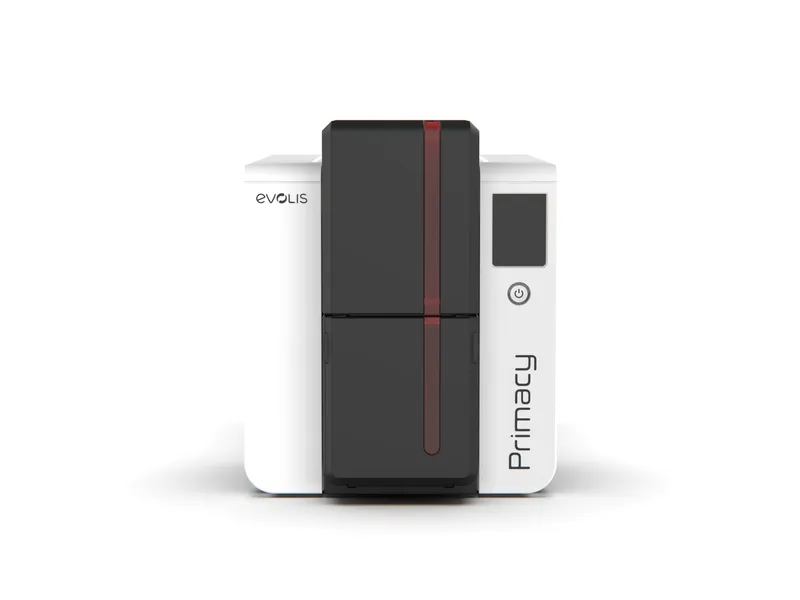
Plastic ID cards are no longer a luxury reserved for large corporations—they’re now a necessity for schools, small businesses, gyms, retail stores, and event organizers. From employee badges to membership passes and loyalty programs, professional cards help improve security, branding, and customer experience.
For organizations looking for an affordable and compact solution, the Badgy card printer series from Evolis has become a go-to option. Two of the most popular models—the Badgy 100 ID card printer and the Evolis Badgy 200 card printer—offer reliable printing at different levels of performance. But which one is right for you?
This article provides a detailed comparison of both printers, helping you make an informed decision based on your organization’s needs.
Why Choose a Badgy Card Printer?
Before comparing the two models, it’s important to understand why the Badgy card printer series is so widely trusted:
- Compact design – Small enough to sit on a desk without taking up valuable space.
- Ease of use – Plug-and-play setup with user-friendly card design software.
- Cost-effective – Lower upfront cost compared to industrial card printers.
- Professional output – Full-color PVC cards that look polished and durable.
- Flexibility – Suitable for ID cards, membership badges, visitor passes, and more.
For small and medium-sized organizations, the Badgy line strikes the right balance between affordability and professional quality.
The Badgy 100 ID Card Printer
The Badgy 100 ID card printer is the entry-level model, perfect for organizations that only need occasional card printing.
Key Features:
- Prints up to 50 single-sided cards per hour.
- Compact and lightweight design, easy to set up on any desk.
- Includes free design software for creating custom cards.
- Produces sharp, full-color images and text.
- Compatible with both Mac and PC.
Best For:
Schools, small offices, startups, and clubs that want professional-quality ID cards but don’t require large volumes.
With its affordability and simplicity, the Badgy 100 is an excellent first step into in-house card printing.
The Evolis Badgy 200 Card Printer
For organizations with higher card printing demands, the Evolis Badgy 200 card printer offers more advanced features.
Key Features:
- Prints up to 95 cards per hour, nearly double the speed of the Badgy 100.
- Supports dual-sided printing, making it easy to add terms, barcodes, or branding to the back of cards.
- Higher resolution for sharper, more detailed results.
- Larger card input and output capacity.
- Uses the same simple card design software, but with enhanced customization tools.
Best For:
Medium-sized businesses, gyms, universities, hospitality providers, and organizations that require frequent, high-quality card printing.
If speed, flexibility, and professional-grade results matter, the Badgy 200 is the stronger choice.
Badgy 100 vs Evolis Badgy 200: Side-by-Side Comparison
Here’s how the two models compare:
Feature Badgy 100 ID Card Printer Evolis Badgy 200 Card Printer
Print Speed 50 cards/hour 95 cards/hour
Printing Style Single-sided only Single & dual-sided
Print Resolution Standard (260 x 300 dpi) Higher (up to 300 x 300 dpi)
Input/Output Capacity25 input / 25 output 30 input / 30 output
Ideal Use Case Low-volume, occasional printing Frequent, professional printing
Both printers deliver consistent quality, but the 200 clearly caters to organizations with more demanding printing requirements.
Advantages of In-House Printing
Whether you choose the Badgy 100 ID card printer or the Evolis Badgy 200 card printer, both models share the benefits of in-house printing:
- Instant issuance – Print cards immediately for new hires, students, or members.
- Customization – Easily add logos, colors, and personal information.
- Security – Include barcodes, QR codes, or unique identifiers.
- Cost savings – Eliminate outsourcing expenses and long turnaround times.
- Professional results – Durable PVC cards that strengthen your brand.
By taking control of card production, businesses gain both efficiency and flexibility.
Practical Applications Across Industries
The Badgy card printer line is versatile enough to serve multiple industries:
- Education – Student IDs, library passes, and event badges.
- Corporate Offices – Staff IDs, visitor cards, and secure access passes.
- Retail & Hospitality – Loyalty cards, promotional cards, and branded gift cards.
- Gyms & Clubs – Membership cards with personalized branding.
- Events & Conferences – Professional badges with barcodes or QR codes.
This wide range of uses makes Badgy printers a valuable investment for organizations of all types.
Choosing Between the Badgy 100 and Badgy 200
When deciding which model to buy, ask yourself:
- How many cards do you need to print per month?
- Fewer than 100 → Badgy 100 is sufficient.
- 100 or more → Badgy 200 saves time and adds flexibility.
- Do you need dual-sided printing?
- If yes, the Badgy 200 is the right choice.
- What’s your budget?
- The Badgy 100 is more affordable upfront, but the 200 may provide better long-term value for frequent use.
Final Thoughts
The Badgy card printer line makes professional card printing accessible to small and medium-sized organizations.
- The Badgy 100 ID card printer is best for occasional, budget-conscious users who need polished cards without the frills.
- The Evolis Badgy 200 card printer is ideal for growing organizations that want faster output, dual-sided printing, and higher-quality results.
Whichever model you choose, both provide the affordability, reliability, and professional performance that make Badgy printers a trusted choice worldwide.























Sign in to leave a comment.