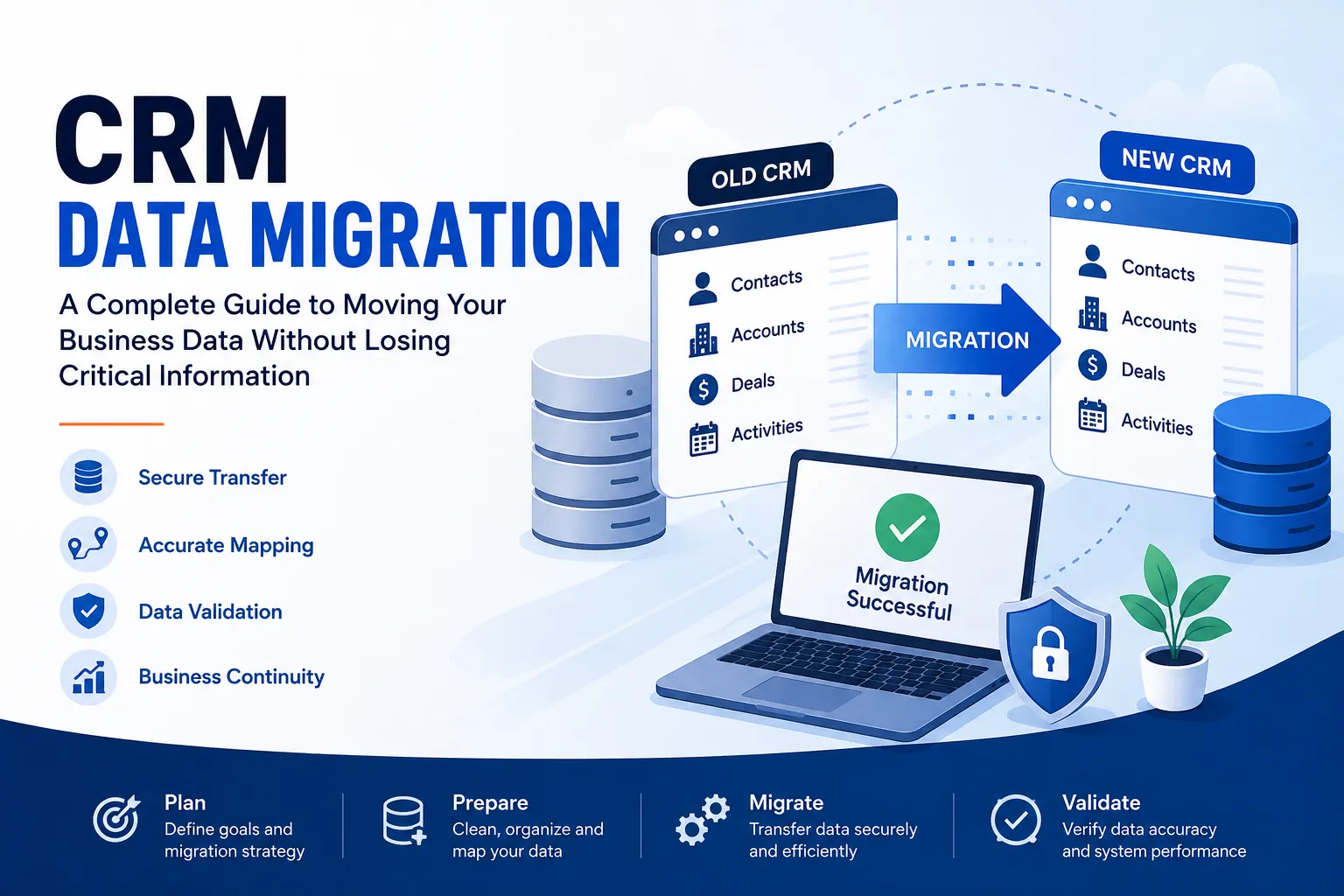

Moving from one CRM platform to another can look straightforward: export your records from the old system, import them into the new one, and start working.
In practice, CRM data migration is much more than moving spreadsheets or database records between two platforms. Customer information is often connected across contacts, companies, deals, activities, tickets, products, owners, and historical interactions. If these relationships are not transferred correctly, important business information can become incomplete, duplicated, or difficult to use.
A successful CRM migration requires careful planning, data preparation, field mapping, testing, and validation. This guide explains how businesses can approach CRM data transfer systematically while reducing the risk of losing critical information.
What Is CRM Data Migration?
CRM data migration is the process of moving business and customer information from one CRM system to another while preserving the accuracy, structure, and relationships of that information.
For example, a company moving from CRM A to CRM B may need to transfer:
- Contacts and customer details
- Companies or accounts
- Leads and prospects
- Deals and sales pipelines
- Tasks and activities
- Notes and communication history
- Product or service information
- Custom fields
- Record ownership
- Tags and categories
- Customer support information
- Historical records
The objective is not simply to move data. The goal is to make the information usable and reliable in the new CRM.
That distinction is important because two CRM platforms may organize similar information in completely different ways.
Why Do Businesses Migrate Their CRM?
CRM migration usually happens because the existing system no longer fits the organization's operational or growth requirements.
Common reasons include:
Switching to a Better-Fit CRM
A business may outgrow its current platform or need capabilities that another CRM provides.
For example, a growing sales organization may require more advanced automation, reporting, integrations, or customization.
Improving CRM Processes
Over time, CRM databases can become complicated. Unused fields, outdated workflows, duplicate records, and inconsistent processes can make the system difficult to manage.
Migration can provide an opportunity to redesign the CRM around cleaner processes.
Consolidating Multiple Systems
Organizations sometimes have customer information spread across multiple CRM platforms, spreadsheets, databases, or acquired business systems.
A migration project can consolidate this information into a more centralized environment.
Supporting Business Growth
As companies add customers, employees, regions, products, or sales teams, their CRM requirements change.
A scalable CRM infrastructure can make it easier to manage larger volumes of customer data.
Reducing Operational Complexity
Maintaining unnecessary tools and disconnected systems can increase administrative work. Moving to a more suitable CRM can simplify the technology environment and reduce manual processes.
Major Challenges in CRM Data Migration
A CRM migration can introduce several risks if the source data and destination system are not carefully analyzed.
Duplicate or Inconsistent Records
The same customer may appear multiple times with different spellings, email addresses, phone numbers, or company names.
For example:
- ABC Technologies
- ABC Technology
- A.B.C. Technologies
These may represent the same organization. Moving all three records without reviewing them can create duplication in the new CRM.
Missing or Incorrectly Mapped Fields
A field called Customer Type in one CRM may not have an identical field in another.
If the mapping is incorrect, important information can end up in the wrong location or fail to transfer entirely.
Different Data Structures
CRMs can organize information differently.
One platform might associate contacts directly with companies, while another may use account relationships, custom objects, or different association rules.
Understanding these structural differences is essential for accurate CRM data mapping.
Lost Relationships Between Records
Customer data is rarely isolated.
A contact may be connected to:
- A company
- Multiple deals
- Sales activities
- Support tickets
- Notes
- Marketing interactions
If these relationships are not preserved, the records may technically exist but lose much of their business context.
Data Formatting Problems
Dates, phone numbers, currencies, dropdown values, addresses, and other fields may use different formats.
For example, a date stored as:
08/11/2026
could be interpreted differently depending on the destination system's date conventions.
Downtime and Business Disruption
If migration requires the old CRM to be unavailable, sales and support teams may temporarily lose access to important information.
A migration plan should therefore consider business continuity and timing.
Incomplete Historical Information
Businesses often need more than current customer details. Previous activities, notes, deals, and interactions may be important for sales, customer service, reporting, and compliance.
Deciding which historical information must be retained should happen before migration begins.
A Step-by-Step CRM Migration Framework
A structured CRM migration strategy can significantly reduce avoidable problems.
1. Audit the Existing CRM Data
Start by understanding what currently exists.
Review:
- Number of records
- Data types
- Custom fields
- Duplicate records
- Unused fields
- Historical information
- Record relationships
- Integrations
- User ownership
- Workflows and automations
The audit creates a baseline for deciding what should and should not move.
2. Define Migration Requirements
Determine what the new CRM must contain after migration.
Document:
- Which record types need to move
- Which historical data must be retained
- Required fields
- Important relationships
- User and ownership requirements
- Reporting requirements
- Integration dependencies
- Data retention requirements
This prevents the migration from becoming an unstructured data transfer exercise.
3. Clean and Organize the Data
Do not automatically transfer every record.
Before migration, identify and resolve:
- Duplicate records
- Invalid information
- Outdated contacts
- Inconsistent naming
- Incorrect formatting
- Empty or unnecessary fields
- Obsolete records
Data cleanup can make the new CRM significantly easier to manage.
4. Map Fields and Relationships
CRM data mapping defines how information from the source CRM corresponds to fields and objects in the destination CRM.
A simple mapping table might look like this:
| Source Field | Destination Field | Transformation |
|---|---|---|
| First Name | First Name | None |
| Company Name | Company | Standardize names |
| Lead Status | Lifecycle Stage | Convert values |
| Phone | Phone Number | Normalize format |
| Created Date | Original Created Date | Preserve historical date |
Relationships should also be mapped.
For example:
Contact → Company → Deal
The migration should preserve these connections wherever the destination CRM supports them.
5. Select the Data to Migrate
Not everything in the old CRM necessarily belongs in the new one.
Create categories such as:
- Must migrate
- Migrate if required
- Archive
- Do not migrate
This approach prevents outdated or irrelevant information from creating unnecessary complexity.
6. Run a Test Migration
Never make the first migration the production migration.
Start with a representative sample containing different record types and relationships.
Check whether:
- Records are created correctly
- Fields contain the expected values
- Associations remain intact
- Ownership is correct
- Dates and numbers are accurate
- Custom fields behave correctly
A test migration allows problems to be identified before the complete CRM data transfer.
7. Validate Migrated Records
After the test migration, perform CRM data validation.
Compare source and destination information using both automated checks and manual reviews.
Validation can include:
- Record counts
- Required field completion
- Duplicate checks
- Relationship checks
- Field-level comparisons
- Random sample reviews
- Historical activity checks
For example, if the source CRM contains 25,000 contacts, the team should verify that the expected number of valid contacts arrived in the destination system and investigate any significant discrepancy.
8. Perform the Final Migration
Once testing and validation are complete, schedule the production migration.
Before starting:
- Back up the source data
- Confirm the migration scope
- Communicate the migration window
- Freeze or control changes where necessary
- Confirm user access
- Document rollback procedures
The final migration should follow the tested process rather than introduce new assumptions.
9. Monitor the New CRM After Migration
Migration does not end when the records appear in the destination CRM.
Monitor the system for:
- Missing records
- Incorrect associations
- User access issues
- Workflow problems
- Integration failures
- Reporting discrepancies
- Unexpected duplicates
Ask sales, marketing, customer service, and administration teams to test their most important workflows.
How to Reduce the Risk of Data Loss
Protecting business data should be a central part of every CRM migration plan.
Follow these CRM migration best practices:
- Create a complete backup before making changes.
- Document the migration scope so everyone knows what is being moved.
- Clean the source data before transferring it.
- Create a detailed field mapping document.
- Test with representative records before the full migration.
- Validate record counts and relationships.
- Keep the original data available until the new system has been fully verified.
- Plan for rollback if critical problems occur.
- Communicate the migration schedule to affected teams.
- Monitor integrations and automations after migration.
A backup is particularly important because migration errors are not always immediately visible.
Why Data Mapping and Validation Matter
Data mapping and validation address two different but equally important questions.
Mapping asks:
“Where should this information go?”
Validation asks:
“Did it arrive correctly?”
Without accurate mapping, data can be transferred into the wrong fields or structures. Without validation, those errors may remain unnoticed until users encounter them.
Together, mapping and validation help ensure that the destination CRM contains information that is accurate, connected, and ready for everyday business use.
Manual vs. Automated CRM Migration
Businesses can approach CRM migration manually or use automated CRM migration tools and processes.
| Factor | Manual Migration | Automated CRM Migration |
|---|---|---|
| Small datasets | Often practical | Useful but may be unnecessary |
| Large datasets | Time-consuming | More scalable |
| Repetitive tasks | High manual effort | Can reduce repetitive work |
| Data transformation | Requires manual handling | Can support predefined rules |
| Error risk | Higher with repetitive work | Can reduce human input errors |
| Testing | Still required | Still required |
| Complex relationships | May require significant effort | Depends on migration capability |
Automation can improve efficiency, especially for larger or more complex migrations. However, automation does not eliminate the need for planning, mapping, testing, or validation.
The right approach depends on the size, complexity, quality, and structure of the data.
CRM Migration Checklist
Use this practical CRM migration checklist before moving production data:
Before Migration
- Audit the existing CRM
- Back up important data
- Define migration objectives
- Identify required records and fields
- Remove or resolve duplicates
- Standardize data formats
- Document source-to-destination mappings
- Identify record relationships
- Review integrations and automations
- Define user and ownership requirements
- Decide which historical data to retain
- Establish a testing and validation plan
- Define a rollback strategy
During Migration
- Run the approved migration process
- Monitor errors and warnings
- Track record counts
- Check associations
- Verify critical fields
- Document unexpected issues
After Migration
- Validate migrated records
- Check reports and dashboards
- Test workflows and automations
- Confirm integrations
- Ask users to test key processes
- Resolve migration issues
- Keep the source backup available
Common CRM Migration Mistakes to Avoid
Even well-planned projects can fail when teams overlook basic migration principles.
Migrating Everything Without Reviewing It
Old, duplicate, or irrelevant data can make the new CRM harder to manage.
Skipping Data Cleanup
Poor-quality source data does not become better simply because it is moved to a new platform.
Treating Field Mapping as an Afterthought
Incorrect mappings can create subtle errors that are difficult to detect later.
Testing Only a Few Simple Records
A test should include different record types, edge cases, custom fields, and relationships.
Ignoring Historical Data
Deleting or excluding historical information without understanding its business value can affect reporting and customer context.
Forgetting About Integrations
Email platforms, marketing tools, reporting systems, forms, and other applications may depend on CRM data.
Assuming the Migration Is Finished After Import
A successful import does not necessarily mean a successful migration. Validation and post-migration monitoring are essential.
Frequently Asked Questions About CRM Data Migration
1. How long does CRM data migration take?
The timeline depends on the volume and quality of the data, the complexity of the CRM systems, the number of relationships, and the amount of data cleanup required. A simple migration may be relatively quick, while a complex enterprise migration can require extensive planning and testing.
2. Can all CRM data be migrated?
Not always. Some data may not have an equivalent structure or field in the destination CRM. Businesses should evaluate each data category and determine whether it should be migrated, transformed, archived, or excluded.
3. What is CRM data mapping?
CRM data mapping is the process of defining how fields and records in the source CRM correspond to fields and structures in the destination CRM. It ensures information is transferred to the correct location.
4. How can businesses prevent duplicate records?
Duplicates can be reduced by cleaning the source database, establishing matching rules, standardizing key fields, and validating records during testing and after migration.
5. Is automated CRM migration better than manual migration?
There is no universal answer. Automation can be more efficient for large or repetitive migrations, while manual methods may work for smaller datasets. Regardless of the approach, testing and validation remain necessary.
6. Should historical CRM data be migrated?
That depends on business requirements. Historical information can be valuable for customer context, reporting, sales analysis, and compliance. Before excluding it, determine whether teams still need access to that information.
7. What should happen after CRM migration?
Teams should validate records, test integrations and workflows, review reports, monitor user activity, and resolve any issues discovered after migration.
Conclusion
A successful CRM data migration is not simply a matter of exporting records from one system and importing them into another. It is a structured process that combines data auditing, cleanup, CRM data mapping, testing, validation, and post-migration monitoring.
The most effective CRM migration strategy starts with understanding the existing data and ends with verifying that the new CRM supports the business processes that depend on it.
Whether you are changing CRM platforms, consolidating systems, improving data quality, or preparing for business growth, taking time to define your requirements and migration risks can prevent costly problems later.
Before beginning your next CRM migration, evaluate your data volume, structure, relationships, historical requirements, and business processes. A clear migration plan can make the transition more predictable while helping your teams start using the new CRM with confidence.
Frequently Asked Questions
How long does CRM data migration typically take?
The duration of CRM data migration varies based on factors such as the volume and quality of data, the complexity of the source and destination CRMs, and the extent of data cleanup required. While a straightforward migration might be completed quickly, more complex migrations can take weeks or even months to ensure all details are correctly transferred.
Can all types of CRM data be migrated to a new system?
Not all CRM data can be migrated seamlessly, as some data types may lack corresponding fields or structures in the new CRM. Businesses must carefully assess each data category to determine if it should be migrated, transformed, archived, or excluded based on its relevance and usability in the new system.
What does CRM data mapping involve?
CRM data mapping is the crucial process of outlining how fields and records from the source CRM correlate with those in the destination CRM. This mapping ensures that information is accurately transferred to the appropriate locations, which is vital for maintaining data integrity in the new system.
How can businesses avoid creating duplicate records during migration?
To prevent duplicate records, businesses should clean their source database by identifying and resolving duplicates, standardizing key fields, and applying validation rules during the testing phase. Additionally, establishing strict matching criteria can help minimize duplication in the new CRM.
Is automated CRM migration preferable to manual migration?
The choice between automated and manual CRM migration depends on the specific needs of the business. Automated migrations can be more efficient for large datasets or repetitive tasks, while manual methods may be suitable for smaller or less complex migrations. Regardless of the method, thorough testing and validation are essential.
Should historical CRM data be included in the migration process?
The decision to migrate historical CRM data depends on its importance to the business. Historical information can provide valuable context for customer interactions, reporting, and compliance. Businesses should evaluate the necessity of this data before deciding to exclude it from the migration.
What should be done after completing a CRM migration?
After the CRM migration, teams should focus on validating the migrated records, testing integrations and workflows, reviewing reports, and monitoring user activity for any discrepancies. It's also crucial to address any issues that arise to ensure the new system operates smoothly.



























Sign in to leave a comment.