If you work with web images regularly, you’ve probably noticed that WebP has quietly become the default image format across browsers, CMS platforms, and design tools.
It’s lightweight, fast, and performance-friendly — until the moment you need to convert it back to PNG, the most universal and widely supported format.
That’s where the frustration begins.
The Problem I Kept Running Into
This kept happening to me again and again:
- Designers would send assets in WebP, and older tools couldn’t open them
- Browser screenshots were saved as WebP by default
- Content platforms exported images only in WebP
WebP is great — but working with it isn’t always convenient.
And converting WebP back to PNG?
The experience was often much harder than it should be.
Why WebP → PNG Conversion Feels Overcomplicated
Before building my own tool, I tested a lot of online converters.
Most of them had the same issues:
- Slow upload and download speeds
- Pop-ups, ads, and redirect pages
- Mandatory account sign-ups
- Too many options for a very simple task
- Long, distracting conversion flows
For something as basic as converting an image format, the process felt unnecessarily heavy.
The Idea: Zero-Friction Conversion
So I decided to build a very small tool to solve this exact problem:
The core idea behind it is simple:
“Converting WebP to PNG should be so fast and smooth that you barely notice the process.”
To achieve that, I focused on just three things.
What I Focused On
1. Instant Conversion
Upload a WebP file → get a PNG immediately.
No configuration.
No extra buttons.
No decisions to make.
2. Fully Browser-Based Processing
Everything runs locally in your browser.
- Images are not uploaded to any server
- Faster processing
- Better privacy
- No bandwidth waste
3. No Accounts, No Ads, No Distractions
The interface only includes what’s necessary:
Upload → Convert → Download
Sometimes, simplicity really is the best design.
How to Use It
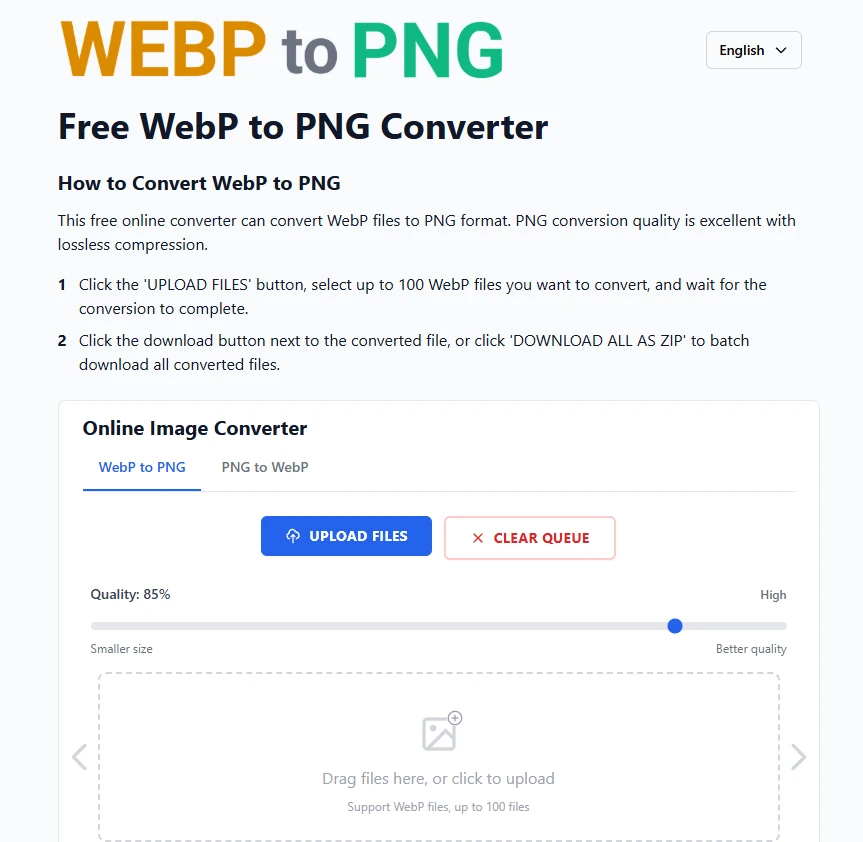
- Open webptopng.online
- Drag and drop your WebP file (or click to upload)
- Download the PNG instantly
That’s it.
No loading screens.
No redirects.
No complex settings.
Who Is This Tool For?
- Front-end developers
- Designers
- Bloggers and content creators
- QA testers
- Anyone working with mixed image formats
If you deal with images frequently, this kind of tool can easily save you a few minutes every day.
Why I Built This (From a Developer’s Perspective)
This tool exists purely because I needed it myself.
I wanted something that:
- Works instantly
- Doesn’t track me
- Doesn’t require multiple steps
- Doesn’t ask me to install anything
- Just does one thing well
So I decided to build a tool I would actually use daily — and hopefully, one that’s useful to others too.
Try It Online
If you’re looking for a fast and reliable WebP → PNG converter, you can try it here:
And if you have suggestions, feedback, or feature ideas, feel free to share them.
I plan to keep this tool lightweight, fast, and focused.
Sometimes the best tools are the smallest ones.

























Sign in to leave a comment.