Enterprise Data Storage: Key Components and Design Considerations


As businesses continue to generate and manage increasing amounts of information, having a reliable way to store, access and protect that data has become essential. From employee documents and customer records to operational files and business applications, organisations depend on data to keep their operations running.
This is where Enterprise Data Storage becomes important.
Unlike basic storage solutions designed for individual users or smaller setups, enterprise storage systems are built to handle larger data volumes, multiple users, complex access requirements and business-critical information. They provide the infrastructure businesses need to organise their data, maintain accessibility and prepare for future growth.
But what exactly goes into an enterprise storage system, and what should businesses consider before choosing one?
Let's explore.
What Is Enterprise Data Storage?
Enterprise Data Storage refers to the combination of hardware, software and network infrastructure used by organisations to store, manage, access and protect their data.
It allows businesses to centralise information, manage user permissions, maintain backups and retrieve files whenever required. Depending on their requirements, organisations can deploy these systems using on-premise infrastructure, cloud platforms or private data storage environments.
The primary objective is not simply to store more data. It is to ensure that information remains organised, accessible to authorised users and protected against potential disruptions.
Understanding the Difference Between Personal, Business and Enterprise Data Storage
Not all storage requirements are the same. The way an individual stores personal files differs significantly from how an organisation manages information across multiple teams.
Here's how they differ:
- Personal Data Storage: Designed for individual requirements, such as storing photographs, documents and videos. It generally supports limited users and everyday storage needs.
- Business Data Storage: Helps organisations store and share work-related information, manage employee access and maintain backups.
- Enterprise Data Storage: Supports larger data volumes, multiple departments, advanced access controls, scalability and business continuity requirements.
As organisations expand, their storage needs become increasingly complex. They need infrastructure that can accommodate growing data volumes while maintaining security, accessibility and operational efficiency.
Key Components of an Enterprise Data Storage System
An enterprise storage environment consists of several interconnected components. Each plays a role in ensuring that information is stored, managed and accessed efficiently.
1. Storage Hardware
This includes hard drives, solid-state drives (SSDs), servers and other physical storage devices that hold business information. The hardware determines the available storage capacity and contributes to overall system performance.
2. Storage Controllers
Storage controllers manage how information is written, retrieved and transferred between storage devices and connected systems. They help coordinate storage operations and maintain efficient data access.
3. Storage Networks
Networks connect servers, storage devices and users, allowing information to move between different parts of the infrastructure. Network performance can directly influence how quickly users access stored data.
4. Storage Management Software
Management software helps administrators organise storage, monitor capacity, manage user permissions and oversee storage operations.
5. Backup and Recovery Systems
Backup systems create additional copies of important information. These copies help organisations recover data following accidental deletion, hardware failure, cyberattacks or other unexpected events.
Together, these components form the foundation of an enterprise storage environment.
Types of Enterprise Data Storage
Businesses can choose from different storage architectures depending on their capacity requirements, performance expectations, infrastructure and budget.
Some commonly used options include:
Direct Attached Storage (DAS)
Direct Attached Storage connects storage devices directly to a computer or server. It is relatively straightforward to set up and can work well for smaller environments. However, sharing information across multiple systems may require additional configurations.
Network Attached Storage (NAS)
Network Attached Storage connects storage devices to an existing network, allowing multiple authorised users and devices to access shared files. It is commonly used for centralised file storage and collaboration.
Storage Area Network (SAN)
A Storage Area Network uses a dedicated high-speed network to connect servers with centralised storage resources. It is generally suited to environments with demanding performance, availability and workload requirements.
Object Storage
Object storage manages information as individual objects, each containing data, metadata and a unique identifier. It is particularly useful for handling large volumes of unstructured information, including media files, archives and backups.
The right architecture depends on how an organisation uses its data, how frequently information needs to be accessed and how its storage requirements are expected to evolve.
Important Design Considerations for Enterprise Data Storage
Selecting a storage architecture is only one part of the process. Businesses must also consider how the system will perform, scale and remain secure over time.
Here are some important factors to evaluate.
Scalability
Storage requirements rarely remain constant. Businesses should choose infrastructure that can accommodate increasing data volumes without requiring frequent, disruptive changes.
Performance
Consider how quickly employees and applications need to access information. Storage speed, network connectivity and workload requirements all influence performance.
Security and Access Control
Enterprise storage often contains sensitive business information. Encryption, user authentication, role-based permissions and regular security reviews help protect this data.
Backup and Recovery
Having backups is not enough. Businesses should establish recovery procedures, define backup schedules and periodically test whether their data can be restored successfully.
Accessibility
Employees should be able to access the information required for their work without compromising security. Storage systems should support appropriate access across teams, departments and locations.
Total Cost of Ownership
The initial investment is only one part of storage expenditure. Businesses should also account for hardware maintenance, software, subscriptions, upgrades and ongoing operational costs.
Another important consideration is data ownership and control. Organisations should understand where their information is stored, who can access it and who is responsible for managing the underlying infrastructure.
Common Enterprise Data Storage Challenges
Even a well-designed storage environment can face operational challenges as an organisation grows.
Some common issues include:
- Increasing Storage Requirements: Growing volumes of business data can put pressure on existing infrastructure and increase operating costs.
- Security Risks: Inadequate access controls and outdated security practices can expose sensitive information.
- Data Loss: Hardware failures, accidental deletion, human error and cyberattacks can disrupt access to important files.
- Limited Scalability: Older infrastructure may struggle to accommodate changing workloads and increasing storage requirements.
- Management Complexity: Managing multiple devices, users, permissions and storage locations can become difficult without centralised administration.
Addressing these challenges requires a combination of appropriate infrastructure, regular monitoring, clearly defined access policies and a dependable backup strategy.
Best Practices for Managing Enterprise Data Storage
Effective storage management is an ongoing process. Businesses should establish practices that help maintain data availability, security and operational efficiency.
Some important practices include:
- Monitor storage capacity: Review usage regularly and identify when additional capacity may be required.
- Define user permissions: Assign access based on employee roles and responsibilities.
- Protect sensitive information: Use appropriate encryption and security measures.
- Automate backups: Schedule regular backups to reduce the risk of losing important information.
- Test recovery procedures: Verify that backed-up information can be restored when needed.
- Track storage performance: Monitor system usage, connectivity and performance.
- Plan for future requirements: Account for business growth when making storage infrastructure decisions.
These practices help organisations maintain a more reliable storage environment while reducing the risk of operational disruptions.
How to Choose the Right Enterprise Data Storage Solution
Choosing an enterprise storage solution requires an understanding of both current requirements and long-term business objectives.
Before making a decision, organisations should evaluate the following:
- Storage Capacity: How much data does the business currently manage, and how quickly is that volume expected to grow?
- Deployment Model: Would on-premise, cloud-based or privately managed infrastructure be more suitable?
- Data Control: Where will information be stored, and who will have control over it?
- Security: Does the solution offer suitable access controls, encryption and backup capabilities?
- Accessibility: Can authorised employees access the information they need across different locations?
- Total Cost: What are the initial setup costs and ongoing maintenance or subscription expenses?
Comparing these factors helps businesses identify a solution that aligns with their operational requirements rather than choosing infrastructure based on storage capacity alone.
How MyFlopy Supports Business Data Storage
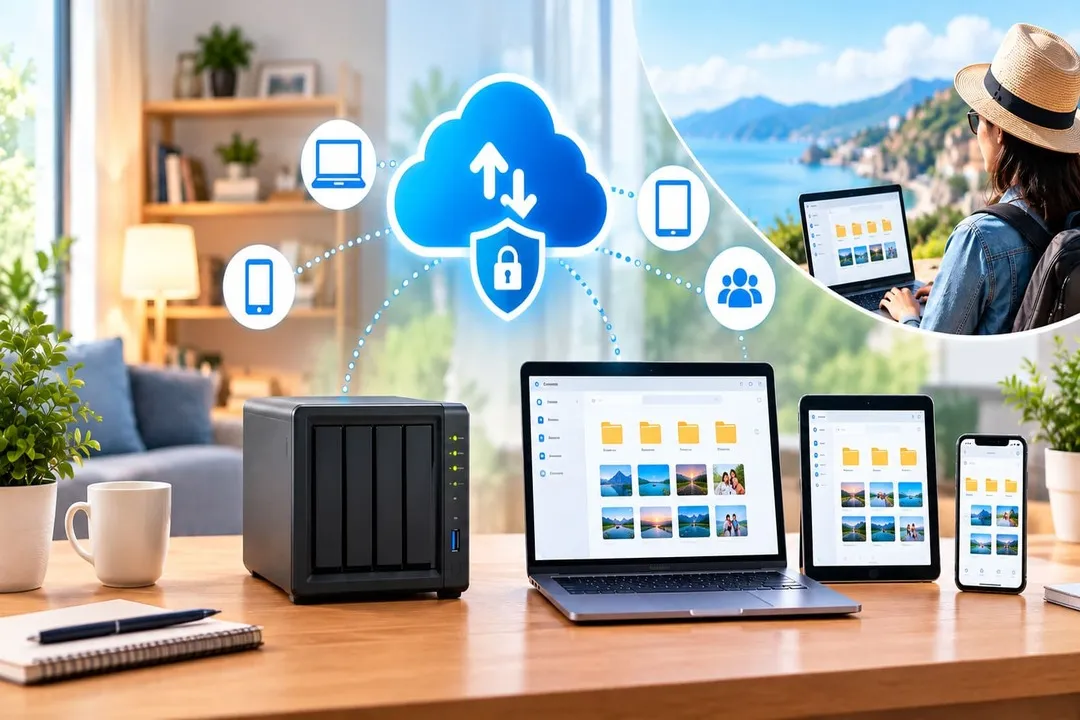
For organisations looking for greater control over their data storage infrastructure, MyFlopy offers a private data storage solution that operates through connected hardware.
With MyFlopy Enterprise, businesses can manage their storage environment, users and access through a centralised platform. Instead of depending entirely on third-party storage infrastructure, organisations can maintain greater control over where their information is stored and how it is accessed.
Depending on the deployment, MyFlopy Enterprise supports capabilities such as scalable storage, user provisioning and backup management.
This approach gives businesses an alternative way to manage their data while aligning storage infrastructure with their privacy, accessibility and operational requirements.
Explore MyFlopy Enterprise to learn more about its approach to business data storage.
Conclusion
Enterprise Data Storage is more than a way to accommodate growing volumes of information. It is an essential part of how organisations manage operations, protect business-critical files and maintain access to information.
The right storage environment should balance capacity, performance, security, accessibility and long-term costs. Businesses that evaluate these factors early can build an infrastructure that supports their current operations while remaining prepared for future requirements.
Ultimately, effective enterprise storage is about having the right infrastructure, the right access controls and the right level of control over business data.


Sign in to leave a comment.