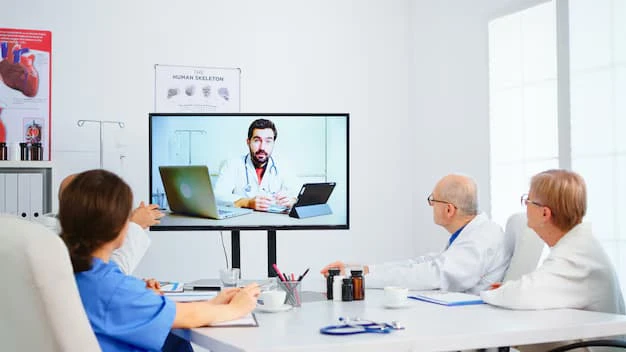

Online video conferences have become an integral part of the modern professional landscape, especially in cities like New York where the demand for remote collaboration continues to grow. Whether for business meetings, professional development, or personal connections, the quality of an online video conference hinges largely on the technology used.
To ensure smooth, effective, and engaging meetings, several essential tech components must be in place. This article will explore the must-have tech for an online video conference in New York, helping individuals and businesses maximize the potential of their virtual meetings.
The Rise of Online Video Conferences in New York
New York, known for its bustling economy and vibrant professional culture, has seen a significant shift toward remote work and virtual collaboration in recent years. The COVID-19 pandemic accelerated this trend, but even as restrictions eased, online video conferences have remained an essential tool for businesses, healthcare professionals, educators, and more.
In a city as dynamic and diverse as New York, online video conferencing provides a flexible, efficient way to connect with colleagues, clients, and peers without the need for time-consuming commutes. To make the most of these virtual meetings, participants need to equip themselves with the right technology.
Key Components of an Online Video Conference
To hold a successful online video conference in New York, there are several tech elements that participants must consider. Below are the essential components that will contribute to a seamless and productive online meeting.
1. Reliable Internet Connection
The most fundamental aspect of any online video conference is a reliable internet connection. Without a strong and consistent internet connection, even the best video conferencing tools will falter. Buffering, poor video quality, and disconnections can severely disrupt the flow of a meeting, leading to frustration for all involved.
Key Considerations:
- Speed: Ideally, a download speed of at least 25 Mbps and an upload speed of 3 Mbps should be available to ensure smooth video and audio streaming.
- Wired Connection: While Wi-Fi is convenient, a wired Ethernet connection provides more stability and can prevent sudden interruptions that often happen with wireless signals.
- Backup Option: In case of connectivity issues, having a backup connection—such as a mobile hotspot—can save the meeting from falling apart.
In New York, where internet infrastructure is robust but can be subject to occasional congestion, ensuring a strong and reliable internet connection is crucial for any successful online video conference.
2. High-Quality Webcam and Microphone
The next essential tech for online video conferences is having high-quality audio and video equipment. Poor video or sound quality can detract from the experience, making it difficult for participants to understand one another or engage with the content. Investing in a good webcam and microphone is therefore critical.
Webcam:
- Resolution: A webcam with at least 720p HD resolution will provide clear and professional-looking video. For the best clarity, a 1080p or even a 4K camera can be used.
- Lighting: Proper lighting can significantly improve the video quality. Consider using softbox lights or natural light from a window to avoid shadows and improve visibility.
- Positioning: The webcam should be positioned at eye level to maintain a professional and comfortable appearance during the meeting.
Microphone:
- External Microphone: While most laptops come with built-in microphones, an external microphone provides clearer sound and reduces background noise. USB microphones or headsets are ideal for this purpose.
- Noise Cancellation: Choose a microphone with noise-canceling features to reduce distractions from background sounds, which is especially important in a busy city like New York.
3. Video Conferencing Software
Selecting the right video conferencing platform is crucial for the success of an online meeting. Different platforms offer varying features, such as the ability to host large groups, share screens, or integrate with other productivity tools. The most popular platforms for online video conferences in New York are Zoom, Microsoft Teams, Google Meet, and Webex. Each has its own set of strengths and limitations.
Key Features to Look For:
- Screen Sharing: This feature allows presenters to share slides, documents, or applications with the audience, which is essential for most business meetings or educational presentations.
- Breakout Rooms: For larger meetings, breakout rooms can be used to split participants into smaller groups for discussion or collaboration.
- Recording Capabilities: Many video conferencing platforms offer recording options, which can be useful for future reference or for those who were unable to attend the live session.
- Security Features: Features such as password protection, encryption, and waiting rooms are essential to ensure that the meeting remains secure and free from unauthorized access.
Choosing the right platform ensures that participants can interact smoothly, collaborate on documents, and make the most of the virtual meeting environment.
4. Interactive Collaboration Tools
In New York, where fast-paced business environments and creative industries demand dynamic and interactive meetings, it is important to have collaboration tools integrated into your online video conference platform. These tools allow participants to engage with the content and with one another, making virtual meetings more productive and engaging.
Tools to Enhance Collaboration:
- Virtual Whiteboards: A virtual whiteboard lets participants brainstorm, sketch, or visualize ideas together in real time, mimicking the collaborative experience of an in-person meeting.
- Live Polling and Q&A: Polls and Q&A sessions encourage engagement, allowing participants to ask questions and share their opinions during the meeting.
- File Sharing and Document Collaboration: Sharing files and collaborating on documents in real-time increases productivity and reduces the need for follow-up emails or revisions after the meeting.
These tools help create a more interactive and engaging environment, which is especially important for team meetings, brainstorming sessions, and client presentations.
5. Audio and Video Enhancements
To ensure a high-quality meeting experience, especially in busy urban environments like New York, it’s essential to have audio and video enhancements that reduce distractions and improve clarity.
Audio Enhancements:
- Echo Cancellation: Echo is a common problem in online video conferences, especially when multiple participants are using microphones in the same room. Echo cancellation technology minimizes this issue, improving audio clarity.
- Automatic Volume Adjustment: Some video conferencing platforms have automatic volume adjustment features that ensure participants’ voices are balanced, even when speaking from different environments.
Video Enhancements:
- Background Blur or Replacement: In a city like New York, where participants may be working from cafes or crowded offices, background noise or distractions can detract from the professionalism of the meeting. Many video conferencing platforms now offer background blur or virtual background features, which can help participants maintain a clean and professional appearance.
- High Dynamic Range (HDR): HDR video quality enhances the brightness, contrast, and color accuracy of video feeds, providing a more lifelike and clear view of participants.
6. Stable Power Source
Finally, ensuring that devices have a stable power source during the meeting is essential. Power interruptions or running out of battery during a video conference can disrupt the meeting and potentially cause the participant to miss important discussions.
Key Considerations:
- Fully Charged Devices: Ensure that laptops, tablets, or other devices are fully charged before the meeting begins. Carrying extra power banks or chargers is also a good idea for longer meetings.
- Backup Power Source: For critical meetings, having a backup power source, such as an uninterruptible power supply (UPS) for desktop computers, can prevent unexpected disruptions.
Tips for Ensuring a Successful Online Video Conference
In addition to the essential tech components, here are a few tips to make your online video conference in New York as successful as possible:
- Test Your Equipment: Before the meeting, take time to test your internet connection, audio and video devices, and conferencing software.
- Be On Time: Arrive early to ensure everything is set up and working properly.
- Mute When Not Speaking: To reduce background noise, mute your microphone when you're not speaking.
- Maintain Professionalism: Dress appropriately, use professional backgrounds, and ensure your environment is quiet and free from distractions.
Conclusion
In New York, where the professional environment is fast-paced and competitive, having the right tech for online video conferences can make all the difference. From ensuring a reliable internet connection to investing in high-quality audio and video equipment, every aspect of your virtual setup plays a crucial role in making your meeting a success. By integrating the right collaboration tools, video enhancements, and audio features, you can ensure that your online meetings are engaging, professional, and productive.
LerEXPO is committed to helping individuals and businesses in New York navigate the world of online video conferences with ease, providing the tools and expertise to create seamless and effective virtual meeting experiences.






























Sign in to leave a comment.