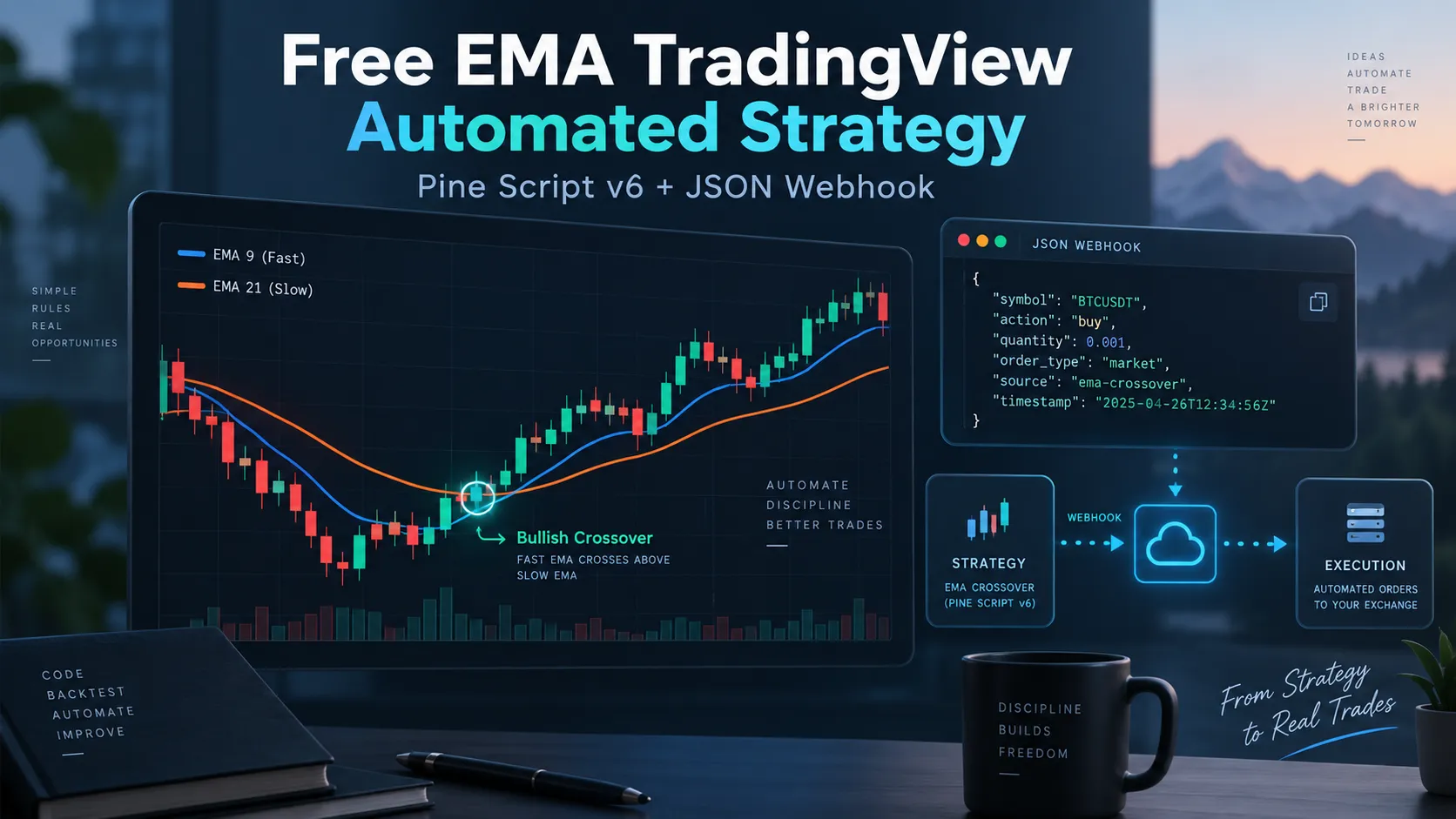

There is something pleasantly honest about an EMA crossover strategy. It does not pretend to know where the market will be tomorrow morning, it does not require seventeen indicators arguing with one another in six different colors, and it certainly does not need a machine-learning model trained on the phases of the moon. Two moving averages cross, the strategy takes a position, and sometimes the market rewards the idea while on other days it reminds you who owns the building. That simplicity is exactly why an EMA crossover is a useful place to start when learning TradingView automation: the trading logic is easy to see, the backtest is easy to inspect, and the path from Pine Script to a broker order is not buried under a mountain of strategy rules.
The purpose of this example is not to present a secret trading system. There is no secret here. The fast exponential moving average crosses the slow one, TradingView generates a strategy order, an alert turns that event into a JSON message, and a webhook sends the message to an execution service that can route the order to a broker or exchange. That chain matters far more than the EMA itself, because once you understand how a simple strategy travels from Pine Script to a real execution platform, the same mechanism can be used for much more complicated systems. This article walks through the complete process using Pine Script v6, a basic 9/21 EMA crossover and a structured JSON webhook message.
Important: this is an educational example, not a claim that an EMA crossover is profitable on every market or timeframe. Test it before trusting it with real money.
The Strategy Is Simple on Purpose
EMA stands for Exponential Moving Average. Unlike a simple moving average, which gives equal importance to every price inside the calculation window, an EMA gives more weight to recent prices, so it reacts somewhat faster when market direction changes. For this example we use a fast EMA of 9 periods and a slow EMA of 21 periods. When the 9-period EMA crosses above the 21-period EMA, the strategy enters long; when it crosses below, the strategy enters short. Traders use 9/21, 20/50, 50/200 and almost every combination human curiosity has managed to invent, but the particular numbers are not important for learning automation. What matters is that the rules produce an unambiguous event: a crossover occurs, TradingView places a strategy order, and that order can trigger an alert.
Free EMA Crossover Strategy in Pine Script v6
Open TradingView, launch the Pine Editor, create a new strategy and paste the script below. The code is intentionally uncomplicated. The two EMA lengths are inputs, the averages are calculated with ta.ema(), the crossover and crossunder functions detect a change in direction, and the two strategy.entry() calls create the long and short orders. Because pyramiding is disabled, the strategy does not keep stacking additional entries onto an existing position, which makes the behavior much easier to inspect while learning the automation flow.
//@version=6 strategy( "Free EMA Crossover Automated Strategy", overlay=true, pyramiding=0, process_orders_on_close=true ) fastLength = input.int(9, "Fast EMA Length", minval=1) slowLength = input.int(21, "Slow EMA Length", minval=1) fastEMA = ta.ema(close, fastLength) slowEMA = ta.ema(close, slowLength) plot(fastEMA, title="Fast EMA", linewidth=2) plot(slowEMA, title="Slow EMA", linewidth=2) longCondition = ta.crossover(fastEMA, slowEMA) shortCondition = ta.crossunder(fastEMA, slowEMA) if longCondition strategy.entry("Long", strategy.long) if shortCondition strategy.entry("Short", strategy.short)
Click Add to chart. TradingView will draw both exponential moving averages and calculate the strategy's historical trades in Strategy Tester. There is already enough mystery in financial markets without creating some of it ourselves, so the first useful thing to do is simply watch how the strategy behaves on different symbols and timeframes before adding any execution layer.
Before Automating Anything, Watch the Backtest
Once the script is running, open Strategy Tester. This is where many people make their first mistake: they look at the final net profit, see a green number and immediately begin mentally shopping for a yacht. A backtest deserves more suspicion than that. Change the chart timeframe, try another symbol, adjust the EMA periods, and add realistic commission and slippage assumptions. A 9/21 crossover on a five-minute crypto chart may behave very differently from the same strategy on a four-hour forex chart, and a setup that looks respectable during a strong trend may spend a sideways month repeatedly buying the top of a tiny range and selling the bottom.
Maximum drawdown matters, trade count matters, average trade matters, profit factor matters, and the distribution of results across different market regimes matters even more. If a strategy earns its entire historical profit during one spectacular three-week trend and loses quietly during the remaining four years, that is useful information. TradingView makes experimenting with these variables easy, and that is precisely what Strategy Tester should be used for: research, not fortune telling.
The Pine Script Is Only Half of the Automation
A TradingView strategy running on a chart does not automatically control your broker account. The strategy can calculate entries and exits, and TradingView can generate order events internally, but a broker somewhere on the internet does not magically hear about them. Something has to carry the instruction from TradingView to the execution platform. In practical terms the chain is simple: the EMA crossover creates a TradingView strategy order, the strategy order triggers an alert, the alert sends a JSON webhook message, an execution service receives it, and the broker or exchange gets the final order. The alert is the bridge between TradingView and the outside world, while the execution layer handles the unpleasant details of different APIs, symbol formats, quantity rules and account behavior.
Building the JSON Webhook Message
A TradingView strategy alert can use placeholders inside its JSON message, and TradingView replaces those placeholders with real values when the alert fires. For a MetaTrader 5 route, a basic message can look like this:
| { "platform_name": "metatrader5", "ticker": "{{ticker}}", "order_contracts": "{{strategy.order.contracts}}", "order_action": "{{strategy.market_position}}", "price": "{{close}}" } |
Each field answers a question that the execution system needs answered. platform_name tells it where the order should go, ticker identifies the instrument, order_contracts carries the quantity, order_action passes the strategy position state, and price records the TradingView chart price when the event occurred. That is the advantage of structured messages. A plain BUY EURUSD may be perfectly understandable to a person, but it leaves a computer with questions, while JSON gives every value a name and makes the request much easier to validate, route and log.
Choosing the Execution Platform and Symbol
The field "platform_name": "metatrader5" tells the receiving service which connector should process the order. If another supported connector is being used, that value must be changed to the identifier expected by the execution route, while the Pine Script itself can remain exactly the same. The ticker field works in the same spirit: "ticker": "{{ticker}}" makes TradingView substitute the chart symbol when the alert fires. That sounds straightforward until brokers get involved, because TradingView might call an instrument EURUSD while a broker calls it EURUSD.a, EURUSDm, EURUSD.pro or some other variation invented to make a system administrator's afternoon more interesting. Futures, crypto derivatives and exchange-specific instruments can have their own naming rules, so symbol mapping should always be verified during testing.
Passing Order Size, Position State and Price
The quantity can be sent with "order_contracts": "{{strategy.order.contracts}}", which TradingView replaces with the quantity associated with the strategy order. The destination still has the final word, because brokers and exchanges may enforce minimum lot sizes, quantity increments or contract rules. The action can be sent with "order_action": "{{strategy.market_position}}", which passes the strategy state such as long, short or flat. Finally, "price": "{{close}}" sends the TradingView chart price at the moment of the alert. That price is useful for logging and debugging, but it is not a promise of the broker execution price because spread, slippage, latency and ordinary market movement still exist, and markets have never shown much interest in waiting politely while software finishes its work.
Creating the TradingView Webhook Alert
Once the strategy is on the chart, open TradingView's alert dialog, select the EMA strategy as the condition and configure the alert for strategy order fills. Paste the JSON message into the Message field, enable Webhook URL in the notification settings, enter the private webhook endpoint supplied by the automation service and create the alert. From that point onward the strategy and the alert are two separate things worth remembering. If you significantly modify the script or its settings, inspect the active alert as well; in many situations it is safer simply to recreate the alert after important strategy changes. And never publish the private webhook URL. Treat it as an execution endpoint, not as something to paste into a forum post while asking strangers why an alert is not working.
MetaTrader 5 and Binance Examples
For MetaTrader 5, the message can remain exactly as shown above. TradingView produces the strategy event, the webhook transports the JSON, and the automation layer receives the instruction and passes it to the MetaTrader 5 execution connector. The useful part is that Pine Script does not need to know anything about the internal mechanics of MetaTrader. Its job ends when it describes the trading event correctly.
| { "platform_name": "metatrader5", "ticker": "{{ticker}}", "order_contracts": "{{strategy.order.contracts}}", "order_action": "{{strategy.market_position}}", "price": "{{close}}" } |
If the same EMA logic should trade through Binance, the strategy does not have to be rewritten. The alert message can simply use another platform name, while the destination account and instrument still need to satisfy Binance rules for symbol format, quantity precision, minimum order size and account configuration.
| { "platform_name": "binance", "ticker": "{{ticker}}", "order_contracts": "{{strategy.order.contracts}}", "order_action": "{{strategy.market_position}}", "price": "{{close}}" } |
Adding Stop Loss and Take Profit
A basic crossover can open positions without attaching risk-management parameters, but a webhook message can also carry stop-loss and take-profit instructions when the receiving connector supports them. For example, the message below adds distance-based values. The meaning of those values matters, because one platform may interpret a distance in points, another in pips, and another according to a schema-defined mode. Some execution systems also support absolute prices through fields such as sl_price and tp_price, which is why guessing field semantics is a bad habit. Use the execution provider's documented schema and verify the result on a demo or paper account.
| { "platform_name": "metatrader5", "ticker": "{{ticker}}", "order_contracts": "{{strategy.order.contracts}}", "order_action": "{{strategy.market_position}}", "price": "{{close}}", "stop_loss": "50", "take_profit": "100" } |
Why JSON Works Better Than Plain Text
It is entirely possible to send a webhook alert containing nothing more than BUY EURUSD, and for very primitive automation that may even be enough. The trouble begins the moment you want to specify the platform, quantity, stop loss, take profit, order type or an identifier used to manage the position later. Plain text quickly becomes ambiguous, while JSON keeps every value in a named field. Software can validate those fields individually, the receiving system can log them individually, missing information can be detected before an order reaches the broker, and new parameters can be added without turning the alert into a sentence that only its original author understands six months later. For automated execution, boring structure is a virtue.
Most Webhook Problems Are Not Very Mysterious
When a TradingView webhook does not produce the expected trade, people naturally suspect something exotic, but the explanation is usually less glamorous. The JSON may simply be invalid because one quotation mark or comma is missing, the platform name may not match the connector expected by the execution service, the TradingView symbol may not match the broker symbol, or the requested quantity may violate a minimum size or increment rule. None of these problems is particularly exciting, and that is good news because exciting bugs are expensive.
Test the Entire Route, Not Just the Script
A Pine Script backtest can tell you whether TradingView's simulated strategy logic behaves as expected, but it cannot prove that your complete automation chain works. Those are different tests. A proper end-to-end test should verify that the crossover creates the expected TradingView order, that the alert fires, that the JSON contains the correct substituted values, that the webhook service receives the message, that the destination connector accepts it and that the broker or exchange creates the intended position. Logs are especially useful here. If TradingView says an alert fired but no trade appears, inspect the next stage instead of randomly changing the strategy: did the webhook arrive, was the JSON valid, was the symbol recognized, was the quantity acceptable, and did the broker reject the order? Automation becomes much easier to debug when every layer is treated separately.
The EMA Is Only the Beginning
Nothing about this architecture depends specifically on moving averages. The EMA crossover is simply convenient because everyone can see what triggered the trade. The same approach can be used with RSI conditions, MACD strategies, Supertrend systems, Bollinger Band setups, breakout logic, trend-following systems or completely custom Pine Script strategies. A sophisticated strategy may calculate twenty different things before deciding to enter; the webhook does not care. It only needs a clear event and a correctly structured message. Pine Script decides when something should happen, the JSON describes what should happen, and the execution layer decides how to make it happen on the destination platform. Once those responsibilities are separated, TradingView automation becomes much easier to design.
A Useful First Experiment
If you are new to webhook automation, resist the temptation to begin with your most complicated trading system. Use something embarrassingly simple. Put the EMA crossover on a chart, watch Strategy Tester, create the alert, send the JSON to a demo or paper account and confirm that the long crossover creates the expected long position and that the opposite crossover produces the expected reversal or position change according to the execution configuration. Then change something deliberately: change the ticker, change the quantity, use another supported destination, or add stop-loss and take-profit parameters. The objective is not to prove that 9/21 EMAs have discovered a previously unknown weakness in financial markets; the objective is to understand the machinery.
Final Thoughts
TradingView automation is often described as though it were one feature, but it is really a chain of independent systems. Pine Script defines the trading idea, TradingView runs it and generates strategy orders, an alert captures those order events, JSON turns them into structured instructions, a webhook carries those instructions outside TradingView, and an execution service translates them into whatever language the broker or exchange understands. The EMA crossover is merely the smallest practical example of that chain, and small examples are useful because when something goes wrong there are fewer places for the problem to hide.
Start with the free Pine Script above, test it on historical data, create a webhook alert and run the entire route on a demo or paper account. Check the actual messages rather than assuming they contain what you intended, verify symbol mapping and quantity rules on the destination platform, and only then start adding complexity. Trading systems have a habit of becoming complicated all by themselves. There is no need to help them on the first day.
JSON examples in this article are based on the AlgoWay JSON schema for TradingView webhook automation.























Sign in to leave a comment.