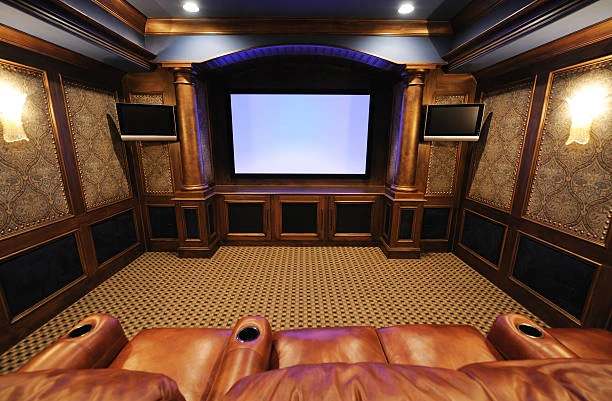
A home theater system is the ultimate entertainment upgrade for any household. Whether you love watching blockbuster movies, cheering for your favorite sports teams, or gaming with immersive sound and visuals, a dedicated home theater can elevate your experience to a whole new level. However, many homeowners shy away from the idea of home theater installation because it seems overwhelming or too technical. The truth is, installing a home theater is easy—if you approach it smartly.
This comprehensive guide will walk you through everything you need to know to make your home theater installation project smooth, efficient, and successful. From choosing the right space and equipment to understanding setup and smart integration, we’ve got you covered.
Why a Smart Approach Matters
Taking a smart approach to home theater installation isn’t just about choosing modern gadgets. It’s about planning wisely, spending strategically, and optimizing your space for the best possible experience. A thoughtful setup can:
- Save money by avoiding unnecessary purchases
- Prevent common installation errors
- Maximize performance and comfort
- Ensure easy upgrades in the future
Step 1: Choose the Right Room
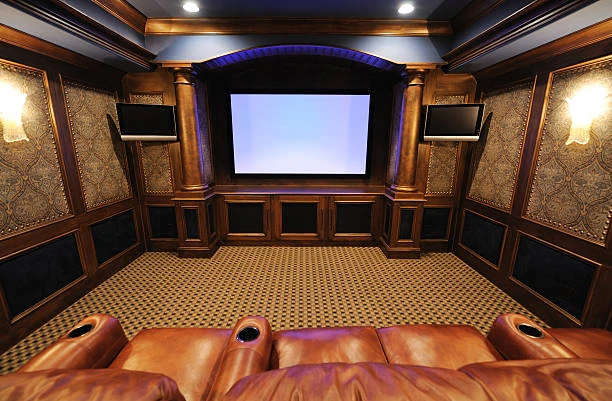
The first and most critical step in home theater installation is selecting the ideal space. Ideally, a home theater should be in a room with minimal natural light and good acoustic properties.
Best Room Types:
- A basement or den
- A spare bedroom
- A large attic with enough insulation
Room Shape Tips:
- Rectangular rooms offer better sound distribution
- Avoid square rooms which can create unwanted sound reflections
Also, consider how many people you want to accommodate, what kind of seating you plan to install, and the layout that supports an immersive viewing experience.
Step 2: Invest in the Right Equipment
Choosing quality equipment is crucial to the success of your home theater. However, you don’t always need the most expensive gear—just what works best for your space and preferences.
Essential Components:
- Display:
- 4K UHD TV for smaller spaces
- Projector and screen for larger, darkened rooms
- Sound System:
- Surround sound systems like 5.1 or 7.1 setups
- Soundbars for limited spaces
- AV receiver to manage your audio and video sources
- Media Sources:
- Blu-ray players
- Streaming devices (Apple TV, Roku, Amazon Firestick)
- Gaming consoles
- Cables & Accessories:
- HDMI cables, optical audio cables, speaker wire
- Surge protectors and cable management tools
Smart Tip: Look for products with smart integration so they can be controlled via smartphone or voice assistant (Alexa, Google Assistant, etc.).
Step 3: Acoustic and Visual Optimization
Even the best equipment can fall short if your room isn’t optimized for sound and image. Smart home theater installation means controlling environmental factors for optimal performance.
Sound Optimization:
- Add acoustic panels or heavy curtains to absorb sound
- Use carpets or rugs to reduce echo
- Arrange speakers at ear level and angle them properly
Visual Optimization:
- Paint the room with dark, non-reflective colors
- Block natural light with blackout curtains
- Use ambient lighting that can be dimmed during viewing
Step 4: Wiring and Cable Management
A clean setup isn’t just aesthetically pleasing—it also prevents overheating, interference, and hazards. Smart cable management is a key aspect of professional-looking home theater installation.
Wiring Tips:
- Use in-wall rated cables if hiding them inside walls
- Label all cables during installation
- Use cable channels or conduits to bundle and hide wires
Smart Tip: Invest in a universal remote or smart hub that allows you to control all your devices from a single interface.
Step 5: Smart Home Integration
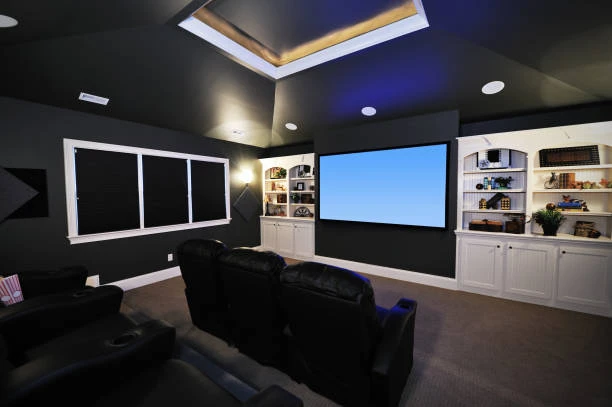
Smart technology can elevate your home theater experience. Integrating your setup with your existing smart home ecosystem allows for seamless control and customization.
Smart Features to Consider:
- Voice Control: Dim the lights, start a movie, or change volume with a voice command
- Automated Lighting: Set up lighting scenes for different activities
- App Control: Use your smartphone to control everything from screen to speakers
- Automation Routines: Program a single command like “Movie Time” to set your room’s lights, temperature, and AV equipment
Step 6: Seating and Comfort
Comfortable seating is essential for a true cinematic experience. Consider the number of seats, the type of chairs, and their placement relative to the screen.
Seating Tips:
- Use tiered seating for large rooms
- Invest in recliners or cushioned theater chairs
- Leave enough space between seats for easy movement
Viewing Distance Guide:
- For 4K TVs: 1.5 times the screen height
- For HD projectors: 2 to 2.5 times the screen width
Step 7: Calibration and Testing
Once everything is installed, proper calibration ensures you’re getting the best performance possible.
What to Calibrate:
- Display Settings: Brightness, contrast, color, sharpness
- Audio Settings: Speaker levels, crossover frequencies, equalizer settings
- Streaming Quality: Ensure strong internet connection for 4K streaming
Tools:
- Calibration discs or apps
- Built-in test tones on AV receivers
- SPL meter for measuring sound levels
Step 8: Regular Maintenance and Upgrades
Technology evolves rapidly, so it’s smart to plan for future upgrades and perform regular maintenance.
Maintenance Tips:
- Clean projector lenses and filters
- Dust speaker grilles and vents
- Check for software updates for smart devices
Upgrade Ideas:
- Add immersive audio formats like Dolby Atmos
- Upgrade to an 8K display when prices drop
- Integrate additional smart devices like blinds or HVAC systems
Common Mistakes to Avoid
Even a smart home theater installation can go wrong if common pitfalls are not avoided:
- Skipping proper sound calibration
- Choosing the wrong screen size for the room
- Neglecting ventilation for AV equipment
- Ignoring internet speed for streaming
- Forgetting surge protection
Avoiding these mistakes ensures a smoother setup and a better experience.
Conclusion
Home theater installation doesn’t have to be complicated or expensive. By taking a smart, strategic approach, you can build a system that delivers cinematic quality without the hassles. From choosing the right equipment to optimizing your space and integrating smart technologies, every step can be simplified with careful planning.



























Sign in to leave a comment.