How Automatic Transcription Software Reduces Manual Documentation Work

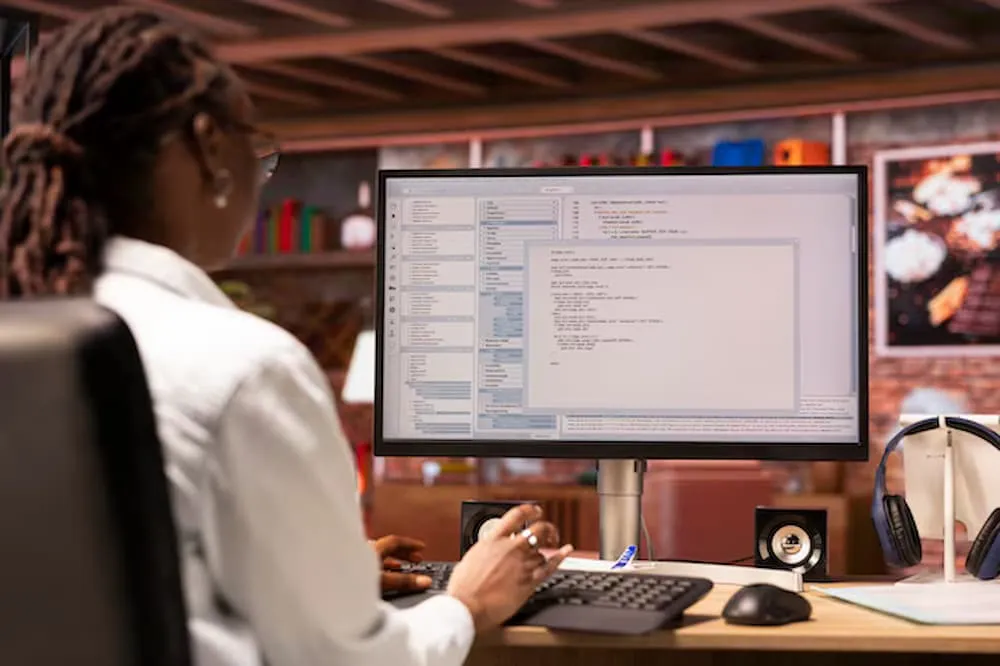
Documentation is an essential activity across businesses, educational institutions, healthcare administration, research environments, and creative industries. Meetings, interviews, consultations, and training sessions often produce important information that must be recorded accurately. Traditional documentation requires individuals to listen carefully, organize notes, and type spoken information into written documents. This process can become repetitive and time consuming, particularly when recordings are lengthy. Automatic transcription software helps reduce this workload by converting speech into text, allowing professionals to spend more time reviewing information and completing important responsibilities.
Understanding Automatic Transcription Software
How Automated Transcription Works
Automatic transcription software uses artificial intelligence and speech recognition algorithms to identify spoken words within audio recordings. The system analyzes sound patterns, recognizes language structures, and produces a written version of the conversation. Depending on the platform, it may also include punctuation, speaker identification, and timestamps. This allows users to obtain an initial written document without manually typing every sentence. The generated transcript can then be reviewed and edited to improve accuracy before being stored or shared.
Differences Between Manual and Automated Documentation
Manual documentation depends on an individual's ability to listen, understand, and type spoken information accurately. The process often requires repeated playback, careful attention, and considerable concentration. Automated transcription reduces these repetitive steps by handling the initial conversion process through software. Human involvement remains necessary for checking the final document, but the amount of typing can be significantly reduced. This combination of automation and human review creates a more efficient approach to maintaining useful written records.
Reducing Documentation Work Across Industries
Improving Business Meeting Records
Business meetings frequently involve project discussions, performance reviews, strategic decisions, and task assignments. Employees responsible for documentation may struggle to capture every important statement while also participating in the discussion. Automatic transcription provides a written record that can be reviewed after the meeting. Team members can identify decisions, responsibilities, and deadlines without relying entirely on handwritten notes. This approach improves documentation consistency and makes it easier to maintain records of important workplace conversations.
Simplifying Educational Documentation
Educational institutions produce large amounts of spoken information through lectures, seminars, workshops, and academic discussions. Transcription software helps educators convert these recordings into written materials for students and administrative teams. Teachers can prepare lesson notes, revise instructional documents, and organize classroom discussions more efficiently. Students can also use transcripts to review explanations and prepare academic summaries. By reducing repetitive documentation tasks, automated systems allow educators to devote more attention to teaching and student support.
Supporting Research Documentation
Researchers often conduct interviews, focus groups, observations, and recorded discussions to collect information. Manually transcribing these recordings can consume significant time, especially when projects involve many participants. Automatic transcription creates an initial text version that researchers can organize and review. This makes it easier to identify relevant statements and prepare material for qualitative analysis. Researchers must still verify transcripts carefully because small wording errors can affect interpretation, particularly when recordings contain specialized terminology or detailed participant responses.
Improving Workplace Productivity
Saving Time on Repetitive Tasks
One of the main advantages of automated transcription is its ability to reduce repetitive typing. Professionals can upload suitable recordings and allow software to generate an initial transcript. Instead of spending hours entering spoken information manually, they can focus on reviewing important details and correcting errors. The time saved can be redirected toward planning, communication, research, and decision making. This is especially valuable in workplaces where employees regularly handle multiple recordings and documentation responsibilities.
Creating More Consistent Records
Organizations benefit from documentation that follows consistent structures and contains clearly presented information. Automated transcription provides a common starting point for preparing meeting records, interview documents, and training materials. Employees can apply standard formatting and review procedures to the generated text. Consistent documentation makes information easier to understand and retrieve. It also helps organizations maintain useful records across departments, particularly when several employees contribute to the same documentation process.
Making Information Easier to Find and Manage
Searchable Written Documents
Audio recordings can be difficult to navigate because users must listen until they reach the required section. Written transcripts make this process easier by allowing readers to search for names, subjects, dates, and specific expressions. Employees can quickly locate relevant information without replaying lengthy recordings. Searchable documents are particularly useful for customer discussions, training sessions, and project meetings. They also help organizations create structured knowledge resources that can support future work and decision making.
Supporting Digital Record Management
Modern workplaces increasingly depend on digital systems to store and manage information. Transcribed documents can be organized into folders, document management platforms, and internal knowledge databases. This makes information easier to preserve and retrieve when required. Software such as Microsoft OneNote demonstrates how digital note management can support organized information storage. When combined with transcription, digital documentation systems can provide a convenient way to maintain records of spoken discussions and important instructions.
Important Features to Consider
Accuracy and Language Support
Transcription accuracy depends on audio quality, pronunciation, speaking speed, and background noise. Software should support the languages and recording formats required by its users. Features such as speaker identification and punctuation can improve the readability of longer conversations. Users should also check whether the platform handles technical vocabulary appropriately. These considerations help organizations choose software that meets their documentation requirements and reduces unnecessary correction work.
Security and Data Management
Business recordings may contain confidential information, employee discussions, customer details, or internal strategies. Organizations should examine how transcription services process, store, and protect uploaded recordings. Access controls and appropriate data retention policies can help reduce unnecessary exposure. Employees should follow organizational privacy guidelines before submitting recordings to external services. Responsible software selection helps ensure that productivity improvements do not create avoidable information security risks.
The Importance of Human Review
Correcting Errors and Improving Context
Automated systems can occasionally misunderstand unfamiliar words, industry terminology, names, and conversations involving multiple speakers. Human reviewers should compare generated transcripts with the original recordings before treating them as final documents. They can correct errors, improve punctuation, and identify statements that require clarification. Context is particularly important when documentation involves technical subjects or important business decisions. A balanced workflow combines automated speed with human judgment to produce reliable written records.
Maintaining Professional Documentation Standards
A transcript becomes more useful when it is organized according to the needs of its intended audience. Employees may need to remove irrelevant repetition, add headings, or separate different discussion topics. Researchers may require exact wording, while businesses may prefer concise meeting records. The appropriate editing process depends on the purpose of the document. Clear formatting and careful review ensure that automated transcription supports professional documentation rather than simply producing unorganized text.
Conclusion
Automatic transcription software reduces manual documentation work by converting spoken information into editable written records. It supports business meetings, educational activities, research projects, and everyday workplace communication. Organizations can save time, improve information retrieval, and maintain more consistent records by incorporating transcription into their workflows. However, human review and responsible data management remain essential for producing dependable documents. As automated speech recognition continues advancing, PrismaScribe offers an example of how transcription technology can support more efficient management of recorded information.


Sign in to leave a comment.