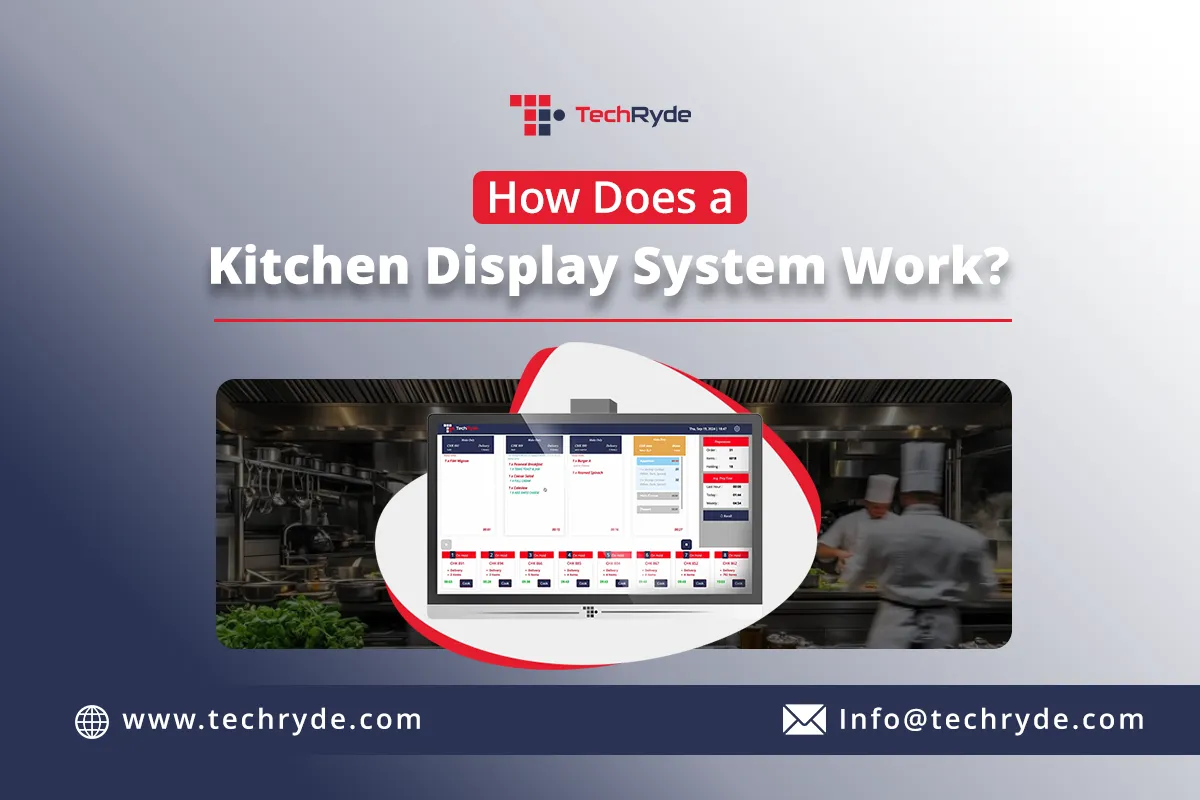

Restaurant kitchens today are managing far more than just dine-in orders. Online ordering, food delivery, QR code ordering, self-service kiosks, and mobile apps have all become part of the daily workflow.
While these channels create more opportunities for revenue, they also increase the complexity of kitchen operations.
Traditional paper tickets system often struggle to keep pace with this growing demand. Lost tickets, miscommunication, and delayed order preparation can quickly impact service quality and customer satisfaction.
As an alternative kitchen display system for restaurant operations is replacing printed tickets with digital kitchen screens, allowing orders to move seamlessly from the point of sale (POS) to the kitchen in real time. In a faster, more organized, and more efficient workflow.
What Is a Kitchen Display System?
A kitchen display system, commonly known as a KDS, is a digital solution that displays customer orders on electronic screens inside the kitchen instead of relying on paper tickets.
The system integrates directly with the restaurant's POS and ordering platforms. Whenever a customer places an order, it is automatically sent to the appropriate kitchen display, allowing staff to begin preparation immediately.
Unlike traditional ticket printers, a kitchen display system for restaurant operations provides real-time visibility into every order, helping kitchen staff stay organized while reducing communication errors between the front and back of house.
How Does a Kitchen Display System Work?
Although every restaurant operates differently, most kitchen display systems follow the same basic workflow.
Step 1: Customer Places an Order
Everything begins when a customer places an order.
Depending on the restaurant, orders may come from several different channels, including:
- POS terminals
- Online ordering websites
- Mobile ordering apps
- QR code ordering
- Self-service kiosks
- Third-party delivery platforms
Instead of creating separate workflows for each ordering channel, all orders are collected within one centralized system.
Step 2: The Order Is Sent Directly to the Kitchen
Once the order is confirmed, the POS instantly sends it to the kitchen display.
There is no need for servers to deliver paper tickets or manually communicate orders to the kitchen.
The kitchen staff immediately receives complete order information, including menu items, modifiers, special requests, allergies, and customer notes.
This automation reduces delays while eliminating many of the errors associated with handwritten or printed tickets.
Step 3: Orders Are Routed to the Right Kitchen Station
One of the biggest advantages of a kitchen display system for restaurant environments is automatic station routing.
Instead of displaying every order on a single screen, the system can send different items to their respective preparation stations.
For example:
- Burgers to the grill station
- Fries to the fry station
- Salads to the salad station
- Drinks to the beverage station
- Desserts to the dessert station
Each team member only sees the orders relevant to their station, helping kitchens stay organized even during busy service periods.
Step 4: Kitchen Staff Update Order Status
As food moves through preparation, kitchen staff can update each order directly from the display.
Typical order stages include:
- New Order
- Preparing
- Ready for Pickup
- Completed
Because these updates happen in real time, everyone involved in the order—including managers and front-of-house staff—can monitor progress without interrupting the kitchen.
This improves communication and helps reduce unnecessary back-and-forth between teams.
Step 5: Managers Monitor Kitchen Performance
Modern KDS platforms do more than display orders.
Managers can access valuable operational insights such as:
- Average ticket times
- Kitchen workload
- Station performance
- Order completion times
- Preparation bottlenecks
These reports help restaurants identify areas for improvement and make better operational decisions based on actual kitchen performance.
Benefits of Using a Kitchen Display System
Implementing a kitchen display system for restaurant operations offers benefits that extend well beyond replacing paper tickets.
Restaurants commonly experience:
- Faster order preparation
- Improved order accuracy
- Better communication between kitchen and front-of-house staff
- Reduced paper waste
- Improved kitchen organization
- Greater visibility into order progress
- Higher operational efficiency
Many advanced KDS platforms also include AI-powered capabilities that automatically prioritize orders based on preparation times, kitchen capacity, and delivery schedules. This helps kitchens stay productive during peak hours while maintaining consistent service quality.
Conclusion
Restaurant operations continue to evolve as digital ordering becomes the standard. Managing multiple order channels with paper tickets is becoming increasingly difficult, making digital kitchen management an essential part of modern restaurant operations.
A kitchen display system for restaurant workflows helps connect the POS, kitchen staff, and management through one centralized platform. By automating order routing, improving communication, and providing real-time operational visibility, restaurants can reduce errors, increase efficiency, and deliver a better customer experience.
As customer expectations continue to rise, investing in the right kitchen display system is no longer simply about replacing paper tickets—it's about building a faster, smarter, and more scalable kitchen.

























Sign in to leave a comment.