
The major frustration for designers is receiving different results from the same design sent to printers. Did you ever give the same design to two different printers and get two completely different prints? This is a problem for many businesses, designers, and marketing teams. Colors change, text becomes less sharp, or images do not look as expected.
Understanding the major difference between offset and digital printing prepress will help you solve this problem. High-quality, professional digital prepress services prepare every file for printing, regardless of whether your job is done with offset or digital technology.
According to Printing United Alliance, proper file preparation and standardized workflows are two of the biggest factors in reducing production errors and maintaining consistent print quality in commercial printing projects. This blog examines how prepress requirements differ between offset and digital printing.
What Is The Purpose of Prepress?
Prepress is a step in the printing process that takes place between designing a project and the start of actual printing. During this process, every file is checked, corrected, and prepared in accordance with the technical requirements of the chosen printing method.
A proper prepress workflow helps identify problems that need to be solved before printing starts. Some of them are:
• Missing fonts.
• Images of low resolution.
• Wrong color setup.
• Page sizes are incorrect.
• Bleed is missing.
• Broken links.
• Transparencies are problematic.
It saves you time, money, and effort and helps you avoid reprints.
Why Offset and Digital Printing Require Different Prepress Workflows
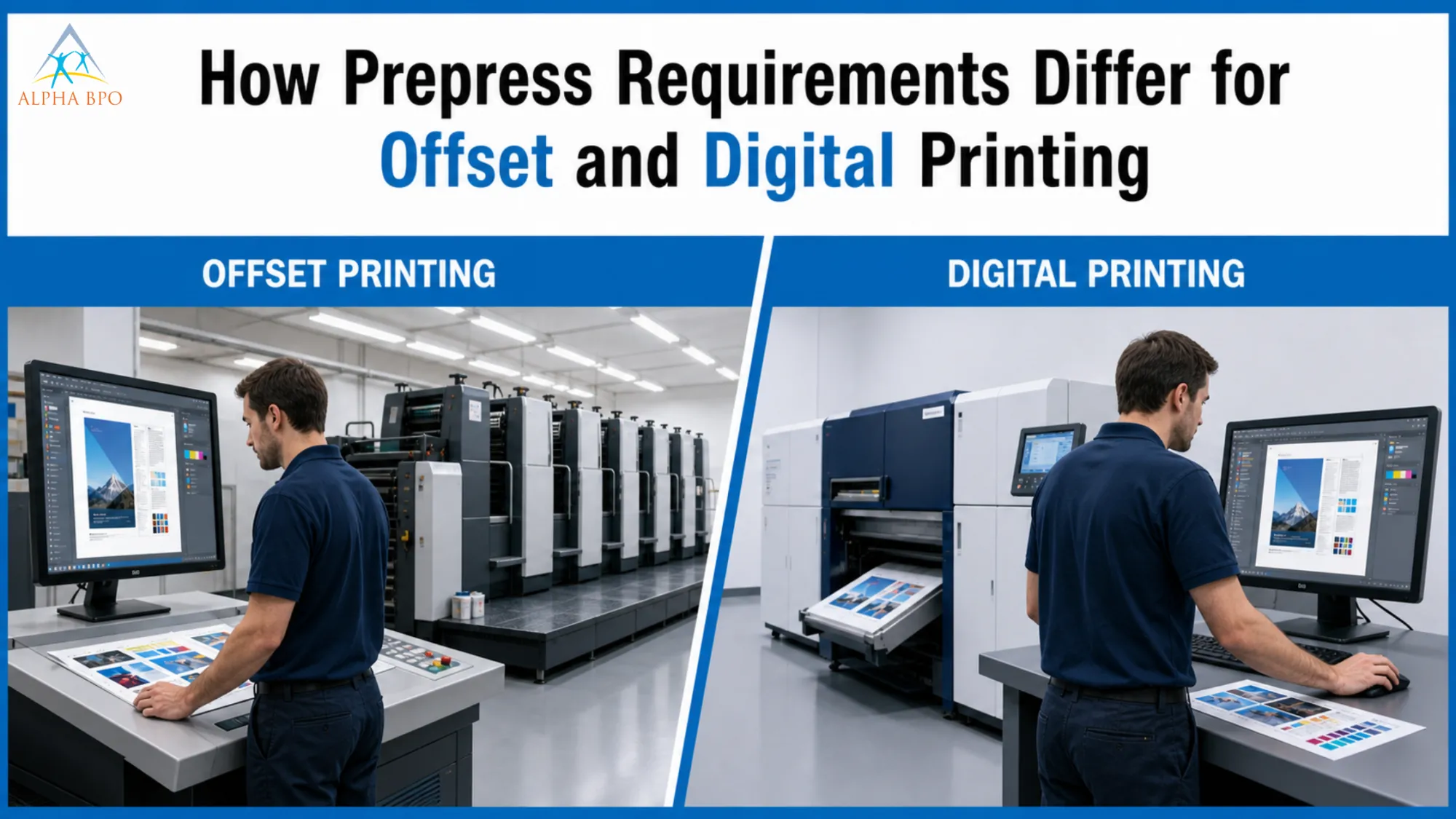
Although both methods provide high-quality results, they use completely different technologies. Offset printing transfers ink from metal printing plates to a rubber blanket, which then prints the design on the substrate.
Digital presses transfer the image directly onto the substrate without using printing plates.
That is why each method requires unique file preparation.
Workflow Of Offset Printing Includes Complex Preparations
The offset printing workflow consists of several technical preparations before the printing press begins printing.
Printing Plate Preparation
The main difference in offset printing is the process of printing plate preparation.
Each CMYK color is transferred to its own printing plate. These plates must be printed carefully to ensure proper registration.
Artwork errors can affect all printed sheets. That is why offset prepress is characterized by high-quality file control before production begins.
Color Management Is Extremely Important
Accurate color management is important for offset printing. Offset printing is primarily used for magazines, catalogs, corporate brochures, product packaging, and other high-volume marketing materials where color accuracy is essential.
These materials usually represent the company's brand, so the right color is very important.
Prepress professionals use ICC profiles, calibrated color monitors, and digital proofs to ensure color consistency.
Trapping Is Needed For Offset Printing
Trapping is needed for offset printing to fill gaps left by press motion.
Ink density and control are also carefully managed during prepress to prevent drying issues, smudging, and loss of detail.
These changes are mostly done in the prepress process.
Digital Printing Workflow Saves Time But Still Requires Preparation
The digital printing workflow eliminates some prepress steps, as printing plates are not used. It does not mean that prepress is unnecessary here. Instead, the attention is drawn to preparing files for digital printing machines.
Digital Print File Preparation
The current presses operate based on accurate file processing.
Digital file preparations involve:
• Correct resolution of images
• Embedded fonts
• Proper transparency effects
• Right PDF standards
• Color profile adjustment
• Compatibility of variable data
Such preparations help digital presses accurately reproduce designs without any unexpected printing problems.
Fast Switch Between Jobs
One of the biggest benefits of digital printing is its ability to switch between jobs almost instantly.
Unlike offset printing, which requires creating new plates, digital printing does not. Digital printing is suitable for:
• Printing small numbers of items.
• Variable data printing.
• Personalized marketing.
• On-demand printing.
• Small business materials.
Prepress primarily involves preparing files that can be sent directly to production.
Preparing a Print-Ready File Is Critical for Both Printing Methods
Whether you're printing digitally or offset, the print-ready file preparation process is one of the most important ones.
A well-prepared file should contain:
• Correct bleed settings.
• Safe margins.
• Correct trim size.
• Embed fonts.
• Link images.
• High-resolution images.
• Color mode.
• Flattening transparency.
A print-ready file eliminates production hold-ups and prevents any unexpected printing issues.
PDF File Preparation Is A Must
Currently, most commercial printers require print-ready PDF files. Correct PDF file preparations involve:
• Color mode (CMYK).
• Embedding of fonts.
• Correct bleed settings.
• Crop marks where necessary.
• Resolution of images at least 300 DPI.
• Correct PDF standards.
PDF files maintain formatting across software applications and printing systems. Proper PDF file preparation eliminates printing problems.
Preflight Checkup Prevents Costly Errors
One of the most beneficial steps in the prepress process is the preflight checking. The preflight software analyzes files for errors before the production process begins. The software can detect the following issues:
• Missing fonts
• RGB images
• Low-resolution graphics
• Wrong paper size
• Wrong bleed amount
• Corrupted image links
• Inappropriate transparency effects
It is much more cost-effective and time-efficient to resolve these problems before printing.
Commercial Prepress Services Professional Keep Printing Quality
Commercial prepress professionals use sophisticated software and experienced specialists to streamline publishing workflows and thoroughly check files.
It can include:
• Image corrections.
• File checking.
• Adjustments of colors.
• Creating proof.
• Reviewing print specifications.
• Verifying layout.
• Reviewing press compatibility.
This extra layer of quality control considerably reduces production errors.
Comparison Of Offset vs Digital Printing Prepress Processes
| Feature | Offset Printing | Digital Printing |
| Printing plates | Required | Not Required |
| Setup time | Longer | Faster |
| Best For | Large print runs | Small and short runs. |
| Color Consistency | Extremely high | Very good |
| Variable Data | Limited | Excellent |
| Prepress Focus | Plates, trapping, and color accuracy | File optimization, PDF quality |
| Production Speed | Slower setup | Faster turnaround |
Understanding these differences helps businesses choose the appropriate printing method for their projects.
Choosing The Right Workflow For Your Project
No matter what kind of printing project you have, there is no universal printing method for everybody.
Offset printing is normally the better option when:
• Print thousands of copies
• Have strict brand colors
• Print premium packaging
• Produce catalogs in high volume
Digital printing is normally preferred when:
• Print small quantities
• Meet tight deadlines
• Print personalized materials
• Make frequent updates to the artwork
Choosing the correct workflow starts with preparing files for the selected printing method.
Common Prepress Mistakes That Need To Be Avoided
Even experienced designers occasionally make mistakes that affect the production process.
Some of them include:
• Designing in RGB instead of CMYK
• Using poor-quality images
• Forgetting about bleed settings
• Incorrect outlining or embedding fonts
• Ignoring printer specifications
• Incorrect exportation of PDF settings
• Not reviewing the last proofs
Avoiding these mistakes makes the print production workflow much smoother and more efficient.
A catalog printed in offset may require tighter color calibration than a short-run promotional flyer produced on a digital press.
How Professional Prepress Specialists Increase The Quality Of Prints
Professional prepress specialists are aware of the technical difference between offset and digital printing machines.
They can improve images, optimize files for various printing machines, and maintain color consistency. They also help minimize production delays, reduce material waste, and prevent reprints.
Get The Best Print Results By Choosing Appropriate Workflows For Prepress Printing Services
Knowledge of the differences between offset and digital prepress helps businesses make informed printing decisions. While offset printing demands thorough plate preparation, accurate color matching, and proper setup, digital prepress involves efficient file preparation and faster production. Investing time in prepress is an extra step. Still, it prevents costly production mistakes and ensures your final printed materials accurately reflect your brand, whether you're printing 100 brochures or 100,000 product packages.
In addition, both printing methods depend on properly prepared print-ready files, color management, preflight checks, and a proper commercial printing process.
Working with skilled commercial prepress teams that provide prepress printing services and digital prepress services ensures every project is prepared correctly from the very beginning.





















Sign in to leave a comment.