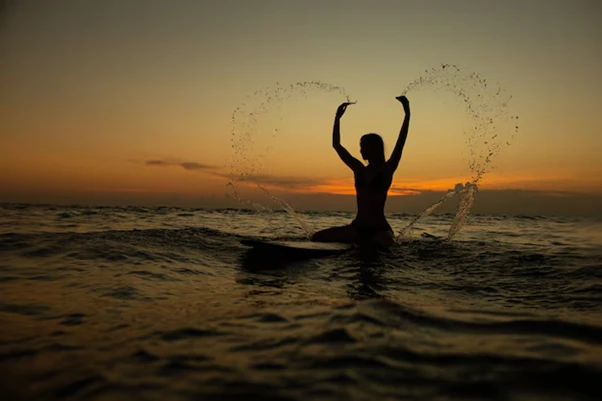

There’s something magical about silhouettes against a glowing sunset. The contrast between deep shadows and warm light can turn an ordinary shot into something cinematic. And the best part? You don’t need professional equipment to make it happen. With the right timing, positioning, and a few clever tricks, you can capture a silhouette that looks straight out of a travel magazine. One tool that can help fine-tune your results is https://retouchme.com/service/body-editor, perfect for making subtle adjustments if you want your final image to look even more polished.
Choosing the Right Setup
The key to a strong silhouette is having the light source – your sunset – directly behind your subject. This ensures they appear in shadow while the sky glows with color. Wide-open spots like beaches, rooftops, or high viewpoints work best because they give you a clear view of the horizon without distractions.
Posing and Framing the Shot
Since details of the face and clothing won’t be visible, the overall outline becomes your storytelling tool. Every line and curve in the silhouette will stand out, so you want the pose to be clear, interesting, and expressive.
Here are a few ways to make your silhouette shot stand out:
● Position the subject with enough separation from background elements so the outline is crisp and uninterrupted. If their head or limbs merge with other objects in the frame, the shape loses definition and the final result feels cluttered. Choosing a simple background – just the sky or water – keeps the subject clean and prominent.
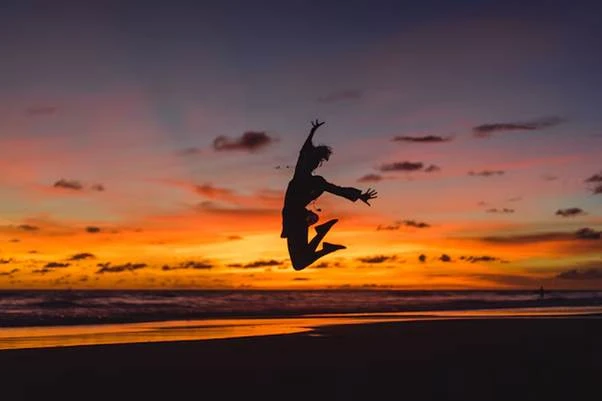
● Encourage the subject to create deliberate gaps between limbs or add movement for a dynamic outline. For example, walking with slightly bent arms, stretching upwards, or taking a gentle jump can give the silhouette an energetic and storytelling quality.
● Incorporate minimal but bold props to enhance the overall form without overpowering it. Items like a sunhat, a scarf in motion, or a guitar can add personality while still allowing the subject’s main shape to dominate the frame.
● Experiment with shooting angles, such as kneeling or lying low, to exaggerate the sky and lengthen the silhouette’s form. This small shift in perspective can make the figure appear more dramatic and the background more expansive, boosting the overall impact.
Even with great poses, a final pass in RetouchMe can refine shapes, adjust posture, or subtly fix horizon lines while keeping the image natural.
Enhancing the Final Image
Once you’ve captured the silhouette, a few adjustments can help it shine without losing authenticity. Slightly boosting contrast makes the shadow richer, while a touch of warmth in the sky preserves that golden-hour magic. The beauty of using RetouchMe here is that real designers – not automated filters – handle the refinements, so the result looks handcrafted rather than artificially processed.
A sunset silhouette blends simplicity with drama, relying on timing, clear outlines, and thoughtful composition. Once you’ve mastered these essentials, you’ll find it’s one of the most striking effects you can create with just a bit of planning and the right finishing touches.




























Sign in to leave a comment.