In the fast-paced world of online communities, first impressions matter — and nowhere is this more true than on Discord. Whether you’re running a gaming clan, managing a professional community, or building a fan hub, your server’s icon is the first thing people notice. In 2025, static images just don’t cut it anymore. An Animated Discord Icon can instantly set your server apart, convey personality, and make it unforgettable.
This guide will walk you through why animated icons are so effective, the steps to create them, and how professional 2D logo animation and animation services in Canada can help you achieve stunning results.
Why Animated Discord Icons Are a Game-Changer
A Discord server icon is like a business card — but on steroids. While a static logo can communicate your brand’s colors and theme, animation brings it to life. Here’s why they’re so powerful:
- Instant Attention – Movement naturally draws the human eye, making an animated icon more noticeable in a crowded server list.
- Brand Personality – Animation lets you express humor, intensity, or creativity in ways static images can’t.
- Memorability – People are more likely to remember a moving, dynamic image.
- Professional Appeal – If your community is for a business, a polished animation shows that you care about quality and presentation.
The Basics of Animated Discord Icons
Before you start designing, it’s important to know Discord’s technical requirements for animated icons:
- Format: GIF (looping recommended)
- Size: 512 × 512 pixels (but can scale down in server lists)
- File Size: Up to 8 MB (larger with Discord Nitro Boosts)
- Frame Rate: 24–30 FPS for smooth motion
While these guidelines may seem simple, fitting engaging animation into such a small file size takes careful planning.
Step-by-Step Guide to Creating an Animated Discord Icon
Step 1: Define Your Concept
Your icon should represent your community’s purpose. For example:
- Gaming servers might feature spinning weapons, pulsing neon lights, or animated mascots.
- Art communities could showcase brush strokes, splashes of color, or moving sketches.
- Business servers might prefer sleek, looping logo reveals.
Start by brainstorming motion ideas that reflect your identity. This is where 2D logo animation techniques shine — they allow you to add subtle movement without overwhelming viewers.
Step 2: Choose Your Animation Style
Different styles work for different communities. Some popular ones include:
- Minimal Loop Animations – Simple, professional, easy to recognize.
- Morphing Shapes – Fun for creative or casual communities.
- Character Animations – Perfect for gaming or fandom-related servers.
- Text-Based Animations – Ideal for brands with recognizable names or acronyms.
If you’re not sure which to choose, consult a professional who offers animation services in Canada — many agencies specialize in tailoring designs to specific audiences.
Step 3: Design the Logo or Base Image
If you already have a static logo, it’s time to adapt it for animation. Keep in mind:
- Bold shapes and limited text work best in small sizes.
- Avoid overly detailed designs — they can become messy when animated at small resolutions.
- Use high-contrast colors for visibility.
If you don’t have a logo yet, you can work with designers who specialize in 2D logo animation to create one that’s animation-friendly from the start.
Step 4: Animate Your Icon
This is where your static design comes to life. You can animate your icon using tools such as:
- Adobe After Effects – Industry standard for motion graphics.
- Toon Boom Harmony – Ideal for hand-drawn or character-based animation.
- Blender (Grease Pencil) – Great for mixing 2D and 3D animation.
When animating:
- Keep loops smooth so the icon feels seamless.
- Limit excessive flashing or abrupt movements — these can be distracting.
- Test at small sizes to ensure legibility.
Step 5: Optimize for Discord
Your beautiful animation won’t mean much if the file is too large to upload. Here’s how to optimize:
- Reduce frame rate slightly if needed.
- Use compression tools like EZGif or Photoshop’s "Save for Web" feature.
- Keep animations short — 2–3 seconds looping is perfect.
Step 6: Upload and Test
Once your icon is ready:
- Open your Discord server settings.
- Click on the server icon area to upload your animated GIF.
- Save changes and view your server list to ensure it displays correctly.
Professional Help vs. DIY
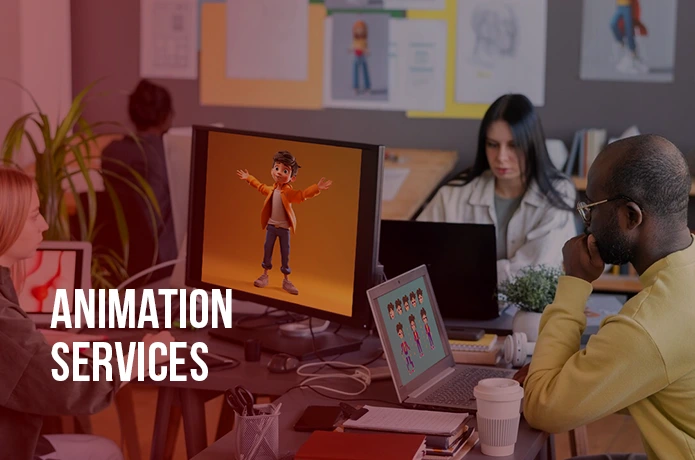
While you can create your own animated icon with the right tools, working with professionals can take your design to the next level. Animation services in Canada often combine design expertise with technical know-how, ensuring your icon looks stunning and meets Discord’s requirements.
Advantages of hiring a pro:
- Access to high-end software and techniques.
- Custom designs tailored to your brand.
- Optimized files that look great without losing quality.
When to go DIY:
- You have basic animation skills.
- Your budget is limited.
- You enjoy experimenting with design tools.
Trends for Animated Discord Icons in 2025
Animation styles are evolving rapidly, and 2025 brings fresh trends you can use to make your server stand out:
- Neon Light Loops – Perfect for gaming and tech servers.
- Hand-Drawn Motion – Adds a personal, artistic touch.
- Gradient Color Shifts – Modern and sleek for professional communities.
- Mascot-Based Animations – Characters reacting, winking, or waving.
Many of these trends use 2D logo animation techniques for smooth, high-quality results.
Common Mistakes to Avoid
When creating an animated Discord icon, watch out for:
- Overly Busy Designs – Too much detail makes it hard to recognize at small sizes.
- Distracting Movement – Rapid flashing or chaotic motion can be unpleasant.
- Ignoring Brand Consistency – Your icon should match your community’s tone and style.
- Poor File Optimization – Large files can cause upload issues or slow loading.
Final Thoughts
In 2025, an Animated Discord Icon isn’t just a nice-to-have — it’s a statement. Whether you’re a casual community or a professional brand, animation brings your identity to life in a way that static images can’t. By combining creative ideas, smart design, and tools like 2D logo animation, you can make your Discord server instantly recognizable and memorable.
If you want a polished, high-quality result without the trial and error, working with animation services in Canada can give you a professional edge. Whether you DIY or hire a pro, the key is to keep it simple, loop smoothly, and stay true to your brand’s personality.























Sign in to leave a comment.