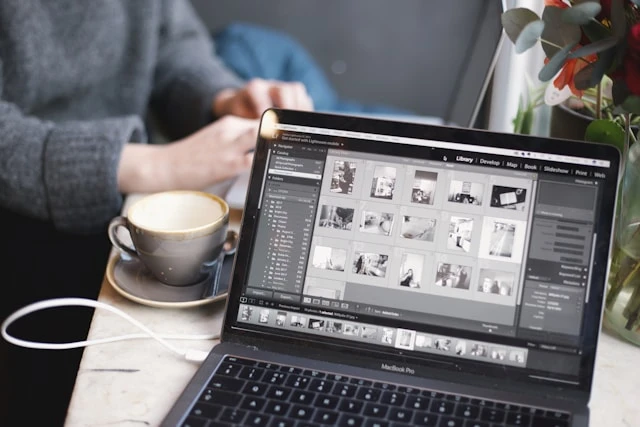

Creating eye-catching images for your business or blog used to mean either learning complex design software or paying professionals. In 2025, AI image generators have completely changed this. Anyone can now create professional-looking graphics in minutes, even with zero design experience.
Why AI Image Generation Works for Non-Designers
Traditional design tools like Photoshop have steep learning curves. You need to understand layers, color theory, composition, and dozens of tools. AI image generators skip all that. You simply describe what you want in plain English, and the AI creates it.
The technology has improved so much that the results often look better than what beginners could create after months of learning traditional design software.
Getting Started: What You Actually Need
The barrier to entry is surprisingly low. You need a computer or phone with internet access and a clear idea of what image you want. That's it. No software downloads, no design courses, and no expensive subscriptions required.
Free AI image generators have become powerful enough that many businesses use them for actual marketing materials, not just rough concepts.
Writing Effective Prompts
The secret to good AI images is describing exactly what you want. Think of it like explaining a scene to someone over the phone who can't see what you're imagining.
Bad prompt: "A dog" Good prompt: "A golden retriever puppy sitting in green grass on a sunny day, looking at the camera"
The more specific details you include, the better your results. Mention colors, lighting, angles, mood, and style. If you want something that looks like a photograph versus an illustration, say that.
Common Business Use Cases
Small business owners and content creators use AI-generated images for multiple purposes:
Social media posts: Create unique graphics that match your brand instead of using the same stock photos everyone else uses.
Blog headers: Generate custom featured images for every article instead of searching stock photo sites for hours.
Product mockups: Visualize product ideas before spending money on prototypes or photography.
Marketing materials: Design flyers, posters, and promotional graphics without hiring designers.
Email newsletters: Add visual interest to emails with custom graphics that match your content.
Avoiding Common Mistakes
New users often make similar mistakes that lead to disappointing results:
Being too vague: "Make it look good" doesn't give the AI enough direction. Specify what "good" means for your project.
Expecting perfection on the first try: Generate multiple versions and pick the best one. Professional designers create dozens of concepts too.
Ignoring style keywords: Words like "photorealistic," "minimalist," "vintage," or "modern" dramatically change the output.
Forgetting about composition: Mention if you want the subject centered, off to one side, or filling the entire frame.
Finding the Right Free Tools
Not all AI image generators work the same way. Some specialize in realistic photos, others excel at illustrations or abstract art. AI Free Forever helps sort through options by organizing tools based on what they do best and which ones truly stay free.
The site saves time by filtering out tools with misleading "free trials" that require credit cards or limit you to watermarked images.
Improving Your Results Over Time
Creating great AI images is a skill, but one that develops quickly. Save prompts that work well and note what words produced the best results. Build a personal library of effective descriptions.
Look at images you like and analyze what makes them work. Then incorporate those elements into your prompts. "Soft natural lighting," "shallow depth of field," or "bold contrasting colors" can transform results.
What AI Can't Do (Yet)
AI image generators have limitations. They sometimes struggle with text in images, complex hand positions, or very specific requests involving real people or trademarked characters. Understanding these limits helps set realistic expectations.
For projects requiring precise text or specific branding elements, combining AI-generated backgrounds with traditional editing tools often works best.
Making Images Work for Your Brand
Consistency matters for branding. Once you find prompts and styles that work for your business, document them. Use similar keywords, colors, and compositions across multiple images to create a cohesive look.
This approach builds brand recognition even though you're using AI tools instead of a design team with brand guidelines.
The Practical Advantage
The real benefit isn't just saving money on designers. It's the speed and flexibility. Need a new image right now? Generate it in two minutes. Want to test five different concepts? Create them all in ten minutes.
This immediacy changes how businesses approach visual content. Instead of planning weeks ahead for professional photography, you can create images as ideas develop.
Beyond Basic Images
As you get comfortable with basic image generation, explore more advanced possibilities. Many AI art generators let you specify artistic styles, combine multiple concepts, or create variations of existing images.
Some tools let you upload a rough sketch and have AI turn it into a polished image. Others let you describe modifications to existing photos.
Getting Professional Results
Professional-looking images share certain qualities: good composition, appropriate lighting, clear subjects, and purposeful color schemes. Even without design training, you can prompt AI to include these elements.
Phrases like "professionally lit," "magazine quality," "clean composition," or "award-winning photography" often improve results by guiding the AI toward established visual standards.
Moving Forward
Start simple. Pick one type of image your business needs regularly—maybe social media posts or blog headers. Practice creating those until you're consistently happy with results.
Then expand to other uses. Each project teaches you more about what prompts work and how to communicate your vision to AI tools.
The technology continues improving. Tools that produce good results today will likely produce even better results next month. Your prompt-writing skills, however, transfer across different tools and become more valuable over time.
























Sign in to leave a comment.