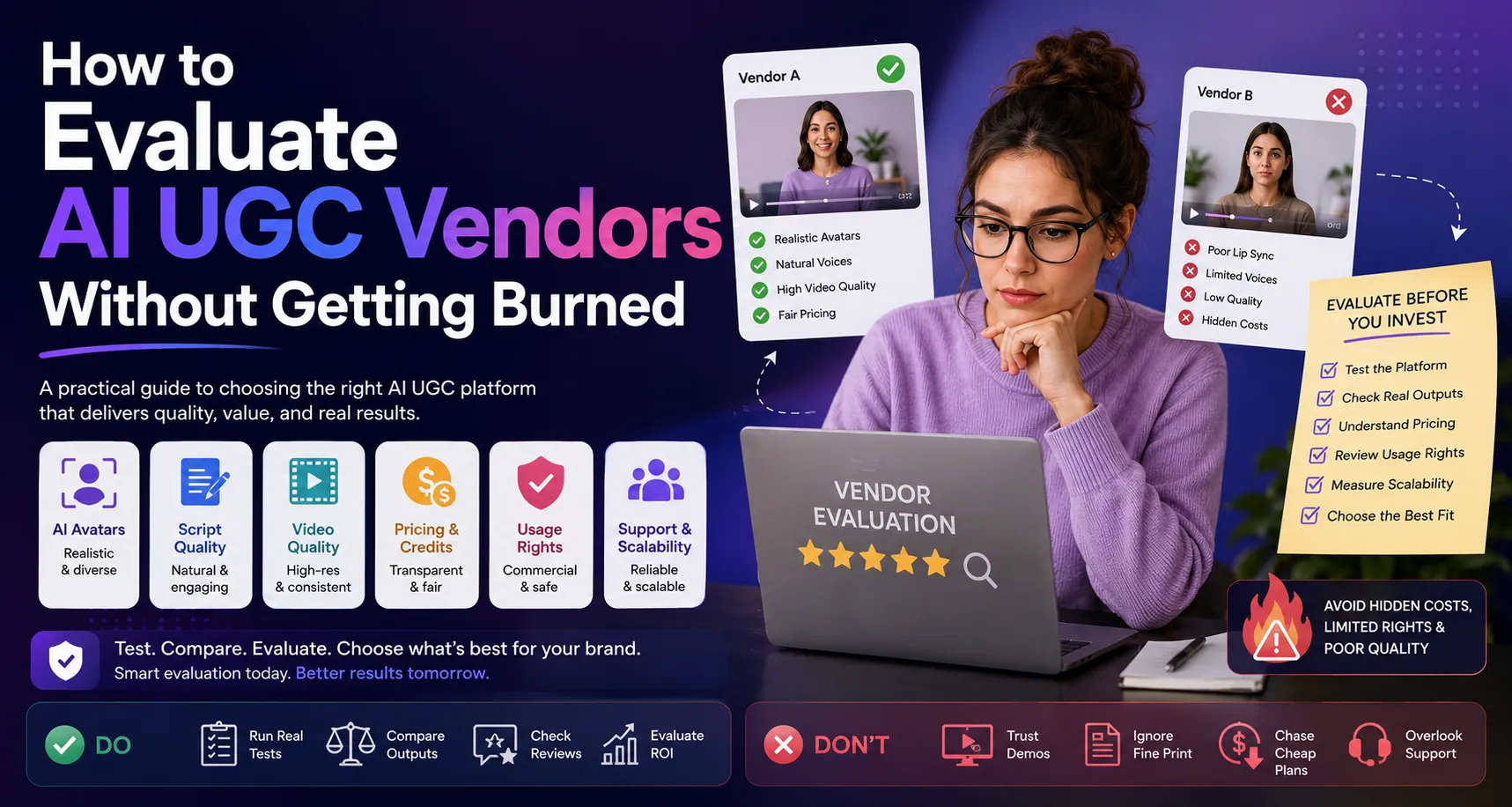

AI UGC has quickly become one of the most interesting developments in digital advertising. Brands can now create creator-style videos using AI avatars, synthetic voices, automated scripts, product visuals, captions, and editing tools without managing every part of a traditional production process.
That sounds simple.
But choosing the right AI UGC Video makar is not always simple.
There are dozens of platforms promising realistic avatars, viral videos, unlimited creativity, faster production, and better advertising performance. Some tools are genuinely useful. Others may look impressive in a demo but become frustrating when you try to use them for real campaigns.
Pricing can also be confusing. A platform may advertise a low monthly price but charge credits for generations, premium avatars, video exports, voice cloning, or additional revisions. Another platform may look expensive initially but provide a workflow that saves your team significant production time.
This is why brands need a structured way to evaluate AI UGC vendors.
The goal isn't to find the platform with the longest feature list.
The goal is to find a vendor that can reliably produce the type of creative your brand needs, at the volume you require, within a budget that makes sense.
In this guide, we'll explain how to evaluate AI UGC vendors, what questions to ask before buying, which red flags to watch for, and how to run a practical test before committing your budget.
What Is an AI UGC Vendor?
An AI UGC vendor is a company that provides software or services for creating user-generated-content-style videos using artificial intelligence.
Depending on the platform, the workflow may include:
- AI avatars
- AI voices
- Script generation
- UGC templates
- Product videos
- Product-to-video generation
- AI-generated scenes
- Captions
- B-roll
- Video editing
- Creative variations
- Localization
- Social media formats
Some vendors focus primarily on AI avatars.
Others focus on ecommerce advertising.
Some are general AI video platforms, while others are specifically designed for performance marketing and UGC-style ads.
That difference matters.
If your goal is to create internal training videos, a professional avatar platform may be enough.
If you're trying to create dozens of TikTok or Meta ads every month, you'll probably need a much more advertising-focused workflow.
Why Choosing an AI UGC Vendor Can Be Difficult
The AI video market changes quickly.
New platforms appear frequently, features are updated, models improve, and pricing plans change.
A vendor that looks impressive today may not necessarily be the right choice six months from now.
There is also a major difference between a product demo and a real production workflow.
A vendor may show an impressive 30-second video on its homepage.
But what happens when you need:
- 50 videos?
- 10 different hooks?
- Multiple languages?
- Your own product images?
- Different CTAs?
- Brand-specific messaging?
- Revisions?
- Team collaboration?
- Consistent output?
Those are the questions that matter.
The best AI UGC vendor is not necessarily the one that creates the most impressive demo.
It is the one that performs reliably under your actual production requirements.
1. Start With Your Creative Requirements
Before evaluating vendors, define what you actually need.
This is one of the most important steps because it prevents you from buying features you don't need.
Start by answering a few basic questions.
What type of content do you want to create?
For example:
- Product testimonials
- Talking-head videos
- Product demonstrations
- TikTok ads
- Instagram Reels
- Meta ads
- YouTube Shorts
- Founder-style videos
- Product explainers
- Before-and-after concepts
How many videos do you need?
A small business may need five videos each month.
A performance marketing agency might need hundreds.
The required production volume will affect which pricing plan and workflow make sense.
Who is your audience?
An avatar that works for a beauty brand may not work for a financial software company.
Consider:
- Age
- Gender representation
- Location
- Language
- Industry
- Customer profile
- Brand personality
Where will the content be used?
Your requirements can change depending on whether the videos are intended for paid advertising, organic social media, landing pages, product pages, or internal content.
2. Don't Judge Vendors Only by Avatar Quality
Realistic AI avatars are impressive.
But avatar quality alone does not determine whether an AI UGC platform is useful.
A beautiful avatar reading a weak script will still produce a weak advertisement.
When evaluating avatars, look at:
- Facial expressions
- Lip synchronization
- Gestures
- Eye movement
- Voice quality
- Natural pauses
- Personality
- Presenter variety
- Available demographics
Most importantly, ask whether the avatars fit your brand.
A casual ecommerce advertisement may need an approachable creator.
A B2B company may need a professional spokesperson.
The question isn't:
"Does this avatar look realistic?"
The better question is:
"Would this avatar make sense delivering my brand's message to my target audience?"
3. Test Script Quality
UGC ads depend heavily on the script.
A good AI UGC vendor should help you create scripts that sound conversational rather than robotic.
Compare these two examples.
Corporate style:
"Our innovative product provides an advanced solution for consumers seeking improved performance."
UGC style:
"I've tried a few products for this, but this one actually surprised me."
The second feels more like social content.
When testing a vendor, generate several scripts around the same product.
Ask:
- Does the hook sound natural?
- Is the language conversational?
- Does the AI understand the target audience?
- Can you control the tone?
- Can you provide your own script?
- Can you generate multiple variations?
Don't assume the vendor's AI writer will automatically understand your brand.
Test it.
4. Look at the Complete Workflow
A common mistake is evaluating each feature separately.
Instead, evaluate the entire process.
For example:
Product → Script → Avatar → Voice → Scenes → Editing → Captions → Export
How many tools do you need to use?
How many times do you have to download and upload files?
How much manual work remains?
A platform that combines several steps into one workflow may be more valuable than a tool that does one feature extremely well.
This is particularly important for marketing teams.
If your team spends 20 minutes moving files between different platforms for every video, those minutes add up quickly.
5. Understand the Pricing Model
Pricing is one of the easiest areas to misunderstand.
Don't look only at the monthly subscription price.
Look at the effective cost per usable video.
AI UGC vendors may use:
- Monthly credits
- Video minutes
- Generation credits
- Avatar credits
- Export limits
- Premium templates
- Premium voices
- Pay-as-you-go pricing
- Enterprise plans
A $30 plan isn't necessarily cheaper than a $60 plan.
Suppose the cheaper plan gives you enough credits for only a handful of usable videos, while the more expensive plan allows your team to create dozens of variations.
The second option may actually have a lower cost per finished creative.
Before purchasing, calculate:
Monthly cost ÷ number of usable videos = effective cost per video
This gives you a much clearer picture.
6. Watch Out for Hidden Credit Costs
Credits can become confusing quickly.
A platform might advertise unlimited video creation but place limits on certain features.
For example, premium avatars, high-resolution exports, advanced voices, or longer videos may consume additional credits.
Ask the vendor:
- How many credits does one video use?
- Are revisions charged?
- Are failed generations charged?
- Are premium avatars extra?
- Are exports included?
- Do credits expire?
- Can unused credits roll over?
- What happens when credits run out?
Get clear answers before committing.
7. Check Commercial Usage Rights
This is an important consideration for businesses.
You need to understand what you're allowed to do with the videos you create.
Ask whether your plan permits:
- Paid advertising
- Commercial use
- Client work
- Social media publishing
- Website use
- Product pages
- Reselling or agency services
Also check whether the vendor has specific rules around AI avatars, voice cloning, or user-uploaded assets.
Don't assume that because you generated the video, every type of commercial usage is automatically permitted.
Read the relevant terms and licensing information.
8. Evaluate AI Avatar and Voice Rights Carefully
Voice cloning and custom avatars introduce additional considerations.
If a platform lets you upload someone's photo or voice, you should understand what permissions are required.
For brands, the safest approach is to use people and assets for which you have the necessary rights and consent.
Ask the vendor:
- Who owns the generated avatar?
- Who owns a custom avatar?
- Can the avatar be deleted?
- Can your voice data be removed?
- How is uploaded information stored?
- Can your avatar be used after cancellation?
- Are custom avatars exclusive?
These questions become especially important when working with creators, employees, founders, or clients.
9. Test Product Integration
If you're an ecommerce brand, product integration should be high on your checklist.
A good AI UGC platform should make it easy to include your product naturally.
Test whether you can use:
- Product URLs
- Product images
- Product descriptions
- Logos
- Brand colors
- Product demonstrations
- Screenshots
- Existing videos
Then check the output.
Does the product look accurate?
Does the AI invent product details?
Does it misrepresent features?
Does the product remain visually consistent?
These details matter because AI-generated creative can introduce errors if product information isn't handled carefully.
10. Evaluate Creative Variation
One of the biggest benefits of AI UGC is the ability to create variations.
Don't buy a platform just to create one video.
Test how quickly you can create several.
For example, create:
5 hooks × 3 avatars × 2 CTAs = 30 creative combinations
You don't necessarily need to publish all 30.
The purpose is to see whether the platform supports systematic creative experimentation.
Test different:
- Hooks
- Scripts
- Avatars
- Voices
- Benefits
- CTAs
- Backgrounds
- Video lengths
- Languages
If generating variations requires starting over every time, the platform may become inefficient at scale.
11. Check Editing Capabilities
AI generation is rarely perfect on the first attempt.
You will probably want to change something.
Maybe the hook is too long.
Maybe the avatar isn't right.
Maybe the CTA needs to change.
Maybe the product scene should appear earlier.
A good editing workflow lets you make these changes without rebuilding the entire video.
Look for:
- Scene editing
- Script editing
- Caption editing
- Voice changes
- Timing controls
- B-roll replacement
- Background changes
- CTA customization
The less friction involved in revisions, the more useful the platform becomes.
12. Look at Output Quality
Always test exported videos rather than judging only the preview.
Check:
- Resolution
- Audio quality
- Lip synchronization
- Caption accuracy
- Aspect ratios
- Visual consistency
- Product rendering
- Branding
- Watermarks
Make sure the final file works for your advertising platform.
A video that looks great inside an editor but exports with limitations may create problems later.
13. Check Platform Compatibility
Your AI UGC vendor should support the channels you actually use.
Common formats include:
- 9:16 vertical video
- 1:1 square video
- 16:9 landscape video
For TikTok, Instagram Reels, and YouTube Shorts, vertical video is generally essential.
For other placements, you may need different dimensions.
Before buying, verify that your desired formats are supported.
14. Look at Localization Features
If your brand operates internationally, localization can become a major advantage.
A strong AI UGC workflow may allow you to adapt the same creative concept for multiple markets.
But localization isn't simply translating words.
The voice, tone, expressions, references, and messaging should fit the target market.
Test the platform with at least two languages before committing to an international workflow.
Check:
- Pronunciation
- Accent
- Voice quality
- Translation accuracy
- Lip synchronization
- Caption accuracy
15. Consider Scalability
A platform that works perfectly for ten videos may struggle with 500.
Ask how the vendor handles larger production volumes.
Consider:
- Generation speed
- Account limits
- Team members
- Projects
- Storage
- Export limits
- API availability
- Enterprise support
- Collaboration
If you're an agency, also consider how easy it is to manage multiple clients.
Scalability isn't just about generating more videos.
It's about maintaining quality while increasing production.
Red Flags to Watch for When Evaluating AI UGC Vendors
Some warning signs should make you slow down before purchasing.
Red Flag 1: Amazing Demo, Limited Real Testing
If a vendor only provides carefully selected examples, ask to test the platform yourself.
Red Flag 2: Unclear Pricing
If you cannot determine what a video will actually cost, ask for clarification.
Red Flag 3: Vague Commercial Rights
Don't proceed until you understand how you can use the generated content.
Red Flag 4: Too Many "Unlimited" Claims
Unlimited doesn't always mean unlimited.
Look for generation, export, quality, avatar, and credit restrictions.
Red Flag 5: No Clear Support Process
When something goes wrong, you need to know how to get help.
Check whether the vendor offers documentation, chat support, email support, or dedicated account management.
Red Flag 6: Poor Product Handling
If the AI consistently changes product details or creates inaccurate scenes, that's a serious concern for ecommerce advertising.
Run a Vendor Test Before You Buy
The best way to evaluate an AI UGC vendor is to run the same test across multiple platforms.
Choose three vendors.
Give each one the same:
- Product
- Script
- Brand guidelines
- Product images
- Target audience
- Creative objective
Then score the results.
You can use a simple 10-point scale.
| Category | Score |
| Avatar quality | /10 |
| Voice quality | /10 |
| Script quality | /10 |
| Product accuracy | /10 |
| Editing | /10 |
| Creative variations | /10 |
| Export quality | /10 |
| Ease of use | /10 |
| Pricing value | /10 |
| Overall workflow | /10 |
The highest score isn't automatically the winner.
Look at which categories matter most to your business.
If you're an ecommerce brand, product accuracy may be more important than avatar variety.
If you're a SaaS company, script quality may matter more.
If you're an agency, scalability could be the most important factor.
Ask Vendors These Questions Before Signing Up
Before purchasing, ask the sales or support team:
1. What is included in my plan?
2. How many videos can I realistically generate each month?
3. Are revisions charged separately?
4. Are commercial advertising rights included?
5. Can I use the videos for paid social campaigns?
6. Can I create custom avatars?
7. Can I upload my own voice?
8. How is uploaded data handled?
9. Can I create multiple variations quickly?
10. What happens if I cancel?
The answers can reveal limitations that aren't obvious from the pricing page.
Don't Choose the Cheapest Vendor
Price matters.
But it shouldn't be your only criterion.
A cheap platform that produces unusable videos is expensive in practice.
Your team may spend additional hours fixing scripts, editing videos, replacing scenes, correcting captions, and moving files between different tools.
A slightly more expensive platform may save significantly more time.
Instead of asking:
"Which platform is cheapest?"
Ask:
"Which platform gives us the lowest cost for producing usable creative?"
That's a much better business question.
Calculate the Total Cost of Ownership
Your real cost isn't just the subscription.
Consider:
Software cost + editing time + management time + revisions + additional tools + creative production time
For example, if your team pays $50 for an AI UGC platform but spends ten hours every month fixing its output, the actual cost is much higher.
Another platform may cost $100 but reduce manual work to two hours.
The second platform could provide significantly better value.
The Importance of Human Review
AI UGC should not be completely automated without supervision.
A human should review the final video for:
- Brand accuracy
- Product claims
- Grammar
- Visual errors
- Misleading statements
- Caption mistakes
- Voice quality
- Avatar suitability
- CTA accuracy
This is especially important for regulated industries or advertisements containing claims about health, finance, performance, or results.
AI can accelerate production.
Human review protects quality.
Build a Repeatable Evaluation Framework
Once you've tested several vendors, document the results.
Create a simple internal framework based on:
Quality
Does the video look and sound good?
Speed
How quickly can we produce a usable video?
Scale
Can the platform handle our expected volume?
Flexibility
Can we customize scripts, avatars, visuals, and CTAs?
Cost
What is the effective cost per usable video?
Rights
Can we legally use the content for our intended purpose?
Workflow
Does the platform reduce or increase manual work?
Support
Can we get help when we need it?
This framework makes future vendor decisions much easier.
What the Best AI UGC Vendor Should Actually Do
The best vendor isn't necessarily the one with the biggest avatar library or the flashiest AI model.
A strong AI UGC platform should help you move from:
Idea → Script → Creator → Product → Video → Variations → Testing
with as little unnecessary friction as possible.
It should give your team enough control to maintain brand quality while using automation to reduce production time.
Most importantly, it should help you create more useful creative.
That's the real objective.
Final Thoughts
Choosing an AI UGC vendor can feel overwhelming because the market is crowded and technology changes quickly.
The safest approach is to ignore the hype and evaluate vendors based on your actual workflow.
Define your requirements first.
Test the avatars.
Evaluate the scripts.
Check the product integration.
Understand the pricing.
Read the commercial usage terms.
Test creative variations.
Review export quality.
Calculate your real cost per usable video.
And, most importantly, run a real-world test before committing to a long-term contract.
An AI UGC platform should not simply make it possible to generate videos.
It should make your marketing team faster, more flexible, and more capable of testing creative ideas at scale.
The right vendor can help you produce more variations, adapt content for different audiences, and reduce the amount of manual production work required for every campaign.
The wrong vendor can leave you paying for credits, fixing AI-generated mistakes, managing complicated workflows, and spending more time editing than you expected.
That's why the smartest approach is simple:
Don't buy the demo. Test the workflow.


























Sign in to leave a comment.