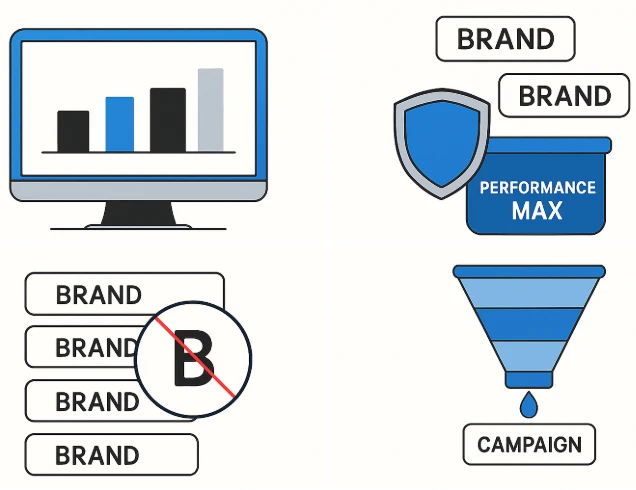

Performance Max (PMax) campaigns offer a powerful way to reach potential customers across all Google properties. However, many advertisers struggle with one common issue: branded traffic cannibalizing campaign performance. If you’re wondering how to exclude brand from Performance Max, you're not alone—and the process requires a few strategic workarounds since PMax doesn’t natively support negative keywords in all cases.
This article will walk you through step-by-step methods to reduce or exclude branded traffic, helping you better allocate your budget to acquiring new customers.
Why Exclude Brand from Performance Max?
Branded searches usually have high intent and may already be covered by existing Search campaigns or organic results. Allowing your Performance Max campaign to bid on branded keywords can:
- Inflate conversion rates artificially
- Waste budget on existing customers
- Skew performance data
That’s why excluding branded traffic ensures that your Performance Max for store goals is aligned with acquisition and not just retention.
Method 1: Use Account-Level Negative Keywords (If You Have a Rep)
The most reliable way to exclude branded terms is by asking your Google Ads rep to implement account-level negative keywords. Google began offering this feature in 2023 for selected accounts, and it applies to all campaigns, including PMax.
Steps:
- Contact your Google Ads support rep.
- Share a list of branded terms you want to exclude.
- Request they be applied at the account level.
While not available for everyone, this method is the most effective if you're eligible.
Learn more about account-level negative keywords on Google Support.
Method 2: Create a Brand-Only Campaign & Use Priority Settings
If you're using Standard Shopping or Search campaigns in parallel:
- Create a brand-only campaign that targets only branded terms.
- Add high bids to this campaign.
- Lower the bid for your Performance Max campaign.
Google will favor the brand-only campaign for branded queries, keeping PMax focused on non-branded traffic.
Method 3: Use Campaign Structure & Asset Groups
While PMax doesn't support keyword targeting directly, you can influence targeting using:
- Audience signals
- Custom segments
- Exclusion of brand-related assets
Ensure your Performance Max asset groups do not include branding elements (logos, slogans, etc.), and exclude branded URLs or customer lists.
Method 4: Use Brand Exclusions in PMax Search Themes
With the rollout of PMax Search Themes, advertisers now get a little more control. You can guide Google on what types of search themes to pursue or avoid.
Even though this doesn’t guarantee exclusion, avoid using your brand or related terms in the search themes. Instead, target acquisition-oriented themes.
Best Practices to Minimize Brand Traffic in PMax
- Monitor your search terms in Insights tab regularly.
- Set up rules or alerts when branded traffic spikes.
- Create remarketing or brand campaigns separately to manage budget.
- Regularly refine your asset group messaging to exclude brand-heavy language.
Final Thoughts
Although Google doesn’t make it easy to exclude brand traffic in Performance Max campaigns, there are workarounds that can help. From using account-level negative keywords to leveraging campaign structure and search themes, the key is to actively monitor and influence campaign intent.

























Sign in to leave a comment.