

Step 1: Sign in to the Azure portal.
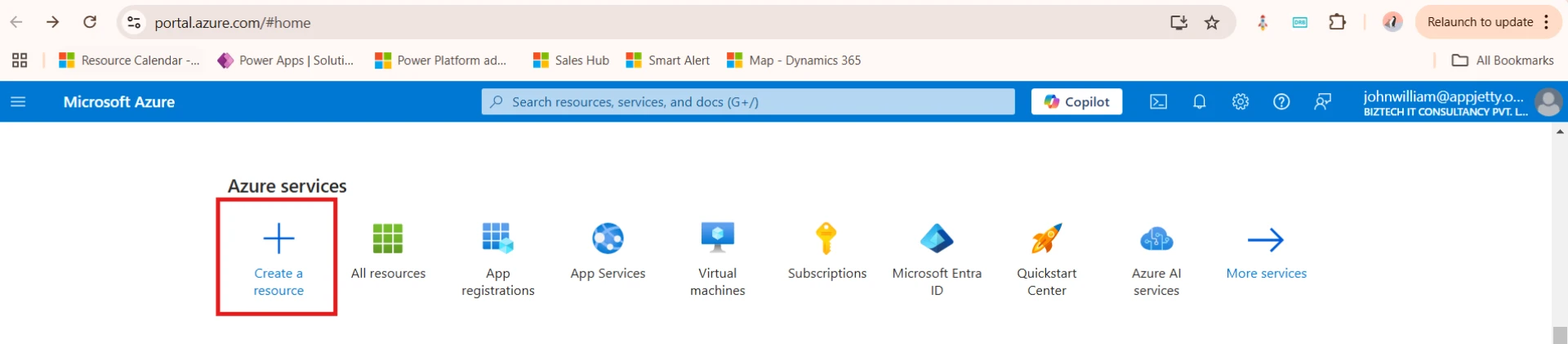
Step 2: Select Create a resource
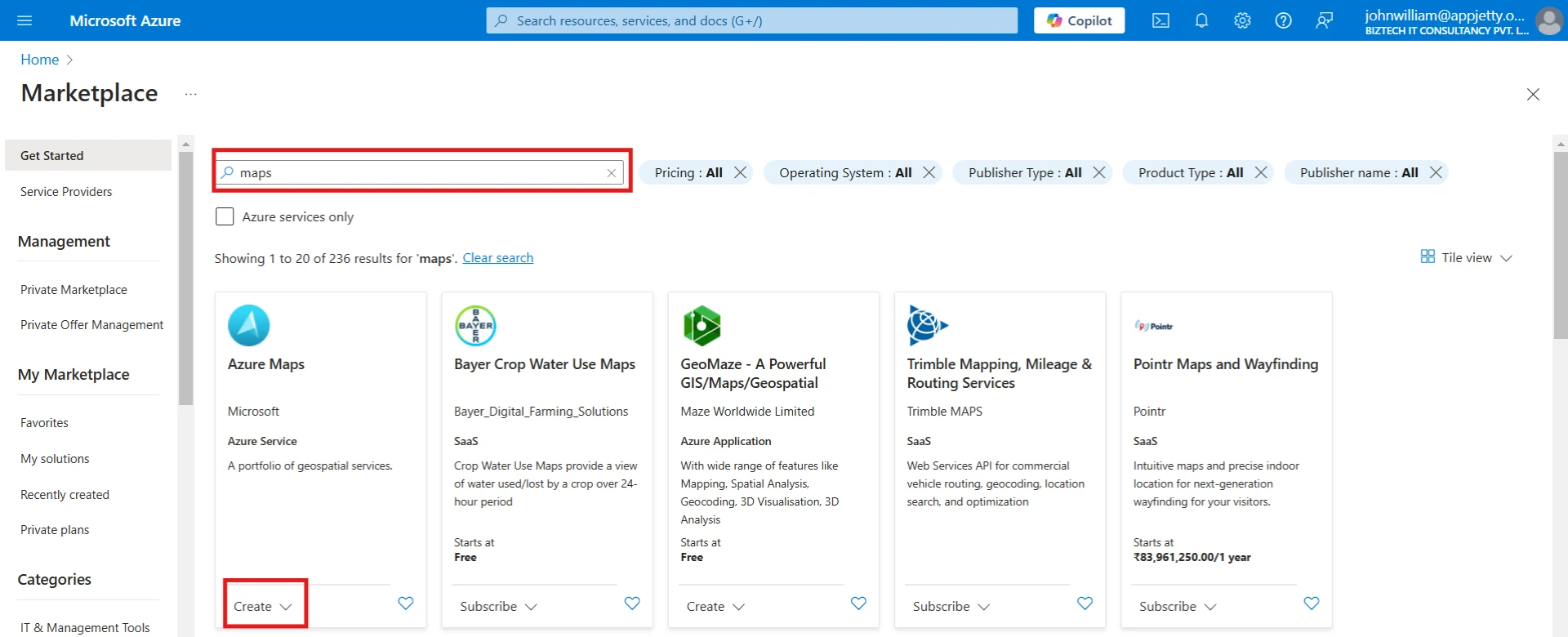
Step 3: Search for and select Maps. Then select Create.
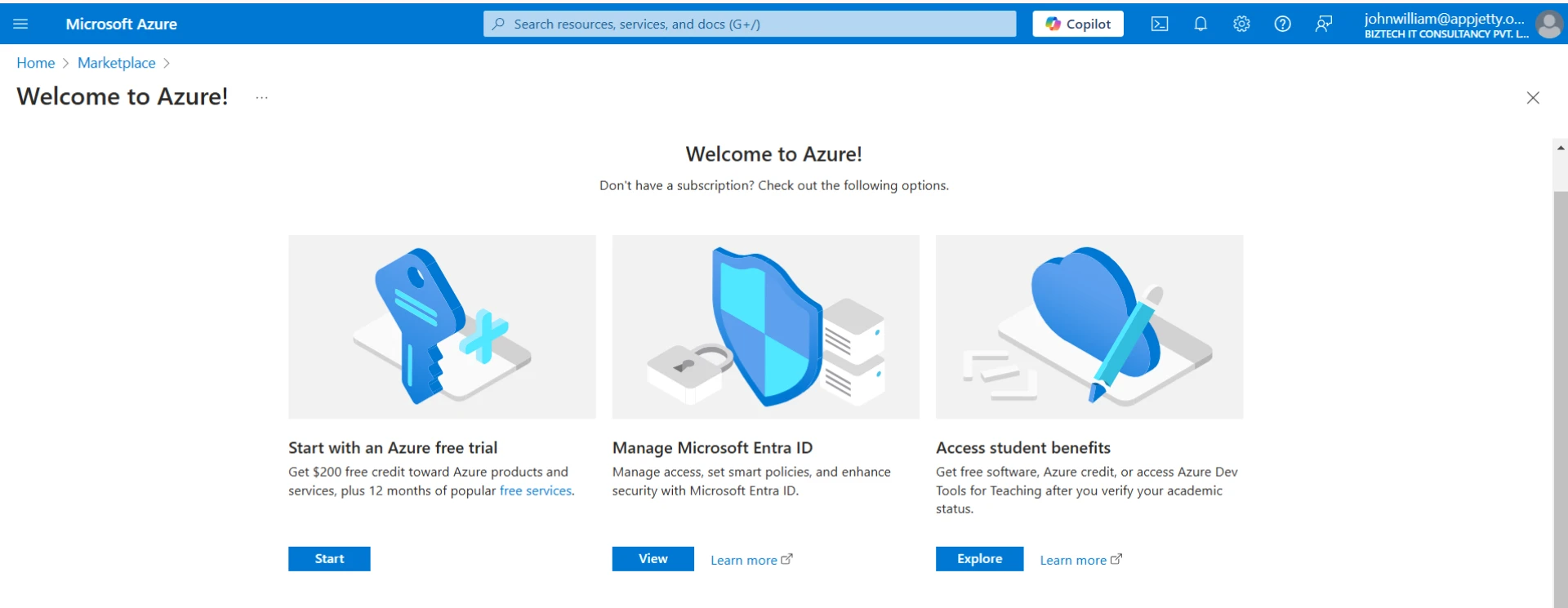
If you do not have a subscription, you will be redirected to the subscription screen.
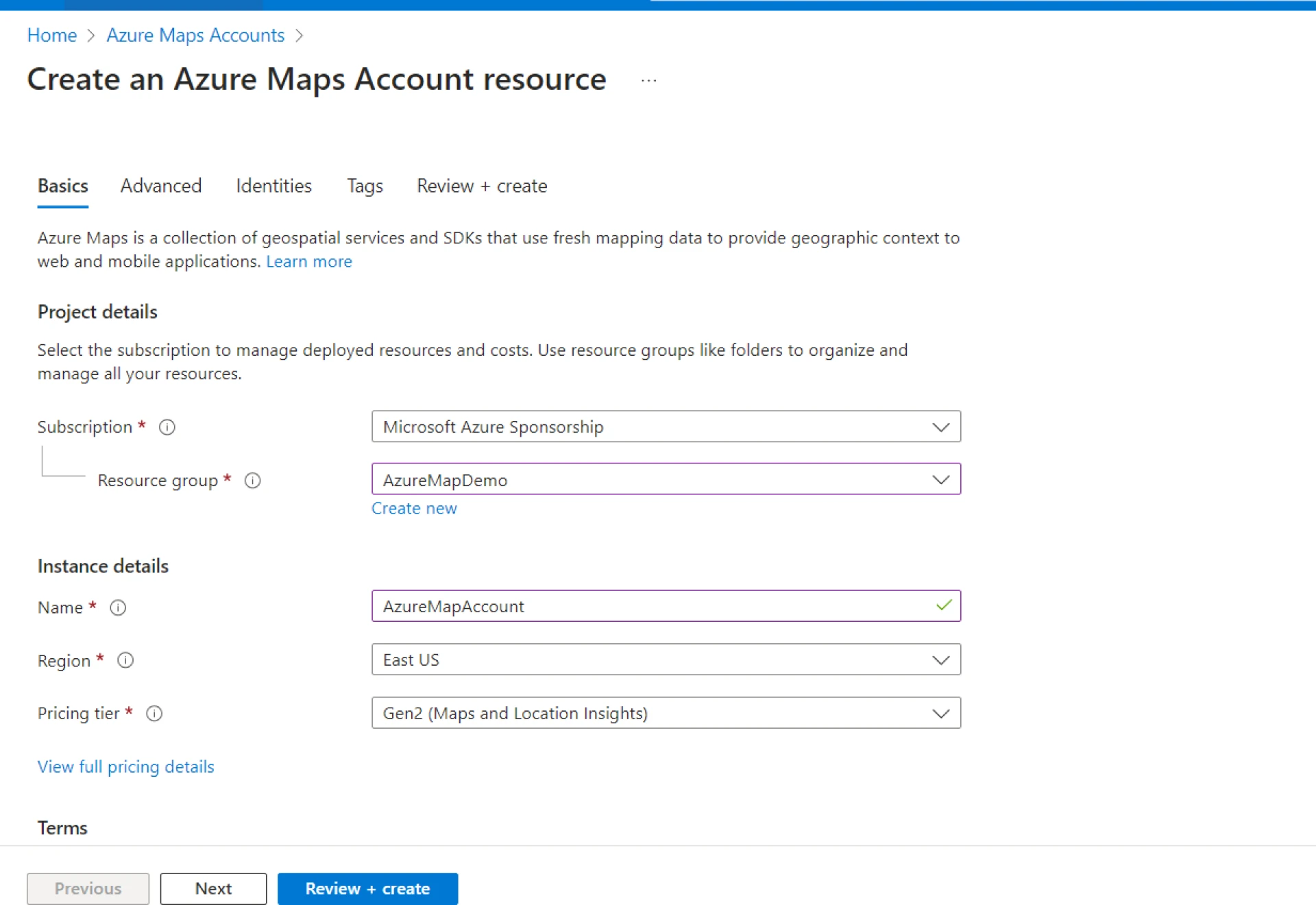
Step 4:If you have a subscription, you will be able to create an Azure Map resource, and the page below will appear. Now, enter the information for your new account and click on Review + create.
Step 5:After creation, select All resources in the Azure services section
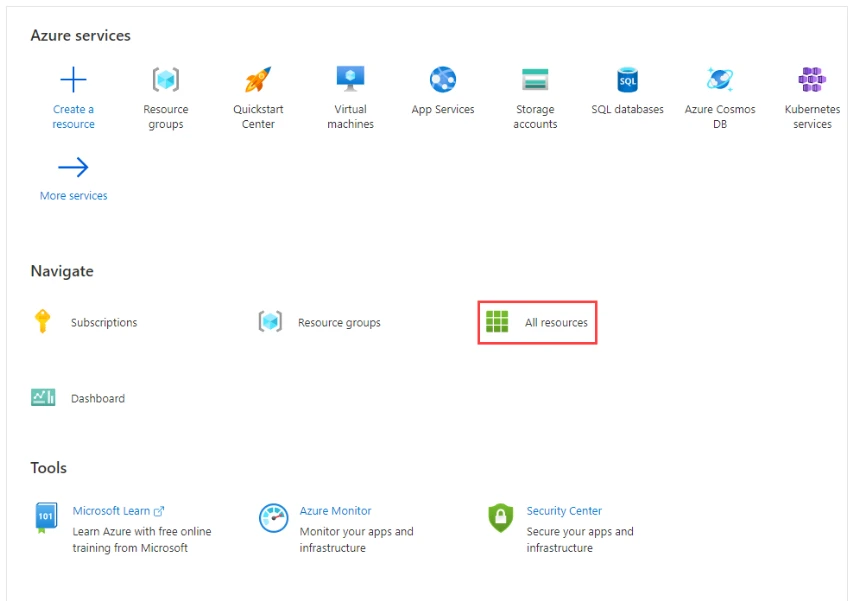
Step 6:Select your created azure map account and go to Authentication
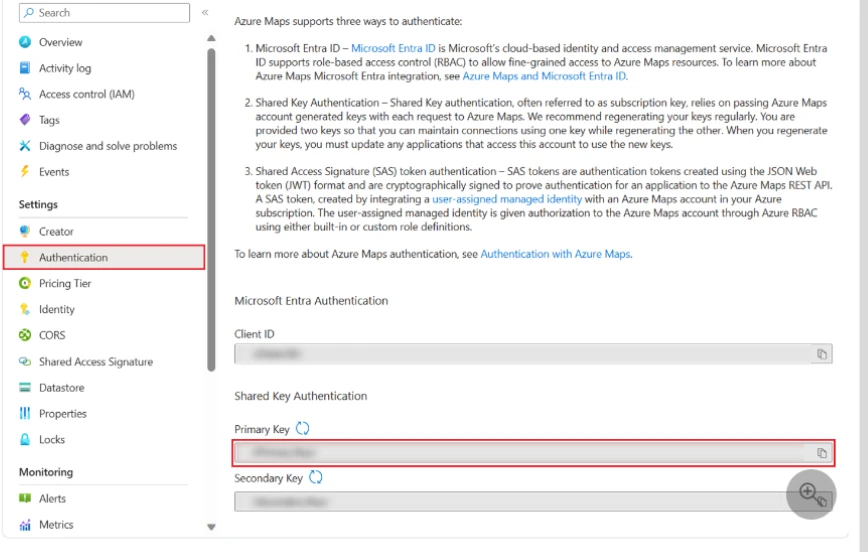
Copy the primary key which is your azure map key.
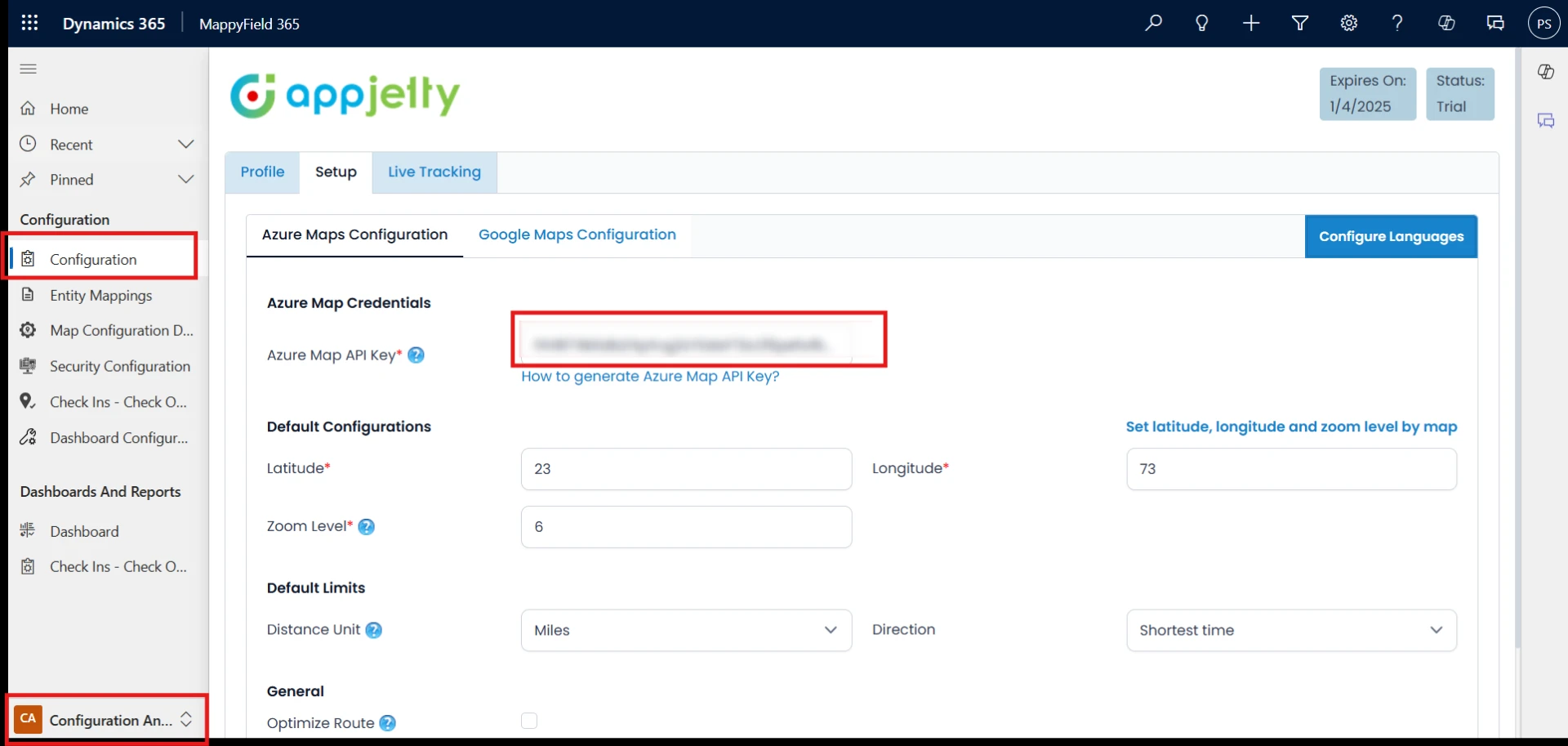
Step 7:Now go to the configuration of MappyField365 and paste the azure map key and save the configuration after adding other required details.
Original Blog: https://www.appjetty.com/blog/generate-azure-map-key/














Sign in to leave a comment.