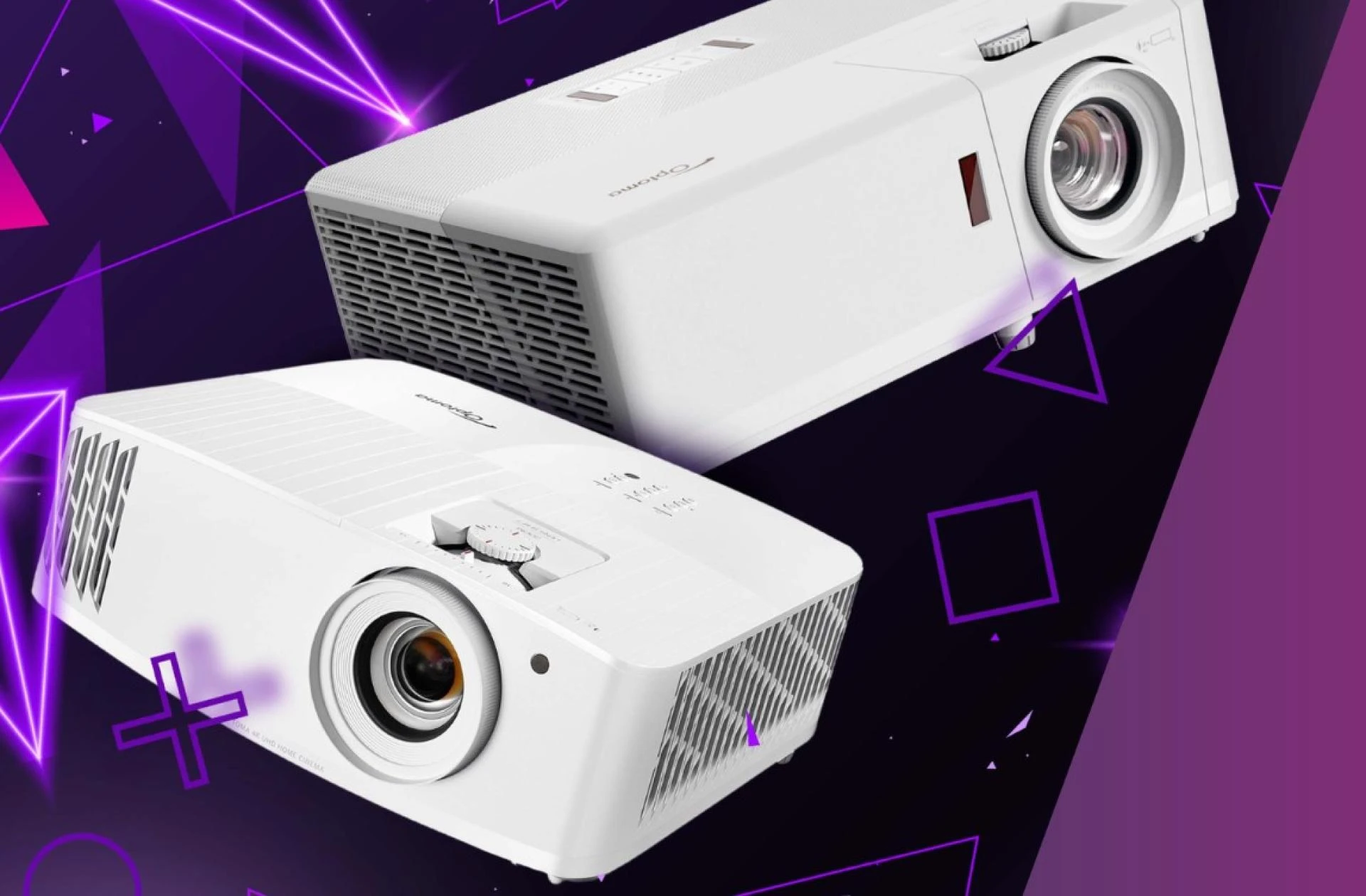

Installing a ceiling-mounted projector is one of the most effective ways to create a clean, professional, and clutter-free presentation setup. Whether you are setting up a home theater, classroom, training room, or corporate boardroom, proper installation ensures optimal image quality, safety, and long-term performance.
This step-by-step guide explains how to install a ceiling-mounted projector correctly, covering planning, mounting, wiring, alignment, and final adjustments.
Why Choose a Ceiling-Mounted Projector?
Ceiling-mounted projectors offer several advantages over table-mounted units:
- Cleaner installation with minimal visible cables
- Better protection from accidental movement or tampering
- Improved viewing angles
- Permanent and professional setup
- Reduced shadow interference during presentations
When installed correctly, a ceiling-mounted projector delivers consistent image alignment and maximizes room space.
Tools and Materials You’ll Need
Before starting, gather the following:
- Compatible projector ceiling mount
- Drill machine and drill bits
- Screwdriver set
- Stud finder
- Measuring tape
- Spirit level
- HDMI or AV cables
- Power extension (if required)
Cable management accessories
Using the correct tools ensures a secure and precise installation.
Step 1: Choose the Right Location
The first and most critical step is determining where to position the projector.
Consider Throw Distance
Throw distance is the space between the projector lens and the projection screen or wall. Check your projector’s specifications to determine the ideal mounting distance for the screen size you want.
Check Ceiling Strength
Ensure the ceiling can support the projector’s weight. Mounting should be done on a concrete ceiling or wooden joist. Avoid attaching directly to drywall without structural support.
Align with the Screen Center
The projector lens should align horizontally with the center of the screen to avoid image distortion.
Proper placement is the foundation of a successful ceiling-mounted projector installation.
Step 2: Mark and Drill Mounting Holes
Once you have identified the mounting point:
- Use a stud finder to locate a solid beam or anchor point.
- Hold the mounting bracket against the ceiling.
- Mark the drilling points with a pencil.
- Use a drill to create pilot holes.
Ensure holes are straight and evenly spaced. Precision at this stage prevents alignment issues later.
Step 3: Install the Ceiling Mount Bracket
Attach the ceiling mount bracket securely using appropriate screws and anchors.
- Tighten all screws firmly.
- Use a spirit level to ensure the mount is perfectly horizontal.
- Double-check stability before proceeding.
A loose mount can cause vibration or misalignment, so stability is essential.
Step 4: Attach the Mounting Plate to the Projector
Most projector mounts come with an adjustable plate that attaches to the projector’s base.
- Turn the projector upside down on a soft surface.
- Align the mounting plate with the projector’s screw holes.
- Secure it using the manufacturer-provided screws.
- Tighten evenly without over-tightening.
Proper attachment ensures balanced weight distribution when hanging.
Step 5: Mount the Projector to the Ceiling Bracket
Carefully lift the projector and attach it to the ceiling bracket.
This step may require two people for safety. Once connected:
- Lock the mounting mechanism securely.
- Confirm that all adjustment knobs are tightened.
At this point, your ceiling-mounted projector should be physically secured.
Step 6: Manage Cables and Power Connections
Clean cable management enhances safety and aesthetics.
- Connect Necessary Cables
- HDMI or AV input cable
- Power cable
- Audio output (if required)
- Conceal the Cables
Use cable covers or conduits
- Route cables through ceiling panels if possible
- Secure loose wires with clips
Proper cable management prevents signal interference and maintains a professional look.
Step 7: Power On and Adjust Image Alignment
Once installation is complete:
- Turn on the projector.
- Display a test image.
- Adjust tilt, rotation, and height using the mount’s adjustment controls.
- Use keystone correction only if minor alignment adjustments are needed.
Avoid excessive digital keystone correction, as it may reduce image clarity. Physical alignment should always be prioritized.
Step 8: Fine-Tune Focus and Screen Size
Adjust the focus ring to sharpen the image. Modify zoom settings to ensure the projected image fits the screen perfectly without spilling over edges.
Ensure:
- The image is centered
- All corners are sharp
- No trapezoid distortion remains
Take your time during this step for the best visual result.
Safety Tips for Ceiling-Mounted Projector Installation
- Always switch off power before handling cables.
- Use proper anchors for concrete or wooden ceilings.
- Avoid installing directly above air vents or heat sources.
- Periodically check mount tightness for long-term safety.
Regular inspection ensures your ceiling-mounted projector remains secure and stable.
Common Mistakes to Avoid
- Mounting without checking throw distance
- Ignoring ceiling strength
- Overusing keystone correction
- Poor cable management
- Skipping alignment measurements
Avoiding these mistakes helps maintain image quality and equipment safety.
When to Consider Professional Installation
While many users can install a ceiling-mounted projector themselves, professional installation may be recommended for:
- Large auditoriums
- Commercial boardrooms
- High ceilings
- Complex AV integration setups
Professional installers ensure precise alignment, safe wiring, and integration with audio systems.
Final Thoughts
Installing a ceiling-mounted projector may seem technical, but with careful planning and the right tools, it can be completed efficiently. Proper positioning, secure mounting, and accurate alignment are essential for optimal performance.
A well-installed ceiling-mounted projector enhances viewing experience, improves room aesthetics, and ensures long-term reliability. By following this step-by-step guide, you can create a professional-grade projection setup suitable for home entertainment, education, or business environments.
























Sign in to leave a comment.