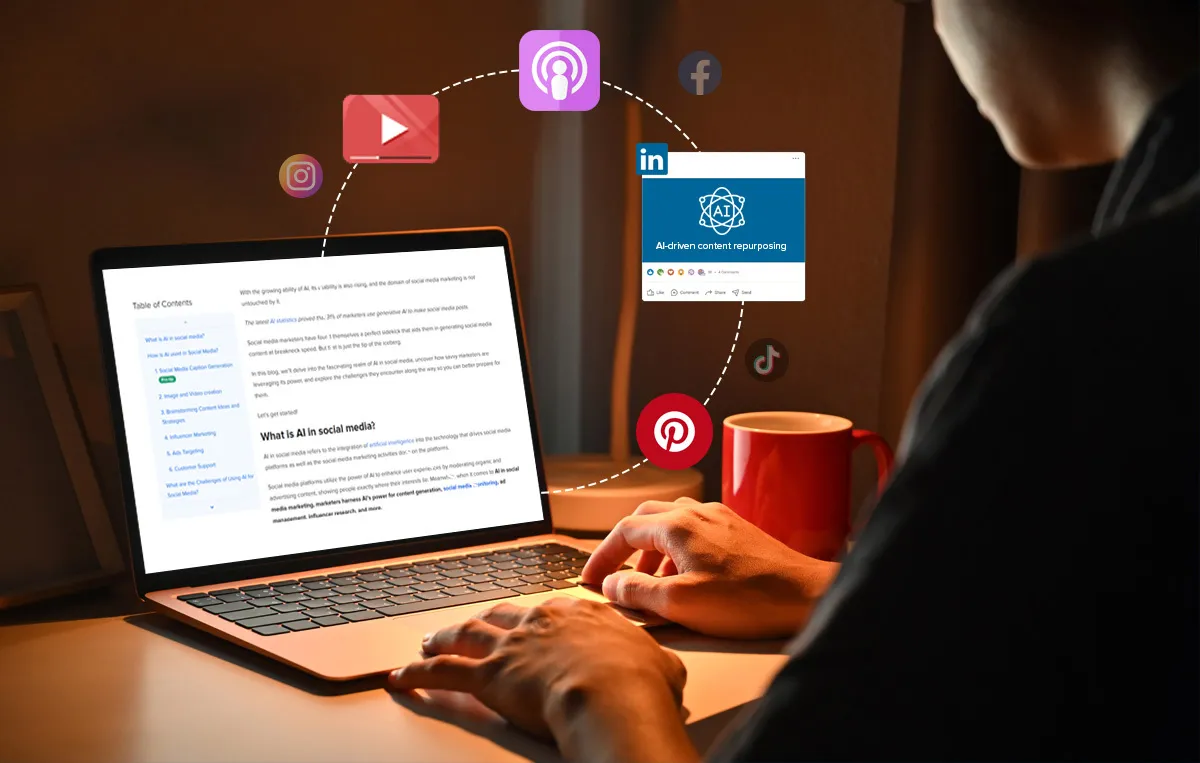

The Content Treadmill Problem
Every social media manager knows the feeling: you just finished a blog post, and now you need an Instagram carousel, a LinkedIn summary, three tweets, a TikTok script, and a Pinterest pin all based on the same material. Each platform has different format requirements, character limits, audience expectations, and visual styles. Doing this manually for every piece of content is exhausting and time-consuming.
Content repurposing is the practice of taking one piece of content and adapting it for multiple platforms and formats. It is one of the most efficient strategies in digital marketing because it multiplies your reach without multiplying your workload. A single long-form article can become a dozen social media posts if you break it down thoughtfully. The challenge has always been that the adaptation process itself takes significant time and creative energy.
How AI Changes the Repurposing Workflow
AI tools have made content repurposing dramatically faster. Instead of manually rewriting and reformatting content for each channel, you can feed your original piece into an AI tool and get platform-specific versions in minutes. The AI handles the structural changes, such as shortening text for Twitter, adding hooks for Instagram, or reformatting bullet points into a LinkedIn post, while you focus on reviewing and adding your personal touch.
The key is giving the AI clear instructions about the target platform and audience. A prompt like "Turn this blog post into five LinkedIn posts, each focused on a different key takeaway, with a conversational tone and a question at the end" produces much better results than "Make this shorter." Platforms that specialize in AI-driven social media workflows can automate much of this process by applying platform-specific formatting rules automatically.
Blog to Social Media Posts
The most common repurposing path is turning a blog post or article into social media content. Start by identifying the three to five most interesting points in your article. Each of those becomes the foundation for a standalone social media post. The AI can extract key quotes, rewrite paragraphs as standalone insights, and generate hooks that work for each platform.
For Instagram, turn key points into carousel slides with short, punchy text on each slide. The first slide needs a strong hook to stop the scroll. For LinkedIn, expand a single point into a short-form post with a personal angle or opinion. For Twitter/X, distill insights into tight, quotable statements under 280 characters. For TikTok, create a script that covers the main point in 30 to 60 seconds with a conversational delivery.
Video to Text and Back Again
Repurposing works in all directions, not just from written content to social posts. If you record a podcast or video, AI transcription tools like Descript, Otter.ai, or Whisper can turn the audio into text. From that transcript, you can extract quotes, create blog posts, pull out key moments for short video clips, and generate social media posts. One hour-long podcast episode can easily produce twenty or more pieces of content across different platforms.
Going the other direction, you can take a written blog post and use AI text-to-speech or avatar tools to create video content. Tools like Synthesia, HeyGen, and D-ID generate talking-head videos from a script. While the quality does not match a professionally filmed video, it works well for informational content on platforms like YouTube Shorts or Instagram Reels where the value is in the information rather than production quality.
Building a Repurposing System
The most effective approach is to build a repeatable system rather than repurposing content on a case-by-case basis. Start by choosing your primary content format. For most creators and businesses, this is either a blog post, a podcast episode, or a long-form video. This becomes your "pillar" content that everything else flows from.
Next, map out which platforms you are active on and what format each one requires. Create a template or checklist that lists every derivative piece you want to create from each pillar. For example: one blog post produces three LinkedIn posts, five tweets, two Instagram carousels, one email newsletter excerpt, and one short video script. Having this template means you never forget a platform and the process becomes routine.
Then, set up your AI workflow. Feed your pillar content into your preferred AI tool with specific prompts for each output format. Save these prompts as templates so you can reuse them every time. Many teams create a prompt library that any team member can use, which keeps the output consistent even when different people are doing the repurposing.
Common Pitfalls to Avoid
The biggest mistake in AI-assisted repurposing is posting the AI output without editing it. Each platform has its own culture and norms. What reads well as a LinkedIn post might feel stiff on Instagram or too long for Twitter. Always adjust the tone, add platform-specific elements like hashtags or emojis where appropriate, and make sure the content sounds like a person wrote it.
Another common issue is losing the original context. When AI extracts a point from a longer article, it sometimes strips away the nuance or qualifications that made the original statement accurate. Review each repurposed piece to make sure it still says what you meant it to say, and add context where the shortened version might mislead.
Finally, avoid posting the same content on every platform at the same time. Stagger your posts over days or weeks so your audience on different platforms does not see the same message everywhere at once. This also gives you time to test which angles perform best on which platforms and adjust your approach accordingly.
Getting Started Today
You do not need a complex setup to start repurposing content with AI. Pick your best-performing blog post or video from the past month. Feed it into ChatGPT, Claude, or any AI writing tool with a specific prompt for one platform. Edit the output, post it, and see how it performs. Once you are comfortable with that workflow, expand to more platforms and build out your template. Within a few weeks, you will be producing three to five times more content with roughly the same effort.
























Sign in to leave a comment.