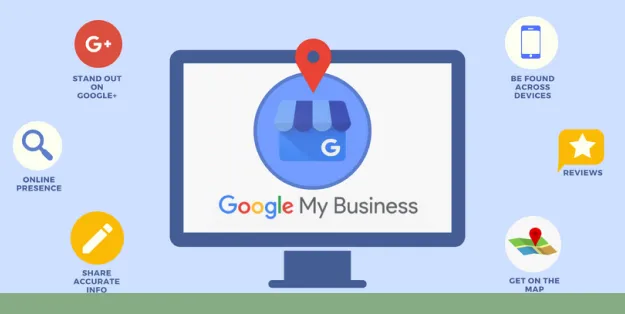

A complete Google My Business setup helps small businesses appear more accurately in Google Search and Google Maps when nearby customers look for relevant products or services. Google now calls this tool a Google Business Profile, but many business owners still search for “Google My Business.” This guide explains how to create, verify, and optimize your profile for local SEO without relying on shortcuts or keyword stuffing.
What Is Google My Business?
Google My Business is the former name for Google Business Profile, a free tool that lets eligible businesses manage how they appear across Google Search and Google Maps. Your profile can display essential details such as your business name, address, service area, hours, phone number, website, reviews, photos, products, and services.
For small business owners, this profile is a core local SEO asset. It connects people searching locally with accurate business information at the moment they are ready to call, visit, or request directions.
A verified, complete Google Business Profile strengthens local visibility, but it does not guarantee a specific ranking position. Google evaluates local results using multiple signals, including relevance, distance, and prominence.
Why Does Google My Business Matter for Local SEO?
Local SEO is the process of improving a business’s visibility in location-based search results. For example, a customer searching “emergency plumber near me” or “bakery in [city]” often sees local business listings before traditional website results.
An optimized Google Business Profile helps you:
- Appear in Google Maps and relevant local search results
- Give customers accurate contact and location information
- Collect and respond to customer reviews
- Showcase your products, services, and business environment
- Drive calls, website visits, direction requests, and messages
- Support the wider on-site and off-site work within a local SEO strategy
Your profile should complement—not replace—your website. Your site remains important for detailed service pages, location-specific content, and conversion-focused information.
How to Set Up Google My Business
1. Sign In With a Business Google Account
Start by signing in with a Google Account you control long term. Ideally, use an account connected to your business domain or an account that will remain accessible if staff roles change.
Visit Google Business Profile and select the option to manage or add your business. Google requires a Google Account to create and manage a profile.google
Avoid building the listing under a former employee’s personal account. Give trusted owners or managers appropriate access after setup so the business retains control.
2. Search Before Creating a New Profile
Before creating anything, search Google and Google Maps for your business name and city. Your business may already have a listing created from public information, customer activity, or previous ownership.
If you find an existing listing:
- Select the option to claim or manage the business
- Follow Google’s ownership-request process if another party controls it
- Do not create a duplicate profile
If no listing exists, create a new one through Google’s official add-business flow. Google advises having only one profile per business because duplicate listings can create display and management problems.google
3. Enter Your Real Business Name
Use the exact name customers see on your storefront, legal materials, website, and branded communications. Do not add location terms, services, promotional language, or keyword phrases unless they are genuinely part of the real-world business name.
For example:
- Correct: “Hassan Auto Repair”
- Incorrect: “Hassan Auto Repair Best Car Mechanic Lahore”
Adding keywords to the business name violates Google’s representation guidelines and can lead to profile edits, suspensions, or customer confusion. Consistency also makes it easier for customers to recognize your business across Search and Maps.google
4. Choose the Best Primary Category
Your primary category tells Google the core service or product your business provides. Select the most specific option that accurately describes the main business activity.
Examples include:
| Business type | Suitable primary category |
|---|---|
| Dental practice | Dentist |
| Home cleaning company | House cleaning service |
| Independent café | Coffee shop |
| Law office | Attorney |
| Mobile locksmith | Locksmith |
Choose one primary category that best represents your main offering. Add secondary categories only when they reflect real, substantial services. Google recommends choosing the fewest categories needed to describe the overall core business.google
5. Add Your Address or Service Area
Your location settings must match how customers interact with your business.
- Storefront business: Enter the full physical address if customers can visit during stated hours.
- Service-area business: Hide the address if you do not serve customers at that location, then define the areas where you travel to customers.
- Hybrid business: Use both an address and service areas only if customers can visit your location and you also travel to them.
Use a real, staffed business location. Do not use a virtual office, P.O. box, or rented mailing address that is not genuinely operated by your business.
6. Add Contact Details and Your Website
Enter a local business phone number that customers can call directly. Add the most relevant website URL, typically the homepage for a single-location business or a dedicated location page for a multi-location company.
Keep your business name, address, and phone number consistent across your website, social profiles, local directories, and other public listings. This is commonly known as NAP consistency.
For broader website improvements, start with the practical resources at Premium SEO Firm. A clear website structure, accurate local information, and useful pages for customers all support a stronger local search presence.
7. Set Accurate Business Hours
Add your regular opening hours, then review them before holidays, special events, seasonal closures, or temporary schedule changes. Incorrect hours create poor customer experiences and can lead to lost visits or negative reviews.
Include special hours whenever your usual schedule will not apply. If customers can contact you outside standard hours but cannot visit, make that distinction clear through your profile details and website.
8. Write a Helpful Business Description
Your description should explain what your company does, who it serves, and what makes its offering useful. Write for people first and use natural language rather than repeating location keywords.
A strong description usually includes:
- Your primary products or services
- The areas or customer types you serve
- Relevant experience, specialties, or differentiators
- A clear, factual summary of your business
Example:
Greenway Plumbing provides residential plumbing repairs, drain cleaning, water-heater installation, and emergency service for homeowners across Central Lahore. Our licensed team focuses on clear estimates, dependable scheduling, and practical repair solutions.
Do not include misleading claims, excessive capital letters, links, or sales-heavy language. Keep the information factual and easy to understand.
9. Complete Google’s Verification Process
Verification confirms that you are authorized to represent the business. Available methods vary by business type, location, and profile history, so follow the options Google presents in your account.
Google may offer verification through methods such as:
- Video recording
- Live video call
- Phone or text
You cannot always choose the method. Complete every required step exactly as requested, and keep your business information visible and accurate during the process. Google explains that you select from the verification options offered during the profile-creation flow.google
How to Optimize Google My Business After Verification
Complete Every Relevant Profile Field
An incomplete profile leaves customers uncertain and gives Google less context about your business. Review all available fields and fill in the ones that apply.
Prioritize:
- Primary and secondary categories
- Business description
- Hours and special hours
- Phone number and website
- Services or service menu
- Products, where relevant
- Accessibility and payment attributes
- Appointment or booking links
- Service areas for mobile businesses
Only add details that are accurate today. Update your profile immediately when your business moves, changes hours, adds a new service, or changes contact information.
Add Original, High-Quality Photos
Photos help customers recognize your business and evaluate it before visiting or contacting you. Use real, current images rather than generic stock photography whenever possible.
Upload photos of:
- Exterior signage and entrance
- Interior, reception area, or customer-facing space
- Team members at work
- Products, completed projects, or menu items
- Vehicles or equipment when relevant
- Logos and cover images
Keep images well lit, correctly oriented, and representative of the real customer experience. Replace outdated photos when branding, premises, staff, or offerings change.
Build Reviews Ethically
Customer reviews influence trust and can help prospective customers compare local options. Ask for reviews after completing a service, purchase, appointment, or project, when the experience is still fresh.
Use a simple process:
- Send customers a direct review link after a completed transaction.
- Ask every eligible customer consistently, not only the happiest ones.
- Never offer incentives, discounts, or gifts in exchange for reviews.
- Respond professionally to positive and negative feedback.
Thank positive reviewers specifically. For negative reviews, acknowledge the concern, avoid sharing private information, and offer a practical next step offline. A calm, helpful response can demonstrate professionalism to future customers.
Add Services and Products
List the services or products that customers can genuinely buy or book from your business. Use clear names that match customer language instead of forcing repeated keywords.
For a roofing company, this may include roof inspections, leak repair, roof replacement, and gutter installation. For a restaurant, it may include menu categories, signature dishes, ordering options, and dietary information.
Detailed service information helps visitors understand whether your business is relevant to their needs. It also supports the clarity and relevance that local search requires.
Use Updates When They Add Value
Google Business Profiles may provide options for updates, offers, events, or other content formats. Use these features to share timely information that benefits customers, such as a seasonal service, revised operating hours, an upcoming event, or a new product line.
Do not treat updates as a place to publish thin, repetitive keyword content. Each update should have a clear customer purpose and accurate details.
How to Maintain Your Local SEO Visibility
Google My Business setup is not a one-time task. Treat the profile as an active business asset and check it regularly.
Monthly Google Business Profile Checklist
- Confirm your address, phone number, website, and hours are correct
- Review and respond to new customer reviews
- Add new photos from recent work, products, or events
- Check that services, products, and attributes remain current
- Review customer questions and provide accurate answers
- Monitor any Google-suggested edits before accepting them
- Compare profile information with your website and major directories
For additional planning, review this guide to local SEO for small businesses. It can help you connect your Google Business Profile work with website optimization, local content, and reputation management.
Common Google My Business Setup Mistakes
Creating Duplicate Listings
Duplicate profiles confuse customers and can divide reviews, calls, and visibility signals. Search for existing listings before creating a new one, then claim the correct profile.
Using Keywords in the Business Name
Do not add “best,” “cheap,” city names, or service phrases to your business name unless they are part of the real, consistently used name. Google expects business names to reflect how the company is represented in the real world.google
Choosing Irrelevant Categories
Selecting broad or unrelated categories to appear for more searches often reduces relevance. Choose the category that best represents your principal business activity, then add only appropriate secondary categories.
Ignoring Reviews
Unanswered reviews make the profile appear unmanaged. Establish a simple review-response process, including a professional approach for complaints and service recovery.
Letting Information Become Outdated
Old hours, discontinued services, incorrect phone numbers, and previous addresses cause immediate friction. Schedule a monthly profile review and update critical changes as soon as they occur.
FAQs
Is Google My Business free?
Yes. Google Business Profile is free for eligible businesses to create and manage on Google Search and Google Maps. You need a Google Account and must complete Google’s verification process.google
Can I set up Google My Business without a storefront?
Yes. Service-area businesses can create a profile without displaying a customer-facing address, provided they serve customers in defined locations and follow Google’s eligibility and representation rules.google
How long does Google Business Profile verification take?
Verification timing depends on the verification method Google offers and whether additional review is required. Follow the in-account instructions and avoid changing core business information while verification is in progress unless necessary.
Does Google My Business improve local rankings?
A complete, accurate, and verified profile supports your local SEO presence, but no single action guarantees rankings. Maintain accurate information, earn genuine reviews, provide useful content, and build a credible website to improve your overall local visibility.
Final Thoughts
A successful Google My Business setup starts with accurate business details, a relevant category, the correct location or service area, and completed verification. After that, consistent maintenance—fresh photos, current hours, ethical review management, and accurate services—helps customers find and trust your business in local search.
























Sign in to leave a comment.