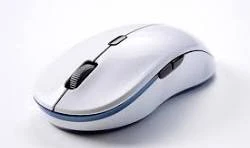

A faulty mouse can turn simple tasks into frustrating experiences. Whether your left click is registering twice, your scroll wheel is skipping, or your drag-and-drop is unreliable, these problems can slow you down and interrupt your workflow.
The good news is that you do not need any special software to diagnose mouse issues. You can test your mouse online directly in your browser and find out exactly what is going wrong. This browser-based mouse test works on Windows, macOS, Linux, and ChromeOS — all you need is a modern web browser.
This guide walks you through the most common mouse problems, how to test each mouse function, and what to do if something is not working correctly.
Signs Your Mouse Might Be Failing
Before running a mouse click test, it helps to know what symptoms to watch for. Here are the most common signs of a mouse that needs attention:
- Double clicking on a single click — You click once, but the computer registers two clicks. This is one of the most common mouse failures.
- Missed clicks — You press the button, but nothing happens. You have to click again harder or multiple times.
- Scroll wheel skipping — The page jumps up and down instead of scrolling smoothly in one direction.
- Drag failure — You try to drag a file or select text, but the mouse releases mid-drag.
- Right click not responding — The context menu does not appear when you right click.
- Cursor drifting — The pointer moves on its own or does not track your hand movement accurately.
If you notice any of these issues, it is time to test your mouse buttons and confirm the problem before replacing hardware or changing settings.
How to Test Your Mouse Online
Browser-based mouse testing tools let you check every function of your mouse without installing anything. The mouse test on this site detects input from your mouse in real time and shows you exactly which buttons and actions are registering.
Conclusion
Mouse problems are common, but they are also easy to diagnose. By using a browser-based mouse test, you can quickly check whether your left click, right click, scroll wheel, and drag detection are all working correctly.
If you are experiencing any of the symptoms described in this guide, take a minute to test your mouse online. It is free, instant, and requires no downloads. You can test your mouse on Windows, macOS, or Linux — just open your browser and start testing. Knowing exactly what is wrong with your mouse helps you decide whether a quick fix or a replacement is the right next step.
More Online Tests at MicTesting123 (Mic Testing 123)
MicTesting123 (aka mic testing 123) also offers a free microphone test alongside the mouse test. All tools run in your browser — no downloads required.


























Sign in to leave a comment.