
Most students do not struggle with studying. They struggle with uncertainty.
You walk out of an exam thinking, Did I do enough?
You submit an assignment wondering, Is this a pass or a fail?
And before finals, the biggest question hits you hard. What do I actually need to score to get the grade I want?
This is where the EZ Grader quietly becomes one of the most useful tools you can have. Not because it is fancy. But because it removes doubt and replaces it with clarity.
Let us break down how to use the EZ Grader in a way that actually helps you make smarter academic decisions.
What the EZ Grader Really Does
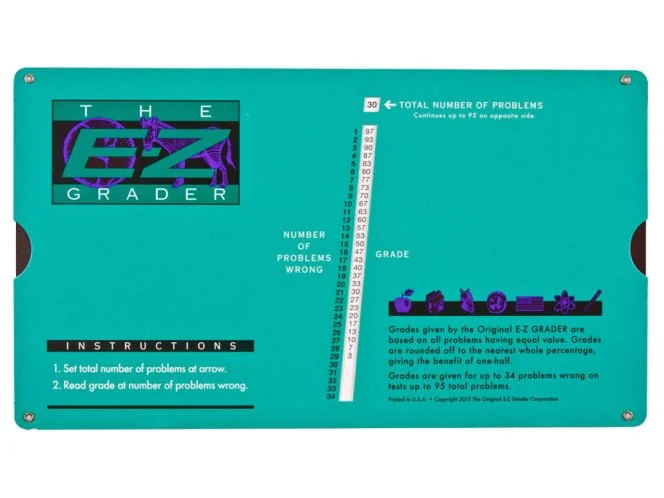
At its core, the EZ grader converts raw scores into percentages or grades. But thinking of it only as a calculator is a mistake.
The real power of the EZ grader is this
It helps you predict outcomes before they happen
Instead of reacting to grades after they are posted, you start planning ahead. That shift alone changes how you study, how you manage time, and how you handle pressure.
Step One: Understand the Inputs Before You Type Anything
Before opening the EZ grader, pause for a moment and gather the right information.
You need three things
The total number of questions
The number of questions you got right or expect to get right
The grading scale if your course uses one
Many students rush this step and then blame the tool for wrong results. Accuracy starts with clarity.
If your exam has 50 questions and you are confident about 38, use that real number. Do not guess optimistically. The EZ grader works best when you are honest with yourself.
Step Two: Enter the Numbers and Read the Result Carefully
Once you input the values, the EZ grader instantly shows your percentage or grade.
Here is where most people stop. And that is a missed opportunity.
Do not just look at the final number. Ask yourself
Is this above the minimum requirement
Is this close to a higher grade
How much margin do I have
For example, if your result shows 74 percent and the next grade starts at 75, you are not failing. You are one question away from a different outcome.
That insight matters.
Step Three: Use the EZ Grader for Scenario Planning
This is where the tool becomes transformational.
Instead of asking, What did I get?
Ask, What do I need?
Change the number of correct answers and see how the grade moves.
Try this
What if I get 2 more questions right
What if I make 3 mistakes
What is the minimum score needed to pass
What score pushes me into the next grade bracket
This turns the EZ grader into a planning tool, not just a result checker.
Students who do this stop cramming blindly. They focus their effort where it actually moves the grade.
A Real Example That Changes Perspective
Imagine a student preparing for a final exam worth 40 percent of the total grade.
They are stressed and overwhelmed.
Using the EZ grader, they discover something surprising
They only need 60 percent on the final to pass the course
Suddenly, panic turns into strategy.
Instead of trying to master everything, they focus on the high value topics. Confidence improves. Performance improves.
This is not about lowering standards. It is about studying smarter.
How Teachers and Tutors Use the EZ Grader Differently
For educators, the EZ grader is not just about speed. It is about fairness and consistency.
Teachers use it to
Quickly convert scores without manual errors
Ensure grading consistency across students
Explain results transparently to parents or learners
When students ask why they received a certain grade, the math is clear. Trust increases when grading feels predictable and fair.
Common Mistakes to Avoid When Using the EZ Grader
Even simple tools can be misused. Here are a few mindset errors to avoid.
First, do not treat the result as motivation to give up.
If the grade is lower than expected, use it as feedback, not a verdict.
Second, do not rely on it only after exams.
Use it before exams to guide preparation.
Third, do not ignore grading rules.
Some courses include negative marking or weighted sections. The EZ grader works best when the grading structure is clear.
Why the EZ Grader Builds Confidence, Not Laziness
Some people think grade calculators make students lazy.
In reality, they do the opposite.
Uncertainty creates fear. Fear creates avoidance.
Clarity creates confidence. Confidence creates action.
When you know exactly what is required, effort becomes focused. You stop wasting energy and start making intentional choices.
That is the difference between hoping for a good grade and planning for one.
Final Thought: Think Like a Strategist, Not a Gambler
Grades should never feel like a gamble.
The EZ grader helps you move from guessing to knowing. From reacting to planning. From stress to control.
If you use it only to check scores, you are missing its real value.
Use it to think ahead.
Use it to guide effort.
Use it to turn anxiety into strategy.
That shift alone can change how you experience learning.





























Sign in to leave a comment.