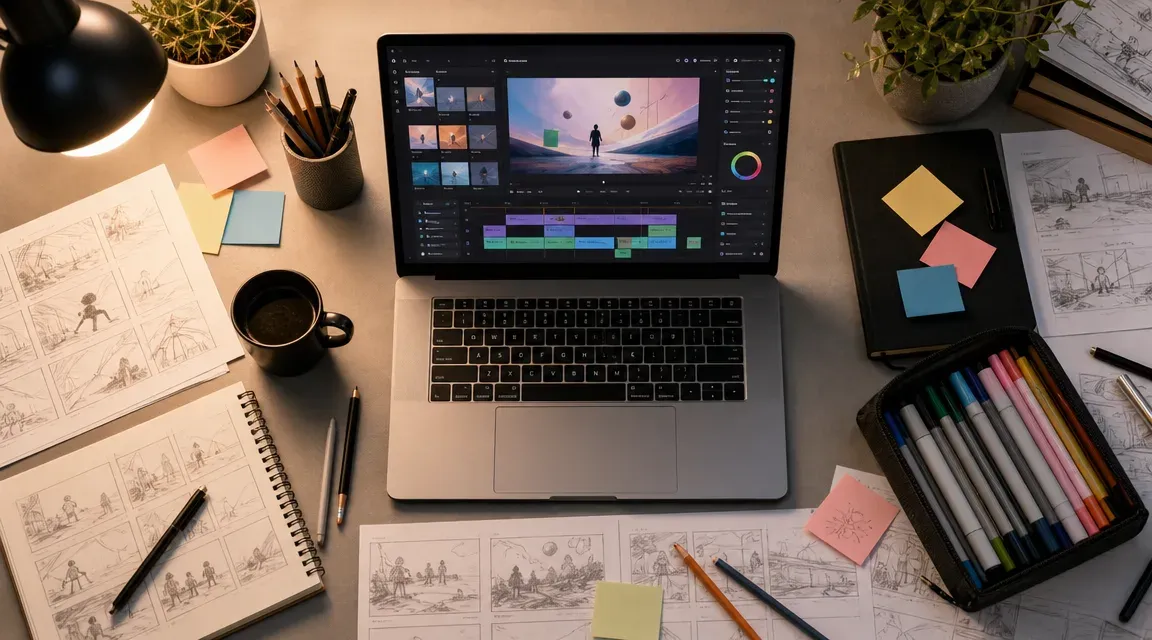

The pitch is simple. Take a product photo, a brand asset, or even a stock image, and turn it into a short video clip ready for Instagram Reels, TikTok, or a paid ad. No film crew, no After Effects timeline, no freelancer invoices. Just upload, prompt, and wait.
That pitch has become reality faster than most marketing teams expected. Image-to-video AI tools went from a novelty in late 2024 to a genuine production option by mid-2025, and now in 2026 they sit in the daily workflow of social media managers, performance marketers, and e-commerce teams worldwide. But the space is noisy, the quality gap between tools is wide, and the pricing models are all over the map.
Here is what actually matters if you are evaluating these tools for marketing work right now.
How image-to-video AI actually works
At the core, these tools use diffusion models trained on massive video datasets. You provide a static image as a starting frame, add a text prompt describing the motion or scene you want, and the model generates a short video, usually between 3 and 10 seconds, that animates your image.
The better models understand physics. Water flows downhill. Hair moves with wind direction. A person walking maintains consistent proportions frame to frame. The weaker models produce what I call "melting wax" output, where objects distort, faces shift mid-clip, and motion feels dreamlike rather than realistic.
What changed in the past year is consistency. Models like Seedance 2.0, Kling, and Veo 3.1 can now hold a subject's identity across frames with far fewer artifacts. That matters for marketing because your product needs to look like your product in every frame, not a blurry approximation of it.
One thing worth knowing: most tools don't just offer image-to-video. They bundle text-to-video, video-to-video style transfer, and sometimes image generation under one roof. If you are comparing options, look at the full feature set rather than just one capability.
What marketers are actually using this for
I have watched dozens of marketing teams adopt these tools over the past year, and the use cases cluster into a few clear buckets.
Product demos without a shoot. E-commerce brands take flat product photos and generate short clips showing the item in use, rotating, or placed in a lifestyle setting. A skincare brand can turn a bottle shot into a five-second clip of the product sitting on a bathroom shelf with morning light streaming in. The cost difference compared to a studio shoot is enormous.
Social media content at volume. A single product image can become ten different video variations for testing. Different backgrounds, different camera movements, different moods. Teams running TikTok or Reels accounts need to post frequently, and producing original video for every post is not realistic for most budgets.
Ad creative testing. Performance marketers burn through ad creatives fast. A Facebook ad that works this week might fatigue by next week. Image-to-video tools let you spin up new variations quickly enough to keep your testing pipeline full without waiting on a production team.
Event and launch teasers. When you need a quick animated announcement but don't have time or budget for motion graphics, a well-prompted image-to-video clip can fill the gap. It won't replace a polished brand film, but for a LinkedIn post or an email header, it works.
The pattern across all these cases is the same: speed and cost matter more than cinematic perfection. These clips live on phones, play on mute with captions, and scroll past in three seconds. They need to look good, not award-winning.
How to evaluate tools without getting lost
The market has more options than any reasonable person can test. Here is how I narrow the field when advising teams.
Model access matters more than brand name. The underlying AI model determines output quality. Some platforms build their own models. Others aggregate access to multiple models, which gives you more flexibility. For example, this image-to-video platform offers access to over 25 models including Seedance 2.0, Kling, and Veo 3.1, so you can pick the right model for each specific job rather than being locked into one.
Test with your actual assets. Every tool looks great in their demo gallery. Those examples were cherry-picked. Upload your real product photos, your actual brand imagery, and see what comes out. A tool that produces stunning results from high-quality portrait photography might struggle with a flat-lay product shot on a white background.
Check output resolution and length. Some tools cap at 720p or four seconds. If you need 1080p vertical video for Reels or clips longer than five seconds, verify that before committing. Upscaling a 720p output rarely looks as clean as native high-resolution generation.
Look at the editing workflow. Can you adjust the result? Extend a clip? Change the camera movement after generation? Some tools give you a prompt box and nothing else. Others provide controls for motion intensity, camera angle, and subject focus. The more control you have, the fewer generations you waste.
The cost question
Pricing in this space is confusing by design. Some tools charge per video. Some sell credit packs. Some run monthly subscriptions with generation limits. A few offer pay-as-you-go.
The real cost is not just the subscription fee. It is the number of generations you need before you get a usable result. If a cheaper tool requires eight attempts to produce one good clip, and a pricier tool gets there in two, the math favors the expensive option.
Teams doing high-volume work, like ad creative testing or daily social content, should look for subscription plans with generous generation limits. One-off users are better served by credit-based pricing so they are not paying for capacity they don't use.
Platforms that bundle multiple capabilities under one subscription tend to offer better value for marketing teams. Instead of paying separately for an image generator, a video tool, and a background remover, an all-in-one option like iMideo's full tool library with 80+ tools covers most production needs in a single plan.
What to watch out for
A few honest warnings based on what I have seen go wrong.
Brand consistency is still hard. AI models don't understand your brand guidelines. Colors can shift. Logos in source images sometimes get distorted. If exact brand color matching matters, you may need to do post-production color correction.
Music and audio are separate. Most image-to-video tools generate silent clips. You will need to add music, voiceover, or sound effects separately. Some platforms are adding audio generation features, but audio quality still lags behind video.
Legal and rights questions remain murky. Most commercial tools grant you usage rights for generated content, but read the terms. Some platforms retain training rights on your uploads. If you are feeding in proprietary product photography, understand what you are agreeing to.
Quality varies by subject matter. These tools handle landscapes, products, and abstract motion well. They still struggle with realistic human movement, especially hands and facial expressions during speech. If your marketing relies on talking-head content, AI video is not a replacement yet.
Practical buying criteria
Skip the feature comparison spreadsheets. When you are ready to pick a tool, ask these five questions.
Does it produce usable output from my specific source images on the first or second try? Can I generate enough volume per month without surprise overage charges? Does the output resolution match my distribution channels? Can I control motion direction and intensity, or am I guessing with every prompt? Does the platform update its model access as new models release, or am I stuck with whatever shipped at launch?
The image to video AI tools space is moving fast, and the best option today may not be the best option in six months. Choose a platform that gives you flexibility across multiple models and use cases rather than one that locks you into a single approach. Your needs will change. Your tools should be able to change with you.




























Sign in to leave a comment.