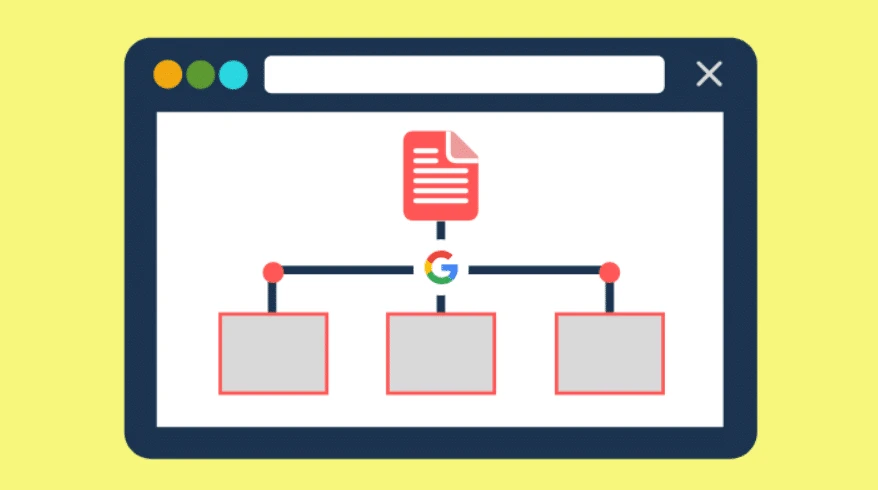

If you are at all interested in SEO, you necessarily know what a sitemap is: it is a file in .xml format placed at the root of your site and which lists all the pages of it in the form of URLs.
The purpose of this "sitemap" (literal translation of "sitemap") is to show search engine robots how it is organized in order to facilitate indexing.
In addition to the urls of each of your pages, the sitemap includes the following information: the date of the last update, the page update frequency as well as the order of priority of the page compared to the other pages.
It's a bit like a guide who would gently take the hand of the search engine to make his life easier, show him the pages to visit as a priority, in short, avoid wasting his time ... However, Google does not like to waste time. time…
Indeed, regularly submitting your sitemap to Google speeds up the process and the frequency of indexing pages.
But you can go further: use sitemaps to boost your SEO by making the most of all the information it provides.
HTML SITEMAPS VS. XML SITEMAPS
To begin with, let us specify that there are 2 types of sitemaps: sitemaps in HTML format and those in XML format.
The first is intended for "human" visitors to your site: these are pages accessible from anywhere on the site (usually via a link in the footer) which list the pages, generally by organizing them by headings. The Internet user can thus use it to navigate more easily on the site.
Sitemaps in XML format are only designed for search engines and are not accessible through a link placed on the site. However, you can display the sitemap if you know its exact location (in general, it's an URL like https://www.abc.com/sitemap.xml). This is the type of sitemap that we are going to talk about in this article.
There are also other less widespread types of sitemaps: sitemaps in text format, in RSS format, news sitemaps, image sitemaps, video sitemaps, etc.
DOES YOUR SITEMAP LIST ALL YOUR PAGES?
The first thing to check is the completeness of your sitemap. Even if it doesn't necessarily list all the pages on your site, it should at least list all the important pages.
Basically, there are 2 techniques for creating a sitemap. Manually (you create a text file in which you insert the urls of all your pages) or by using an external tool such as for example a dedicated WordPress plugin like Yoast SEO. In this case, it is the plugin that will automatically generate the sitemap based on the tree structure of your site. In addition, the sitemap will be automatically updated every time you add, edit or delete pages.
We recommend this second technique. This way, no important page will be left out.
DOES YOUR SITEMAP HAVE ORPHAN PAGES?
An orphan page is a page that does not receive any internal link, that is, it cannot be accessed from another page of the site. Besides the fact that navigation to this page is not easy, it also poses problems in SEO: Google will have difficulty indexing it since there is no path that can lead it to it.
To find out the orphan pages, first list all the pages of your site using your sitemap, then use a crawler like Screaming Frog for example to list all the pages of the site accessible by a search engine. Then compare the 2 lists and locate the pages of your site that the crawling tool has not collected.
Then create links to your orphan pages from your other pages. The best is to do this manually, but you can also use tools like the LinkWhisper plugin for WordPress which will analyze the content of your pages and suggest links automatically.
CHECK THE INDEXABILITY OF YOUR PAGES
In order for a page to generate organic traffic, it must still be indexable by Google.
To do this, several points must be checked:
Can it be indexed? Check that the url is not blocked in the robots.txt file (with a Disallow rule) or in the header of the page (with a <meta name = “robots” content = “noindex, nofollow ”>).
Does it return a 200 code? The http code 200 means that the page has been loaded correctly. The crawl tools provide this information in their report.
Is the canonical url the same as the crawled url? The canonical url is used to indicate to the search engine the url that it must include in its index. This process was developed to prevent the same page from being available under different urls and creating duplicate content problems.
It is important to regularly check the indexability of your pages. Indeed, a non-indexable page will not generate traffic, since the search engine will not be able to add it to its database.
CHECK THE SEO PERFORMANCE OF YOUR PAGES
The sitemap is very useful for checking the performance of your pages. If your site has pages with very different content (product sheets, blog articles, etc.), you can create different sitemaps for each type of page. Proceed in the same way if your site is multilingual: create a different sitemap for each language.
Then report all these sitemaps to Google through Search Console. Finally, study the performance of each url in Google Analytics (number of views, number of users…) over a period that you choose (1 year for example, less if you deem it useful). Calculate the averages for each sitemap.
MAKE IT EASIER TO MANAGE URL CHANGES
It may happen that you operate a complete overhaul of your site and that you have to change all the urls. In this case, it can be very useful to make a sitemap with all the new urls, as well as a sitemap with all the old ones. Submit the sitemaps to Google: this way you will tell it in a single operation that you have changed your url and that it must now take the news into account. Then, check as and when Google has deindexed the old urls. Once this is done, delete the sitemap which contains the old urls. This will allow you to have a precise overview of the indexing status of your new urls.
DEINDEX YOUR PAGES
If you have a lot of urls that you want to de-index, it can be useful to make a sitemap with all the urls you want to de-index. Submit it to Google through Search Console. This will encourage him to come and crawl your pages and find that he should no longer keep them in his index. As with the previous technique, then check that Google has deindexed the pages and then delete the sitemap. This technique is very useful when you have a large number of urls to deindex at the same time and they are mixed with your other pages.
THE SITEMAP, THE FRIEND OF YOUR SEO
As we have seen, using sitemaps correctly can greatly improve your SEO and allow you to audit the performance of your pages. It will then be much easier to correct any errors and improve your SEO. On the other hand, this will not "as if by magic" improve your positions in the search engines: sitemaps just accelerate the indexing of your pages by "making life easier" for search engines.
OnlineMediaTrend supports you in the management of the natural referencing of your site.
Our web agency is able to meet all your needs and develop a real digital strategy.
Do not hesitate to contact us by filling out our contact form.





























Sign in to leave a comment.