
The Moment Everything Changed for One Sales Team
Imagine a sales rep at a mid-sized manufacturing company. Every morning, they'd spend the first 90 minutes hunting through Salesforce records, cross-referencing Odoo ERP inventory data, and manually updating spreadsheets before their first customer call. It was slow, error-prone, and exhausting.
Then their company deployed a custom chatbot integrated directly with their CRM and ERP. Within weeks, that same rep could simply ask, "What's the order status for Acme Corp?" and get a real-time answer - in seconds, from any device.
That's not a hypothetical. It's playing out in enterprises around the world right now. And if you're still treating your chatbot as a standalone FAQ tool, you're leaving serious operational value on the table.
Why Chatbot Integration Is Now a Business Imperative
The global chatbot market is accelerating rapidly, driven in large part by CRM integration, cloud deployment, and advances in conversational AI. Enterprise teams aren't just using chatbots to answer "What are your hours?" anymore. They're deploying AI-powered bots that update contact records, trigger ERP workflows, process orders, and make live API calls to external systems - all inside a single conversation thread.
According to recent industry data, enterprise AI chatbot solutions can cut customer support costs by 30–40% while automating up to 95% of routine inquiries. More strikingly, 83% of businesses say API integration is essential to their digital transformation.
The underlying driver? Data silos. Most enterprises have valuable information scattered across CRM platforms like Salesforce or Microsoft Dynamics, ERP systems like SAP or Odoo, and dozens of third-party APIs. A chatbot without those connections is just a text box. A chatbot with those connections becomes a genuine business intelligence layer.
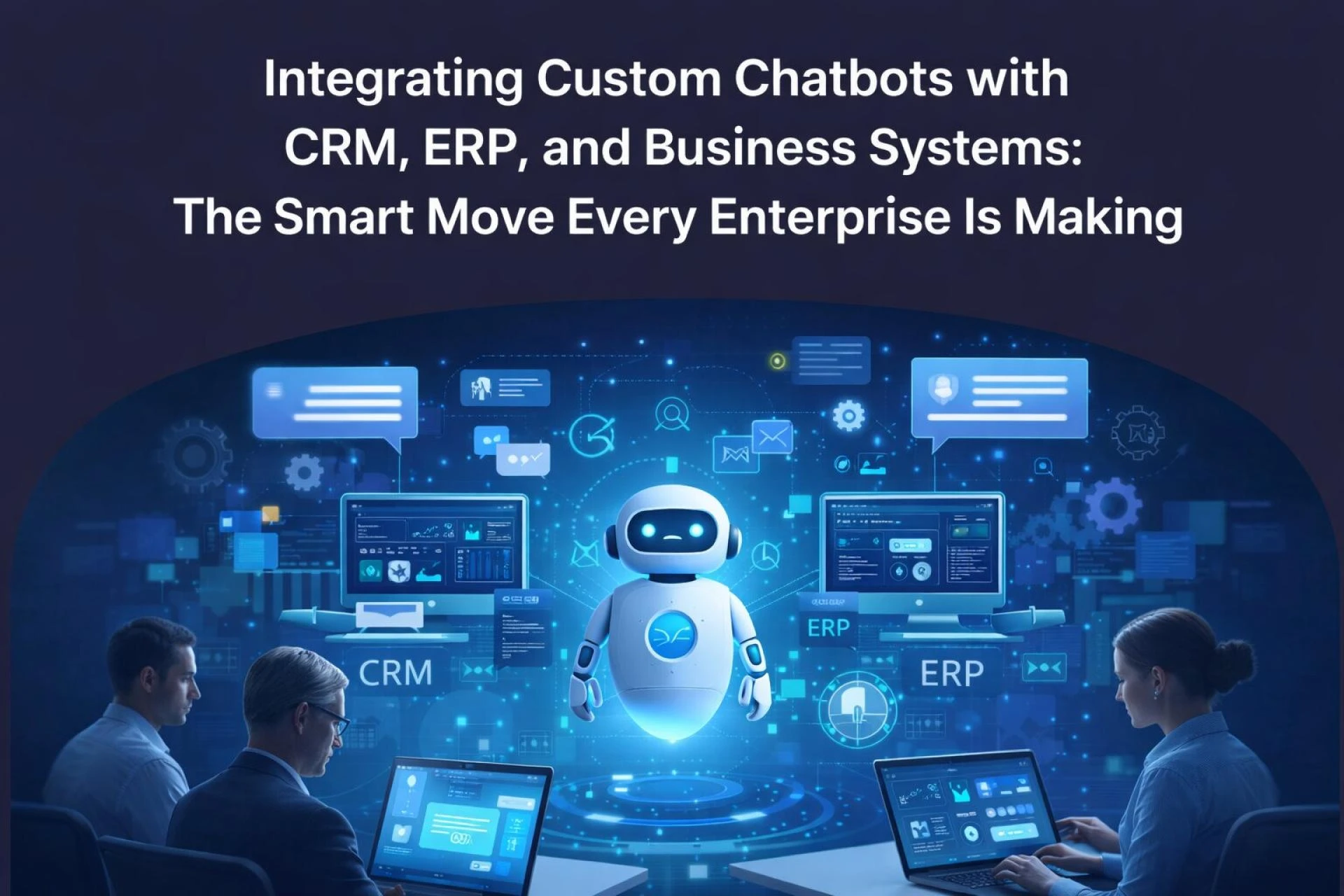
Understanding the Integration Architecture
Connecting Chatbots to CRM Platforms
CRM integration is arguably the highest-value starting point for most businesses. When a chatbot connects to Salesforce, HubSpot, or Microsoft Dynamics, it gains the ability to:
- Pull contact history, deal stages, and open tickets in real time
- Automatically create or update leads based on conversation data
- Route queries intelligently to the right sales rep or support team
- Trigger nurture workflows without any human intervention
A great example is Salesforce Einstein Chatbots, which natively query contact records and update pipeline fields mid-conversation. But native solutions often have limitations. Businesses with complex, multi-platform stacks increasingly opt for custom chatbot development that can bridge multiple CRM systems through a unified API layer.
Connecting Chatbots to ERP Systems
ERP integration is where things get particularly powerful - and more technically complex. Systems like Odoo, SAP, and Microsoft Dynamics 365 manage inventory, purchase orders, financials, and HR data. When a chatbot can query and write to these systems, it transforms operations across departments.
Consider a procurement team using an Odoo-integrated chatbot: a manager can ask, "Do we have enough raw materials to fulfill next week's production orders?" and the bot fetches live inventory data, compares it to open sales orders, and flags shortfalls - all without a single manual report.
The integration typically happens via REST APIs or webhook-based architecture, with middleware platforms like Apache NiFi or Apache Kafka handling real-time data streaming between the chatbot engine and the ERP backend. NiFi excels at complex data routing and transformation, while Kafka enables high-throughput, event-driven communication - making both critical tools in enterprise-grade chatbot deployments.
The Role of APIs in Chatbot Intelligence
APIs are the connective tissue of modern chatbot integration. Every time a chatbot checks a shipping status, queries a product database, or verifies a customer's subscription tier, it's making an API call behind the scenes.
Well-designed chatbot API integration typically follows a few core patterns:
- Synchronous REST calls for real-time data retrieval (e.g., inventory lookups)
- Asynchronous event triggers via webhooks for workflow automation (e.g., order confirmations)
- OAuth 2.0 authentication for secure access to enterprise data sources
- GraphQL endpoints where flexible, on-demand data queries are needed
The key design principle? Keep the chatbot logic thin. The bot should be great at conversation; your APIs and backend systems should handle the data heavy-lifting.
Real-World Use Cases Worth Knowing
Customer Support Automation
A telecom company integrated its custom chatbot with Salesforce and a ticketing system via API. The result: 68% ticket deflection with no human involvement. Customers get instant answers about billing, service outages, and account changes - all drawn live from CRM records.
Sales Enablement
A SaaS company connected its bot to HubSpot and an internal product database API. Sales reps now ask the bot for competitive intel, pricing tiers, and prospect history before every call - cutting prep time by over an hour per day.
ERP-Driven Operations
A logistics firm built a chatbot on top of Odoo ERP via custom REST API connectors. Warehouse staff can now check shipment statuses, update delivery notes, and flag exceptions through a simple chat interface on their mobile devices - eliminating paper-based processes entirely.
Common Challenges (and How to Overcome Them)
Integration sounds appealing, but it's not always smooth. Here are the friction points teams encounter most often:
Data Silos and Inconsistency When CRM and ERP systems hold conflicting data, chatbot responses become unreliable. The fix is establishing a single source of truth - often through a centralized data layer or a data integration platform like MuleSoft or Dell Boomi before layering in the chatbot.
Authentication and Security Enterprise chatbots touch sensitive customer and financial data. Proper OAuth flows, role-based access controls, and SOC 2-compliant architecture aren't optional - they're table stakes.
Conversation Design Complexity A bot connected to 12 different APIs can still deliver a terrible user experience if the conversation logic is poorly designed. Invest in dialogue engineering as seriously as backend integration.
Scalability Under Load Consumer chatbots can get away with lightweight infrastructure. Enterprise bots handling thousands of concurrent sessions need event-driven architectures (think Kafka-based backends) to maintain response times at scale.
Expert Best Practices for a Successful Integration
From experience working across enterprise deployments, a few principles consistently separate successful projects from stalled ones:
Start with a single, high-value use case. Don't try to connect everything on day one. Pick the workflow with the most friction - often order tracking, lead qualification, or IT support - and prove the ROI there first.
Design for fallback and handoff. No bot is 100% accurate. Build graceful escalation paths to human agents, complete with full conversation context passed through to the CRM.
Use middleware for complex integrations. Direct bot-to-ERP connections can become brittle at scale. Middleware platforms like Apache NiFi add resilience, data transformation, and monitoring capabilities that raw API calls can't match.
Monitor conversation quality, not just uptime. Track containment rate, escalation rate, and task completion - not just whether the bot is "online." These metrics reveal real business value.
Iterate with real user data. The first version of any enterprise chatbot will miss edge cases. Build feedback loops into your design and plan for quarterly optimization cycles.
The Bottom Line: Integration Is the Multiplier
A standalone chatbot is a convenience. A chatbot deeply integrated with your CRM, ERP, and API ecosystem is a force multiplier - one that compounds value across sales, operations, support, and finance simultaneously-
As conversational AI technology matures, the differentiator won't be which NLP model you're using. It'll be how intelligently your chatbot is wired into your existing business systems — and how well that integration serves real users in real workflows.
The companies moving fastest aren't waiting for a perfect solution. They're starting with a focused use case, building smart integrations, and iterating toward enterprise-wide deployment.
Ready to Build Something That Actually Works?
If you're exploring how to connect AI-powered bots to your enterprise stack, the architecture decisions you make early will define your results for years.
Whether you're evaluating your first integration or untangling a fragmented system that grew too fast, working with a team that specializes in Custom AI Chatbot Development Services - across Salesforce, Microsoft Dynamics, Odoo, Apache Kafka, and beyond - can compress months of trial and error into a focused, ROI-driven build.
The right integration doesn't just automate tasks - it transforms how your entire organization operates.

Sign in to leave a comment.