

Introduction
Running an auto repair shop is about much more than fixing vehicles. Shop owners and service advisors also have to manage customer calls, estimates, approvals, repair orders, payments, invoices, follow-ups, and daily communication.
One small delay can create a bigger problem. A customer may forget to approve an estimate. An invoice may not be followed up on time. A missed call may turn into a lost repair order. When these issues happen repeatedly, they can reduce revenue without being obvious.
That is where the right invoice software for auto repair shops can make a real difference.
Good software can help a shop create accurate invoices, keep customer and vehicle information organized, reduce manual work, and make it easier to get paid. But invoicing is only one part of the customer journey.
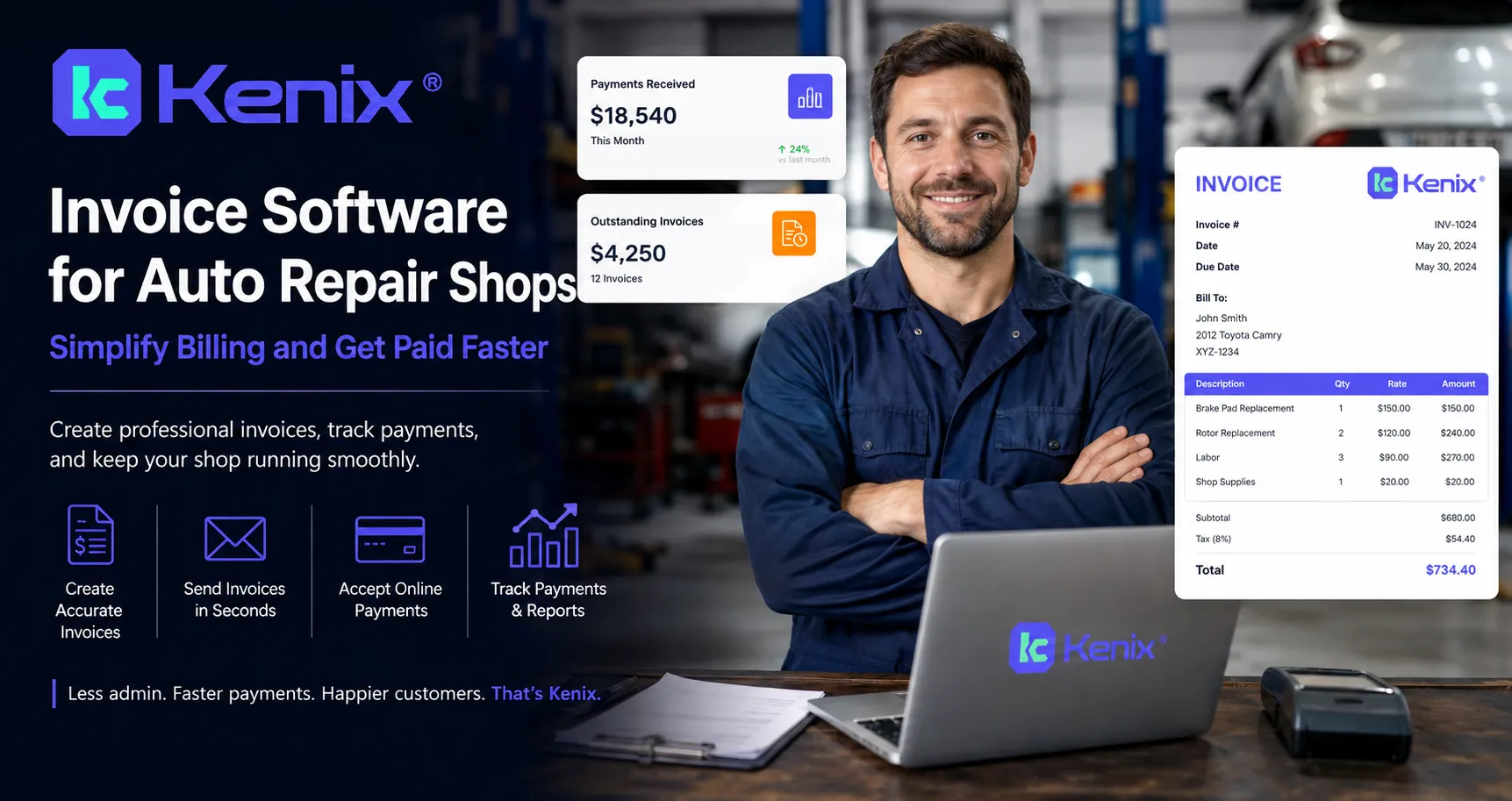
The best approach is to connect invoicing with the other processes that affect revenue, including customer communication, estimates, approvals, scheduling, and follow-ups.
This guide explains what auto repair shops should look for in invoice software, how it works, common mistakes to avoid, and how a platform like Kenix can support the revenue recovery side of the operation.
What Is Invoice Software for Auto Repair Shops?
Invoice software for auto repair shops is a digital solution designed to help automotive businesses create, manage, send, and track customer invoices.
Instead of preparing invoices manually, staff can use software to organize information such as:
- Customer details
- Vehicle information
- Labor charges
- Parts and services
- Taxes and fees
- Discounts
- Repair estimates
- Approved work
- Final invoice amounts
- Payment status
For a busy repair shop, this can save time and reduce the chance of billing mistakes.
However, modern shop software should do more than simply generate a bill. It should fit into the entire repair process.
A typical customer journey looks like this:
Customer call → Appointment → Vehicle inspection → Estimate → Customer approval → Repair → Invoice → Payment → Follow-up
If your software only handles the final invoice, you may still lose revenue earlier in the process.
Why Auto Repair Shops Need Better Invoicing
Paper invoices and spreadsheets may work for a small shop with a few customers. As the business grows, however, manual processes become harder to manage.
Service advisors may have to search through different systems to find customer information. Technicians may write notes separately. Owners may have difficulty seeing which invoices have been paid.
A dedicated system can bring these processes together.
Faster Invoice Creation
A repair invoice can contain many details. Labor, parts, taxes, shop fees, and additional services all need to be accurate.
Software can reuse customer and vehicle information instead of requiring employees to enter everything repeatedly.
This makes invoice creation faster and can reduce common data-entry errors.
Better Organization
Instead of keeping invoices in folders, emails, or spreadsheets, digital records can be organized in one place.
This makes it easier to find previous repair information when a customer calls with a question.
Easier Customer Communication
Customers want clear information.
A professional invoice should make it easy to understand:
- What was repaired
- Which parts were installed
- How much labor cost
- What taxes or fees were included
- The total amount due
- How to make a payment
Clear communication can make the payment process easier for both the customer and the shop.
How Invoice Software Works in an Auto Repair Shop
The exact process depends on the software, but a typical workflow looks like this.
Step 1: Add the Customer and Vehicle
The process usually starts with customer and vehicle information.
The system may store details such as:
- Customer name
- Phone number
- Email address
- Vehicle year
- Make and model
- Mileage
- VIN
- Previous service history
Keeping this information organized makes future visits easier to manage.
Step 2: Create a Repair Order
Once the vehicle arrives, the shop creates a repair order.
The service advisor can add the customer's concerns, inspection findings, recommended services, labor, and parts.
Step 3: Build the Estimate
Before completing additional work, the customer may need to approve the recommended repairs.
A clear estimate helps the customer understand what the shop recommends and why.
This is an important point in the customer journey. If an estimate is never approved, the repair may never happen.
Step 4: Complete the Repair
After approval, technicians complete the authorized work.
Any additional work should be documented and approved according to the shop's process.
Step 5: Generate the Final Invoice
Once the repair is complete, the approved work, parts, labor, taxes, and other charges can be included in the final invoice.
The goal is to make sure the final bill matches the work that was actually performed.
Step 6: Send the Invoice and Collect Payment
The invoice can then be delivered to the customer through the shop's available communication or payment process.
The faster and easier the customer can understand and pay the invoice, the smoother the final stage of the repair becomes.
Real-World Example: How Better Software Can Help
Imagine a customer brings in a vehicle because the brakes are making noise.
The technician discovers that the vehicle needs brake pads and rotors.
The service advisor creates an estimate and sends it to the customer.
The customer does not respond.
Without a good follow-up process, the estimate may sit untouched for days.
Now imagine the shop has a system that helps the team identify unapproved estimates and follow up with customers.
The customer receives a timely message, asks a question, approves the repair, and the work moves forward.
After the repair, the shop creates the invoice and collects payment.
The important lesson is that the invoice is only one part of the revenue process.
The shop had to win the repair before it could ever create the invoice.
Key Benefits of Invoice Software for Auto Repair Shops
1. Saves Staff Time
Manual billing takes time.
When employees can reuse customer, vehicle, parts, and labor information, they can spend less time entering data and more time helping customers.
2. Reduces Billing Errors
Human mistakes can happen when invoices are created manually.
Digital workflows can help reduce errors caused by:
- Incorrect quantities
- Missing labor charges
- Wrong customer information
- Calculation mistakes
- Duplicate entries
3. Improves Customer Experience
Customers want simple and transparent billing.
A professional invoice gives customers a clear record of what they are paying for.
4. Makes Records Easier to Find
Digital records can make it easier for staff to review previous repairs, invoices, and customer information.
This is especially useful when a customer returns months later.
5. Helps Shops Track Outstanding Payments
A shop needs to know which invoices have been paid and which still need attention.
Better visibility can help owners and managers stay on top of receivables.
6. Supports Business Growth
As the number of repair orders increases, manual systems become harder to maintain.
Software can help standardize processes so the shop can handle more customers without adding unnecessary administrative work.
Common Mistakes to Avoid
Choosing software is not enough. The way your team uses it matters too.
Mistake 1: Choosing Software Only for Invoicing
A low-cost invoice tool may create beautiful invoices but provide little help with estimates, customer communication, or follow-up.
Look at the complete workflow before making a decision.
Mistake 2: Ignoring Customer Communication
A customer may receive an invoice but still have questions about the repair.
Your system should support clear communication throughout the customer journey.
Mistake 3: Not Following Up on Unapproved Estimates
An unapproved estimate can represent lost revenue.
Do not assume that silence means the customer is no longer interested.
A professional follow-up may bring the customer back into the conversation.
Mistake 4: Making Invoices Difficult to Understand
Customers should not need a mechanic to understand their bill.
Use clear descriptions and separate labor, parts, taxes, and other charges whenever appropriate.
Mistake 5: Keeping Too Many Manual Processes
If your staff constantly copies information between systems, there is more room for errors.
Look for software that reduces repetitive work.
Professional Tips for Choosing the Right Solution
Before choosing invoice software for your shop, ask these questions.
Does It Fit Your Existing Workflow?
Software should make your team's work easier, not create another complicated process.
Map your current workflow from the first customer call through payment. Then identify where software can remove unnecessary manual steps.
Can Your Team Use It Easily?
A powerful platform is not useful if your employees struggle to use it.
Choose a system with a simple interface and workflows that make sense for service advisors and shop managers.
Does It Improve More Than Billing?
Consider the complete customer journey.
Look for capabilities related to:
- Customer communication
- Estimates
- Approvals
- Scheduling
- Follow-ups
- Repair orders
- Payments
- Customer records
- Reporting
Can It Help Recover Lost Revenue?
This is an important question that is often overlooked.
Ask whether the technology can help your team identify opportunities that may otherwise be lost, such as missed calls, unapproved estimates, no-shows, and customers who need follow-up.
Why Choose Kenix.io?
Kenix.io positions itself as a customer experience and revenue recovery platform built specifically for auto repair shops.
While invoicing handles the final billing stage, Kenix focuses on important steps that can happen before and around the repair transaction.
Its positioning centers on AI-powered call intelligence and helping repair shops recover opportunities from customer interactions.
This matters because a shop cannot invoice a repair that never happens.
For example, consider these situations:
- A potential customer calls but nobody answers.
- A customer calls after business hours.
- A customer does not show up for an appointment.
- An estimate is sent but never approved.
- A customer needs additional follow-up before making a decision.
Each situation can create lost revenue.
A complete automotive technology strategy should therefore look beyond the invoice itself.
The strongest results can come from connecting customer communication, repair opportunities, approvals, service delivery, invoicing, and payment into a more consistent process.
For shops evaluating software, Kenix can be especially relevant as a complementary platform for the communication and revenue recovery side of the operation rather than treating invoicing as an isolated task.
How to Get More Value From Your Shop Software
Once you choose your software, focus on implementation.
Start with the processes that create the most lost time or revenue.
Create Standard Workflows
Your team should know exactly what happens when:
- A new customer calls.
- An appointment is scheduled.
- An inspection is completed.
- An estimate is created.
- An estimate is not approved.
- A repair is completed.
- An invoice is generated.
- Payment is collected.
- The customer needs follow-up.
Standard processes reduce confusion.
Train Your Team
Even the best software will not deliver results if employees do not understand how to use it.
Train your staff on the workflows they use every day instead of trying to teach every feature at once.
Track the Right Metrics
Shop owners should monitor more than total sales.
Useful metrics can include:
- Number of repair orders
- Average repair order value
- Estimate approval rate
- Missed calls
- No-show appointments
- Outstanding invoices
- Payment collection time
- Customer follow-up activity
These numbers can show where revenue is being lost.
The Bigger Picture: Invoicing Is Part of Revenue Recovery
It is easy to think of an invoice as the final step in the repair process.
In reality, revenue recovery starts much earlier.
A missed call can become a missed appointment.
A missed appointment can become an empty bay.
An unapproved estimate can become a lost repair order.
A poor customer experience can reduce repeat business.
The invoice comes after all of these steps.
That is why modern auto repair shops should think about software as a connected system rather than a collection of separate tools.
The goal is simple: help the right customer move smoothly from the first conversation to the completed repair and final payment.
Conclusion
The right invoice software for auto repair shops can save time, reduce billing mistakes, improve record keeping, and make the payment experience easier for customers.
But invoicing alone does not solve every revenue problem.
A shop can have excellent invoices and still lose money because calls are missed, appointments are missed, estimates remain unapproved, or customers do not receive timely follow-ups.
That is why shop owners should evaluate technology based on the complete customer journey.
Look for solutions that simplify daily operations, improve communication, support staff, and help recover opportunities that might otherwise be lost.
For repair shops looking to improve the communication and revenue recovery side of their business, Kenix.io is worth exploring.
Ready to Improve Your Shop's Revenue Process?
Do not wait until lost calls, missed appointments, and unapproved estimates become normal parts of your business.
Explore how Kenix can help your auto repair shop understand customer calls, identify missed opportunities, and create a stronger path from customer conversation to completed repair.
Explore Kenix.io
Frequently Asked Questions
1. What is invoice software for auto repair shops?
Invoice software for auto repair shops helps businesses create, manage, organize, and track customer invoices. It can store information about parts, labor, services, taxes, customers, vehicles, and payment status.
2. Can invoice software reduce billing mistakes?
Yes. Digital invoicing can reduce common manual errors by using stored customer and vehicle information, standardized service details, and automated calculations where supported by the software.
3. Should auto repair software include more than invoicing?
Ideally, yes. Invoicing is only one part of the repair process. Shops should also consider estimates, approvals, scheduling, customer communication, follow-ups, repair orders, and payment workflows.
4. How can auto repair shops recover revenue before creating an invoice?
Shops can focus on opportunities such as missed calls, no-shows, unapproved estimates, and customers who need follow-up. Recovering these opportunities can lead to more completed repairs and, ultimately, more invoices.
5. How does Kenix help auto repair shops?
Kenix focuses on customer communication, AI-powered call intelligence, and revenue recovery for auto repair shops. Its role is especially relevant to opportunities that happen before the final invoice, such as missed calls, no-shows, and unapproved estimates.



























Sign in to leave a comment.