

Are you tired of files scattered across laptops, external drives, and cloud accounts? Choosing the right network storage solution can transform how you manage, protect, and access data. Whether you're a solo entrepreneur, a growing startup, or a busy household with hundreds of gigabytes of photos and videos, maximizing efficiency often comes down to having a centralized, reliable system for your digital assets.
This post dives into the world of network storage solutions—including NAS storage solutions and the NAS vs cloud storage debate. You’ll learn what each option offers, how to match storage features with your unique needs, and the key factors that drive long-term value, security, and performance.
Why Network Storage Solutions Matter?
All data is not created equal. Photos, work documents, media files, collaboration folders, and system backups have different security, speed, and sharing requirements. When data grows, so do the risks of loss, downtime, and bottlenecks.
Choosing the wrong solution wastes time, complicates backup strategies, exposes you to hacks, and ultimately stifles productivity. The right network storage solutions acts as a digital backbone, letting you access files instantly, collaborate seamlessly, and safeguard information automatically.
Let's break down what network storage solutions are and why they're quickly becoming essential.
Understanding Your Options in Network Storage
The term "network storage solutions" covers any method of saving files over a network, making them accessible to multiple users or devices. There are two main categories:
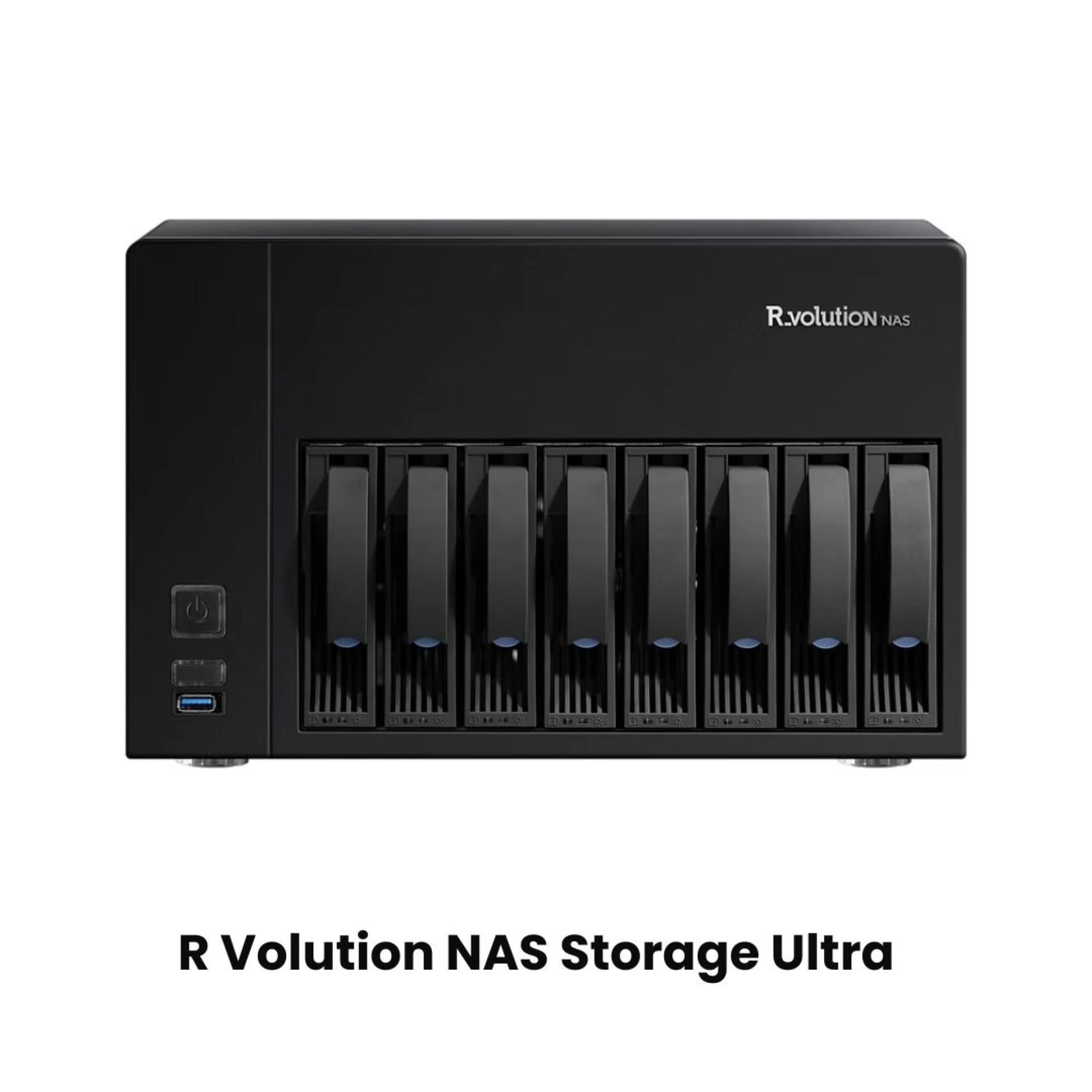
- Network-Attached Storage (NAS): A NAS device is a physical box containing hard drives, connected to your local network. Users access files over Wi-Fi or Ethernet on laptops, desktops, or even smartphones.
- Cloud Storage: Stores your files in a remote data center, with access via the internet through a browser or app. Services like Google Drive, Dropbox, and Microsoft OneDrive are familiar options.
Both offer versions tailored for home, business, and enterprise use. But which one brings the most efficiency to your workflow? That’s the NAS vs cloud storage question we’ll unravel below.
NAS Storage Solutions Explained
What is NAS?
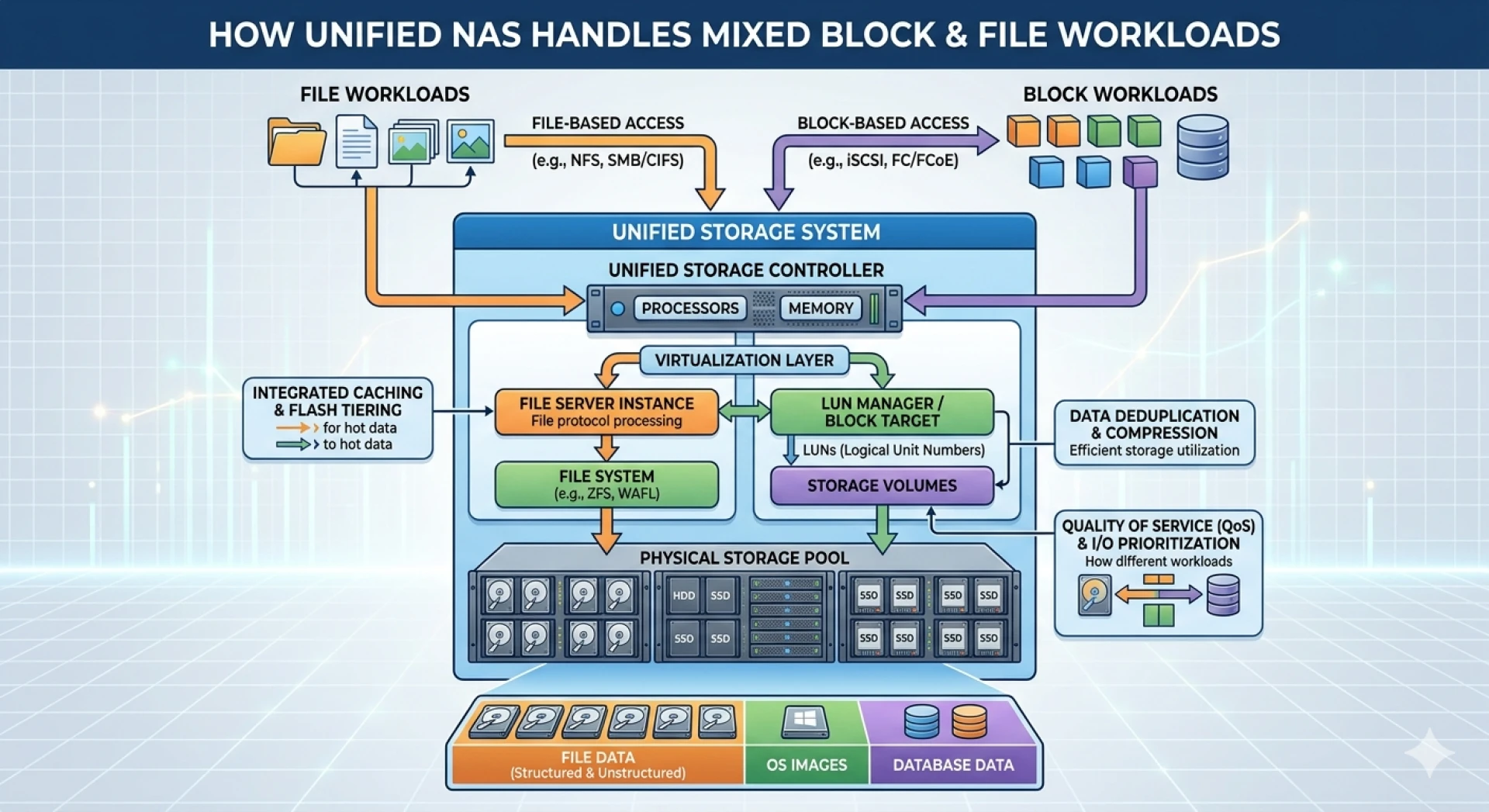
Network-attached storage (NAS) is a dedicated file server accessible to devices on your local network (and, optionally, remotely via secure login). It looks like a small box and typically houses two or more hard drives, acting as a private “cloud” that never leaves your premises.
Key benefits of NAS storage solutions:
- Centralized, always-on access: Share and edit files from any device connected to your network.
- Large, expandable storage: Start small and add drives when you need more room.
- Data redundancy: Use RAID configurations to protect against drive failure.
- Backup automation: Set up scheduled, incremental backups for peace of mind.
- Media server support: Stream videos, photos, and music directly to TVs or mobile devices.
- User/permission controls: Assign who can view, edit, or manage files.
Ideal NAS Use Cases
NAS storage solutions fit best when you need high-speed access, privacy, and control. Examples include:
- Small offices/home offices (SOHO): Collaborative editing, version control, shared folders.
- Creators and media teams: Editing large files (video, design) without slow cloud uploads.
- Data-sensitive users: Storing confidential files off the public cloud.
- Home users: Central library for personal photos, videos, and smart home automation.
Drawbacks to Consider
- Initial cost: You’ll need to buy hardware (and maybe extra drives).
- Setup and management: Some IT know-how is useful, though many vendors now offer easy-to-use interfaces.
- On-site limitation: Unless configured for remote access, you need to be on the same network to access files.
Cloud Storage Solutions Breakdown
What is Cloud Storage?
Cloud storage shifts your data off-site, storing everything in secure data centers managed by providers like Google, Amazon, or Dropbox. Users login from anywhere with an internet connection to upload, download, or collaborate on files.
Key benefits of cloud storage:
- Anywhere access: Retrieve or share files on any device, wherever you are.
- Zero maintenance: No dealing with hardware failures, upgrades, or security patches.
- Instant scaling: Quickly buy more storage as you need it.
- Collaboration power: Real-time file editing, versioning, and comment threads are built-in.
- Disaster recovery: Cloud vendors back up your data, minimizing the impact of hardware crashes or disasters.
Best Use Cases for Cloud Storage
Cloud storage excels when flexibility, remote work, and scalability come first:
- Remote teams: Share and edit documents regardless of physical location.
- Cross-device access: Work from phone, tablet, or web browser.
- Backup/redundancy: Off-site protection from local hardware failure or theft.
- Collaboration-heavy workflows: Content or marketing teams juggling hundreds of shared files.
Drawbacks to Consider
- Ongoing subscription costs: Monthly or yearly fees based on storage and features.
- Privacy and compliance: Sensitive data might require extra security or restricted cloud use.
- Internet dependence: Slow or no internet means no access to your files.
- Data migration and vendor lock-in: Moving away from a cloud service can be complicated.
NAS vs Cloud Storage: Which is Best for Efficiency?
Speed and Accessibility
- NAS: Local network transfers are typically much faster than uploading/downloading from the cloud, especially for large files.
- Cloud: Internet speed is your ceiling; convenient for individual files, but massive uploads/downloads can lag.
Data Security and Control
- NAS: Full ownership with on-site security measures; ideal for clients with strict privacy needs.
- Cloud: Trusted providers invest heavily in security but may expose your data to government requests or legal discovery.
Cost Considerations
- NAS: Pay upfront for hardware, then minimal ongoing costs except for electricity and the occasional drive replacement.
- Cloud: Pay-as-you-go model, but costs can creep up for heavy users or large teams.
Collaboration and Remote Work
- NAS: Newer systems offer remote access and mobile apps, but setup can be more complex for external access.
- Cloud: Built-in for remote and distributed teams. Real-time co-editing is more seamless.
Scalability
- NAS: Expandable, but limited by hardware slots. For huge needs, you might have to upgrade the whole system.
- Cloud: Instantly scalable, no hardware changes required.
Ultimately, the choice between NAS vs cloud storage depends on factors such as budget, access needs, and data security preferences. For a hybrid approach, some users combine both solutions to enjoy the best of both worlds.
How to Choose the Right Network Storage Solution?
Choosing the right storage isn’t one-size-fits-all. Start with these questions:
1. What is your data volume and growth rate?
If your storage needs are predictable and moderate, both NAS and cloud are viable. For explosive growth or very high capacity, cloud solutions scale instantly but can get expensive.
2. How important is data privacy or compliance?
Sensitive data (health, legal, financial) may legally require on-premises NAS solutions or hybrid approaches.
3. What are your access and collaboration needs?
Teams working remotely, or across time zones, will often find cloud storage more efficient. A creative firm in a single studio might use NAS for speedier collaboration.
4. What is your available budget?
NAS has higher upfront costs, but can be more cost-effective in the long run. Cloud storage spreads costs out but may become expensive with ongoing or increased use.
5. Do you require redundancy and disaster recovery?
Both NAS (with RAID and backup to off-site/cloud) and cloud providers offer solid disaster recovery. For maximum resilience, many businesses combine both.
Hybrid Solutions: Combining NAS and Cloud
For many businesses and power users, a “hybrid” approach hits the efficiency sweet spot. Modern NAS devices can sync select folders to cloud storage, giving you:
- Fast, local access to files you use often
- Remote accessibility via the cloud
- Automated backups to an off-site location
- Best of both privacy and flexibility
Consider a setup where NAS is your main workspace, while critical backups automatically upload to a secure cloud account. Or vice versa, with a small NAS device acting as a high-speed “cache” for key files you access daily.
Key Takeaways for Maximizing Efficiency
Matching your workflow to the right network storage solution will save hours, protect your data, and keep your team (or family) productive and nimble. Here’s a quick recap:
- NAS storage solutions excel in speed, privacy, and local network collaboration.
- Cloud storage shines with remote access, unlimited scalability, and built-in collaboration.
- Evaluate NAS vs cloud storage based on your volume, privacy, access, and budget requirements.
- Hybrid solutions can combine strengths and minimize weaknesses.
Your Next Steps to Smarter Storage
Efficiency stems from making your storage work for you—not the other way around. Assess your current data flows, anticipate future needs, and explore reputable vendors that meet your key criteria.
For hands-on testing, many NAS brands offer demo interfaces online. Likewise, most cloud storage vendors provide free trials to gauge real-world speeds, features, and usability. Take the time to experiment, ask for recommendations, and read in-depth reviews.
Maximize efficiency and security by investing in the right storage solution for your unique needs. Your files, your workflow, your way.









Sign in to leave a comment.