
Data loss can strike without warning. One moment you're working on important files, and the next, a hard drive crashes or ransomware encrypts everything. For individuals and businesses alike, protecting valuable data has become more critical than ever.
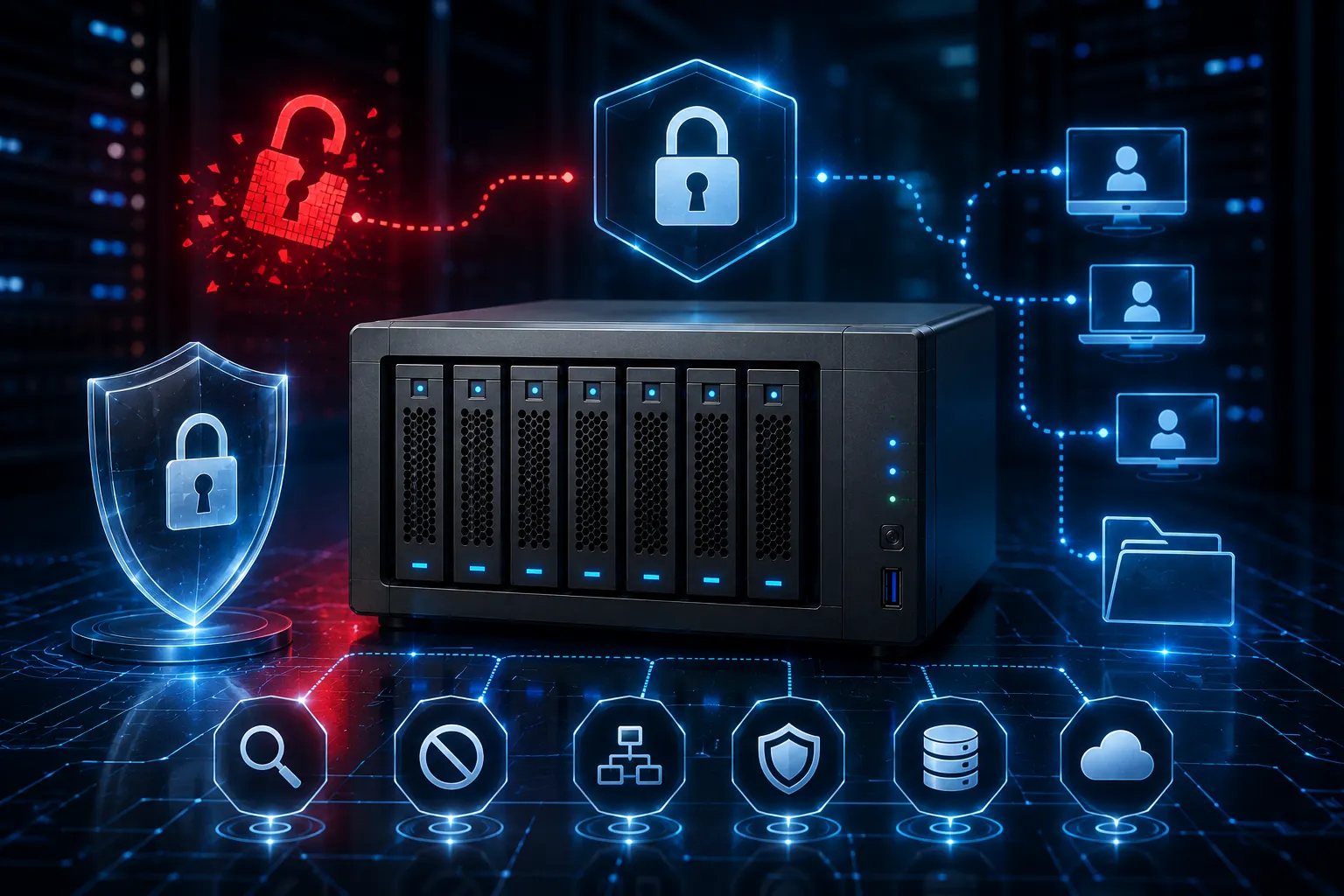
Network Attached Storage (NAS) offers a robust solution that goes beyond simple backup. This dedicated storage system connects to your network, providing centralized file storage, automatic backups, and remote access capabilities. Whether you're a photographer managing thousands of images, a small business owner protecting customer data, or a family wanting to preserve precious memories, NAS systems deliver enterprise-level security at consumer-friendly prices.
What is Network Attached Storage?
Network Attached Storage is a dedicated file storage device that connects directly to your network, making data accessible to multiple devices simultaneously. Unlike external hard drives that connect to a single computer, NAS systems operate independently and can serve files to laptops, desktops, smartphones, and tablets across your entire network.
These systems typically house multiple hard drives configured in RAID (Redundant Array of Independent Disks) setups, which duplicate your data across multiple drives. If one drive fails, your files remain safe on the remaining drives. This redundancy makes network attached storage significantly more reliable than single-drive solutions.
Modern affordable NAS storage options range from simple two-bay units perfect for home users to multi-bay systems capable of handling terabytes of data for growing businesses.
Key Security Benefits of NAS Systems
Automated Backup Protection
NAS systems excel at creating scheduled backups of your computers, ensuring recent versions of your files are always protected. Most units support Time Machine for Mac users and File History for Windows, creating seamless backup experiences that require minimal user intervention.
You can configure multiple backup strategies, including incremental backups that only save changed files, reducing storage requirements and backup times. Some systems even support versioning, allowing you to recover older versions of files if needed.
RAID Redundancy
The redundancy provided by RAID configurations represents one of the strongest arguments for NAS adoption. RAID 1 mirrors data across two drives, while RAID 5 distributes data across multiple drives with parity information, allowing the system to rebuild data even if one drive fails completely.
This hardware-level protection operates continuously in the background. When a drive shows signs of failure, the system alerts you immediately, and you can replace the failing drive without losing any data.
Network-Level Access Control
Unlike cloud storage services where you rely on third-party security, NAS systems give you complete control over who accesses your data. You can create user accounts with specific permissions, limiting access to sensitive folders while allowing broader access to shared resources.
Advanced NAS units support integration with existing network authentication systems, making user management seamless in business environments. Guest accounts can provide temporary access without compromising your main data repositories.
Setting Up Your NAS for Maximum Security
Initial Configuration Best Practices
Start by changing all default passwords and enabling two-factor authentication if your NAS supports it. Create a dedicated administrator account and disable the default admin account to reduce attack vectors.
Configure your NAS with a static IP address within your network's private range, and disable unnecessary services that could create security vulnerabilities. Most home users won't need features like FTP or web servers enabled.
Network Security Considerations
Position your NAS behind your router's firewall, avoiding direct internet connections unless absolutely necessary. If you need remote access, use VPN connections or the manufacturer's secure remote access solutions rather than opening ports directly.
Regular firmware updates are crucial for maintaining security. Enable automatic updates if available, or check monthly for new releases that address security vulnerabilities.
Backup Strategy Implementation
Follow the 3-2-1 backup rule: keep three copies of important data, store them on two different types of media, and keep one copy offsite. Your NAS can serve as your primary backup location, with additional copies stored on external drives or cloud services.
Schedule regular backups during off-hours to minimize network impact, and test your backup restoration process periodically to ensure your data recovery procedures work correctly.
Choosing the Right NAS Solution
Capacity Planning
Calculate your current storage needs and multiply by three to account for future growth and RAID overhead. A 4TB NAS in RAID 1 configuration provides 2TB of usable storage, so plan accordingly.
Consider your data growth patterns. Video files, photo libraries, and business documents accumulate quickly, and upgrading NAS capacity later often requires replacing all drives simultaneously.
Performance Requirements
Gigabit Ethernet connections provide adequate performance for most home and small business needs. However, if you frequently work with large video files or have many simultaneous users, consider NAS units with 10-gigabit networking capabilities.
Processor and RAM specifications matter more for advanced features like media streaming, virtual machines, or surveillance systems. Basic file storage and backup needs can be met with entry-level hardware.
Making NAS Work for You
Network Attached Storage transforms data protection from a reactive concern into a proactive strategy. By implementing automated backups, redundant storage, and controlled access, NAS systems provide peace of mind that your valuable information remains secure and accessible.
The investment in affordable NAS storage pays dividends through reduced data loss risk, improved productivity from centralized file access, and the flexibility to expand your storage needs as they grow. Start with a basic two-bay unit to experience the benefits, then expand your setup as your data protection requirements evolve.






















Sign in to leave a comment.