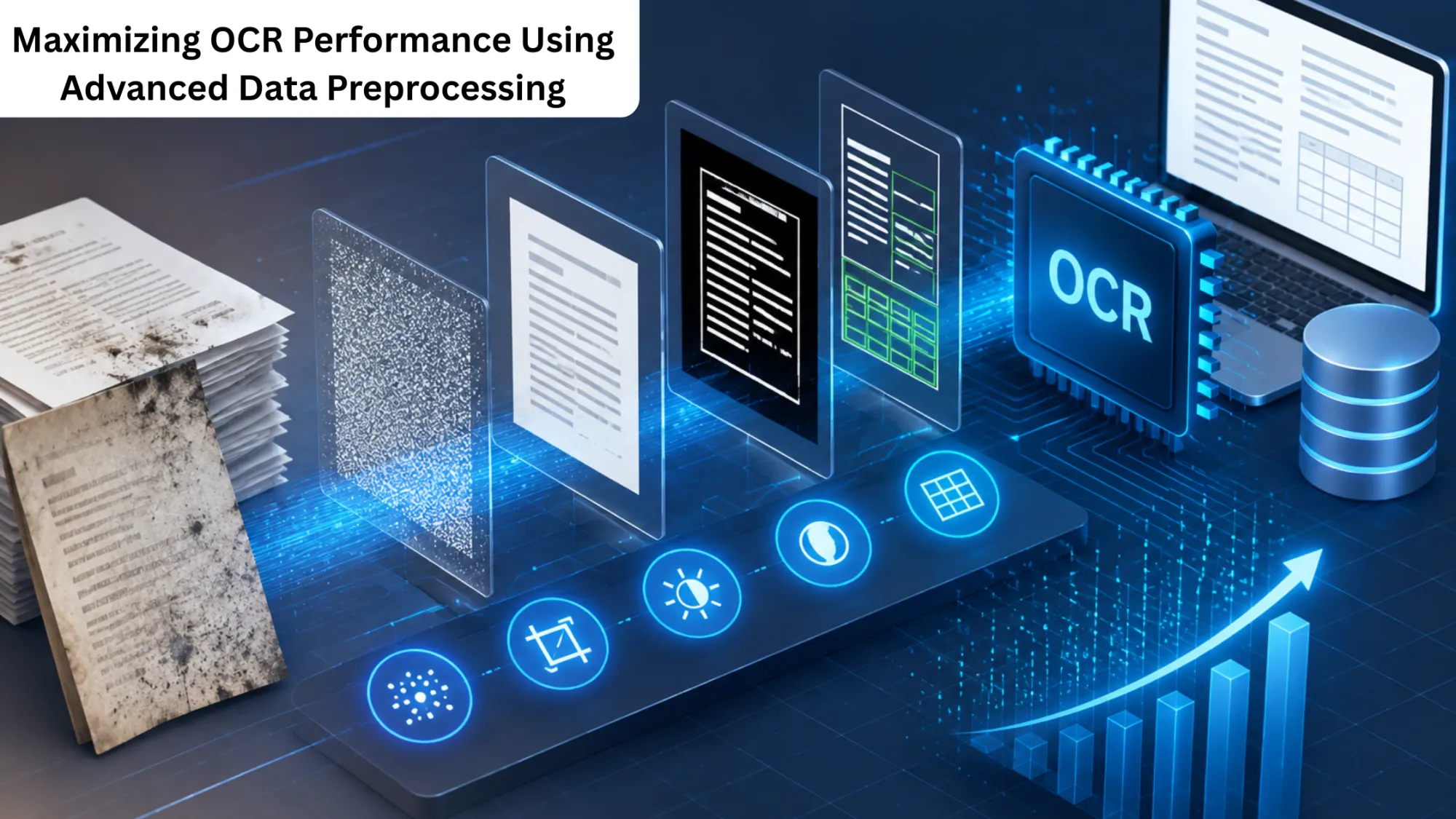

The continuous reliance on digital tools for information storage has led to a large volume of digital documents. Most of these documents are developed from scanned, photographed, and archived physical documents.
While the OCR software transforms these visuals into text, the quality of the input plays a major role in the final output. If the image quality is poor, the final output text will also be poor.
For this reason, data preprocessing plays a vital role in achieving higher accuracy. Organizations can increase the quality and reliability of extracted data and the processing speed by using OCR services. This blog explains how data preprocessing helps boost the performance of OCR services and the overall quality of the extracted data.
Understanding The Role Of Data Preprocessing In OCR
OCR services use the latest optical character recognition technology to identify characters in images and convert the complete extracted data into text. Moreover, the quality of a physical document, a scanned image, or a photograph is not always perfect.
For example, the photograph or scan may contain shadows, the physical document may be skewed, the ink used may be faint, or the document may contain unwanted marks.
Data preprocessing in AI models aims to improve the quality of input images so that OCR engines can easily identify characters and convert the data into text. The objective of data preprocessing is simple: remove the unwanted marks and present the text in the best format.
- Data preprocessing helps OCR systems in multiple ways:
- Minimize errors during data recognition.
- Showcase characters more clearly and precisely.
- Increase the speed of the process.
- Process more documents quickly.
When data preprocessing is done correctly, even poor-quality, older scans or physical documents can be easily digitized and produce reliable text.
Why OCR Workflow Optimization Matters For Businesses?
Organizations dealing with thousands of documents every day require efficient tools. OCR workflow optimization helps ensure a smooth flow of documents from scanning to recognition without delay.
If not done properly, the OCR engine may not perform well on documents with irregular layouts, uneven backgrounds, or overlapping text. This function may require manual correction, further slowing productivity.
If organizations incorporate preprocessing into their workflow, several manual correction processes can be automated before the actual OCR process begins. It will not only improve accuracy but also improve efficiency by decreasing the total time spent on manual error correction. A well-structured OCR operation is essential for increasing efficiency and accuracy.
Preparing Scanned Files For Better Recognition
The first step in ensuring proper preprocessing for scanned documents is critical to the overall OCR process. Scanned documents may contain several imperfections that affect the system’s overall accuracy.
Some of the common problems faced by organizations are:
- Presence of the dark shadows at the edges of the page.
- Blurred characters.
- Pages are not being straightened during scanning.
- Texture and stains of the background.
These problems are solved by preprocessing scanned documents, which automatically corrects imperfections. Once corrected, the documents are then fed into the system for further processing.
Intelligent Document Image Processing Techniques
The overall performance of an OCR system is heavily dependent upon intelligent document image processing techniques for preparing documents before the practical recognition process begins. It is the critical part of the overall system that helps ensure high accuracy and efficiency. The complete processing steps for preparing a document are:
Contrast Enhancement
The contrast between the background and the text is improved to increase overall accuracy.
Noise Removal
Dust particles, random noise, and scanning noise are removed from the document to prevent misinterpretation of the data.
Text Edge Sharpness
By sharpening the edges, the text can be easily detected by the OCR engine in its current form.
Layout Identification
Through this process, the system can detect headings, paragraphs, and table structures within the documents. It ensures that the output looks similar to the input document.
Data Transformation For OCR Systems
Another effective technique for developing OCR systems is data transformation. It converts the data and its structure to enable proper processing by advanced OCR systems. The data transformation system involves:
- Adjustment of image brightness and contrast levels.
- Resize of the image.
- Conversion of color images to grayscale.
- Standardization of image resolution.
The complete data and its structure are processed in a standardized format. It allows efficient document processing. When image quality is high, OCR systems produce accurate results with minimal human intervention.
Using OCR Image Segmentation Techniques
The OCR system must process complex documents that include text, images, and tables in multiple columns. The OCR image segmentation method works by dividing the image into smaller sections. Each part of the image is processed separately, which helps the OCR system identify text more easily.
The segmentation process helps the OCR system in:
- Determining paragraphs and headings more easily.
- Easily maintain the structure of the document in the final output.
- Ignore elements such as graphics and images that are not text.
This technique helps in document processing, such as invoices, forms, reports, and magazines, that contain elements such as texts, tables, and images in multiple columns.
Increasing Accuracy Through Image Improvement
Many companies employ image processing techniques to achieve higher optical character recognition rates. It is because minor mistakes can turn into big problems for commercial data.
For example,
- Eliminating texture from paper.
- Increasing illumination.
- Repairing broken characters.
- Improving contrast for better character visibility.
Image preprocessing makes characters more recognizable for OCR-based systems. It is widely used and can boost the precision of OCR systems in extracting data from sensitive documents.
Document Image Cleaning Methods
Many OCR systems in renowned industries use document image cleaning methods to remove unwanted content from documents before performing OCR. These methods help OCR systems identify only relevant data in documents.
Some of the methods used in the document image cleaning include:
- Increasing document orientation.
- Eliminating shadows in documents.
- Smoothing backgrounds in documents.
- Removing unwanted marks in documents.
These methods seem minor, but they are essential in reducing errors in OCR systems. Clean documents guide OCR systems to identify text more clearly.
Document Improvement Techniques For OCR
Another important step in OCR is the use of document improvement methods to increase OCR performance and document quality. Some of the methods used in OCR document improvement include:
- Deleting unclear lines and markings.
- Boosting contrast within documents.
- Enhancing character contours.
- Making the text clearer.
These techniques assist OCR systems in recognizing the document since the characters appear distinct from the background.
Image Binarization For OCR Processing
Image binarization for OCR is one of the most commonly used techniques of image preprocessing. It converts greyscale images into black and white. The objective of this method is to clearly differentiate the text from the background. In this method, the following steps are followed:
- Background pixels are made white.
- Unnecessary shades are removed.
- Pixels are made black.
This process makes it easier for OCR to recognize text without interference from background colors or shades. This method of image binarization is found to be very effective for handling large volumes of printed document data.
Best Practices For Effective OCR Preprocessing
There are some best practices for improving OCR preprocessing for an organization.
Use High Resolution Scans
High-resolution scans are always better for improving OCR processing.
Automation of Preprocessing Tasks
Automated preprocessing produces repeatable results in document batches.
Uniformity of Document Formats
Uniformity of document formats increases OCR.
Document Preprocessing Methods
Preprocessing techniques must be tested for increasing OCR results.
Building Preprocessing Into OCR Workflow
Building preprocessing directly into the workflow helps improve OCR by preventing delays and manual corrections later.
By following these best practices, an organization can improve its OCR preprocessing.
Get Optimal Performance Of Workflows During Data Preprocessing Using OCR Services
The use of OCR has been very effective for document management systems. However, image quality plays an important role in OCR effectiveness. Advanced OCR data-preprocessing techniques help overcome many common scanning issues.
By following structured image preprocessing, OCR can improve its effectiveness. It helps reduce OCR recognition errors, thereby speeding up document processing. This process makes document management easier.
By using preprocessing strategies, business organizations can get the full benefits of OCR systems while ensuring their document management systems are efficient.




























Sign in to leave a comment.