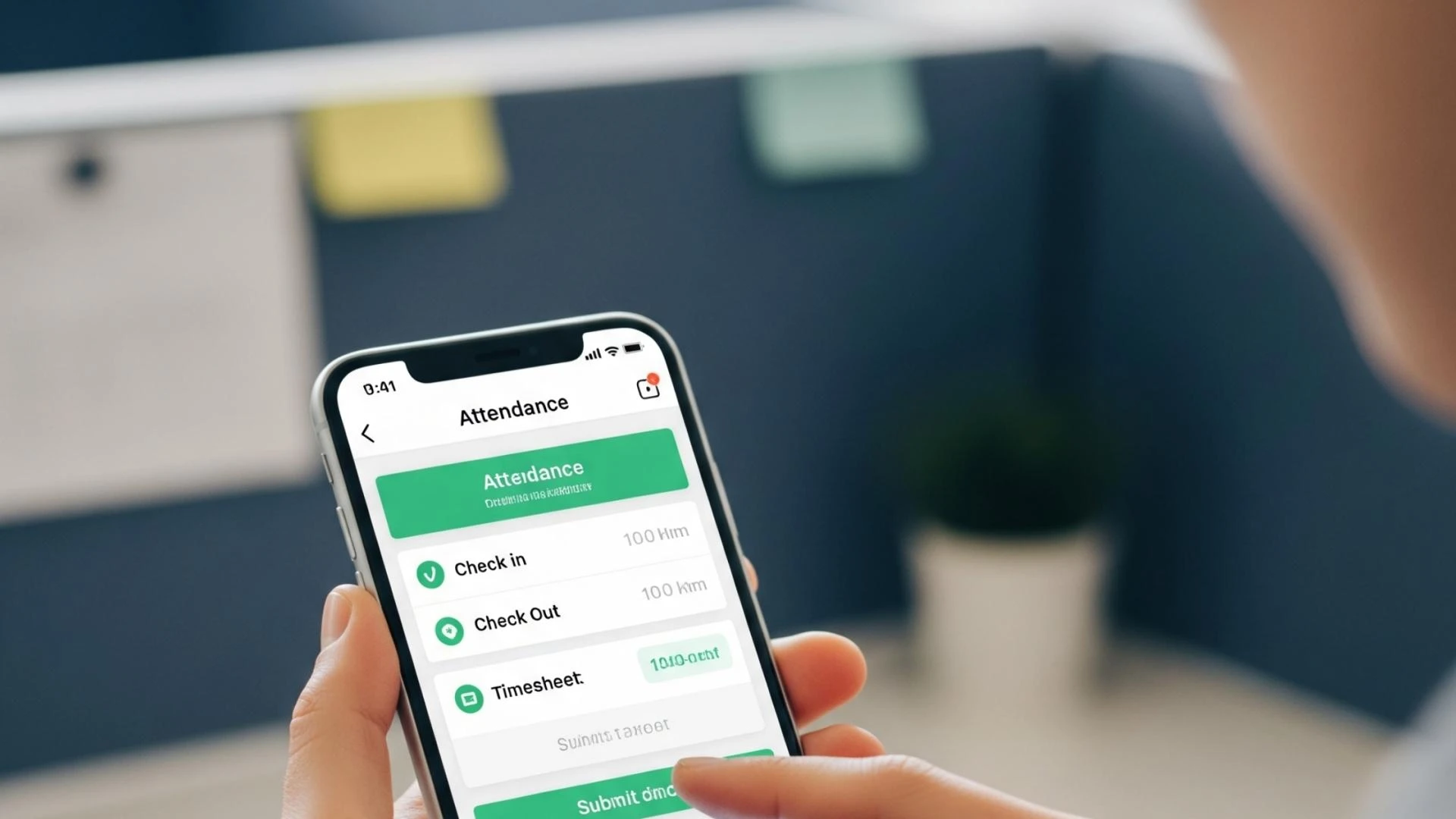
Remote work is here to stay. Whether your team is fully remote, hybrid, or working in the field, keeping track of their time and attendance can be a real challenge. That's where mobile time attendance systems come in.
These tools allow your team to check in and out from anywhere, using just their phone. It’s simple, accurate, and keeps everyone accountable — no matter where they work.
In this article, we’ll explore how mobile attendance works, why it matters for remote teams, and how to make it work for your business.
What is Mobile Time Attendance?
Mobile time attendance lets employees log their work hours through a smartphone app. Instead of using a biometric machine at the office, they can check in remotely.
The app may use GPS, Wi-Fi, or even face recognition to confirm their location and identity. Once clocked in, their attendance is recorded in real-time and sent to the cloud.
This system is perfect for teams who travel, work off-site, or have flexible work hours.
Why Mobile Attendance is a Must for Remote Teams
✅ Accuracy and Honesty
With GPS-based tracking, you can be sure your employee is where they say they are. It stops issues like “buddy punching,” where one person checks in for another.
✅ Real-Time Monitoring
Managers can see who’s working, who’s late, or who forgot to check in — all from a single dashboard. This helps keep everyone on the same page.
✅ Great for Field and Hybrid Teams
Salespeople, technicians, and healthcare staff don’t always report to the office. Mobile attendance lets them clock in from job sites, client visits, or even while traveling.
Key Features to Look For
When choosing a mobile time attendance app, look for these helpful features:
📍 GPS and Geofencing
Track employee location during check-in. You can also limit attendance to certain areas (like a job site).
👤 Biometric Login
Some apps allow facial recognition or fingerprint login. This adds an extra layer of security.
☁️ Cloud-Based Dashboard
Get access to attendance records, time reports, and exportable data — all from your phone or computer.
📶 Offline Mode
No internet? No problem. Employees can still mark attendance, and the app will sync once they’re back online.
Benefits for Businesses
⏱️ Better Productivity
Employees are more focused and disciplined when they know their time is being tracked accurately.
💵 Easier Payroll
No more guessing or chasing timesheets. Accurate attendance means faster and error-free salary processing.
📝 Compliance Made Easy
In places like the UAE, accurate records help meet labor laws and audit requirements. Cloud systems also store your data safely.
How to Get Started with Mobile Attendance
1️⃣ Choose a Trusted App
Look for a reliable time attendance system provider. Make sure the app supports biometric options, works on both iOS and Android, and is easy to use.
2️⃣ Train Your Team
Give your employees a quick tutorial. Let them know when and how to check in and what’s expected.
3️⃣ Track and Improve
Use built-in reports to find trends, spot issues, and make smart decisions. You can even use it to approve remote work hours or field visits.
Final Thoughts
Mobile time attendance is more than just a tech upgrade — it’s a smarter way to manage remote teams. It saves time, reduces errors, and gives you full visibility of your workforce, wherever they are.
If you have a growing remote team or manage field employees, now is the time to switch to a mobile attendance solution that works anytime, anywhere.
Need help choosing the right app or setting up your system? Talk to a time attendance expert in the UAE who understands your business needs.

























Sign in to leave a comment.