

Introduction
Reading printed and digital text automatically has become an important part of modern technology. Businesses use automated systems to scan documents, verify identification cards, read product labels and collect information from moving objects. These tasks require clear images that software can process without losing important details. This is where an OCR camera plays an important role.
OCR stands for Optical Character Recognition. It is a technology that converts text captured in an image into machine-readable information. However, successful text recognition does not depend on software alone. The quality of the captured image also has a direct impact on the results.
An OCR camera is designed to capture text with sufficient detail, accurate focus and suitable lighting conditions. These features make it useful for applications such as document processing, manufacturing, logistics, retail automation and security systems.

What Is an OCR Camera?
An OCR camera is an imaging device used to capture printed or displayed text so that OCR software can identify and convert it into digital information.
Unlike a standard webcam, an OCR camera is selected based on its ability to capture small characters, fine lines and text details. Its performance depends on several factors, including sensor resolution, lens selection, working distance, exposure settings and lighting conditions.
For example, an automated passport reader must capture small characters from the machine-readable zone. Similarly, a manufacturing system may need to read product codes printed on packages moving along a conveyor belt.
In both situations, a clear image helps the recognition software identify the correct information.
How Does OCR Camera Technology Work?
An OCR camera works as part of an imaging and text recognition system. The process generally involves the following steps:
- Image Capture: The camera captures an image of a document, label, card or other text-based object.
- Image Processing: The captured image is prepared by adjusting brightness, contrast, alignment and other image properties.
- Text Detection: OCR software identifies areas containing letters, numbers and symbols.
- Character Recognition: The software analyses the detected characters and converts them into digital text.
- Data Validation: The extracted information can be checked against predefined formats, databases or business rules.
OCR software such as Tesseract, PaddleOCR and EasyOCR can process images captured by compatible camera systems.
The camera and software must work together. Even advanced recognition software may struggle when the original image contains blurred characters, glare or insufficient detail.
Important Features to Consider When Choosing an OCR Camera
Selecting the right camera is essential for building a reliable text recognition system. The following features deserve attention during the selection process.
1. High Image Resolution
Resolution determines how much image detail a camera can capture. Small characters require enough pixels to preserve their shape and individual strokes.
A practical starting point for many OCR applications is around 20–30 pixels in character height. However, the actual requirement depends on the OCR engine, font, image quality and application.
Higher megapixel counts do not automatically guarantee better recognition. The lens and field of view must also be considered.
For example, capturing an entire A4 page requires a different resolution setup from reading a small identification card. Choosing a suitable camera helps balance image quality, processing requirements and system cost.
2. Autofocus and Fixed-Focus Capabilities
Focus plays an important role in capturing readable text.
An autofocus camera is useful when the distance between the camera and the object changes. Examples include handheld document readers and identification systems where users place cards at different positions.
A fixed-focus camera is often suitable for applications where the object remains at a consistent distance. Document scanning stations and fixed inspection systems are common examples.
The right choice depends on how the camera will be installed and operated.
3. High Dynamic Range (HDR)
Lighting conditions can affect the quality of captured text. Reflective surfaces, laminated cards and glossy product labels may produce unwanted glare.
High Dynamic Range (HDR) technology helps cameras manage scenes with bright and dark areas. This can improve image visibility when lighting conditions are difficult.
HDR is particularly useful for document readers, outdoor identification systems and industrial inspection applications.
4. Global Shutter Technology
A moving object can create image distortion during capture. This may affect the shape of letters, numbers and other printed information.
A global shutter captures all image pixels at approximately the same time. This makes it useful for reading text on moving conveyor belts, packages and production lines.
For stationary document scanning, a rolling shutter camera may be sufficient. The selection should depend on object movement and exposure conditions.
5. Monochrome and Colour Imaging
Monochrome cameras can be a good option for applications that mainly involve reading black text on white backgrounds.
They capture image information without the colour filter interpolation used in conventional colour sensors. This can help preserve character edges and fine details.
Colour cameras are more suitable when the application needs to identify colour-coded documents, security features or other visual information.
Common Applications of OCR Cameras
OCR cameras support several industries by reducing manual data entry and improving information collection.
Document and Passport Scanning
Banks, airports, government offices and verification systems use OCR technology to capture information from identity documents.
A suitable camera helps capture small printed characters, passport details and identification numbers.
Industrial Automation
Manufacturing companies use OCR cameras to read serial numbers, batch codes, manufacturing dates and product labels.
These systems help automate inspection and reduce the need for manual checking.
Logistics and Warehouse Management
Packages and shipping labels often contain important tracking information. OCR cameras can capture addresses, reference numbers and printed details during sorting and distribution.
Global shutter technology can be useful when packages move quickly through automated systems.
Retail and Self-Service Kiosks
Retail businesses use automated scanning systems to process labels, documents and identification information.
OCR-enabled kiosks can also support customer registration, form processing and other self-service activities.
Vehicle Identification Systems
Specialised camera systems can capture vehicle registration numbers for access control, parking management and traffic monitoring.
These applications require suitable image resolution, exposure control and shutter performance.
Why Embedded Cameras Are Useful for OCR Systems
Embedded cameras are designed to integrate with electronic devices and computing platforms. They are useful for building compact OCR products, automated inspection equipment and custom scanning solutions.
Different camera interfaces support different integration requirements:
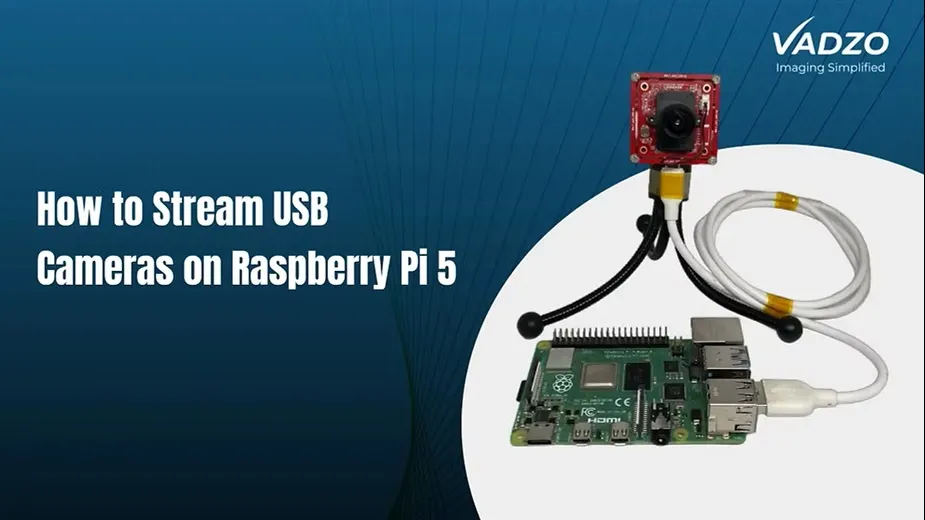
- USB cameras: Useful for quick integration with computers and compatible embedded systems.
- MIPI CSI-2 cameras: Suitable for direct connection to supported embedded processors and system-on-chip platforms.
- GigE cameras: Useful for industrial applications that require longer cable connections and network-based camera integration.
Choosing the correct interface helps simplify system development and ensures that the camera can communicate effectively with the host device.
How to Select the Right OCR Camera for Your Project
Before selecting an OCR camera, consider the following factors:
- Text size: Identify the smallest characters that the system must recognise.
- Working distance: Measure the distance between the camera and the object.
- Field of view: Decide whether the camera needs to capture a full document or a smaller text area.
- Object movement: Choose global shutter technology when capturing moving text.
- Lighting conditions: Consider HDR and controlled illumination when glare or uneven lighting is present.
- Camera interface: Check compatibility with your processor, operating system and hardware.
- Software support: Ensure the camera works with your preferred OCR software and development environment.
Testing the complete camera and software setup with real documents and operating conditions is important before finalising the design.
Conclusion
OCR technology is helping businesses automate document processing, product inspection, identification and data collection. However, accurate text recognition starts with capturing a clear image.
An OCR camera should be selected according to the application's resolution, focus, lighting, shutter and integration requirements. A camera with the right specifications can provide OCR software with the image details needed for dependable text recognition.
For businesses and developers working on embedded vision systems, choosing a suitable camera is an important step towards building efficient and reliable automated solutions.















Sign in to leave a comment.