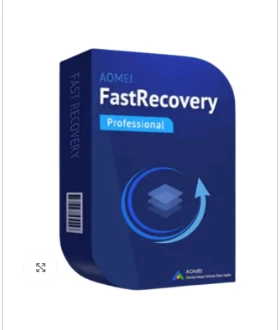

We’ve all had that "heart-drop" moment. You accidentally hit Shift + Delete on a folder full of work documents, or you realize you just formatted the wrong USB drive. In the past, this meant your files were gone forever.
Today, it just means you need a better "undo" button. AOMEI FastRecovery Professional is designed to be that button. It is a powerful, yet very simple tool that digs into your hard drive to find and rescue files that seem invisible to Windows.
Why Choose the Professional "Lifetime" License?
When you look for a license key, you’ll see different options. The Lifetime Upgrades / 1 PC license is the "set it and forget it" choice.
One-Time Payment: You pay once and own the software forever. No monthly bills.
Never Outdated: Since it includes Lifetime Upgrades, when Windows 12 or 13 comes out, your software will update for free to stay compatible.
Unlimited Recovery: Unlike the free version, which limits how much you can save, the Pro version lets you recover unlimited gigabytes of data.
3 Steps to Get Your Files Back
AOMEI made the interface so simple that even if you aren't "good with computers," you can use it.
Select: Choose the drive where the files used to be (C: drive, a USB stick, or even an SD card from your camera).
Scan: Click "Start Scan." The software uses a Quick Scan for recent deletions and a Deep Scan to find files from weeks or months ago.
Recover: Browse the files (you can even preview photos before saving them), check the boxes next to what you want, and click Recover.
What Can It Actually Rescue?
AOMEI FastRecovery Pro is like a digital forensic tool. It can handle:
The "Empty Recycle Bin" Disaster: Recovering files even after you've emptied the trash.
Formatted Drives: Getting data back from a drive that was wiped clean.
Crashed PCs: If your computer won't even turn on, you can use the Pro version to create a "Bootable USB" to go in and grab your files from the "dead" machine.
1000+ File Types: It doesn't care if it's a Word doc, a 4K video, an MP3, or a specialized CAD file it can find it.
Frequently Asked Questions
Does a "Lifetime License" really mean forever?
Yes! As long as you are using it on the 1 PC it is registered to, you will never have to pay for a new version or an update again.
Can it recover files from a physically broken hard drive?
If your hard drive is making clicking noises or won't show up in Windows at all, software might not be enough. However, if the drive is "healthy" but the files are "lost" or "deleted," AOMEI is the perfect tool.
What is the "Crashed PC Recovery" feature?
This is a Pro-only feature. It lets you turn a normal USB stick into a "Rescue Key." You plug it into a computer that won't boot, and it starts a mini-version of AOMEI to let you copy your files to an external drive.
Get Your Digital Safety Net Today
The best time to buy a recovery tool is before you lose your data, but the second best time is right now. Don't risk losing your family photos or important work projects.
Grab your AOMEI FastRecovery Professional License Key today and keep your files safe for life.



























Sign in to leave a comment.