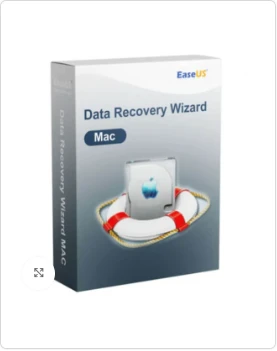

We have all felt that sudden, sinking feeling in the pit of our stomach. You go to open an important work folder, a collection of wedding photos, or a video from a family vacation, and it’s simply gone. Maybe you accidentally hit "Command + Delete," or perhaps your external drive decided to stop working at the worst possible moment. On a Mac, where we often store our most creative and personal work, losing data feels like losing a piece of our history.
The good news is that "deleted" doesn't always mean "gone forever." When a file disappears, your Mac usually just forgets where it put it, leaving the actual data hidden on the drive until something else writes over it. This is where a professional-grade rescue tool like EaseUS Data Recovery Wizard Professional For Mac 17.0 comes into play. It acts like a digital detective, searching through the hidden corners of your storage to bring your lost files back to life.
Why Data Loss Happens (And Why Mac Users Worry)
Mac users often feel a sense of security thanks to features like Time Machine and iCloud. However, technology isn't perfect. Data loss usually happens for a few common reasons:
- Human Error: The most common cause. We empty the Trash too quickly or format the wrong partition while trying to "clean up" a drive.
Drive Corruption: External HDDs and SSDs can fail due to being unplugged improperly or simply wearing out over time.1
- System Crashes: A failed macOS update or a sudden power loss can scramble the file system, making your data unreadable.
- Virus or Malware: While rarer on macOS, malicious software can still encrypt or delete your files.
In these high-stress moments, you need a tool that is reliable and easy to understand. EaseUS Data Recovery Wizard Professional For Mac 17.0 is designed to handle these exact scenarios with a focus on simplicity.
What Makes Version 17.0 Stand Out?
The world of Mac storage has changed rapidly. With the move to Apple Silicon (M1, M2, and M3 chips) and advanced security like the T2 chip, old data recovery methods often fail.2 EaseUS Data Recovery Wizard Professional For Mac 17.0 has been specifically updated to navigate these modern hurdles.
Optimized for Apple Silicon and T2 Security
Modern Macs have extra layers of encryption that protect your data but also make it harder to recover if something goes wrong. This software is built to work seamlessly with Apple’s latest hardware, ensuring that it can bypass the technical blocks that stop cheaper, basic tools.
Support for Modern File Systems
Whether your drive uses the newer APFS (Apple File System) or the older HFS+, version 17.0 knows how to read the "map" of your drive to find lost fragments. It also supports external drives formatted for Windows, like FAT32 or exFAT, making it a versatile tool if you work across different types of computers.
The Three-Step Rescue Mission
One of the best things about this software is that you don't need a degree in Computer Science to use it. The process is broken down into three very simple stages:
- Locate: You open the app and see a list of all your drives (internal and external). You simply pick the one where the files went missing.
Scan: The software performs two types of scans. A Quick Scan looks for recently deleted files, while a Deep Scan goes sector-by-sector to find files from drives that were formatted or corrupted.3
- Recover: This is the best part. You get a preview of the files found. You can look at photos, watch videos, or read documents before you decide to save them. Once you're ready, you just click "Recover" to move them to a safe location.
EaseUS Data Recovery Wizard for Mac
Advanced Features for Professional Needs
While the basics are easy, there are several "pro" features under the hood that make EaseUS Data Recovery Wizard Professional For Mac 17.0 a true life-saver.
1. Filter and Search
When you scan a large 1TB drive, you might find hundreds of thousands of files. You don't want to scroll through all of them. The software lets you filter by file type (like "Graphics," "Documents," or "Video") or search for a specific filename.4 This saves hours of manual searching.
2. File Preview (Before You Recover)
There is nothing worse than recovering a 2GB file only to realize it's corrupted and unreadable. The preview feature allows you to see the actual content of the file. If the photo looks clear in the preview, it will be clear once recovered.
3. Create a Bootable USB
If your Mac won't even start up (the dreaded "Question Mark" folder), you can't install recovery software on it. This Pro version allows you to create a bootable USB drive on another Mac. You can then boot your broken Mac from that USB and recover your data even if the macOS system is completely dead.5
Why a Lifetime License Makes Sense
Data recovery services can be incredibly expensive. Taking a drive to a professional lab can cost anywhere from $500 to $2,000, with no guarantee of success. By purchasing a lifetime license key, you are essentially buying a permanent insurance policy for your data. You pay once, and you have a professional-grade tool ready in your digital drawer whenever a disaster strikes.
Conclusion: Peace of Mind for Your Mac
Your data is more than just ones and zeros; it's your work, your memories, and your time. While we should all strive to have perfect backups, life happens. EaseUS Data Recovery Wizard Professional For Mac 17.0 is the ultimate safety net. It combines powerful scanning technology with an interface that anyone can use. By having this tool ready, you can turn a potential digital disaster into a minor hiccup.
Don’t Wait Until It’s Too Late—Secure Your Data Forever!
Your files are too important to leave to chance. Whether you've accidentally emptied the Trash or your drive has suddenly failed, EaseUS Data Recovery Wizard Professional For Mac 17.0 is the professional insurance you need.
[Get Your Lifetime License Key Now and Never Worry About Data Loss Again!]
Frequently Asked Questions (FAQ)
1. Can I recover files from an emptied Trash?
Yes! When you empty the Trash, the files aren't immediately erased; they are just marked as "available space." As long as you haven't saved a lot of new files to your Mac, EaseUS Data Recovery Wizard Professional For Mac 17.0 can usually find them.
2. Does this work on the new M3 MacBook Pro?
Absolutely. Version 17.0 is fully optimized for the latest Apple Silicon chips, including M1, M2, and M3 models.
3. Can it recover data from an external USB drive or SD card?
Yes. As long as your Mac can see the device when it's plugged in (even if it says the drive is "unreadable"), the software can scan it for lost data.
4. What is the difference between the Free and Professional versions?
The Free version allows you to recover up to 2GB of data so you can test if it works.6 The Professional version with a lifetime license key removes all limits, giving you unlimited recovery and technical support for life.
5. Is it safe to install this on the drive I lost data on?
It is always best to install data recovery software on a different drive or partition to avoid overwriting the very data you are trying to save. If you only have one drive, try to use the "Bootable Media" feature to run the software from a USB stick.





























Sign in to leave a comment.