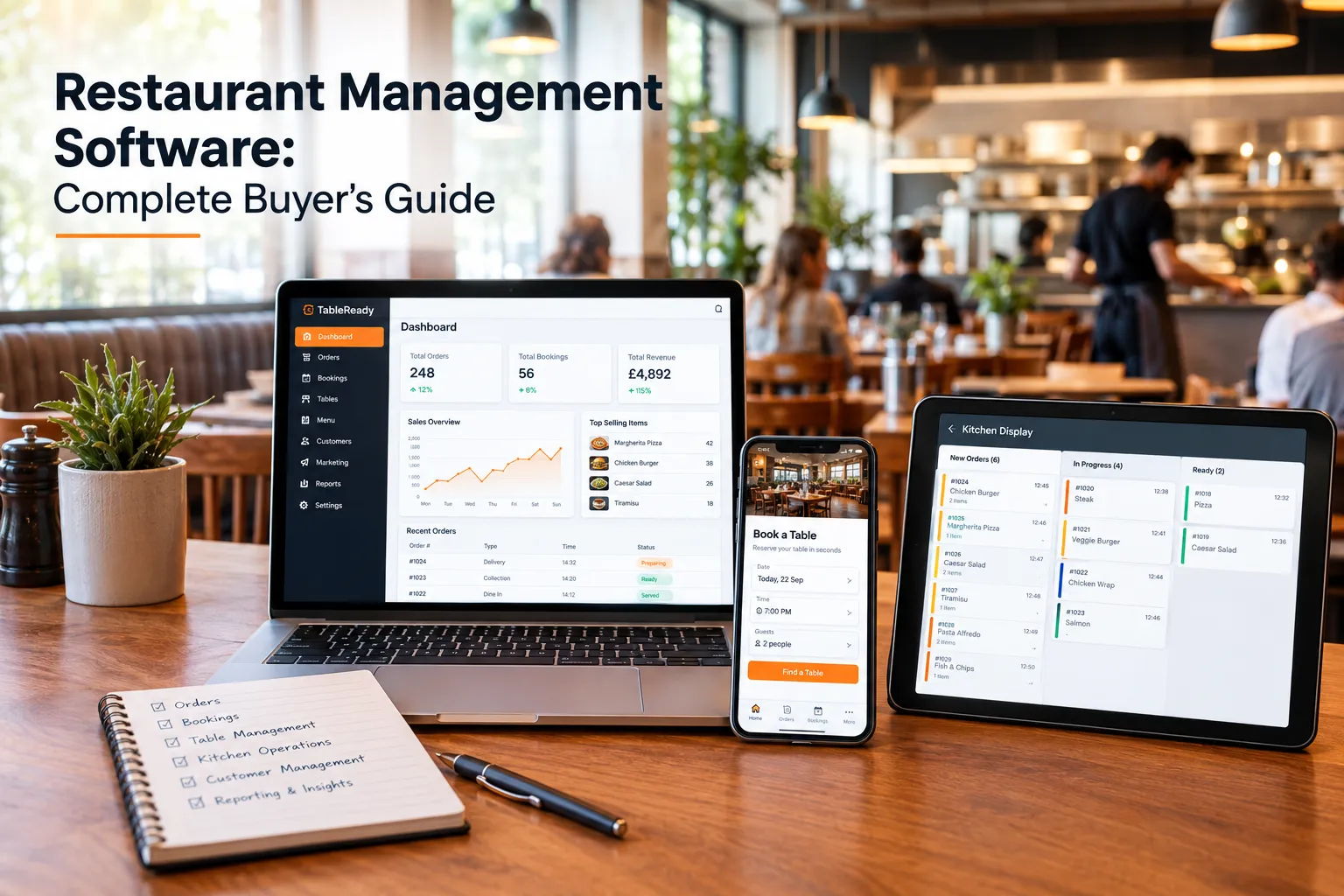
Running a modern restaurant involves much more than serving great food. Restaurant owners and managers need to manage bookings, orders, tables, kitchen operations, customer relationships, payments, staff workflows, and marketing—often across several different systems.
This is where restaurant management software can make a significant difference.
The right restaurant management system brings essential restaurant operations into one connected platform, helping businesses reduce manual work, improve efficiency, and create a smoother experience for both staff and customers.

But with so many restaurant software options available, how do you know which one is right for your business?
This complete buyer’s guide explains what restaurant management software is, which features to look for, how much it can benefit your restaurant, and what to consider before choosing a solution.
What Is Restaurant Management Software?
Restaurant management software is a digital system that helps restaurants manage and coordinate day-to-day operations from one platform.
Depending on the solution, restaurant management software can include tools for online ordering, table reservations, table management, QR code ordering, kitchen operations, customer management, loyalty programmes, payments, and reporting.
Instead of relying on separate systems for different tasks, a restaurant can use an integrated restaurant management system to connect key operational processes.
For example, a restaurant could use one platform to:
- Accept direct online orders
- Manage table bookings
- Organise table availability
- Send orders to the kitchen
- Manage QR code orders
- Monitor restaurant operations
- Build customer relationships
- Run loyalty or discount programmes
- Review business performance
The exact features vary between providers, so it is important to assess what your restaurant actually needs before choosing restaurant software.
Why Are Restaurants Investing in Management Software?
Restaurant operations can become complicated very quickly.
A restaurant may receive bookings by phone, orders through its website, takeaway orders through third-party platforms, and table orders through staff or QR codes. When these processes operate independently, staff may need to move information between different systems.
This can create unnecessary administration.
A connected restaurant management system can help bring these processes together.
Common problems restaurant software can help address include:
- Manual order taking
- Disconnected booking systems
- Multiple software subscriptions
- Repetitive administrative tasks
- Delayed communication between front and back of house
- Limited customer data
- Difficulty managing direct orders
- Poor visibility across restaurant operations
- Time-consuming reporting
- Customer dependency on third-party platforms
For restaurant owners, the objective is not simply to have more technology. The objective is to use technology that makes everyday operations easier.
What Should Restaurant Management Software Include?
The best restaurant software depends on the type, size, and operating model of your business.
However, there are several important capabilities worth considering when comparing providers.
1. Online Ordering
Direct online ordering is an important feature for restaurants that want customers to order directly through their own digital channels.
A restaurant ordering system can allow customers to browse a menu, select items, place an order, and complete the purchasing process online.
Look for features such as:
- Mobile-friendly ordering
- Digital menus
- Collection and delivery options
- Order scheduling
- Menu management
- Order notifications
- Order status updates
- Direct website ordering
- Integration with restaurant operations
For restaurants, direct ordering can also provide greater control over the customer journey and help reduce reliance on third-party ordering marketplaces.
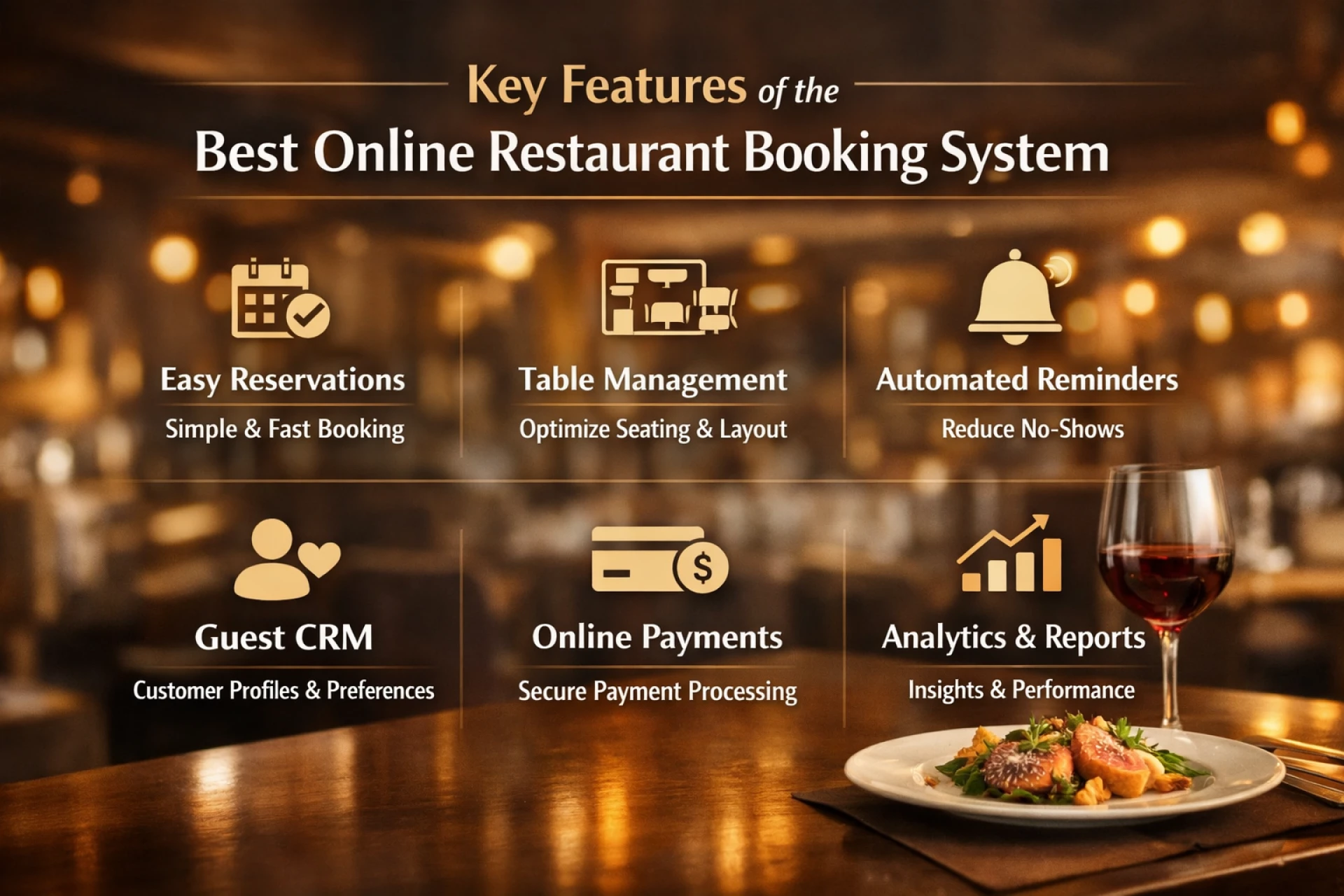
2. Restaurant Table Booking System
Managing reservations manually can take considerable time, particularly during busy periods.
A restaurant management system with integrated booking functionality can allow customers to reserve tables online while giving staff a central view of upcoming bookings.
Useful features include:
- Online table reservations
- Booking management
- Table availability
- Reservation notifications
- Customer booking information
- Cancellation management
- Booking confirmation
- Reservation history
A good booking system should make it easy for both customers and restaurant staff to understand table availability.
3. Table Management
Restaurant table management is closely connected with reservations and front-of-house operations.
The software should help staff understand which tables are available, reserved, occupied, or becoming available.
Depending on the system, table management can help restaurants:
- Organise table layouts
- Monitor table availability
- Manage reservations
- Reduce double bookings
- Improve table utilisation
- Coordinate walk-ins and reservations
This can be particularly useful during busy lunch and dinner services.
4. QR Code Ordering
QR code ordering allows customers to scan a QR code at their table and access a digital menu or ordering interface.
Instead of waiting for a member of staff to take every order, customers can place orders directly from their phones.
A restaurant QR ordering system may support:
- Digital menus
- Table-specific ordering
- Food and drink ordering
- Customer order submission
- Kitchen order communication
- Mobile ordering
QR ordering can be especially useful for restaurants looking to improve ordering speed while reducing pressure on front-of-house teams.
5. Kitchen Display System
A Kitchen Display System (KDS) can connect front-of-house ordering with kitchen operations.
Instead of relying entirely on paper tickets or verbal communication, orders can be displayed digitally for kitchen staff.
A KDS can help teams:
- View incoming orders
- Organise kitchen workflows
- Track order progress
- Reduce communication errors
- Improve order visibility
- Prioritise preparation
For busy restaurants, connecting ordering technology with kitchen operations can be an important part of improving the overall workflow.
6. Customer Management
Restaurant software should not only manage orders and tables. It should also help businesses understand their customers.
Customer management functionality can help restaurants maintain useful information such as:
- Customer details
- Order history
- Booking history
- Customer preferences
- Loyalty activity
- Marketing permissions
This information can support more personalised customer communication and help restaurants build relationships beyond individual transactions.
7. Loyalty and Discount Programmes
Customer retention is an important consideration for restaurants.
Restaurant loyalty software can help businesses create programmes that encourage customers to return.
Depending on the platform, this could include:
- Loyalty rewards
- Digital discount cards
- Membership programmes
- Customer offers
- Reward points
- Promotional campaigns
For independent restaurants, loyalty tools can provide another way to encourage repeat visits without relying entirely on discounting through external platforms.
8. Reporting and Business Insights
Restaurant owners need to understand what is happening across the business.
Restaurant software with reporting capabilities can provide information about areas such as:
- Orders
- Sales
- Bookings
- Customer activity
- Popular products
- Operational performance
The exact reporting capabilities differ between providers, so check whether the reports available are relevant to your business decisions.
Cloud Restaurant Software vs Traditional Systems
One of the most important decisions when choosing restaurant software is whether to use a cloud-based system.
Cloud restaurant software stores and processes business information through internet-connected systems rather than relying entirely on software installed on a single local computer.
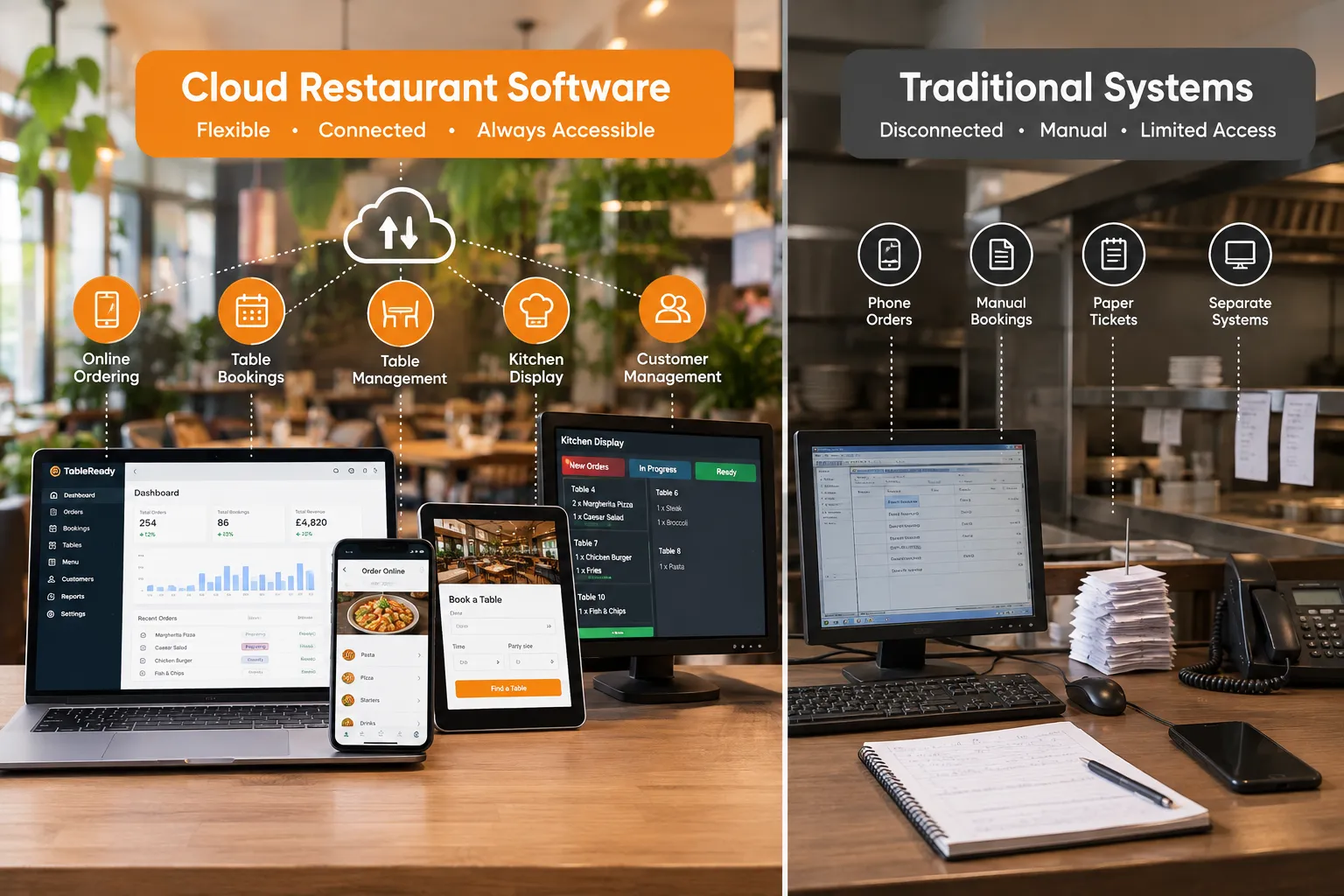
This can provide several practical benefits.
Accessibility
Cloud-based systems can generally be accessed from compatible devices with an internet connection.
This can make it easier for restaurant owners and managers to monitor operations without being physically tied to one computer.
Centralised Information
A cloud restaurant management system can keep information within one connected platform.
This can reduce the need to transfer information manually between different systems.
Updates
Cloud software is typically maintained by the provider, allowing updates and improvements to be deployed without requiring restaurants to manage traditional software installations themselves.
Scalability
Cloud-based restaurant software can be suitable for businesses that plan to add locations, users, or additional operational capabilities over time.
However, restaurants should always check the provider's requirements, pricing structure, data policies, and internet dependency before making a decision.
10 Questions to Ask Before Buying Restaurant Management Software
Choosing restaurant software is a significant business decision. Before signing up, ask potential providers these questions.
1. Does it cover the operations my restaurant actually needs?
Avoid paying for features your business will never use.
Make a list of your essential requirements before comparing software providers.
For example:
- Online ordering
- Reservations
- Table management
- QR ordering
- Kitchen operations
- Customer management
- Loyalty
- Reporting
Then compare each provider against that list.
2. Can different features work together?
Integration is one of the most important considerations.
If your booking system, ordering system, and kitchen system operate independently, staff may still have to transfer information manually.
Ask whether the software creates a connected workflow.
3. Is it easy for staff to use?
A powerful system is not particularly useful if staff struggle to operate it.
Ask whether the provider offers:
- Training
- Onboarding
- Demonstrations
- Support documentation
- Customer support
Request a live demonstration before purchasing where possible.
4. Can customers use it easily?
Do not only test the software from the restaurant's perspective.
Experience the customer journey yourself.
Try:
- Finding the restaurant website
- Booking a table
- Viewing the menu
- Placing an order
- Using the QR ordering experience
- Receiving confirmation
The customer journey should be straightforward, particularly on mobile devices.
5. Does it support direct customer relationships?
Find out what customer information the restaurant can access and how it can be used.
Customer data can be valuable for retention, loyalty, and marketing, but restaurants should also consider applicable privacy and data protection requirements.
6. What are the total costs?
Do not look only at the headline monthly subscription.
Ask about:
- Setup fees
- Monthly fees
- Per-order charges
- Transaction fees
- Hardware
- Additional users
- Additional locations
- Premium features
- Support costs
- Migration costs
Understanding the complete pricing structure makes software comparisons much easier.
7. Can I migrate from my existing software?
Changing restaurant software can feel complicated.
Ask the provider whether they can help migrate:
- Menus
- Products
- Customer information
- Bookings
- Restaurant settings
- Other relevant data
A provider that offers structured migration and onboarding can potentially reduce the disruption involved in changing systems.
8. Can the software grow with my restaurant?
Your needs today may not be the same as your needs in two or three years.
Consider whether the platform can support:
- More orders
- More staff
- Additional locations
- New ordering channels
- Expanded loyalty programmes
- Additional operational features
9. What support is included?
Ask how support works after implementation.
Find out:
- When support is available
- How support requests are handled
- Whether onboarding is included
- Whether training is available
- How technical issues are escalated
10. Can I see a live demonstration?
A product demonstration can reveal more than a feature list.
Ask the provider to demonstrate the exact workflows your restaurant uses.
For example, ask them to show how a customer booking moves into the restaurant's reservation workflow or how an online order reaches the kitchen.
How Much Does Restaurant Management Software Cost?
There is no single price for restaurant management software.
Pricing can vary significantly depending on:
- Number of locations
- Number of users
- Features
- Ordering volume
- Hardware requirements
- Integration requirements
- Support level
- Transaction or commission structure
Some providers charge a monthly subscription, while others may use transaction-based pricing, feature-based plans, or a combination of fees.
When comparing restaurant software, calculate the total cost of ownership rather than comparing subscription prices alone.
For example:
Total software cost = subscription + transaction fees + hardware + setup + integrations + additional services
This gives you a more realistic basis for comparison.
Commission-Based vs Commission-Free Restaurant Ordering
Restaurants should pay particular attention to how ordering fees work.
Some ordering platforms may charge commissions or transaction-related fees on orders, while others offer alternative pricing models.
For restaurants generating significant direct-order volume, even a relatively small percentage can become a meaningful operating cost over time.
For example, a restaurant processing £10,000 of orders per month at a hypothetical 10% commission would pay £1,000 in commission during that month.
That makes the pricing model an important part of the buying decision.
When evaluating restaurant ordering software, ask:
- Is there a commission on direct orders?
- Are there transaction fees?
- Are there monthly platform fees?
- Are payment processing charges separate?
- Are there additional charges for specific features?
Always compare the complete commercial model rather than focusing on one advertised price.
What Is the Difference Between Restaurant Software and a Restaurant Management System?
The terms restaurant software, restaurant management software, and restaurant management system are often used interchangeably.
However, they can describe slightly different levels of functionality.

Restaurant software is a broad term covering digital tools used by restaurants.
Restaurant management software generally refers to software designed to manage multiple aspects of restaurant operations.
A restaurant management system often describes a more integrated platform where multiple operational functions work together.
For example, a complete system might connect:
Customer → Online Booking/Ordering → Restaurant Operations → Kitchen → Customer Data
The key consideration is therefore not the terminology used by the provider but what the platform can actually do.
Signs Your Restaurant May Need Management Software
Not every restaurant needs a complex technology stack.
However, you may benefit from a more integrated restaurant management system if:
You use several disconnected systems
If staff regularly switch between multiple applications for bookings, orders, customer information, and operations, consolidation may be worth considering.
Your team spends too much time on administration
Manual data entry and repetitive tasks can take staff away from customers and core restaurant operations.
You receive bookings through multiple channels
Phone calls, social media messages, and different booking platforms can make reservation management difficult.
You want more direct orders
If your restaurant wants to encourage customers to order directly, an integrated online ordering solution can become an important part of the digital strategy.
Kitchen communication is inefficient
If orders are frequently communicated verbally or manually transferred to the kitchen, a connected ordering and KDS workflow may help.
You want to build customer loyalty
If you have limited visibility of your customer relationships, loyalty and customer management tools may provide useful capabilities.
How to Choose the Right Restaurant Management Software
A practical approach is to divide your requirements into three categories.
Must-Have Features
These are features your restaurant cannot operate effectively without.
Examples could include:
- Online ordering
- Table booking
- Table management
- Kitchen management
- Customer management
Useful Features
These could improve your operations but are not essential.
Examples might include:
- Loyalty programmes
- Digital discount cards
- Advanced reporting
- Marketing tools
- Automated notifications
Future Requirements
Think about where your restaurant is heading.
You may eventually need:
- Multi-location management
- Additional ordering channels
- More advanced reporting
- Expanded customer marketing
- Additional operational tools
This approach helps prevent you from selecting software based purely on the longest feature list.
Why an Integrated Restaurant Platform Can Be Different
One of the biggest advantages of an integrated restaurant platform is the ability to connect different parts of the customer and operational journey.
Consider a typical customer journey.
A customer discovers a restaurant online.
They book a table through the restaurant's website.
On arrival, they scan a QR code to view the menu.
They place an order.
The order reaches the kitchen.
The restaurant processes the order.
The customer's activity can then contribute to future loyalty or marketing activity.
When these processes are connected, restaurants can reduce the number of separate systems involved in the customer journey.
This is the principle behind TableReady.
TableReady: Restaurant Management Software for Modern UK Restaurants
TableReady is a complete restaurant ordering and operations platform designed for modern UK restaurants.
Instead of requiring restaurants to manage multiple disconnected tools, TableReady brings several important restaurant functions together.
The platform includes solutions for:
- Online ordering
- Table bookings
- QR code ordering
- Kitchen display operations
- Restaurant management
- Loyalty and discount programmes
- Customer engagement
For restaurants looking to simplify their technology stack, an integrated platform can provide a more connected way to manage everyday operations.
TableReady also supports restaurant migration and onboarding, helping businesses move from existing systems and get their software up and running without unnecessarily complicated implementation.
For restaurants concerned about third-party ordering commissions, TableReady provides a commission-free direct ordering approach, helping restaurants maintain a direct ordering channel with their customers.
Restaurant Management Software Buyer’s Checklist
Before choosing your restaurant management system, use this checklist:
| Requirement | What to Check |
|---|---|
| Online Ordering | Can customers order directly? |
| Table Booking | Can customers book tables online? |
| Table Management | Can staff manage availability and reservations? |
| QR Ordering | Can customers order from their tables? |
| Kitchen Display | Can orders reach the kitchen digitally? |
| Customer Management | Can customer information be managed effectively? |
| Loyalty | Can you create customer rewards or offers? |
| Reporting | Can you monitor relevant restaurant performance? |
| Cloud Access | Can authorised users access the system remotely? |
| Mobile Experience | Is the customer interface mobile-friendly? |
| Integrations | Can the system connect with required services? |
| Migration | Can your existing data and setup be migrated? |
| Support | Is onboarding and ongoing support available? |
| Pricing | Are all fees clearly explained? |
| Scalability | Can the platform grow with your restaurant? |
Frequently Asked Questions About Restaurant Management Software
What is the best restaurant management software?
The right restaurant management software depends on the restaurant's size, operating model, required features, budget, and growth plans. Compare platforms based on the functions your business actually needs rather than choosing solely based on price or the number of features advertised.
What does restaurant management software do?
Restaurant management software helps businesses manage operational activities such as online ordering, table bookings, table management, customer information, kitchen workflows, loyalty, and reporting. The features available depend on the provider.
Is cloud restaurant software better than traditional restaurant software?
Cloud restaurant software can provide benefits such as remote accessibility, centralised information and provider-managed updates. However, restaurants should assess their connectivity, security, support and operational requirements before selecting a system.
Can restaurant software manage online bookings?
Yes. Many restaurant management systems include table booking and reservation functionality. These features can allow customers to make reservations online while restaurant staff manage availability and bookings from a central system.
Can restaurant management software reduce administrative work?
An integrated system can reduce certain manual tasks by connecting processes such as bookings, ordering, and kitchen operations. The amount of time saved depends on the restaurant's existing processes and the capabilities of the chosen software.
Is restaurant management software suitable for small restaurants?
Yes. Small restaurants can use restaurant software to manage specific operational requirements without necessarily needing a large technology stack. The important consideration is choosing a platform that matches the restaurant's size, budget, and actual needs.
How much does restaurant management software cost?
Costs vary according to features, users, locations, ordering volume, hardware, integrations, and pricing models. Restaurants should compare the complete cost of ownership, including setup and transaction-related fees where applicable.
Can restaurant management software support multiple locations?
Some restaurant management platforms support multiple locations. If you operate or plan to operate more than one restaurant, ask providers how menus, bookings, customer data, reporting, and administration are handled across locations.
What should I look for in restaurant software?
Look for software that is easy for staff and customers to use, supports your essential operations, integrates relevant functions, provides transparent pricing, offers reliable support, and can scale with your restaurant.
Does TableReady provide restaurant management software?
Yes. TableReady provides a complete restaurant ordering and operations platform covering areas including online ordering, table bookings, QR code ordering, kitchen display operations, restaurant management, and customer engagement tools.
Final Thoughts: Choosing Restaurant Management Software
Choosing restaurant management software is not simply about finding a system with the longest list of features.
The right solution should solve genuine operational problems.
Start by identifying where your restaurant currently loses time, creates unnecessary manual work, or relies on disconnected systems. Then compare restaurant software based on those specific requirements.
Look for a platform that can connect ordering, reservations, tables, kitchen operations, and customer relationships while remaining simple enough for your team to use every day.
For UK restaurants looking to bring these functions together, TableReady provides an integrated restaurant management and ordering platform designed to simplify modern restaurant operations.
If you're considering replacing multiple restaurant systems or want to see how a connected platform could work for your business, book a free TableReady demo and explore the platform with your restaurant's requirements in mind.

























Sign in to leave a comment.