

Safe Your Data Against Digital Threats
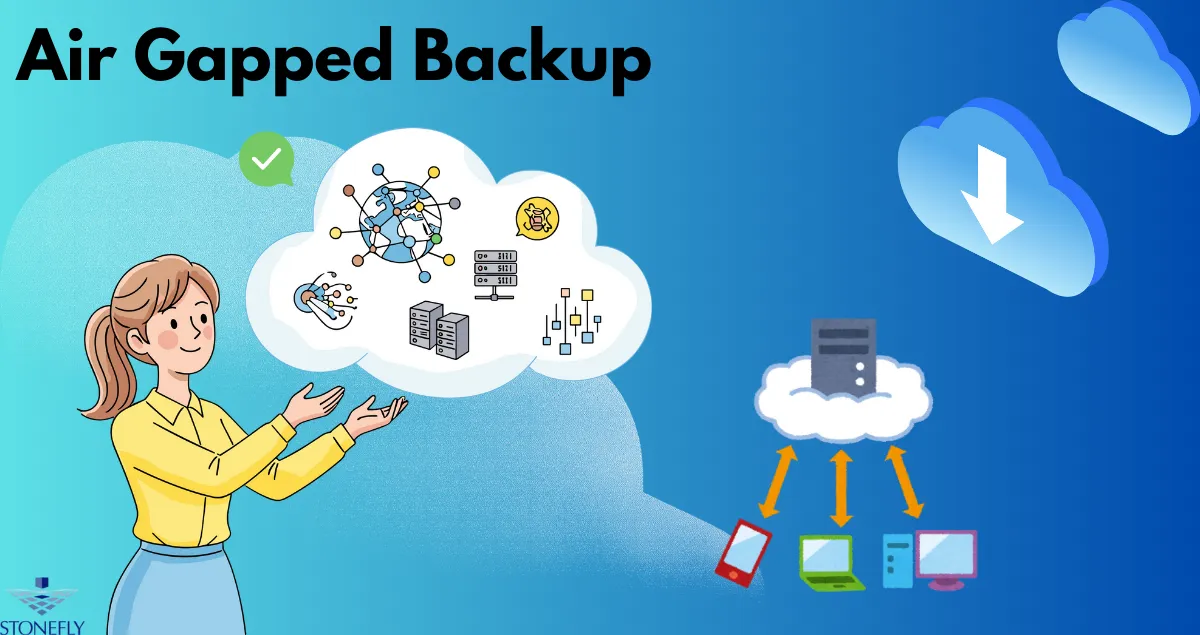
In the face of escalating cyber threats, particularly ransomware, businesses are urgently seeking more robust data protection strategies. A critical component of a resilient security posture involves creating a physical and logical separation between your primary data and its copies. This method, often referred to as an Air Gapped Backup, provides a powerful last line of defense, ensuring that even if your main network is compromised, your backup data remains untouched and recoverable. This approach is not just a best practice; it is becoming an essential survival tactic for organizations of all sizes.
Understanding the "Air Gap" in Data Protection
The term "air gap" literally describes a physical isolation. In computing, it means there is no direct connection between a computer or network and any other computer or network. This separation prevents any form of electronic communication, effectively creating a digital moat around the isolated system. When applied to data backups, this principle ensures that your backup files are not accessible from your primary, internet-connected network.
Why Connected Backups Are No Longer Enough
For years, organizations relied on network-attached backups. These solutions were convenient and automated, but their constant connectivity creates a significant vulnerability. Modern ransomware is designed to be insidious. Once it infiltrates a network, it actively seeks out and encrypts or deletes all connected data sources, including backup repositories.
Attackers know that without viable backups, a company is much more likely to pay a ransom. They specifically target these connected recovery systems to eliminate an organization's ability to restore its operations independently. This is where the physical separation of an air-gapped strategy becomes a game-changer. By severing the connection, you make it impossible for malware on the primary network to reach and corrupt the offline backup data.
How an Air Gap Strategy Works
Implementing an air gap involves physically or logically isolating your backup media from the network. This can be achieved through various methods, each offering different levels of security and operational complexity. The core idea remains the same: create a barrier that malware cannot cross.
Physical Air Gapping Methods
Physical air gapping is the traditional and most secure form of isolation. It involves manually moving data to devices that are then disconnected from the network.
- Removable Media (Tapes and Disks): The classic example of an air gap is using magnetic tapes. Data is written to a tape, which is then ejected from the drive and stored securely offline, often in a different physical location. Modern removable disk cartridges and external hard drives serve a similar purpose. An employee manually connects the drive, performs the backup, and then disconnects and stores it. This manual process is the very thing that ensures its security.
- Benefits: This method offers the highest level of protection against network-based attacks. Since the media is physically offline, no remote attack can access it. It's an immutable, offline copy.
- Considerations: The process can be labor-intensive and slower than automated solutions. It requires disciplined operational procedures to ensure backups are performed regularly and media is handled securely. Recovery Time Objectives (RTOs) can be longer because the media must be physically retrieved, loaded, and restored.
Logical Air Gapping and Immutable Storage
While physical separation is the gold standard, modern technology offers solutions that create a "logical" air gap. These systems use software, network controls, and specialized storage features to emulate the Security of a true physical gap while offering more automation and faster recovery.
- Immutable Snapshots: Many modern storage systems can create immutable snapshots. These are point-in-time copies of your data that cannot be altered, encrypted, or deleted for a predetermined period—not even by an administrator with full credentials. Once a snapshot is locked, it is effectively read-only, creating a logical barrier against ransomware that tries to modify files.
- Delayed Replication: This technique involves replicating data to a secondary storage system that is only connected to the primary network for brief, scheduled intervals. During these short windows, data is synchronized. For the rest of the time, the secondary system is isolated. This minimizes the exposure window for an attack to traverse the connection.
This approach provides a strong defense mechanism. If a ransomware attack occurs, it is unlikely to coincide with the brief replication window. You can restore your systems from the uninfected data on the secondary, isolated site. The combination of immutable storage and a well-planned disconnection strategy can create an effective Air Gapped Backup environment without the manual labor of tape.
The Role of an Air Gap in Ransomware Recovery
A successful ransomware recovery plan hinges on having a clean, uncorrupted copy of your data. An air-gapped strategy is fundamental to ensuring that such a copy exists.
Breaking the Cycle of Attack
When ransomware strikes, it spreads laterally across your network, encrypting servers, workstations, and connected backup files. Without an offline copy, your options are limited and grim: attempt to decrypt the files (which is rarely successful), accept the data loss, or pay the ransom. Paying the ransom is a risky gamble; there is no guarantee the attackers will provide a working decryption key, and it funds criminal enterprises, encouraging future attacks.
An offline, air-gapped copy breaks this cycle. It serves as your trusted source for restoration. Once the initial intrusion has been contained and the affected systems have been wiped clean, you can confidently restore your data from the isolated backup. This transforms a potentially catastrophic business-ending event into a manageable operational incident. Your organization can recover its data and resume business without negotiating with criminals.
Ensuring Business Continuity
Beyond ransomware, an offline backup protects against other threats. Malicious insiders, accidental data deletion, or even catastrophic hardware failures can wipe out online data and its connected backups. Having an isolated copy ensures that you can recover from a wide range of disaster scenarios. This resilience is the foundation of a robust business continuity and disaster recovery (BCDR) plan. The peace of mind that comes with knowing your most critical data is safe and offline is invaluable for any business leader.
Implementing a Modern Air-Gapped Solution
Building an effective data protection strategy requires a multi-layered approach. While traditional tapes are still a viable option, many organizations are adopting modern solutions that blend security with greater efficiency. A hybrid approach often provides the best balance.
You can combine on-premise immutable object storage with policies that enforce logical separation. For example, data can be backed up to a local storage appliance that creates locked, unchangeable copies. This appliance can then replicate its data to another system that is only intermittently connected or resides at a separate physical site. The careful implementation of a logical Air Gapped Backup can provide the necessary security without sacrificing the speed and efficiency modern businesses require for recovery. This ensures you can meet aggressive RTOs and Recovery Point Objectives (RPOs) while remaining fully protected from bad actors.
Conclusion
The digital landscape is fraught with dangers, and ransomware remains one of the most significant threats to organizational data. Relying solely on network-connected backups is a flawed strategy that leaves your last line of defense exposed. By implementing an air-gapped approach—whether through physical media or modern logical isolation techniques—you create an impassable barrier for network-based attacks. This ensures that you always have a clean, immutable copy of your data ready for restoration. Adopting this strategy moves your organization from a position of vulnerability to one of resilience, empowering you to recover from any disaster with confidence.
FAQs
1. Isn't using tape for backups an outdated practice?
While tape is a mature technology, its inherent offline nature makes it one of the most secure methods for creating a true physical air gap. Many organizations, especially in highly regulated industries, continue to use tape as part of a hybrid strategy alongside faster disk-based systems for its reliability and low long-term cost.
2. How is a logical air gap different from just having a firewall?
A firewall is designed to control traffic between networks, but it assumes a constant state of connectivity. A logical air gap goes further by creating temporary, policy-based isolation. The connection itself is severed or the data is made immutable (un-changeable), meaning even if an attacker gets past the firewall, they cannot access or modify the protected backup data.
3. Can't an attacker just wait for the backup system to connect to the network?
While theoretically possible, it is highly improbable. Logical air gaps often use very short connection windows for data replication. An attacker would need to have already compromised the network, remain undetected, and have their malicious code execute at the exact moment the brief connection is made. This narrow window of opportunity makes it a far more difficult attack vector.
4. How often should I create an air-gapped copy of my data?
The frequency depends on your Recovery Point Objective (RPO)—how much data you can afford to lose. For critical systems, you might create an air-gapped copy daily. For less volatile data, weekly or monthly copies might be sufficient. The key is to establish a regular, disciplined schedule that aligns with your business continuity needs.
5. Does an air-gapped solution replace my regular backups?
No, it should complement them. A best-practice strategy, often called the 3-2-1 rule, advises having at least three copies of your data on two different media types, with one copy stored off-site. Your air-gapped copy serves as that ultimate off-site or offline version, while more frequent, connected backups can be used for faster, more routine restores of individual files or folders.
























Sign in to leave a comment.