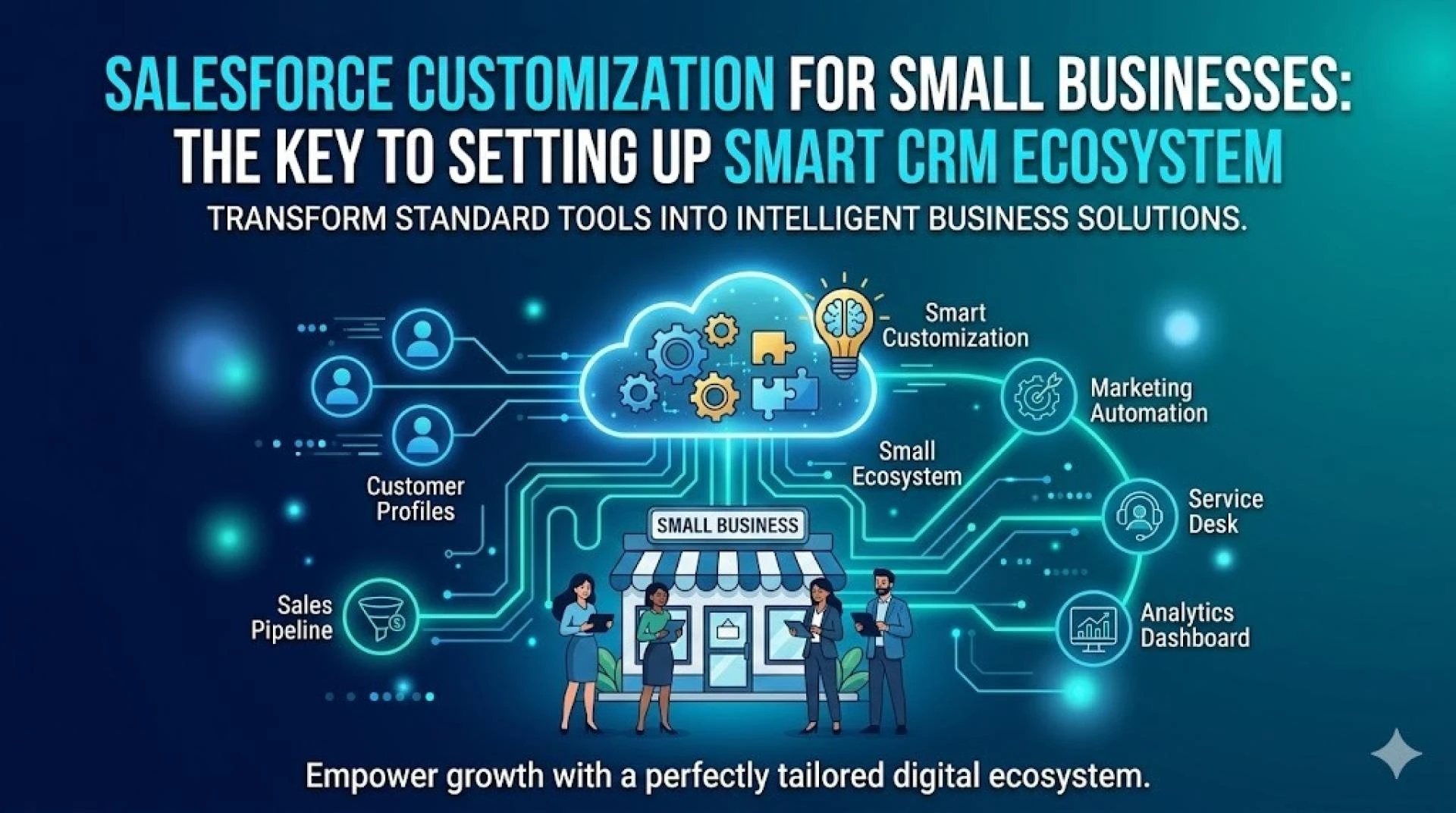

Small business administrators battle daily to remain ahead of competitors in today's market environment. They search for ways to optimize operations and build better customer relationships that give them an edge over competitors. The real challenge isn't about keeping pace; it's about finding new ways to move ahead of the competition.
A startup leader must juggle many roles at once. Their sales team might be just three people strong. One dedicated person might handle all customer service. They might outsource marketing or manage it part-time. These conditions make efficiency crucial, not just a nice-to-have, but essential to survive.
Salesforce steps in as the answer. This adaptable platform does more than store contact details like a digital Rolodex. It creates a base that small businesses can use to build smart workflows that match their needs.
The standard Salesforce package rarely gives small businesses the ability to meet specific operational needs. Each company runs differently, from qualifying leads to managing opportunities and handling customer messages. While the basic setup meets some simple needs, it doesn't really change how business works. Business administrators should consider leveraging Salesforce customization services to match the platform with their operational approach.
Salesforce Customization: Maximizing Platform Value
Salesforce customization involves the transformation of a standard CRM into a business platform that aligns with an enterprise’s unique operational requirements. The generic CRM setup acts as a foundation, but customization transforms the way platform functions and manages data, ensuring alignment with business requirements.
Small business administrators find standard Salesforce configurations as the beginning. The platform has impressive features by default, but these generic settings don't deal very well with the unique challenges each small business faces. This mismatch between standard features and specific business needs wastes potential value.
Working with a Salesforce customization company gives small businesses several advantages. Administrators can remove features that make the interface confusing. It also enables them to add specialized tools that support main business activities. Users are more likely to adopt the system because it fits their daily work.
Small businesses benefit from customization in several ways:
- The platform fits existing workflows instead of forcing teams to change their processes
- Companies save resources by removing features meant for larger enterprises
- The system grows with the business and handles new needs without major changes
- Teams can focus on creating value instead of entering data manually
Professional Salesforce CRM customization services provider addresses a common issue for small enterprises, limited technical expertise. Business administrators know what they require from Salesforce platform, but they might not have the technical expertise for complex Salesforce modifications. Customization services help bridge this gap by turning business requirements into technical solutions.
Technical Strengths Uncovered by Salesforce Customization Services for Small Businesses
Professional experts help small businesses find technical capabilities in their CRM that internal teams might miss. These specialists have deep platform knowledge to reveal Salesforce's true potential beyond basic setup.
1. Tailored User Experience and Interface Design
Professional Salesforce customization services create interfaces that match teams' actual work patterns. Customization experts redesign page layouts, adjust fields, and modify navigation to reflect natural workflows instead of forcing users to adapt to standard layouts. This approach gives sales teams immediate access to relevant information. Administrators can find their tools quickly, and executives see key metrics right away.
2. Strategic Business Process Automation
Salesforce's automation capabilities are often underused but hold immense power. Customization specialists spot repetitive tasks in small business operations and turn them into automated workflows. Automated sequences remove manual steps that take up valuable time, from lead assignment rules to approval processes. Small teams can focus on building relationships rather than entering data, which helps them achieve more with limited resources.
3. Improved Data Management and Quality
Experts from a Salesforce customization company apply sophisticated data management strategies that larger enterprises use. They set up validation rules to prevent errors, build duplicate management systems, and design custom objects for industry-specific data. Small businesses can maintain clean, reliable data that forms the foundations of meaningful analytics and AI initiatives. As per a recent survey, 74% of business leaders mentioned that data hygiene is crucial for organizing successful AI initiatives.
4. Scalable Architecture for Future Growth
Professional Salesforce CRM customization builds systems ready for expansion. A properly customized environment includes well-planned object relationships, efficient data models, and adaptable automation frameworks, unlike quick in-house fixes. This forward-thinking structure enables businesses to grow their Salesforce capabilities as they expand, without needing complete rebuilds that become exorbitant.
Key Components of Salesforce CRM Customized by Experts
Small businesses need five core components to make their Salesforce implementation work. Expert providers customize these elements to match specific business needs.
I. Custom Objects and Fields
Standard objects like Accounts and Contacts are just the beginning. Salesforce customization services build industry-specific objects that align with unique business processes. Small business administrators can use these custom objects to track specialized information while maintaining connections with standard elements. Custom fields add specific data points to both standard and custom objects. This will give administrators the ability to capture exactly what their operations need.
II. Page Layouts and Record Types
Record types help administrators show different fields and picklist values based on user roles or business scenarios. These components work with customized page layouts to show team members only what they need to see. This approach optimizes user experience and protects small teams from information overload.
III. Workflow Rules, Process Builder, and Flow Automation
Automation tools eliminate repetitive tasks. Experts from a Salesforce customization company set these functionalities to manage everything from automatic email alerts to complex multi-step processes. This helps in saving administrators’ countless hours of oversight work.
IV. Reports and Dashboards
Custom reports turn raw data into practical insights. Visual dashboards present these insights in clear ways. Administrators can see business performance immediately without needing technical query expertise.
V. Tabs and App Customization
Experts focus on making navigation efficient with these customizations. They create accessible pathways through the system. Teams can find what they need quickly, even with limited technical knowledge.
Common Salesforce Customization Mistakes and How Experts Fix Them
Even the best Salesforce implementations can fail because of mistakes that are easy to avoid. Companies don't deal very well with customization challenges that professional Salesforce customization experts know how to prevent and fix.
1. Poor Data Model Design and Object Architecture
Most businesses create custom objects without thinking over how different entities connect. This creates data silos and makes reporting difficult. Expert teams map business processes first. They then design an integrated object model that supports current operations and future growth.
2. Inadequate Security and Access Control Configuration
Security gaps create another major roadblock. System administrators often use broad permissions instead of role-based access controls. Salesforce CRM customization specialists set up proper security protocols. They create complete permission sets and rule-sharing that protect sensitive data while keeping operations efficient.
3. Custom Code Without Governance or Documentation
Custom code offers flexibility but creates maintenance problems when poorly implemented. Professional Salesforce customization teams establish governance frameworks. These include coding standards, version control practices, and detailed documentation that make future changes easy for any developer.
4. Insufficient Testing and Quality Assurance
Poor testing before deployment often causes production problems. Expert teams use well-laid-out testing methods. They work with dedicated sandbox environments and user acceptance protocols to ensure customizations work perfectly in production.
Final Words
Small business administrators need Salesforce customization as a vital investment, not just a luxury. Standard Salesforce provides simple functionality, but effective CRM solutions must match each business's unique workflows. Professional customization turns this powerful platform from a basic contact management system into a detailed business tool that stimulates growth.
Small businesses deal with different challenges than larger enterprises. Their teams handle multiple roles while resources stay limited. Survival depends on streamlined processes. Experienced Salesforce customization experts help organizations avoid typical problems like poor data modeling or weak security settings that could impact their CRM investment.























Sign in to leave a comment.