
For professionals and hobbyists in woodworking, staying organized is essential for efficiency and accuracy. Cutting list software has emerged as an invaluable tool for managing complex projects, allowing users to plan cuts, optimize material usage, and reduce waste. By digitizing the cutting process, these programs streamline workflow, save time, and enhance productivity. The technology has transformed how woodworkers approach projects, whether they are crafting furniture, cabinetry, or custom designs.
Understanding Cutting List Software
Starting off, cutting list tools make it easier to organize woodwork plans. These give you every piece needed - size, count, everything laid out clear. Instead of just tracking parts, they find smarter ways to arrange cuts on raw materials. For busy makers dealing with big jobs or tricky builds, getting measurements right matters most. When layouts are exact, fewer mistakes happen and less wood gets tossed aside.
Key Features and Benefits
Right off the bat, today’s cut-list apps pack tools that sharpen how projects get handled. Input your build specs, then watch as each needed slice gets mapped out clearly. A few go further by fitting parts together across stock panels - waste drops way down this way. Figuring out how much lumber or sheeting you actually need? That number shows up fast, keeping spending in check. Less guesswork means fewer mistakes piling up, plus results stay even no matter who runs the shop.
Workshop efficiency gains
What keeps woodworking running smooth? Tools that handle the math. Imagine skipping endless number crunching before you even pick up a saw. These programs map out every piece so your brain stays free for building. Picture clean diagrams replacing messy notes on scraps of paper. Teammates see exactly what goes where without guesswork. Fewer errors pop up when everyone works from the same digital plan. Deadlines feel less like pressure when materials are tracked ahead of time.
Reducing Material Waste
What stands out about cutting list tools? They slash leftover materials. Pieces fit together smarter, so wood gets used more fully. Saving cash comes naturally when less ends up discarded. It lines up well with eco-friendly habits too - fewer raw supplies get drained. Big jobs feel this impact strongest, since extra scraps pile up fast without tight planning.
Working With CNC And Other Equipment
Fewer mistakes happen when numbers move straight into saws instead of through handwriting. Machines that carve wood or metal work better once plans link up with them digitally. Jumping from blueprint to build becomes smoother, almost without pauses. Complicated shapes take form more easily under guided blades. Quality climbs as each piece fits like it was meant to be there.
Customization and Flexibility
Whatever the job size, this tool fits right in. Settings shift easily based on material type or how thick the pieces are. Work moves smoother when options match your way of doing things. Big builds or tiny crafts - both get handled without hassle. Needs change, and so does the setup, staying close to what you actually do.
Overcoming Common Challenges
Getting used to cutting list software can be tough at first. Jumping into its functions, entering correct measurements, maybe linking it with what you already use - none of that happens overnight. Still, putting in the hours upfront leads to faster work, fewer mistakes, better flow on jobs. Pushing past the early hurdles makes a real difference down the line. That gap between struggle and smooth operation? It closes with practice.
Future Trends in Cutting Technology
When tech moves forward, so does cut-list software - getting smoother, sharper, quicker. Better math inside means less waste on raw materials, one step at a time. Linking up with drawing apps makes layout work flow without hiccups. With shops leaning into machines that do more, smart programs quietly take charge behind the scenes. Wood builds stay tight, clean, and right on target.
Conclusion
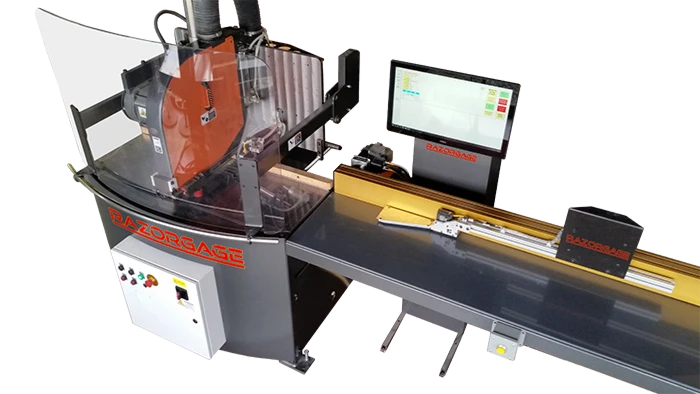
In modern woodworking, cutting list software has become an indispensable resource for planning and executing projects with accuracy and efficiency. Its ability to streamline workflow, optimize material usage, and reduce errors has transformed how woodworkers approach their craft. Additionally, combining these tools with specialized measurement devices such as RazorGage AngleMaster ensures precise cuts and professional-quality results. Embracing these technologies allows woodworkers to save time, reduce waste, and achieve consistent outcomes, ultimately elevating the quality of every project.
FAQs
Q1: What is cutting list software used for?
Cutting list software is used to plan and manage all cuts for woodworking projects, providing detailed lists of pieces, dimensions, and quantities.
Q2: Can cutting list software reduce material waste?
Yes, by optimizing the placement of cuts and maximizing material usage, it helps minimize waste and save costs.
Q3: Is cutting list software suitable for hobbyists?
Absolutely. While it is essential for professionals, hobbyists also benefit from increased accuracy and simplified planning.
Q4: Can cutting list software integrate with CNC machines?
Many modern programs can export data directly to CNC and other automated tools, ensuring precise cuts and seamless workflow.
Q5: Do I need additional tools to use cutting list software effectively?
While software alone is useful, combining it with measurement and cutting devices enhances accuracy and efficiency, particularly for complex projects.



























Sign in to leave a comment.