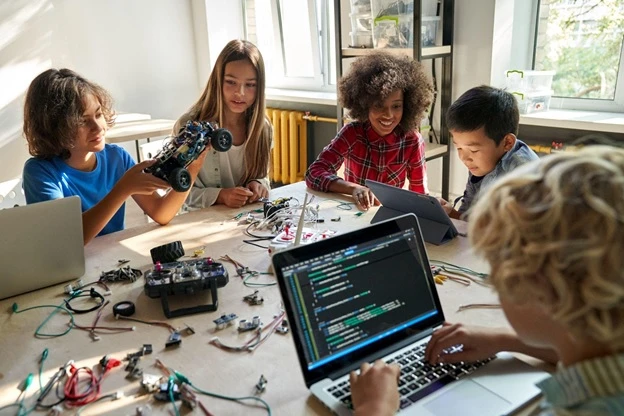

The internet has become part of our children’s daily lives — from learning apps and online classrooms to gaming, social media, and YouTube. While technology opens doors to knowledge and entertainment, it also brings risks that many kids aren’t ready to handle on their own. That’s why teaching children online safety is no longer optional — it’s essential.
Why Kids Need Online Safety Education
Children are naturally curious, but that curiosity can make them easy targets for cyberbullying, scams, and online predators. A study shows that more than half of children encounter inappropriate content online before the age of 12. Social media platforms, gaming chats, and even seemingly harmless apps can expose them to strangers who may not have the best intentions.
Kids often don’t realize that sharing personal information — like their school name, location, or photos — could put them at risk. This is where parental guidance and the right digital tools come into play.
How Parents Can Teach Online Safety
Here are some practical ways to keep your children safe online while helping them build healthy digital habits:
- Talk Early and Often
- Don’t wait until something goes wrong. Start conversations about online safety as soon as your child begins using devices. Explain, in simple terms, why they should never share personal details with strangers.
- Set Boundaries
- Create clear rules for screen time, app downloads, and social media use. Children feel safer when they know what’s expected of them.
- Encourage Openness
- Make sure your kids know they can talk to you if they see something disturbing or receive a suspicious message. Reassure them they won’t get in trouble for being honest.
- Teach Smart Thinking
- Help them recognize red flags, like offers that seem too good to be true or strangers asking for private details. Critical thinking is one of the best defenses against online threats.
- Be a Role Model
- Kids mirror what they see. Practicing safe online habits yourself sets a strong example for them to follow.
Why Eyezy is the Best Parental Control App
Even with rules and conversations, parents can’t monitor everything manually. That’s where parental control apps become essential — and Eyezy https://www.eyezy.com/forum/ is one of the best options available today.
Eyezy combines powerful monitoring features with an easy-to-use interface, giving parents peace of mind without being overly restrictive. Here’s what makes it stand out:
● Monitors online activity – See what websites your child visits and make sure they’re safe.
● Tracks social media & chats – Spot risky conversations before they escalate.
● Blocks harmful content – Prevent access to unsafe or inappropriate sites.
● Manages screen time – Set healthy boundaries for device use.
● Real-time alerts – Get notified instantly if your child encounters potential danger.
Unlike some apps that just limit access, Eyezy strikes a balance — it lets kids enjoy the internet while giving parents the tools to protect them from hidden threats like online predators.
Final Thoughts
The internet isn’t going anywhere, and neither are the risks. But by teaching children online safety, staying involved in their digital lives, and using the right tools like Eyezy parental control, parents can create a safe online environment where kids can explore, learn, and grow with confidence.
After all, the goal isn’t to shelter kids from technology — it’s to prepare them to use it wisely and safely.






























Sign in to leave a comment.