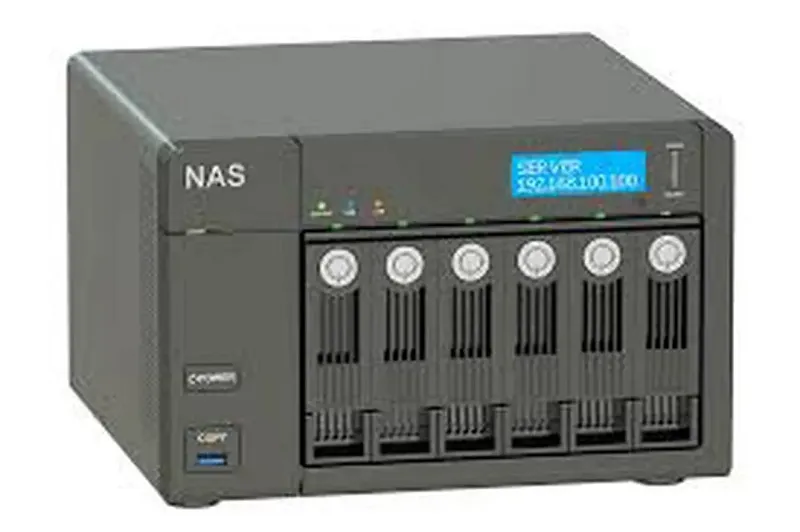

Whether you're a home user with a two-drive Synology setup holding years of family photos, or a business owner running a multi-bay QNAP storing critical company data, the feeling when your NAS stops working is the same, pure panic. NAS data recovery is one of the more complex areas of data recovery because these devices combine multiple hard drives, their own operating system, and complex RAID configurations. But the good news is: recovery is possible in the vast majority of cases, if you approach it the right way.
Understanding How NAS Devices Work
A NAS (Network Attached Storage) is essentially a small computer dedicated to storing and sharing files across a network. Most NAS devices run multiple hard drives in a RAID configuration, which provides redundancy, meaning one drive can fail without you losing data. Common setups include RAID 1 (mirroring), RAID 5 (distributed parity), and RAID 6 (double parity). The NAS runs its own operating system, Synology uses DSM, QNAP uses QTS, and manages all the complex data spreading across drives.
Most Common NAS Failure Scenarios
Single or Multiple Drive Failure
The most common scenario. In RAID 5, one drive can fail and data is still accessible. But if a second drive fails before the first is replaced, the array goes offline. In RAID 1, one drive can completely fail without data loss, but many users don't realise when this happens until the second drive fails too.
NAS Refuses to Boot
If the NAS operating system gets corrupted, often during a firmware update gone wrong or after a power cut, the device may fail to boot even though all the drives inside are perfectly fine. Recovery involves extracting the drives and working with them in a lab environment.
Accidental File Deletion
Human error is surprisingly common. Whether someone deletes the wrong folder or empties the recycle bin without thinking, recovery may still be possible depending on how much data has been written since the deletion.
RAID Configuration Loss
If the NAS loses its RAID configuration data, the map it uses to know how drives are organised, the array becomes inaccessible. Professional recovery tools can often reconstruct this map, but it requires specialist knowledge.
The NAS Recovery Process, What to Expect
When you engage a professional NAS recovery service, here's what typically happens. First, each drive is individually assessed for health and damage. Then the engineers try to understand the original RAID configuration, what type it was, the stripe size, the drive order, and the block size. Using this information, they virtually reconstruct the array and attempt to access the data. If individual drives have physical damage, those are repaired first in a clean room environment before reconstruction begins.
Once the data is successfully extracted, you'll be provided with a file list to verify before the recovery is finalised.
Tips to Keep Your NAS Data Safe
Quick Tips
- Remember: RAID is not a backup, it's redundancy. Back up your NAS separately.
- Enable SMART monitoring alerts so you know when a drive is showing issues.
- Replace aging drives proactively, don't wait for them to fail completely.
- Use a UPS to protect against power fluctuations.
- Keep your NAS firmware updated but read release notes before every update.
Ready to Get Your Data Back?
If your NAS has failed, whether it's a Synology, QNAP, WD, Thecus, NETGEAR, or any other brand, Recovery Squad can help. We specialise in NAS data recovery across Australia. Visit recoverysquad.com.au for a free assessment.




























Sign in to leave a comment.