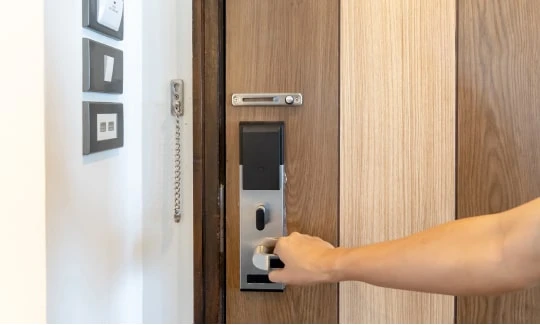

In an era where technology seamlessly integrates into our daily lives, the adoption of smart home devices has become a common trend. Among these innovations, smart locks stand out as a beacon of modern security, offering keyless entry and advanced features. If you've decided to make "The Smart Choice" and install a smart lock, you're on the path to enhancing your home's security and convenience. In this comprehensive guide, we'll walk you through the step-by-step process of smart lock installation, ensuring a smooth transition to a keyless future.
Understanding Smart Locks
Before delving into the installation process, let's explore the essence of smart locks. Unlike traditional locks that rely on physical keys, smart locks utilize advanced technology, such as Bluetooth, Wi-Fi, or ZigBee, to provide keyless entry options. They often come with additional features like remote access, guest access codes, and integration with smart home ecosystems. Understanding these capabilities is crucial for making an informed decision about the type of smart lock that best suits your needs.
Choosing the Right Smart Lock
The market offers a plethora of smart lock options, each with its own set of features and compatibility. Consider factors such as connectivity, security protocols, and integration with your existing smart home devices. Whether you opt for a Wi-Fi-enabled smart lock, a Bluetooth-centric one, or a model compatible with a home automation hub, ensuring compatibility and security are key.
Essential Tools and Preparations
Before diving into the installation process, gather the necessary tools and ensure you have a compatible door. Most smart locks are designed to fit standard door types, but it's essential to confirm this before proceeding. Common tools for Smart lock installation include a screwdriver, tape measure, and potentially a drill, depending on your door and lock type.
Step-by-Step Smart Lock Installation
Remove the Existing Lock
Start by removing the existing lock from your door. Unscrew the mounting screws on the interior side of the door and carefully detach the outer and inner parts of the lock. Be sure to keep track of any screws or components for potential reuse.
Prepare the Door
Inspect the door to ensure it is clean and free from any debris. Smart locks typically have straightforward installation requirements, but a clean and smooth surface ensures optimal performance.
Install the Mounting Plate
Attach the provided mounting plate to the door, aligning it with the existing holes. Ensure a snug fit and use the screws provided with the smart lock.
Connect the Interior Assembly
Connect the interior assembly of the smart lock to the mounting plate. Secure it in place using the screws provided. Double-check for a tight fit to prevent any wobbling.
Install the Exterior Assembly
Connect the exterior assembly on the outside of the door, aligning it with the interior assembly. Secure it in place with the screws provided, ensuring that the connection is secure and tamper-resistant.
Connect Wiring (if applicable)
Some smart locks may require wiring for power. If this is the case, follow the manufacturer's instructions to connect the wiring securely. This step is common for smart locks with additional features like video cameras or advanced security options.
Install Batteries
If your smart lock operates on battery power, insert the provided batteries into the designated compartment. Ensure proper polarity and close the battery compartment securely.
Test the Smart Lock
Before fully securing the smart lock in place, test its functionality. Check if the keypad or touchpad responds to inputs, and if applicable, test remote access features using the accompanying mobile app.
Secure the Smart Lock
Once you've confirmed that the smart lock is working correctly, secure it in place by tightening all screws. Ensure a tight and secure fit to prevent any potential security vulnerabilities.
Configuring and Personalizing Your Smart Lock
With the physical installation complete, it's time to configure and personalize your smart lock. Follow the manufacturer's instructions to set up access codes, integrate the lock with your smart home ecosystem, and customize any additional features. Take advantage of options such as auto-locking, guest access, and notifications to tailor the smart lock to your preferences.
Troubleshooting Tips
While smart lock installations are generally straightforward, issues may arise. Common troubleshooting steps include checking battery levels, ensuring proper alignment of components, and verifying connectivity. Consult the manufacturer's troubleshooting guide for specific issues.
Conclusion
In conclusion Smart Lock Installation serves as a comprehensive guide, empowering you to usher in the future of home security. By delving into the intricacies of Key Maker Locksmith Dubai, carefully selecting the right model, and meticulously following the step-by-step installation guide, you pave the way for enjoying the myriad benefits of keyless entry and advanced security features.























Sign in to leave a comment.