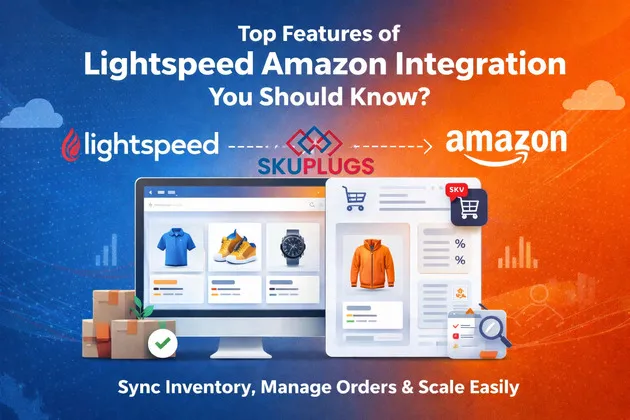

In today’s fast-paced retail environment, managing multiple sales channels efficiently is no longer optional - it’s essential. Retailers using Lightspeed POS often look to expand their reach by selling on Amazon, one of the world’s largest online marketplaces. However, handling inventory, orders, and pricing across both platforms manually can quickly become overwhelming. This is where SKUPlugs steps in with its powerful Lightspeed Amazon Integration.
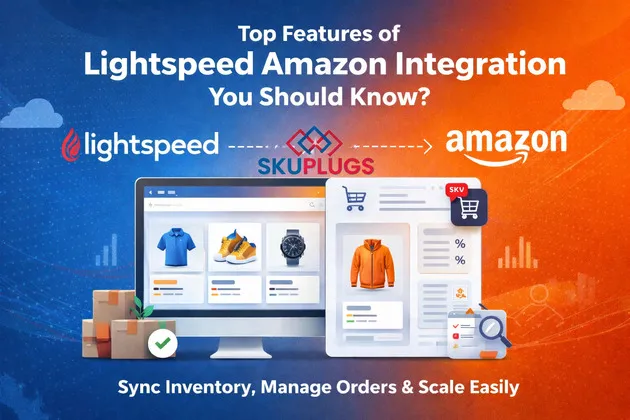
SKUPlugs offers a seamless bridge between Lightspeed and Amazon, enabling retailers to automate operations, reduce errors, and scale their business effortlessly. In this article, we’ll explore the top features of Lightspeed Amazon integration with SKUPlugs and how they can transform your retail workflow.
Why Integrate Lightspeed with Amazon?
Before diving into the features, let’s understand the importance of integration. Lightspeed is a robust POS system designed for retail businesses, while Amazon provides access to millions of customers globally. Integrating the two allows you to:
- Sync inventory in real-time
- Automate order management
- Maintain consistent pricing
- Reduce manual workload
SKUPlugs ensures that all these processes run smoothly without requiring complex technical setup.
1. Real-Time Inventory Synchronization
One of the most critical features of SKUPlugs is real-time inventory syncing. When you sell a product in your Lightspeed store, the inventory is instantly updated on Amazon—and vice versa.
Benefits:
- Prevents overselling or stockouts
- Maintains accurate stock levels
- Improves customer satisfaction
This feature is especially useful for businesses handling high sales volumes, ensuring that inventory discrepancies are minimized.
2. Automated Product Listing
Listing products on Amazon manually can be time-consuming and error-prone. SKUPlugs simplifies this by automatically syncing product data from Lightspeed to Amazon.
Key Highlights:
- Sync product titles, descriptions, and images
- Map categories easily
- Bulk upload products
This automation allows retailers to expand their product catalog on Amazon quickly without repetitive manual work.
3. Centralized Order Management
Managing orders from multiple platforms can be chaotic. SKUPlugs centralizes all your Amazon orders within Lightspeed, giving you a single dashboard to handle everything.
Advantages:
- View and manage orders in one place
- Automatically sync order details
- Reduce manual data entry
This streamlined process improves operational efficiency and reduces the chances of human error.
4. Pricing Synchronization
Consistency in pricing across platforms is crucial for maintaining brand credibility. SKUPlugs ensures that your pricing remains synchronized between Lightspeed and Amazon.
What You Get:
- Automatic price updates
- Support for discounts and promotions
- Elimination of pricing mismatches
This feature helps you stay competitive in the Amazon marketplace without constantly monitoring prices manually.
5. Multi-Location Inventory Support
If you operate multiple stores or warehouses, managing inventory across locations can be complex. SKUPlugs supports multi-location inventory syncing, ensuring accurate stock visibility.
Why It Matters:
- Track inventory across all locations
- Avoid fulfillment delays
- Improve logistics management
This is particularly beneficial for growing businesses with multiple physical outlets.
6. Near Real-Time Data Sync
SKUPlugs offers near real-time synchronization, meaning updates happen almost instantly. Whether it’s stock changes, new orders, or product updates, everything is reflected quickly across both platforms.
Impact:
- Faster order processing
- Better customer experience
- Reduced operational lag
This ensures your business stays agile and responsive.
7. Easy Setup and User-Friendly Interface
One of the standout features of SKUPlugs is its simplicity. You don’t need advanced technical knowledge to set up the integration.
Features Include:
- Quick onboarding process
- Intuitive dashboard
- Dedicated support team
This makes it accessible even for small business owners who may not have a technical background.
8. Secure and Reliable Integration
Security is a top priority when dealing with business data. SKUPlugs provides a secure connection between Lightspeed and Amazon, ensuring your data is protected.
Key Points:
- Safe data transmission
- Reliable uptime
- Regular updates and maintenance
This reliability ensures uninterrupted business operations.
9. Customizable Sync Settings
Every business has unique needs, and SKUPlugs understands that. It offers customizable settings to control how data is synced between Lightspeed and Amazon.
Options Include:
- Select specific products to sync
- Customize sync frequency
- Adjust pricing rules
This flexibility allows you to tailor the integration according to your business requirements.
10. Scalable Solution for Growing Businesses
As your business grows, your operational needs become more complex. SKUPlugs is designed to scale with you.
Growth Benefits:
- Handle increasing product volumes
- Support higher order traffic
- Adapt to expanding sales channels
This ensures that your integration remains efficient as your business evolves.
How SKUPlugs Stands Out
While there are many integration tools available, SKUPlugs stands out due to its reliability, ease of use, and robust feature set. It focuses on delivering a seamless experience for retailers who want to connect Lightspeed with Amazon without technical hurdles.
By automating repetitive tasks and providing real-time data synchronization, SKUPlugs allows businesses to focus on what truly matters—growth and customer satisfaction.
Conclusion
The Lightspeed Amazon Integration with SKUPlugs is a game-changer for retailers looking to streamline their operations and expand their reach. From real-time inventory syncing to automated order management and customizable settings, SKUPlugs offers everything you need to run a successful multi-channel retail business.
By leveraging these powerful features, you can reduce manual effort, minimize errors, and improve overall efficiency. Whether you’re a small retailer or a growing enterprise, SKUPlugs provides a scalable and reliable solution to help you succeed in today’s competitive market.
FAQs
1. What is Lightspeed Amazon Integration?
Lightspeed Amazon Integration connects your Lightspeed POS system with Amazon, allowing you to sync inventory, orders, and product data automatically.
2. How does SKUPlugs help with integration?
SKUPlugs acts as a bridge between Lightspeed and Amazon, enabling real-time data synchronization and automation of key processes like inventory updates and order management.
3. Can I manage Amazon orders from Lightspeed?
Yes, SKUPlugs allows you to view and manage Amazon orders directly within Lightspeed, making order processing more efficient.
4. Is technical knowledge required to set up SKUPlugs?
No, SKUPlugs is designed to be user-friendly with an easy setup process, making it accessible for non-technical users.
5. Does SKUPlugs support multiple store locations?
Yes, SKUPlugs supports multi-location inventory syncing, allowing you to manage stock across multiple stores or warehouses effectively.
Original Source: Medium
























Sign in to leave a comment.