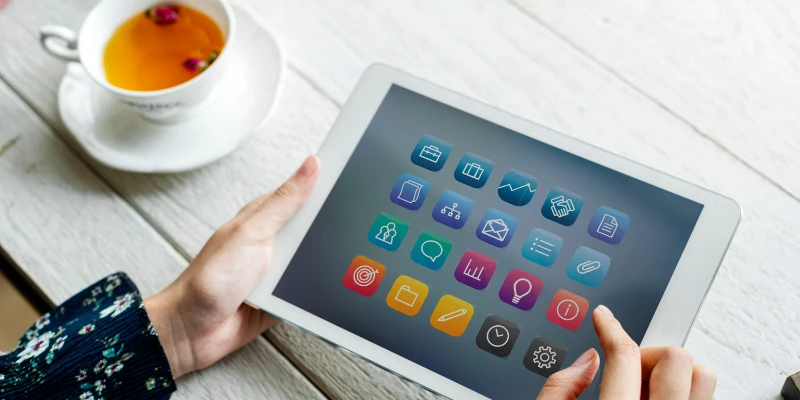

So, you're finally thinking about picking up a new tablet? Honestly, deciding on one of these days feels less like a simple tech purchase and more like a big lifestyle decision.
The market is absolutely flooded with choices—whether you need something sleek for professional work, a device purely for kicking back with movies, or a powerful tool for creativity. But where do you even start? Should your top priority be raw performance, ultimate portability, or maybe something completely different, like a cutting-edge Tandem OLED display (which we’re starting to see everywhere)?
If you’ve been scratching your head, wondering things like, "What exactly should I be looking for?" or "How do I even compare these things?", then you've come to the right place. We've got you covered. In this guide, we’re going to quickly break down the most essential features you need to keep in mind when shopping for a tablet in 2026, covering everything from the basic performance specs right down to the clever smart features that make today's tablets so versatile.
Understanding Your Tablet Needs: Work, Play, or Creativity?
You can't really start looking at the nitty-gritty—the specs and the features—until you've actually nailed down what you need this thing for. Seriously, ask yourself: Why are you getting a tablet? Is it going to be a workhorse for the job, a simple way to relax and be entertained, or are you hoping to use it for creative projects?
The answer to that one question is absolutely key. It’s what guides your whole decision, helping you figure out if you need the best tablet for just reading and browsing, a good one for watching movies offline, or even one of those high-end models that’s the best tablet for editing videos.
- Work: If you’re trying to boost productivity, you shouldn't waste time on anything else. Focus strictly on the processing power, the storage capacity (trust me, you’ll need it), and making sure it fully supports crucial apps like Microsoft Office or Google Workspace.
- Play: If having fun is the main goal, then you’re looking for a different set of features. You’ll want the best tablet for watching movies, maybe something with a great screen, or one that has the graphics capability to handle your gaming habit.
- Creativity: Digital artists, designers, or anyone who handles video editing needs a machine with some muscle. The ideal tablet computer for this type of user absolutely requires advanced features like reliable stylus support, a sharp, high-resolution display, and plenty of RAM to keep things smooth.
Essential Hardware Features Every Tablet Must Have in 2026
When shopping for a tablet, it’s easy to get caught up in the fancy software and apps, but don't overlook the hardware. The best budget tablet for watching movies or any premium tablet should have these key hardware features:
Display: Size & Resolution
A sharp, large display (1080p or 2K) enhances movies, media, and creative work.
Battery Life: Lasts All Day
Look for 10+ hours of battery to stay powered without constant charging. Tablets usually last 3–5 years with proper care.
Processor & RAM: Smooth Performance
Fast processors and 4–6GB RAM handle multitasking and editing. High-end chips like Apple M1 or Snapdragon 8 series are ideal for video editing.
Storage: Enough Space
Choose at least 128GB for files and media. Some tablets support expandable storage via SD cards.
Connectivity: Stay Connected
Wi-Fi-only works at home; Wi-Fi+5G is best for on-the-go internet access.
Smart Features That Make Tablets Truly Powerful
Tablets in 2026 aren't just for reading or watching videos anymore. They come with a variety of smart features that can enhance your experience. Here are a few to look out for:
Voice Assistants
Many tablets come with built-in voice assistants like Siri, Google Assistant, or Alexa. These voice assistants are great for controlling smart home devices, setting reminders, or getting quick answers without having to touch the screen.
Stylus Support: Ideal for Creativity
For artists, designers, and note-takers, a tablet with stylus support is a game-changer. The best tablet for editing videos or creating digital artwork will allow you to use a stylus to draw or write with precision.
Multi-tasking Features
Tablets are increasingly equipped with multitasking features, like split-screen and app docking. These features allow you to use two apps side-by-side, which is ideal for productivity or when you need to compare documents.
Face and Fingerprint Recognition
Modern tablets come with advanced security features like Face ID or fingerprint scanners. These features not only make your tablet more secure but also provide a seamless experience when unlocking or logging into apps.
Comparing the Top Tablets: Which One Fits Your Lifestyle?
When it comes down to it, no two tablets are exactly alike. Here are a few popular models to consider:
- Apple iPad Pro: The best tablet for editing videos and creative work, featuring a powerful M1 chip, stunning Retina display, and support for the Apple Pencil.
- Samsung Galaxy Tab S8: The best tablet for reading and web browsing, with a high-resolution screen and long-lasting battery.
- Microsoft Surface Pro 8: The best tablet computer for those who need the power of a laptop but the portability of a tablet. It features full Windows functionality and is great for work on the go.
- Amazon Fire HD 10: If you’re on a budget, this is the best budget tablet for watching movies. It offers excellent value for money with a sharp screen and decent performance.
When comparing tablets, keep your specific needs in mind and balance the features with your budget.
How to Balance Performance, Portability, and Price
Finding the right balance between performance, portability, and price is often the hardest part of choosing a tablet. A more powerful tablet usually means better performance, but this comes at a higher price. A budget tablet may offer fewer features but can still perform basic tasks well.
If portability is important to you, consider lighter and thinner models, which are easier to carry around. On the other hand, if you're looking for the best tablet for watching movies offline, you might want a larger screen, which can be less portable but offers a more immersive viewing experience.
Tips to Avoid Common Mistakes When Choosing a Tablet
Choosing a tablet can be overwhelming, but avoiding these common mistakes will help you make a more informed decision:
Not Considering Future Needs
While it might be tempting to buy a tablet based on its current features, think about your needs in the next 2-3 years. Will the tablet still be relevant as apps and software become more demanding? Make sure to choose a tablet with a future-proof processor and ample storage.
Ignoring Software Compatibility
Different tablets run on different operating systems. iPads run iPadOS, while Samsung and other Android tablets use Android. Make sure that the tablet's software is compatible with the apps and services you need.
Overlooking Customer Support and Warranty
When purchasing a tablet, check the manufacturer's warranty and customer support options. A good warranty can save you from costly repairs or replacements down the line.
Conclusion
Buying a new tablet can be overwhelming with so many options available, but by understanding your needs, prioritizing essential hardware, and considering smart features, you can make an informed choice. Whether you're looking for the best tablet for editing videos, the best tablet for watching movies offline, or just the best budget tablet for watching movies, there’s a tablet out there to fit your needs.
Remember to consider how long you plan to keep your tablet and how often you'll use it. The perfect tablet for you is one that balances performance, portability, and price. Happy shopping!
FAQs
What size tablet is ideal for everyday use in 2025?
The 10-inch to 12-inch tablets are perfect for everyday use, offering a balance between portability and screen real estate for reading, web browsing, and media consumption.
How much RAM is enough for smooth tablet performance?
For most tasks, 4GB of RAM should be sufficient. However, if you plan to do more intensive work, like video editing or gaming, consider a tablet with 6GB or more of RAM.
Do stylus-supported tablets offer real benefits?
Yes, especially for creative tasks like drawing or note-taking. A stylus provides precision and control that make these tasks easier and more enjoyable.
Which tablet is best for students and professionals?
The Microsoft Surface Pro 8 or the Apple iPad Pro are excellent choices for students and professionals alike, thanks to their powerful processors and support for productivity apps.
Should I buy a Wi-Fi-only or 5G tablet?
If you need constant connectivity and are often on the go, a 5G tablet might be worth the extra cost. For casual home use, a Wi-Fi-only tablet will be more than enough.
























Sign in to leave a comment.