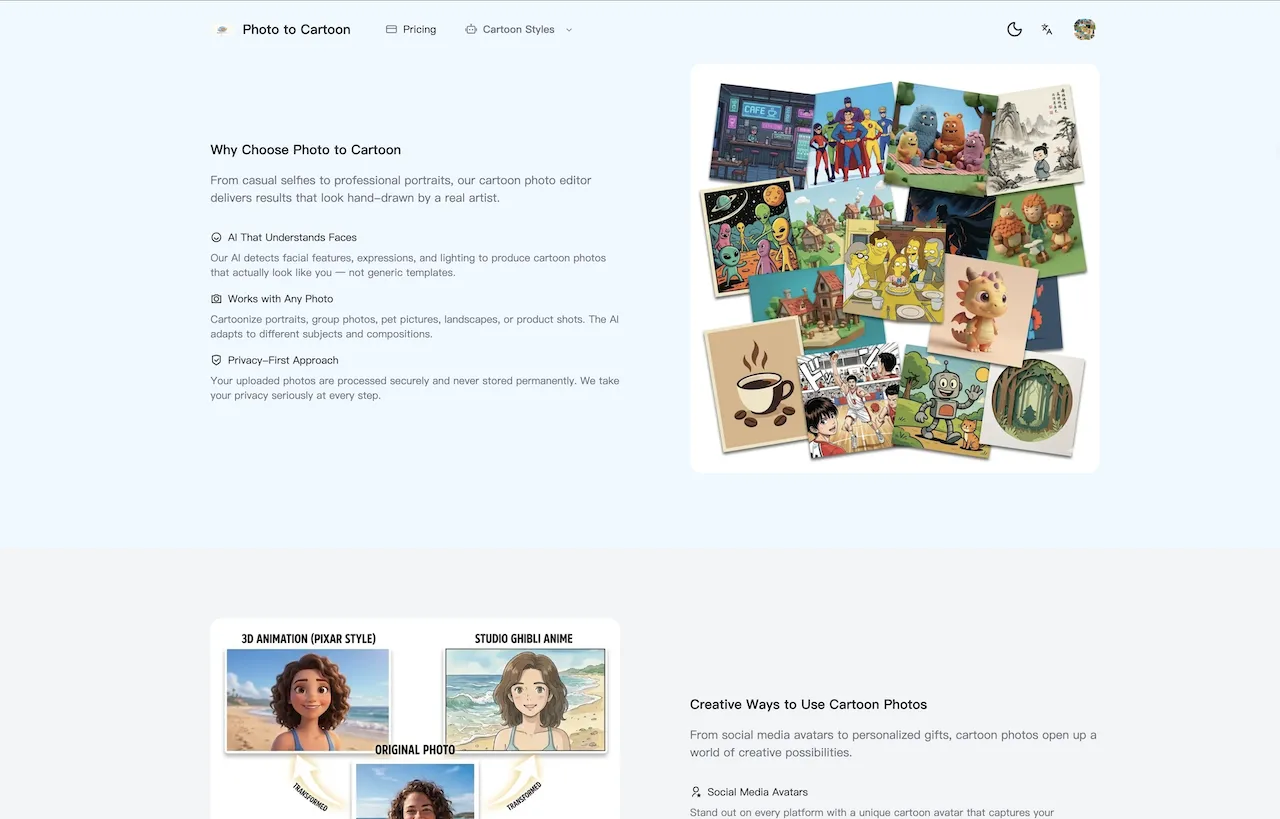

A good photo can hold a moment, but a cartoon version can give it a completely different personality. Whether you are making an avatar, a gift, social media artwork, or a visual concept for a project, turning a familiar image into stylized art no longer requires illustration software or drawing skills.
AI image tools have made the process much more approachable. The useful ones do more than add a generic filter: they let you begin with your own image, choose a visual direction, and guide the final look with a clear description.
Start with a Photo That Tells the Story
The best results usually begin with a strong reference image. Choose a photo where the subject is visible, well lit, and not heavily blurred. Portraits work especially well for profile pictures, while travel shots, pets, family moments, and product scenes can become memorable illustrated keepsakes.
It also helps to decide what you want to preserve. Is it the expression, the outfit, the setting, or the pose? A specific goal makes it easier to choose a style and write a useful prompt.
Pick a Style Before You Generate
Different cartoon aesthetics create very different moods. A soft, storybook-inspired look can make a travel photo feel warm and whimsical. A polished 3D animation style can bring out expressive facial features and bright color. A comic-book treatment can add bold outlines, contrast, and pop-art energy.
Photo to Cartoon is built for this workflow. At phototocartoon.org, you can upload reference images and choose from ready-made Ghibli, Pixar 3D, and Comic style presets. You can also switch to a custom prompt when you have a more specific direction in mind.
Use a Prompt That Describes the Result
A useful prompt is not necessarily long. It should mention the visual traits that matter most: the medium, color palette, lighting, background, and overall feeling. For example, you might describe a warm storybook animation with soft watercolor texture and golden-hour lighting; a bright 3D animated character with smooth rounded features and a clean studio backdrop; or a dynamic comic-book portrait with bold ink outlines and halftone shading.
Treat the first generation as a creative starting point. If the composition is right but the mood is not, adjust only one or two details in the prompt and try again. This makes it easier to see which instruction changed the result.
Make It Useful, Not Just Decorative
Cartoon images are versatile. You can create a new social avatar, an illustrated birthday card, a poster for a community event, a playful pet portrait, or a concept image for a presentation. For creators and small teams, they can also help establish a recognizable visual identity without starting every design from scratch.
When working from several related photos, keeping the style description consistent can help the results feel like a set. Photo to Cartoon supports multiple reference images, which is useful when you want the model to understand a person, a subject, or a scene from more than one angle.
Create Your Own Version
The goal is not to replace the original photo. It is to give it another way to be seen. Start with an image you already enjoy, select a visual direction, and make the instructions personal.
Visit phototocartoon.org to try your next transformation and turn a favorite photo into a piece of character-driven artwork.


















Sign in to leave a comment.