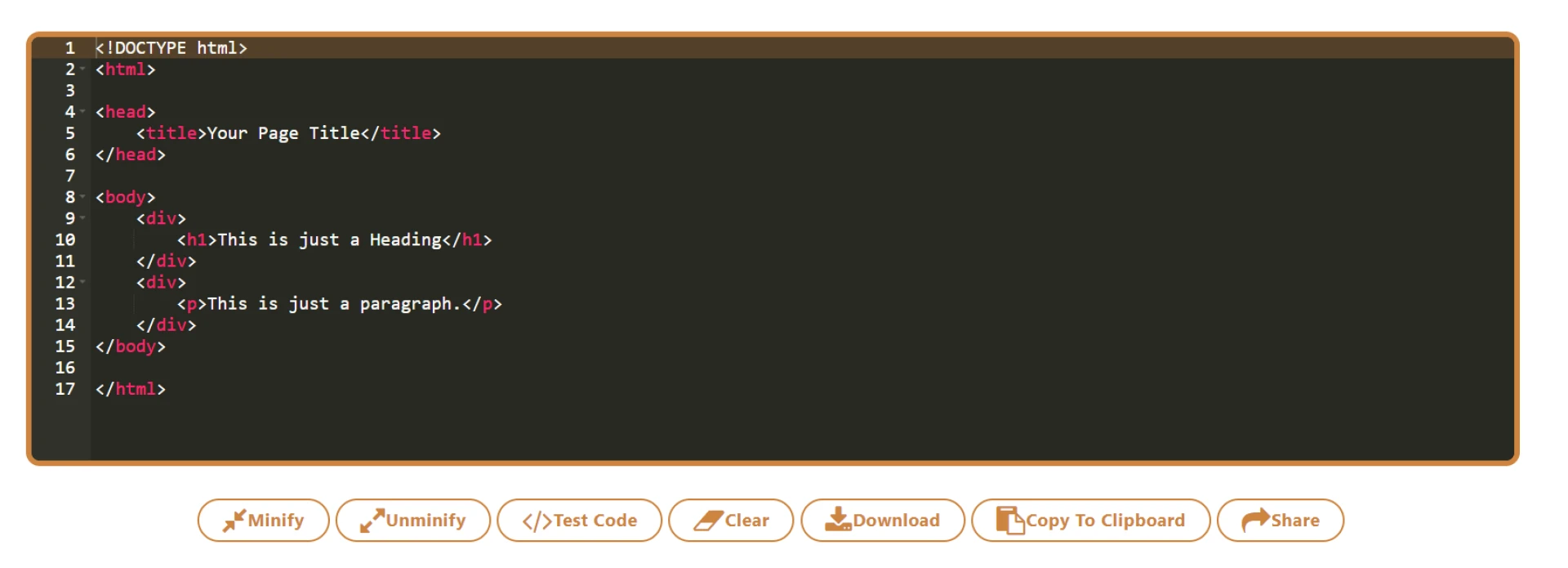

Unminify refers to the process of converting minified code back into its original, human-readable format. Minification is a technique commonly used in web development to reduce the size of code files by removing unnecessary characters such as white spaces, line breaks, and comments.
This process helps optimize website performance by reducing file size and improving load times.
However, minified code can be challenging to understand and modify, especially for developers who did not write the original code. Unminifying the code involves reversing the minification process, adding back the removed characters, and formatting the code to improve readability. Unminifying code is particularly useful when you need to debug, modify, or analyze minified JavaScript, CSS, or HTML files.
Various tools and online services are available that can unminify code automatically. These tools parse the minified code and apply formatting rules to restore indentation, line breaks, and comments. By unminifying the code, developers gain a clearer understanding of the code structure, making it easier to debug and make changes as needed.
When working with minified code, it is important to note that unminifying does not alter the code's functionality or behavior. It merely enhances readability by reverting the code to its original, human-friendly format.
Unminify CSS: Restoring Readability to Minified Stylesheets
Minification is a common practice in web development to optimize the performance of CSS (Cascading Style Sheets) files. It involves removing unnecessary characters like white spaces, line breaks, and comments, reducing the file size.
While minification improves website loading times, it can make the CSS code difficult to read and understand. Unminify CSS involves reverting the minified code back to its original, human-readable format. In this article, we will explore the process of unminifying CSS and the benefits it offers.
Why Unminify CSS?
Unminifying CSS code is beneficial for several reasons:
1. Readability and Understanding
Minified CSS files lack proper indentation, line breaks, and comments, making it challenging to comprehend the code structure and logic. Unminifying the CSS restores its readability, allowing developers to understand and modify the code more easily.
2. Debugging and Troubleshooting
When encountering issues or bugs in a minified CSS file, unminifying the code can be invaluable for debugging and troubleshooting. With the unminified version, developers can more effectively locate and address any errors or conflicts in the stylesheets.
3. Customization and Modification
Unminifying CSS is particularly useful when you need to customize or modify an existing minified stylesheet. By restoring the original formatting and structure, developers can more comfortably make changes, add new styles, or adapt the CSS to fit specific requirements.
Unminifying CSS: Tools and Techniques
Several tools and techniques are available to unminify CSS code:
1. Online Unminifiers
Numerous online tools offer unminification services for CSS files. These tools typically provide a simple interface where you can paste the minified CSS code and then generate an unminified version with proper formatting and indentation.
2. Text Editors with Beautify/Format Functions
Many popular text editors and integrated development environments (IDEs) have built-in features or plugins that can unminify CSS. These functions automatically format and beautify the code, restoring its readability. Examples of such editors include Visual Studio Code, Sublime Text, and Atom.
3. CSS Preprocessors
If you are using a CSS preprocessor like Sass or Less, unminifying the code is often unnecessary. These preprocessors allow you to write CSS using more human-friendly syntax, which is then compiled into minified CSS for production. During development, you can work with the preprocessed files, making it easier to read and maintain your stylesheets.
Conclusion
Unminifying CSS code is an essential step when working with minified stylesheets. By restoring the code's readability, unminification improves understanding, facilitates debugging and troubleshooting, and enables customization and modification.
Whether through online unminifiers, text editor functions, or utilizing CSS preprocessors, developers have various options for unminify CSS and making their web development process more efficient.
Unminify PHP: Restoring Clarity to Minified PHP Code
In the world of web development, minification plays a significant role in optimizing the performance of PHP (Hypertext Preprocessor) code.
Minifying PHP involves removing unnecessary characters, such as white spaces, line breaks, and comments, from the codebase to reduce its file size.
While minification improves website loading times, it can make PHP code challenging to read and understand. Unminifying PHP is the process of reverting the minified code back to its original, human-readable format.
In this article, we will delve into the importance of unminify PHP code and explore techniques to accomplish this.
Why Unminify PHP?
Unminifying PHP code offers several advantages:
1. Readability and Maintainability
Minified PHP code lacks proper indentation, line breaks, and comments, making it difficult to comprehend the logic and structure of the code. Unminify PHP restores its readability, allowing developers to understand, maintain, and modify the codebase more effectively.
2. Debugging and Troubleshooting
When encountering issues or bugs in a minified PHP file, unminifying the code proves invaluable for debugging and troubleshooting. By restoring the original formatting and structure, developers gain improved visibility into the code, facilitating the identification and resolution of errors or conflicts.
3. Customization and Adaptation
Unminifying PHP is particularly beneficial when customizing or adapting existing minified code. By restoring the human-readable format, developers can comfortably make modifications, incorporate new functionalities, or tailor the PHP code to meet specific requirements.
Techniques for Unminifying PHP
Several techniques and tools are available to unminify PHP code:
1. Manual Formatting
Unminifying PHP code manually involves adding appropriate indentation, line breaks, and comments to enhance readability. While this approach is time-consuming, it allows for full control over the formatting and provides an opportunity to thoroughly analyze and understand the code.
2. IDE or Text Editor Features
Many integrated development environments (IDEs) and text editors offer automatic code formatting features that can unminify PHP code. These features use predefined formatting rules to reformat the codebase, improving readability. Popular IDEs like Visual Studio Code, PhpStorm, and Sublime Text provide such capabilities.
3. Online Unminifiers
Various online tools are available that specialize in unminifying PHP code. These tools typically offer a simple interface where you can input the minified PHP code and receive an unminified version as output. Online unminifiers save time and effort, especially for larger codebases.
4. Build Scripts or Task Runners
In some cases, build scripts or task runners can be configured to automatically unminify PHP code during the development process. These scripts integrate with the build pipeline and perform the unminification step, ensuring that developers always work with readable PHP code.
Conclusion
Unminifying PHP code is an essential step when dealing with minified PHP files. By restoring clarity and readability to the codebase, unminification enhances understanding, eases debugging and troubleshooting, and facilitates customization and adaptation.
Whether through manual formatting, IDE features, online unminifiers, or build scripts, developers have various techniques at their disposal to unminify PHP and enhance their PHP development process.
Unminify JavaScript Code with Source Map: Regain Readability and Debugging Power
JavaScript minification is a common practice in web development to optimize the performance of JavaScript files by removing unnecessary characters and reducing their file size. While minification improves website loading times, it can make the JavaScript code challenging to read and understand.
Unminify JavaScript code with the help of a source map allows developers to regain readability and debugging power. In this article, we will explore the concept of unminifying JavaScript code with a source map and how it can benefit developers.
Understanding Source Maps
A source map is a file that provides a mapping between the minified JavaScript code and its original, human-readable source code. It contains information about the original code's structure, variable names, and line numbers.
When a browser encounters a minified JavaScript file with an associated source map, it can use the source map to unminify the code, making it easier to read and understand.
Unminifying JavaScript Code with Source Map
To unminify JavaScript code using a source map, follow these steps:
Ensure that the minified JavaScript file is accompanied by a source map file (typically with a .map extension) generated during the minification process.
Use a compatible JavaScript debugging tool or browser that supports source maps. Popular options include Google Chrome DevTools, Mozilla Firefox Developer Tools, and Visual Studio Code.
Open the JavaScript file in the debugging tool or browser and enable source map support. This tells the tool or browser to use the source map file to unminify the code.
Once the source map is enabled, the debugging tool or browser will automatically associate the unminified code with the minified code. You can now debug, inspect variables, set breakpoints, and step through the original source code, as if it were not minified.
Benefits of Unminifying JavaScript Code with Source Map
Unminify JavaScript code with a source map offers several advantages:
1. Readability and Understanding
Unminifying the JavaScript code allows developers to regain the original formatting, indentation, and comments, making it easier to read and understand. This is particularly helpful when reviewing or modifying code written by other developers or when trying to comprehend complex code structures.
2. Debugging and Troubleshooting
When encountering issues or bugs in a minified JavaScript file, unminifying the code with a source map provides a powerful debugging experience. Developers can set breakpoints, inspect variables, and step through the unminified code, making it easier to identify and resolve errors.
3. Maintainability and Collaboration
Unminified JavaScript code is more maintainable and conducive to collaboration. With an unminified codebase, developers can make changes, add new features, or fix issues more efficiently. It also improves collaboration as multiple developers can work on the codebase and understand each other's changes more easily.
Conclusion
Unminify JavaScript code with a source map is a valuable technique that allows developers to regain readability and debugging power. By leveraging the mapping between the minified code and its original source code, developers can understand, debug, and modify JavaScript code more effectively.
Incorporating source maps into the development workflow enhances productivity, code maintainability, and collaboration among team members.












Sign in to leave a comment.