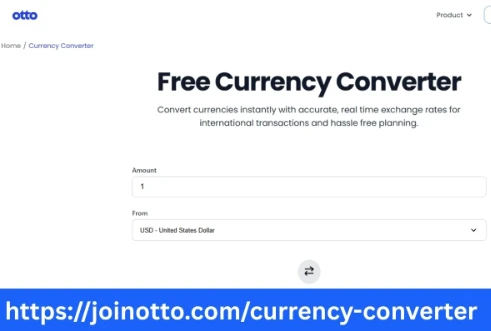

Managing international transactions is a crucial part of operating a small business or working as a self-employed entrepreneur. Whether you are providing services overseas or sourcing products from foreign vendors, dealing with multiple currencies is inevitable. This is where using a reliable and efficient currency converter becomes essential. Otto AI Currency Converter offers a smart solution to simplify international invoicing and payments, making global business smoother and more manageable.
The Challenge of International Invoicing for Small Businesses
Small businesses and entrepreneurs face unique challenges when managing international payments. Unlike large corporations with dedicated finance teams, small business owners often wear multiple hats and have limited time to calculate exchange rates and currency conversions. Fluctuating exchange rates, hidden fees, and manual calculation errors can lead to inaccurate invoices and payment disputes, affecting cash flow and client relationships.
Moreover, keeping up with daily exchange rates and applying them accurately to invoices can be time-consuming and complicated, especially when dealing with multiple currencies and countries. A manual approach also increases the risk of discrepancies between quoted amounts and final payments received.
Why Choose Otto AI Currency Converter?
Otto AI Currency Converter is designed specifically to address the needs of small businesses and self-employed entrepreneurs who manage international clients or vendors. By integrating intelligent currency conversion into your invoicing process, Otto streamlines global payments and ensures financial accuracy.
The tool automatically converts your invoice amounts into the recipient’s preferred currency using real-time exchange rates. This eliminates the need for manual calculations and reduces the likelihood of invoicing errors. By providing clients with invoices in their local currency, you can foster transparency, build trust, and enhance your professional image.
Key Features of Otto AI Currency Converter
- Real-Time Exchange Rates: Otto AI Currency Converter uses up-to-date exchange rates from reliable sources. This ensures that your invoices reflect the most accurate and fair currency conversions available at the time of issuance.
- Automatic Currency Detection: The converter identifies the currency preferences of your clients based on their location or billing details. You no longer need to guess or manually select the right currency for each transaction.
- Seamless Integration: Otto AI Currency Converter easily integrates with popular invoicing platforms and accounting tools, allowing you to manage your finances from a single dashboard without switching between applications.
- Multi-Currency Support: Whether you're billing clients in Euros, British Pounds, Japanese Yen, or Indian Rupees, Otto AI Currency Converter supports a wide range of global currencies to accommodate your business needs.
- Transparent Fee Structure: Unlike traditional banks and some online platforms that charge hidden fees, Otto AI Currency Converter provides clear information on conversion rates and any applicable fees, so there are no surprises for you or your clients.
How Otto AI Currency Converter Simplifies International Invoicing
Let’s consider a scenario: a freelance web designer in the United States working with a client in Europe. The designer needs to invoice the client in Euros. Instead of manually checking exchange rates and calculating the invoice total, the designer uses Otto AI Currency Converter to generate an invoice in Euros directly from their invoicing platform. The exchange rate is applied automatically at the time of invoice creation, and the client can pay in their preferred currency without confusion.
This seamless process saves time, reduces the risk of miscommunication, and provides clarity for both parties. The designer receives the payment in their local currency, ensuring accurate financial reporting and simplified bookkeeping.
Benefits for Small Businesses and Entrepreneurs
- Time Savings: Automating currency conversion allows you to focus on your core business rather than spending time researching exchange rates and updating invoices.
- Accuracy: Real-time currency data minimizes calculation errors and discrepancies in international invoicing.
- Client Satisfaction: Offering invoices in your client’s currency demonstrates professionalism and makes it easier for them to process payments.
- Improved Cash Flow: Accurate invoicing and timely payments help maintain healthy cash flow, which is critical for small businesses and independent professionals.
- Scalability: As your business grows and you expand into new markets, Otto AI Currency Converter scales with you, supporting more currencies and larger transaction volumes.
Supporting Global Business Growth
In today’s interconnected economy, small businesses and entrepreneurs are no longer confined to local markets. Freelancers are working with clients worldwide, and e-commerce sellers are shipping products across borders. To remain competitive and efficient, it is essential to leverage tools like Otto AI Currency Converter that remove the friction from international transactions.
Otto empowers businesses to embrace global opportunities without worrying about the complexities of currency conversion. By integrating intelligent financial tools into your workflow, you can expand your reach, attract international clients, and streamline your operations.
Getting Started with Otto AI Currency Converter
Getting started with Otto AI Currency Converter is simple. Sign up for an account on Otto’s platform, connect your preferred invoicing or accounting software, and set your default currency settings. From there, the converter works in the background to apply real-time exchange rates whenever you create an invoice or receive an international payment.
You can also generate currency conversion reports to track your international transactions and monitor exchange rate trends, helping you make more informed financial decisions.
Final Thoughts
For small businesses and self-employed entrepreneurs managing global clients and payments, a reliable currency converter is no longer a luxury—it is a necessity. Otto AI Currency Converter provides a smart, automated, and transparent solution that simplifies international invoicing and enhances your financial operations. By reducing errors, saving time, and improving client satisfaction, Otto helps you focus on growing your business without the hassle of currency conversion complexities.
Whether you are a freelancer billing clients abroad or a small business importing goods from overseas, Otto AI Currency Converter is your trusted partner for managing international transactions with confidence and ease.

























Sign in to leave a comment.